
EPiServer Workflow Replacement : Step 3–From a high level, how does this work?
This is the third in a series of posts about how my company built a replacement workflow platform for EPiServer. Why we chose to do this is explained here: http://world.episerver.com/Blogs/Hans/Dates/2012/4/EPiServer-Workflow-Replacement--Step-1Explanation-and-Disabling-Edit-Tab/
If you’ve been following along, we have now disabled the stock “Workflow” tab and created a GuiPlugin that we’ve replaced it with. But how does all of this work from a conceptual standpoint?
Let’s take a step back and pretend we have a new content type that has been created. In theory, the run of the mill author should be able to create this post…but they shouldn’t be the ones who publish it.
…or maybe the author and the publisher are the same person, but you want to force the author to get into the practice of reviewing their content before hitting that “Save and Publish” button repeatedly. What purpose, after all, is there to versioning if you have 200 “published” versions which may have incorrect content?
From a holistic perspective, publish should only be pressed when content is ready to go live. This system forces that review process to occur.
So we have our new content created. Because of how we configure the system in Post #5, the common editor only gets these options available to them:

For our company, we encourage the “Save and View” option – which brings up the page in preview mode and then gives the user the option to hit the “Ready to Publish” button – which is, again, their only option:

When “Ready to Publish” is pressed, an email is sent to all of the approvers in the system for that particular piece of content notifying them that the page is ready to be published and they can look at it (we’ll go into hooking the Ready To Publish action in Post #6).

We like the idea of having a group of approvers/publishers and requiring only one of them to approve a page before it goes live, so that’s how we set it up..but you can easily modify this to suit your own process.
The above email shows a few things – the page title, the person who submitted it, the URL to the actual version of the page that needs to be published (which will prompt a user to log in), the current published version of the page, the action that the approvers need to take, and the other content approvers for this particular page.
Generally, a user should click the “Version URL” link and go right to the page – where they can then select the “Workflow” tab to perform actions on the page itself:
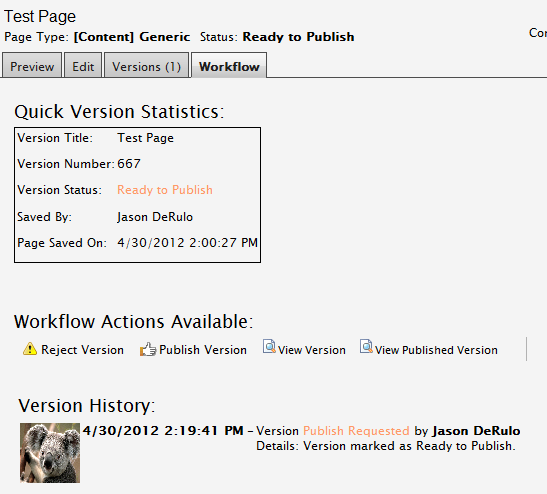
As you’ll note, the above page has all of our actions available (since the status is “Ready to Publish”) – the user can publish the version directly, view this version in a browser, compare it with the published version, or reject the page – the latter being the one thing that EPiServer does not support out of the box.
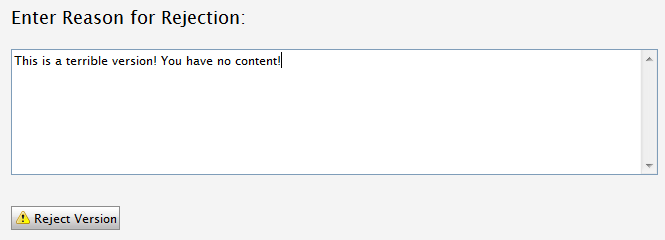
If the “Reject” button is pressed, the user is prompted to explain why the version is not satisfactory, the page is rejected (using the methodology explained in Post #4) and the user is notified that they have some changes that need to happen for the post goes live.
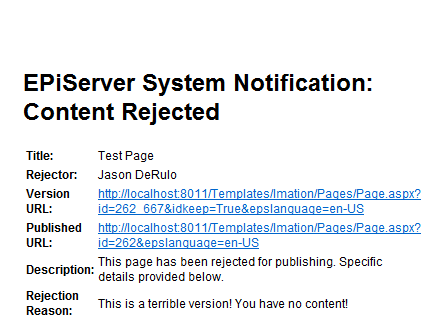
This is the email that is then triggered to the original content submitter, providing them with some information about the reason behind their content being rejected.
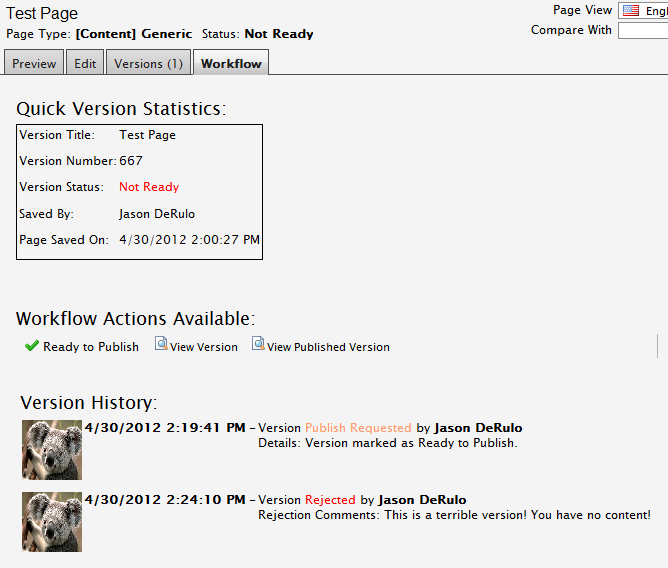
If the original content approver logs back in and selects the “Workflow” tab, they’ll see that the page now has the status of “Not Ready” and that they originally marked it as Ready to Publish and it has since been rejected.
At this point, the editor should make their corrections, resubmit it to its approvers – who will then get the chance to review it again (and be prompted again before they can hit the Publish button)
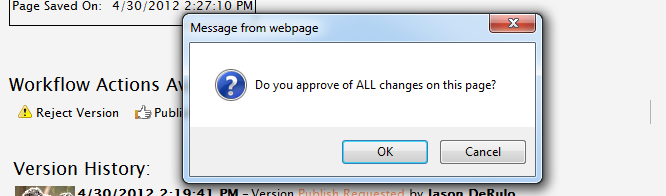
..and only after all of this has been implemented can the page be published:
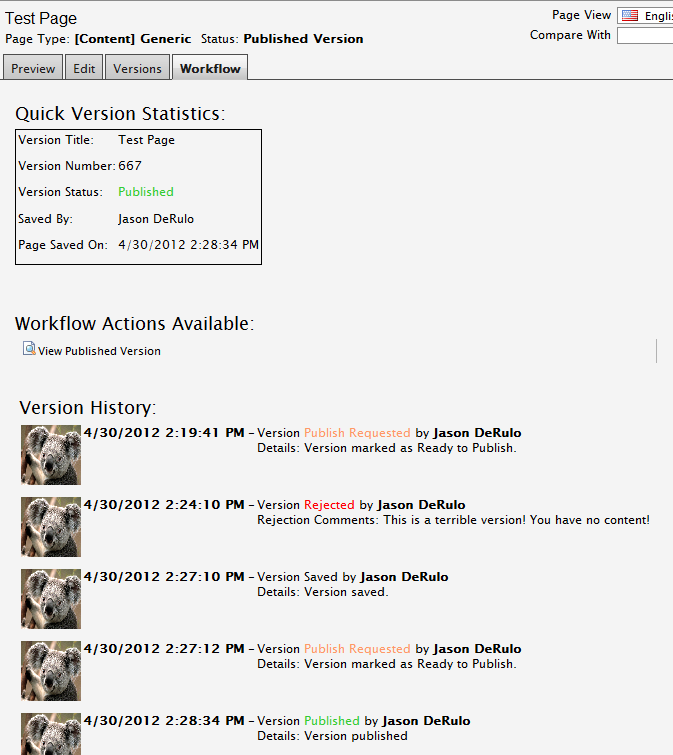
So that’s how this will all come together in the end. In the next post, I’ll discuss how we actually reject pages in both SQL Server and Oracle.
Comments