


Replacement Language Settings
Hi,
Today I would like to share my learnings about the Replacement Language option in Optimizely CMS and Commerce.
Replacement language is used to display content in a specific language, whether the requested language content exists on the site or not. This topic may be familiar for few and not for many.
It may sound like its fallback language, but fallback language content will be displayed if the specific content does not exist in the requested language, whereas replacement language content will be displayed even though the requested language exists. This will be useful inyou are developing content in a specific language but assume that it's not ready yet to be published; in the interim, we can use this replacement language option to display the master content.
Below is a place you can set up replacement language.
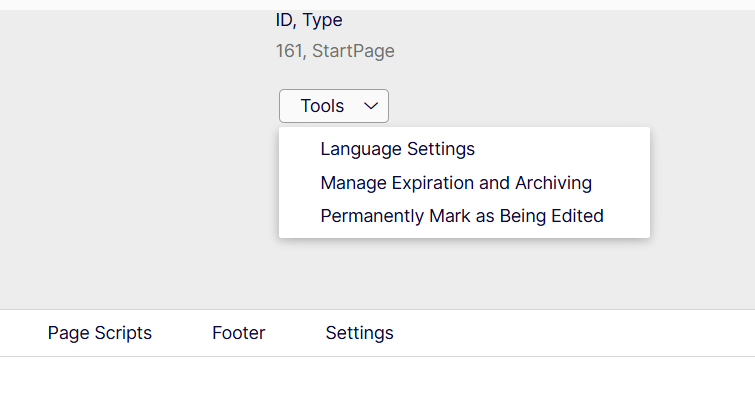
In the above, you can select the Language Settings option.
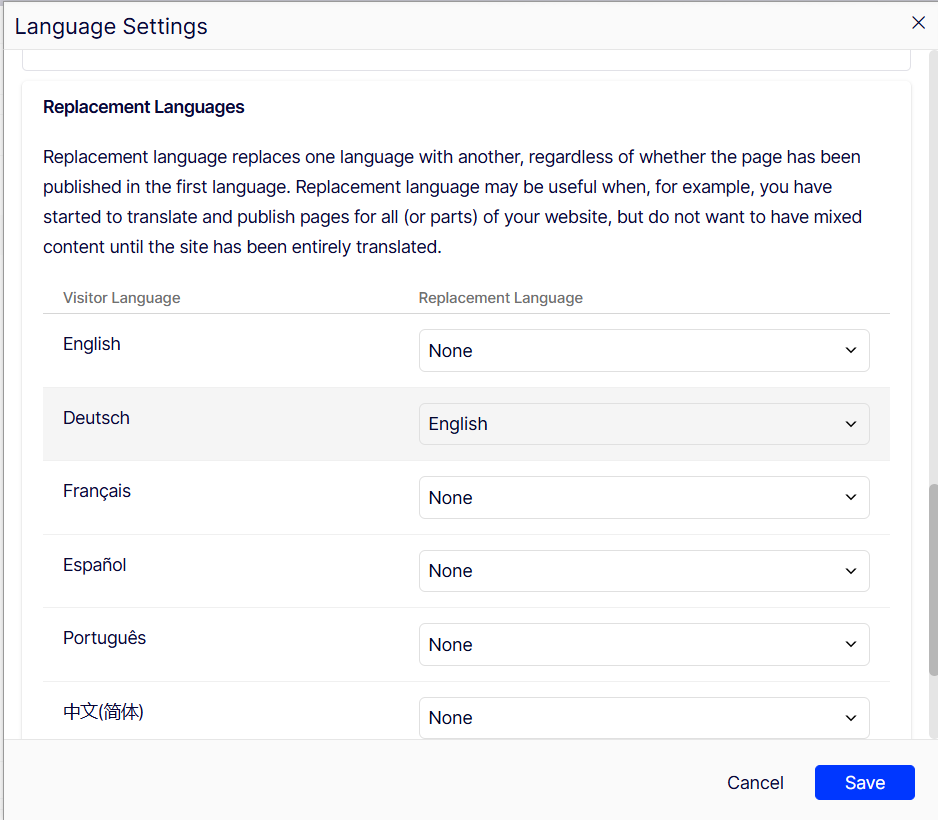
My Learnings
With the above popup, we will be able to configure the replacement language, and Optimizely's out-of-the-box logic will take care of displaying all page content in the replacement language.
However, in some specific contexts, it's needed custom logic to find the replacement logic and bring that particular content to render; below are a few examples.
- In case you have some configurations on the home page or some settings page for across-site usage for different languages, now you have to create custom logic to pull the replacement language for the specific content and get the configuration.
- During a Find search, if you are supplying a language for getting results, you may have to supply the replacement language code for the specific content to get the right language results.
Otherwise the system will pull the results from the current language, which may be Deutsch, whereas in our case we have to get the English content or configurations or results.
To summarize, in the above two cases we have to get the Replacement Language settings from the current page or content. Below are the properties that can be used to get the replacement language code for the page.
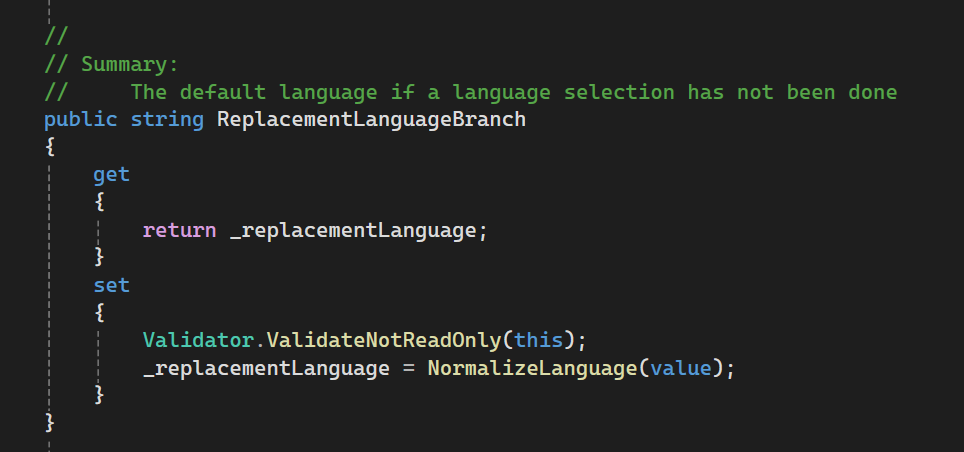
The above property can be found in the ContentLanguageSetting class.
Hope this will be helpful for many.
Please feel free to place your comments/suggestions/feedback.
Thanks for reading.
Hari
Comments