


Time Zone-Aware Scheduled Publishing in Optimizely CMS 13
Scheduling content for audiences in different time zones is a common requirement, especially for websites managed by editors across multiple regions.
Optimizely CMS already supports scheduled publishing, but editors working across time zones may need to calculate the equivalent time in their own time zone before scheduling content.
For example, an editor in Cairo might want a page to go live at 5:00 PM in London. Without a target time-zone selector, the editor needs to calculate the corresponding local time, taking daylight saving time changes into account.
To simplify this workflow, I built Time Zone Publishing, a lightweight, open-source add-on for Optimizely CMS 13.
How it works
The add-on introduces a new Schedule Publish by Time Zone command alongside the existing scheduling option in the CMS Publish menu.
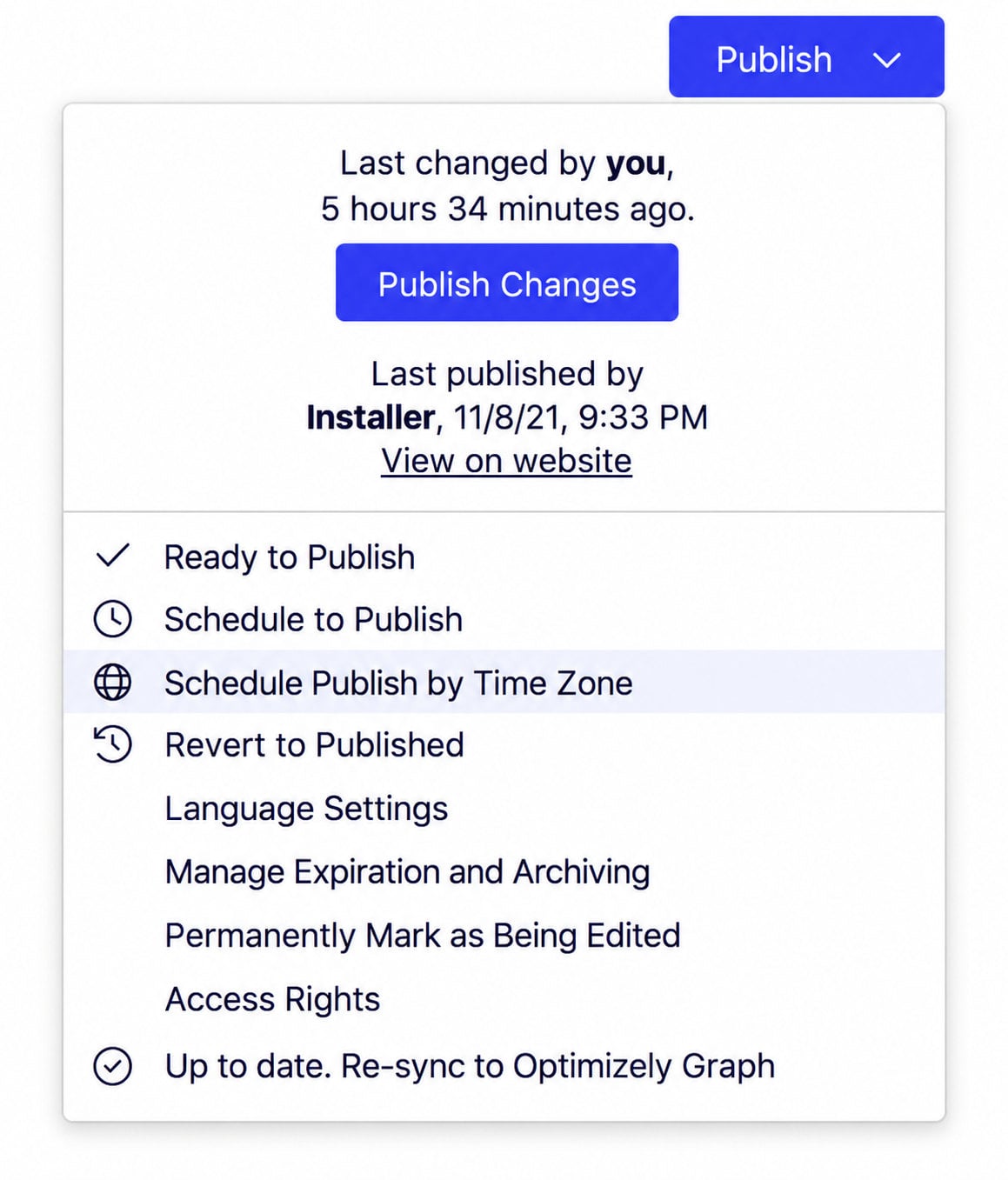
Editors can access the feature directly from the familiar publishing interface without navigating to a separate tool.
Selecting the command opens a scheduling dialog where editors can:
- Search for and select an IANA time zone.
- Choose the intended publication date and time in that zone.
- See the equivalent time in their browser's local time zone.
- Confirm the schedule using the existing CMS publishing mechanism.
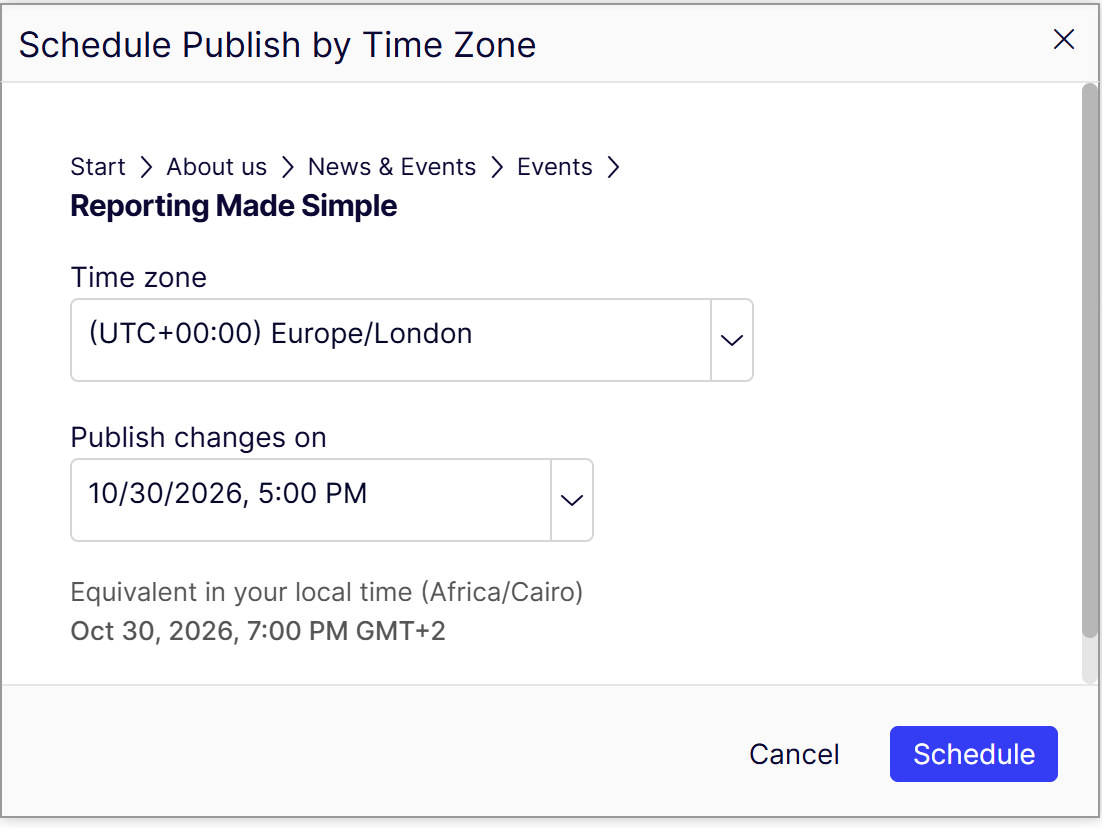
In this example, the page is scheduled for October 30, 2026, at 5:00 PM in London, which corresponds to 7:00 PM in Cairo.
Once the editor confirms the schedule, the add-on converts the selected local date and time to UTC and uses the native CMS scheduled publishing functionality.
This keeps the scheduling workflow aligned with the platform rather than introducing a separate background job or publishing service.
Handling daylight saving time
One important consideration when scheduling across time zones is daylight saving time (DST).
During DST transitions, certain local times may be:
- Nonexistent: When clocks move forward and skip a period of time.
- Ambiguous: When clocks move backward and a local time occurs twice.
The add-on validates both scenarios and prevents editors from confirming a schedule with an invalid or ambiguous local time.
Key features
- Schedule publishing using a selected target time zone.
- Searchable IANA time-zone selection.
- Automatic conversion to UTC.
- Preview of the equivalent browser-local time.
- Validation of daylight saving time transitions.
- Integration with the native CMS Publish menu.
- No additional scheduling service or background job required.
Compatibility and installation
Time Zone Publishing v0.1.1 targets .NET 10 and supports Optimizely CMS 13.0.0 or later. The add-on has been successfully tested with CMS 13.0.0 and 13.4.0.
The add-on is available on the Optimizely NuGet feed and can be installed directly into an existing CMS 13 application.
Installation:
dotnet add package Mardy.Optimizely.TimeZonePublishing --version 0.1.1Source code
GitHub: Optimizely.TimeZonePublishing
NuGet package: Optimizely NuGet feed
Note: The add-on is designed for CMS 13 and is not intended for direct installation into CMS 12 applications.
Feedback, suggestions, and contributions are welcome.
Comments