

World on Opti ID
We're excited to announce that world.optimizely.com is now integrated with Opti ID!
What does this mean for you?
- New Users: You can now log in with your existing Opti ID and start creating content right away.
- Existing Users: If the email address you use for your current World login matches your Opti ID, you can now use your Opti ID to log in.
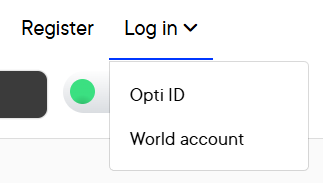
Having trouble?
- If your existing World login uses a different email than your Opti ID, we can help you merge the accounts. Please contact epw@optimizely.com with details for assistance.
What is Opti ID?
Opti ID is your single sign-on for all Optimizely products and services. It's a unified identity system that provides a secure and convenient way to access everything you need from Optimizely, including CMP, CMS, and experimentation tools. Opti ID simplifies your workflow and helps you stay productive.
Benefits of using Opti ID:
- Improved Security: Opti ID uses industry-leading security measures to protect your account and data.
- Convenience: With Opti ID, you only need to remember one username and password to access all Optimizely products and services.
- Seamless Access: Opti ID provides a seamless experience across all Optimizely products and services.
Learn more about Opti ID in our user guide.
Jun 22, 2025

This is fantastic!!!
That’s awesome—could you kindly share the process for partner users to register for OptiID accounts?