
Introduction of Episerver.Personalization.CMS.UI.Goal
The Episerver.Personalization.CMS.UI.Goal helps the editor manage content goals by using different criteria. The available goal types are landing page and time on site.
Installation
To use Episerver.Personalization.CMS.UI.Goal, you must have a key provided by Episerver. Then update the three keys in the appSettings section in web.config as follows.
<add key="episerver:GoalServiceKey" value="" />
<add key="episerver:GoalServiceSecret" value="" />
<add key="episerver:GoalServiceUri" value="" />- GoalServiceKey. Application key for authentication.
- GoalServiceSecret. Secret key for authentication.
- GoalServiceUri. Base service URL.
How to use
- To view the goal list, log-in into the edit mode and go to the Recommendation tab.

- To create a new goal:
- From the goal list, select new goal button on the top right of the panel. A dialog for creating new goal appears.
- Enter the name of goal.
- Select a goal criteria from the Goal type drop-down.
- Either the Goal completion threshold in minutes textbox or the Visitor navigate to page selection box appears according to your selection of the goal type (Time on site of Landing page)
- Time on site
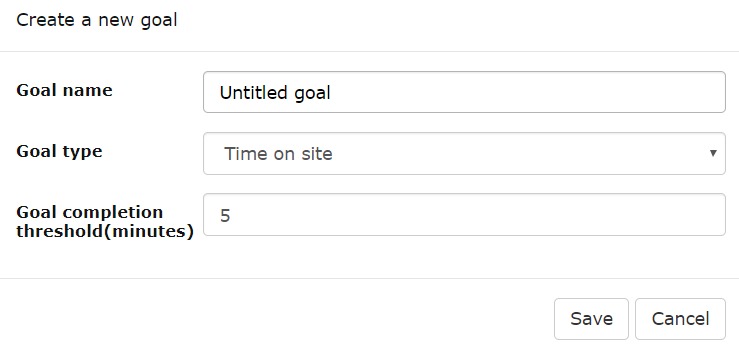
- Landing page
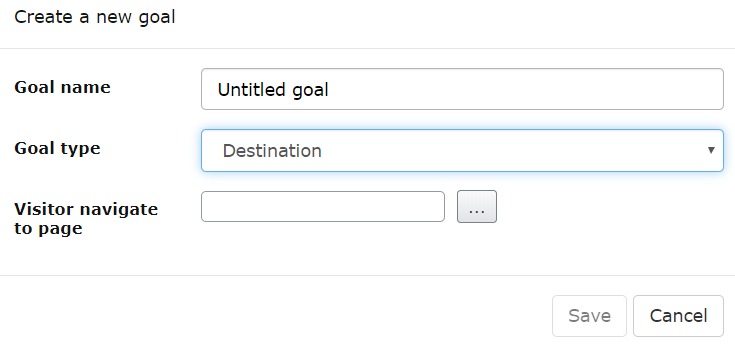
- Time on site
- To edit a goal, select Edit from the drop-down of the desired goal in the goal list screen.

The edit dialog appears.
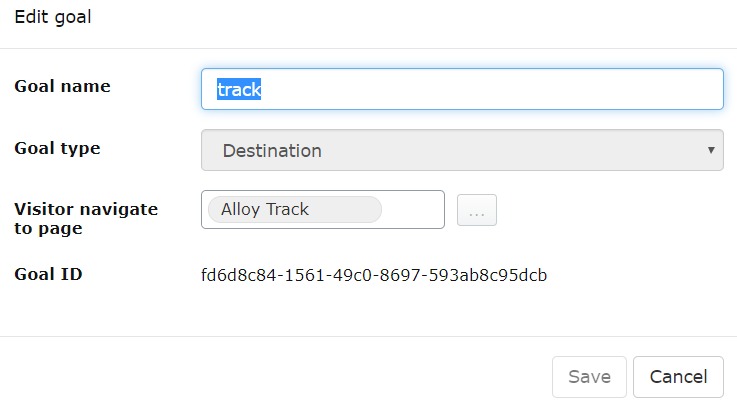
- To delete a goal, select Delete from the desired goal in the goal list screen.

Jul 15, 2019
Comments