


Plugin for deleting unreferenced media
Sometimes you need to synch a dev-environment with production database and media and the blob-storage is huge with likely a lot of unreferenced media or perphaps want to clean up a test-environment.
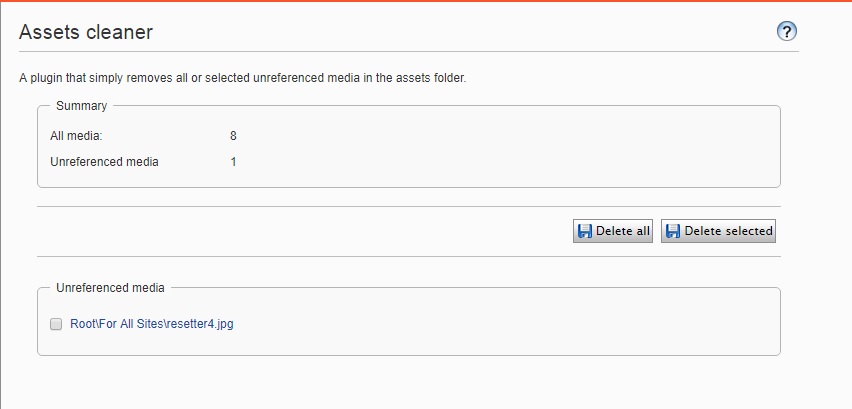
To help in those two scenarios I threw togheter a small plugin that lets you delete all or just selected unreferenced media. Really nothing to say about the code than it can be found over at my Gist.
It looks like this:
Sep 05, 2017
where you were couple weeks ago? when we had ~ 1TB of unreferenced media ?? :) great plugin
Valdis: Thanks. Actually did this before the vacations but haven't got around blogging for quite a while. Been thinking about doing a scheduled job version for a more hardcore approach to keeping the assets folder clean :)
The wheel is already invented =)
https://world.episerver.com/forum/developer-forum/-Episerver-75-CMS/Thread-Container/2017/6/quotremove-abandoned-blobsquot-scheduled-job-doesn39t-remove-all-abandoned-blobs/
Removed about 12% on production server, take backup in case.
Gosso: I googled before I made the plugin but not good enough. But my version has cherry picking of files. :)
Also check out the mega super awesome amazing DownloadIfMissingFileBlogProvider for dev and staging environment.
with that addon you can
Try it =)
I agree that your DownloadIfMissingFileBlogProvider is the best thing since slice bread. :)
I guys will leave you there :D
I just wrote a quick script to remove blobs that have no entry in CMS, then I found this post :D
To Per's defence, his version does indeed go one extra step by checking what's actually referenced, and not only what exists in CMS. The DownloadIfMissing plugin looks awesome, but if you can't use it for some reason you'll need to do a combination of both approaches to slim it to the maxx. Thanks Per!
Glad you found it usefull.