


Introducing Publishing Timeline for Optimizely CMS 13
When working with scheduled content in Optimizely CMS, having a clear overview of what's going live and when can be really helpful, especially when managing content across multiple languages and timezones.
Following my previous add-on for scheduling content across different timezones, I wanted to explore another part of the publishing experience: making it easier for editors to see what's coming up.
That led me to build Publishing Timeline, a free, open-source add-on for Optimizely CMS 13.
What does Publishing Timeline do?
Publishing Timeline adds a panel below the native Workflow Status gadget on the CMS Dashboard. It appears when the Scheduled tab is selected, without replacing or modifying the existing gadget.
It provides two ways to explore upcoming publications.
Table view
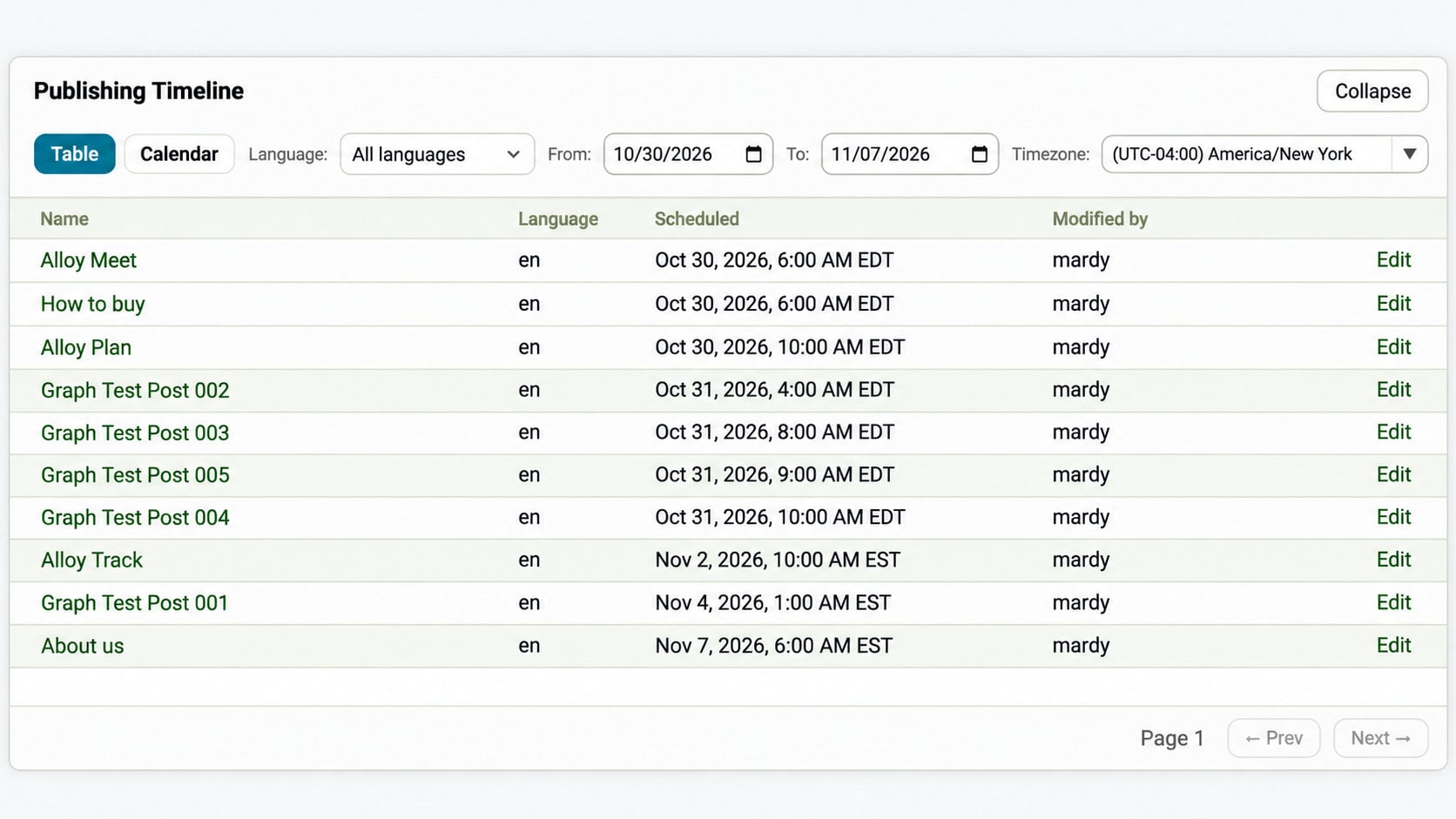
The table provides a list of scheduled content, including the publishing date, language, and who last modified each item. Editors can filter the results and open content directly in the CMS editor.
Calendar view
The calendar displays scheduled publications in a monthly view, making it easier to see what's planned for a particular day or across the month. When multiple items are scheduled for the same day, the +N more option opens a popup showing additional publications and their scheduled times.
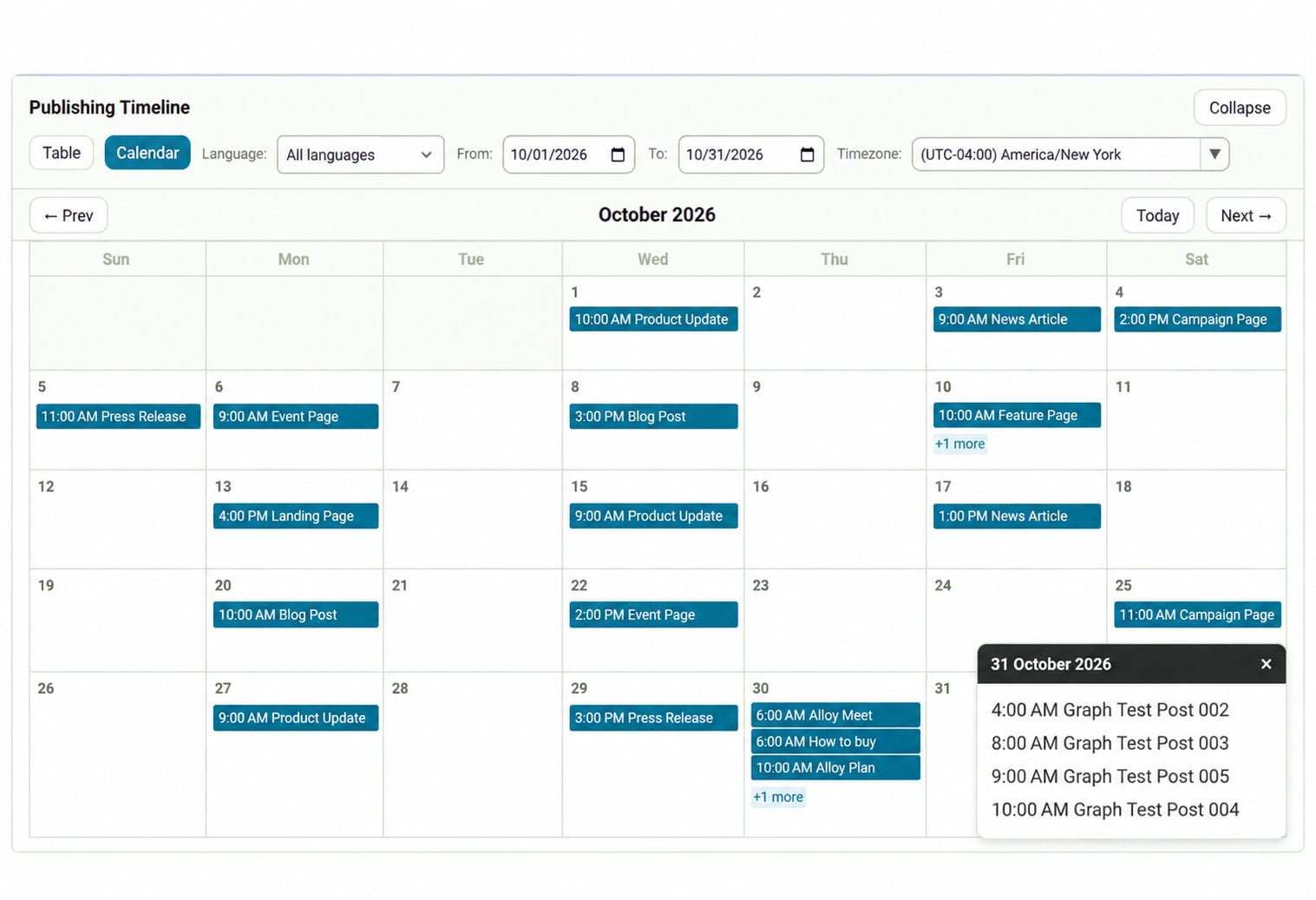
Both views share the same language, date, and timezone filters, so editors can switch between them without losing their selections.
Working across timezones
One of the features I wanted to include was the ability to view scheduled publishing times in different timezones.
For example, if you're coordinating content across Cairo, London, and New York, you can switch the timeline to see when each item is scheduled to go live in the selected timezone.
This only changes how the publishing times are displayed. The actual publishing schedule remains unchanged.
Getting started
Publishing Timeline supports Optimizely CMS 13.4.0 and later (below 14.0.0) and .NET 10.
The add-on is now available on the Optimizely NuGet feed.
Install the package using the .NET CLI:
dotnet add package Mardy.Optimizely.PublishingTimeline --version 1.0.0Make sure the Optimizely NuGet feed is configured as a package source in your project or development environment.
No additional startup configuration is required. After installation, open the CMS Dashboard and navigate to Workflow Status → Scheduled. The Publishing Timeline panel will appear below the native gadget.
The add-on is read-only and doesn't change how Optimizely schedules or publishes content.
Source code and feedback
The project is open source under the MIT license.
GitHub: Mardy.Optimizely.PublishingTimeline
NuGet package: Optimizely NuGet feed (v1.0.0)
I'd be happy to hear your feedback or ideas for future improvements!
Comments