
Handling License.config with automated deployment
I am a big fan of automated deployment tools, and our tool of choice is Octopus Deploy. It makes continuous deployment of new code a breeze and has lots of configuration options to support different scenarios. One challenge, though, has been handling of the License.config file in EPiServer. As you know, we want a unique developer license for each developer, and then another license when deploying to common environments such as QA and PRODUCTION.
Previously, we have had awkward solutions such as uploading the external license file to folder on the Octopus server itself and then having a PowerShell script to copy that file into the solution as it was deployed. This has many disadvantages, for example requiring remote access to the Octopus Server, which I do not have in my current project.
Consequently, we had to come up with a better solution, and after some hard thinking we now have a nice setup that others may hopefully find useful. Here are the steps we have taken:
1. Include License.config in your .CSPROJ file – to make sure it is included in the deployment package

2. Set the contents of License.config to reference an Octopus Deploy variable (that we will define later)
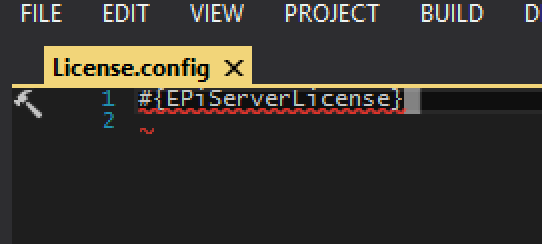
3. Check in your .CSPROJ and your License.config to your version control system (GitHub in our case)
4. Exclude License.config from version control – this is the Git way to do it. After this, you install your personal developer license on your machine.

5. Now, move over to Octopus Deploy and add the deployment variable #EPiServerLicense. Copy the contents of the License file provided by EPiServer into the variable value.

NOTE! If you have non-ASCII letters in your license file, you will need to including …encoding=”iso-8859-1”… in the XML header, as you can see we have done in the screenshot!
6. Finally, in the “Deploy packages” process stage in Octopus Deploy, you activate the feature “Substitue variables in files” and enter “License.config” in the text box.
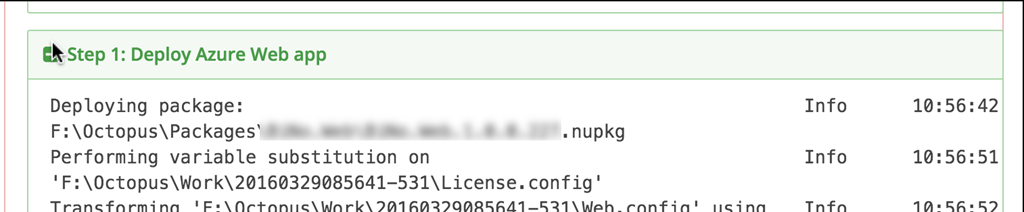
7. You are now ready to deploy. After deployment is done, you can verify that the variable substition worked by checking the Octopus log.

Is there any reason why you are not using specified license file path?
(NOTE: I am posting this on behalf of Thomas Svensen. For some reason, he does not get the comment functionality, no matter which browser he logs on with. He can comment on forum posts, but not on blogs. Is this a known problem? Suggested solutions?)
Hi Hannes, thank you for the feedback!
That is a very good question, and the answer is that we simply weren’t aware of that option. I see now that e.g. http://robertlinde.se/post/octopus-deploy-and-episerver-websites describe a good solution using that approach. Had I read that post earlier, I definitely would have gone that route.
That said, I don’t think the above solution is much worse. I think working with variables generally is easier than config transforms. Also, if the license information was considered confidential in some way, it would belong better in Octopus than in source control, but I guess that isn’t really the case for License.config. Really, the main advantages of using license file path is that you have everything in source control, and the setup is arguably a little simpler.
Again, thank you for useful input! Always useful to have multiple options!
Regards
Lars/Thomas
We're using Octopus Deploy for several projects and are using the same approach Hannes mentioned.
We have all the licenses in a License directory in the project, named by after which environment it belongs to, then using config-transforms to set the path and post deploy powershell scripts in octopus deploy to delete the unnecessary license and config files.
Works like a charm.
Is
an absolute path? It would help alot.
We are currently keeping an empty license file in our solution root and copying it via our custom MSBuild task just before we initiate the Package target. That way we transform everything according to environment, but do not need to have empty license in our project folder (prevents people from even building the solution in VS before retrieving a license).