
Linus Ekström
Apr 16, 2013
  4319
(0 votes)

Sending settings from the server to your editor

I got a question how you can send settings that are defined on the server to an editor. It’s really quite simple so lets have a look on a simple example. We start by defining an editor descriptor and adding an entry in the EditorConfiguration dictionary:

[EditorDescriptorRegistration(TargetType = typeof(string), UIHint = "author")]
public class AuthorEditorDescriptor : EditorDescriptor
{
    public AuthorEditorDescriptor()
    {
        ClientEditingClass = "alloy.editors.AuthorSelector";
        EditorConfiguration["foo"] = "bar";
    }
}

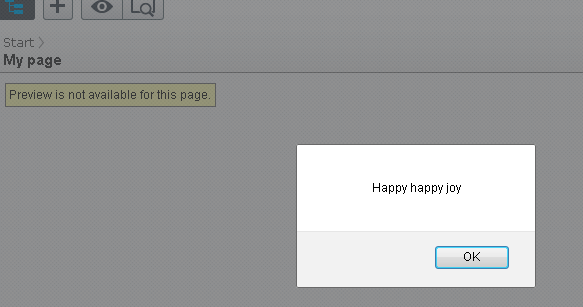
The settings in the EditorConfiguration dictionary is mixed on to the editor instance when started so you can access these settings as they were regular properties of your editor. This sample checks the value of foo in the postCreate-method:

postCreate: function () {


    if (this.foo === "bar") {
        alert("Happy happy joy");
    }
},

And when the editor starts we get:
image

Apr 16, 2013

Comments

Please login to comment.
Latest blogs
Using Scalar with Optimizely CMS

OpenAPI, Content Delivery API, and Modern API Documentation Modern Optimizely CMS solutions are increasingly API-first. Whether you are building a...

Andreas Ylivainio | Feb 6, 2026

Optimizely PaaS + Figma + AI: Auto‑Generate Blocks with Cursor

What if your design handoff wrote itself? In this end‑to‑end demo, I use an AI Agent (inside Cursor) to translate a Figma design into an... The pos...

Naveed Ul-Haq | Feb 5, 2026 |

Graph access with only JS and Fetch

Postman is a popular tool for testing APIs. However, when testing an API like Optimizely Graph that I will be consuming in the front-end I prefer t...

Daniel Halse | Feb 4, 2026

Best Practices for Implementing Optimizely SaaS CMS: A Collective Wisdom Guide

This guide compiles collective insights and recommendations from Optimizely experts for implementing Optimizely SaaS CMS, focusing on achieving...

David Knipe | Feb 4, 2026 |