
SERW Gadget – How is your SEO work going?
SERW or “Search Engine Result Watcher” or “Trend Analytics for your SEO work”. This is a two step rocket with two gadgets, quick search and trend, working together to get you the best business value.
SERW Trend Gadget
The SERW trend gadget allows you to see the trend of your search phrases on different search engines. 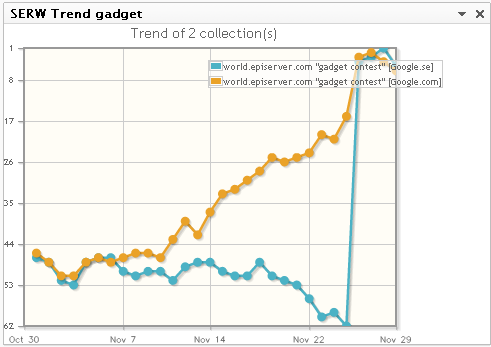
And with a pretty easy UI to change your trend. 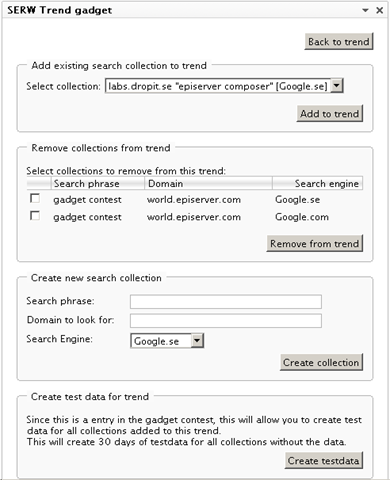
SERW Quick Search Gadget
This gadget allows you to very quickly do a search and get the result position back. You can then save the search and follow it in a trend.
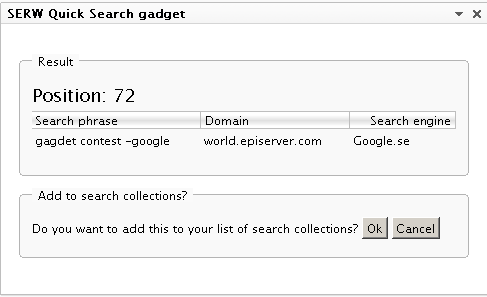
Result:
Scheduled job
Each collection that you saves will be automatically updated each day by the scheduled job “SERW Importer” that needs to be activated.
Using the SERW Quick Search gadget
This gadget allows you to see what position your search phrase places itself on a selected search engine.
Lets say your search places itself on position 97, you will then have to click "next" 9 times on the SERP (search engine result page), and you might not even see it.
But this gadget will make that search for you.
Input your search criteria
The input fields are pretty straight forward: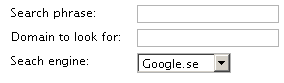
Search phrase
The search phrase is basically what you want to search after. You can use any features provided by the search engine.
Examples:
Basic search: gadget contest
More advanced search: gadget contest –google
Domain to look for
Enter the domain you want to look for.For example: www.episerver.com or world.episerver.com
the protocol is always http.
Search engine
Just select the search engine you want to make the search with.Example
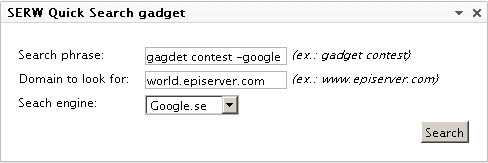
A fully functional quick search:
Make the search
Simply click the search button (1) and see the progress spin (2) is spinning.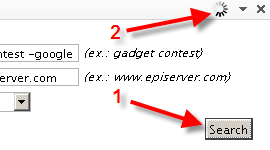
The result page
On the result page you will see the position of the search: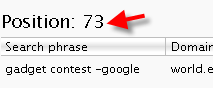
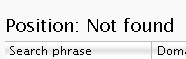
If the Quick Search gadget is unable to find your domain, it will display a text saying that:
Add to Search Collection
By adding this search to your Search Collections, this search will be available in the "SERW Trend gadget" and the scheduled job will make sure that you can follow the search’s position on the search engine.
Using the SERW Trend gadget
It generates a pretty classic graph of all Search Collections (Search phrase, domain and search engine) you selected for this trend. See image: 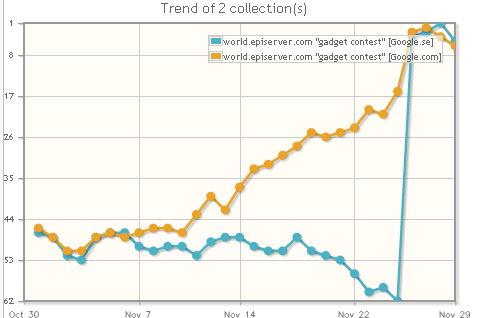
Managing the trend
To manage your trend, simply choose the option "Manage search collections for trend", see image: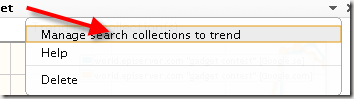 Add existing search collection to trend
Simply select any stored search collection and click the add button. The collection will then be added to the trend and will be displayed in the graph. See image: 
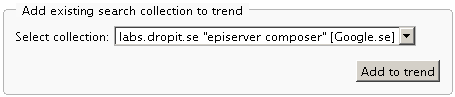
Remove collections from trend
To remove a collection from this trend, simply tic the boxes and click the button. See image: 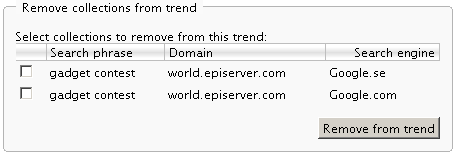
Create new search collection
Search phrase
The search phrase is basically what you want to search after. You can use any features provided by the search engine.Examples:
Basic search: gadget contest
More advanced search: gadget contest -google
Domain to look for
Enter the domain you want to look for.For example: www.episerver.com or world.episerver.com
the protocol is always http.
Search engine
Just select the search engine you want to make the search with.Example
A fully functional quick search: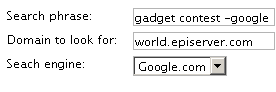
Creating test data
This will add dummy data to all collections added to this trend for 30 days where no data is available. Simply so you can get a feel for the module.Request more search engines
In this package, only four search engines are included. google.se, google.com, yahoo.se, yahoo.com and bing.se, bing.com. If you want more, don’t hesitate to contact me.
TODO
- Be able to remove collections
Pick your own search engine definitions from an online repository
Export/import into Excel
Build a “request to search engine” service so the web server won’t need to take the load
ETC
Download
Disclaimer and dependencies
This is a very first release, there might still be bugs in the gadgets!
The graphs are generated by the jqPlot library, http://www.jqplot.com/.
When trying this out, please be mindful not searching to much at the same time as the search engines might suspect you for being an DDOS attacker.

I'm impressed, this look really useful.