

Using Personalized Find
Episerver recently released Personalized Find (PF), a new product that delivers improved relevancy to visitors thereby helping to increase conversions on your website. Specifically, when used with Episerver Commerce, PF uses each individual's browsing and purchase activity to boost search results.
Without personalization, everyone gets the same Find experience. Yet every visitor is different and is looking for different things on your website. Moreover, each user's behavior changes depending on their wants and needs at that time.
How Personalized Find works
Every click and action on a website is used to build a visitor's profile. For example
- traffic source
- search query
- categories visited
- selected facets: color, size, brand, and so on
- use of ratings and reviews
This data is captured, analyzed then visualized to determine a personalized search relevancy. The relevancy logic for each individual is based on everything PF knows about the visitor: preferences, previous purchases, current behavioral interactions, and so on.
Ranking and weighting can also consider a merchandiser's business rules or strategies. So, best-selling items, high conversion rates, most revenue, or most units sold can be used to affect search results. The result of this processing is an optimal ordering of search results for every user.
Benefits of Personalized Find
- Increased sales. Optimizing the search experience has been shown to produced increased revenue.
- Better engagement. Improved experience encourages customers to keep shopping.
- Better conversion rates. Easier for customers to find products they are looking for.
- Better retention. Customers who have a positive experience are more likely to return to your site.
Using Personalized Find on your site
The Developer Guider article "Using Personalized Find" provides the technical details about using PF. This post provides a quick introduction to a few PF functions.
- Fetching site visitor information.
using EPiServer.Find.Personalization; namespace EpiserverSite.Controllers { public class MyController : PageController<MyPage> { private readonly IClient _client; public MyController(IClient client) { _client = client; } public ActionResult Index(MyPage currentPage) { _client.Personalization().Refresh(); return View(currentPage); } } } - Implementing UsingPersonalization() to boost a query with site visitor information.
var result = _client.Search<FashionProduct>()
     .For("ferrari")
     .UsingPersonalization()
     .GetResult();
Note: At this time, site visitor information is only captured for Commerce content. While you can use .UsingPersonalization() on any query, it only boosts Commerce content properties.
Example of implementation
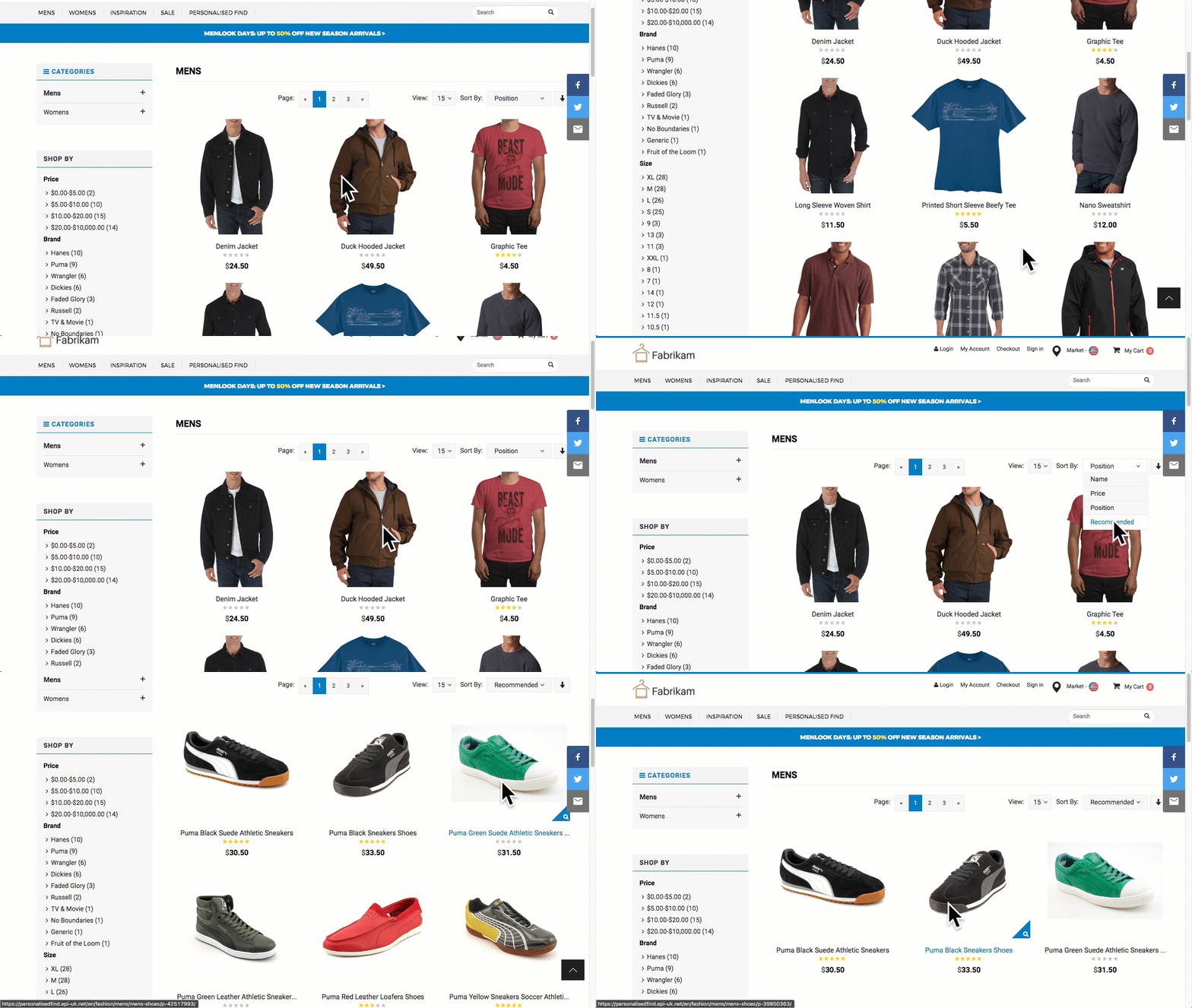
Here is an example, where a user has viewed several expensive puma products. The developers has created a recommendation ordering view, to help the visitors.

Great!
Any idea when Personalized FIND will be available for normal CMS content?
regards /Magnus
Hello @Maguns, what do you mean about "Normal CMS Content"? For more details about Episerver Find and how does it work, you can see here: https://www.episerver.com/products/platform/episerver-find/
Best /Alex
Hi @Magnus,
As I read in World blog post https://world.episerver.com/blogs/joakim-platbarzdis/dates/2018/4/episerver-advance-launched/, it means recomendation for CMS content is ready and Personalized FIND will be available for CMS content pretty soon IMO.
Thank for your patience :)
/Son Do