

Making facets work as they should
"Faceted navigation" is a powerful way of enabling structured search functionality in our applications. Many search services forces you to make multiple queries to get content result and "correct" facets result. We have now fixed this in Content Graph, so you only have to make one simple query to get both item result and "correct" facet result.
Facet filters
Facet filters is a new functionality in Content Graph, which filter content items and the facet filters in the "correct way". The easiest way to explain how it works is by an example.
Below is a query for "location items" on "Foundation CMS" site, which has one facet for "continents", and one facet for "countries". Each of the facets have a parameter of type [String!], where values will filter the item result and other facets.
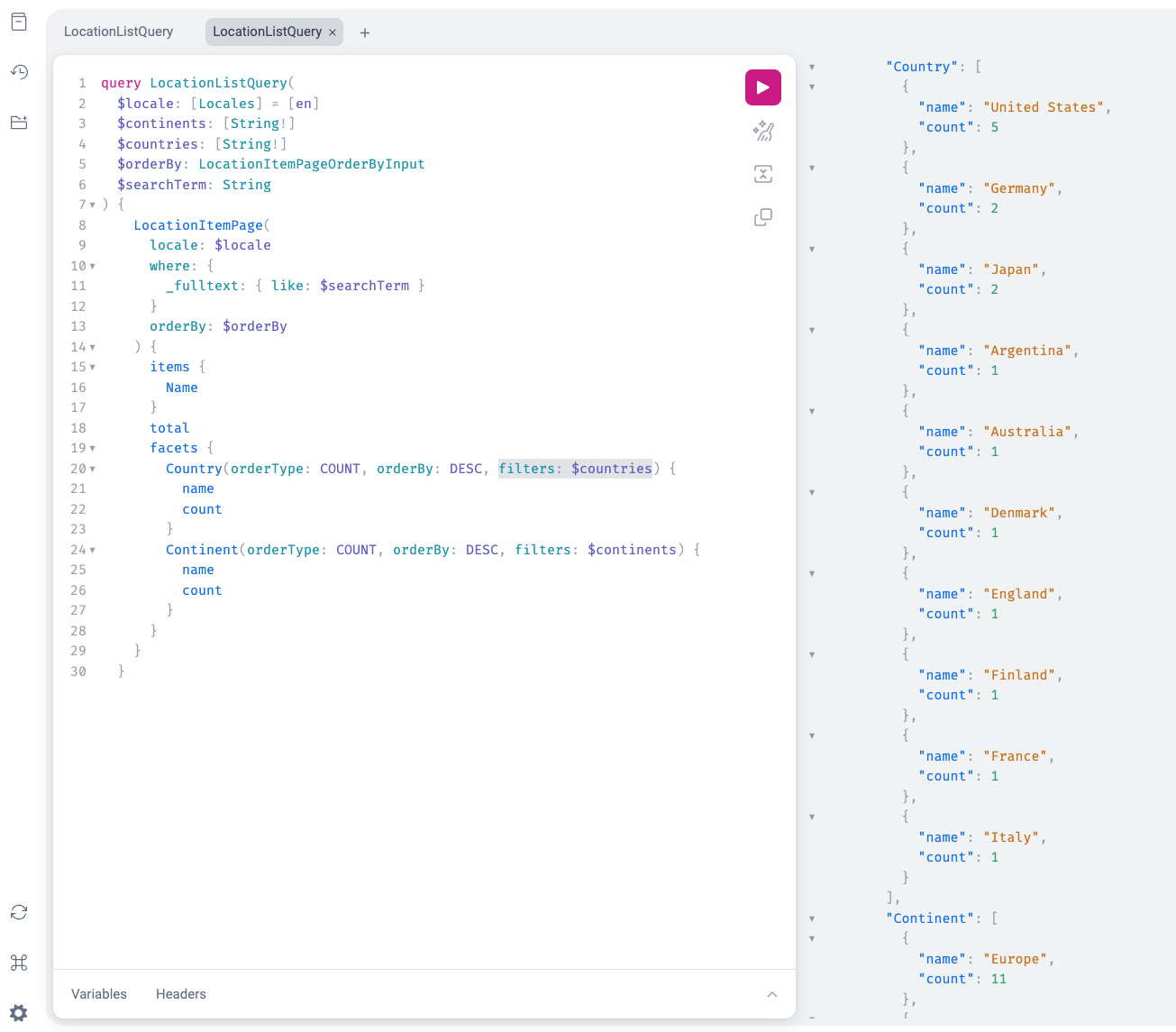
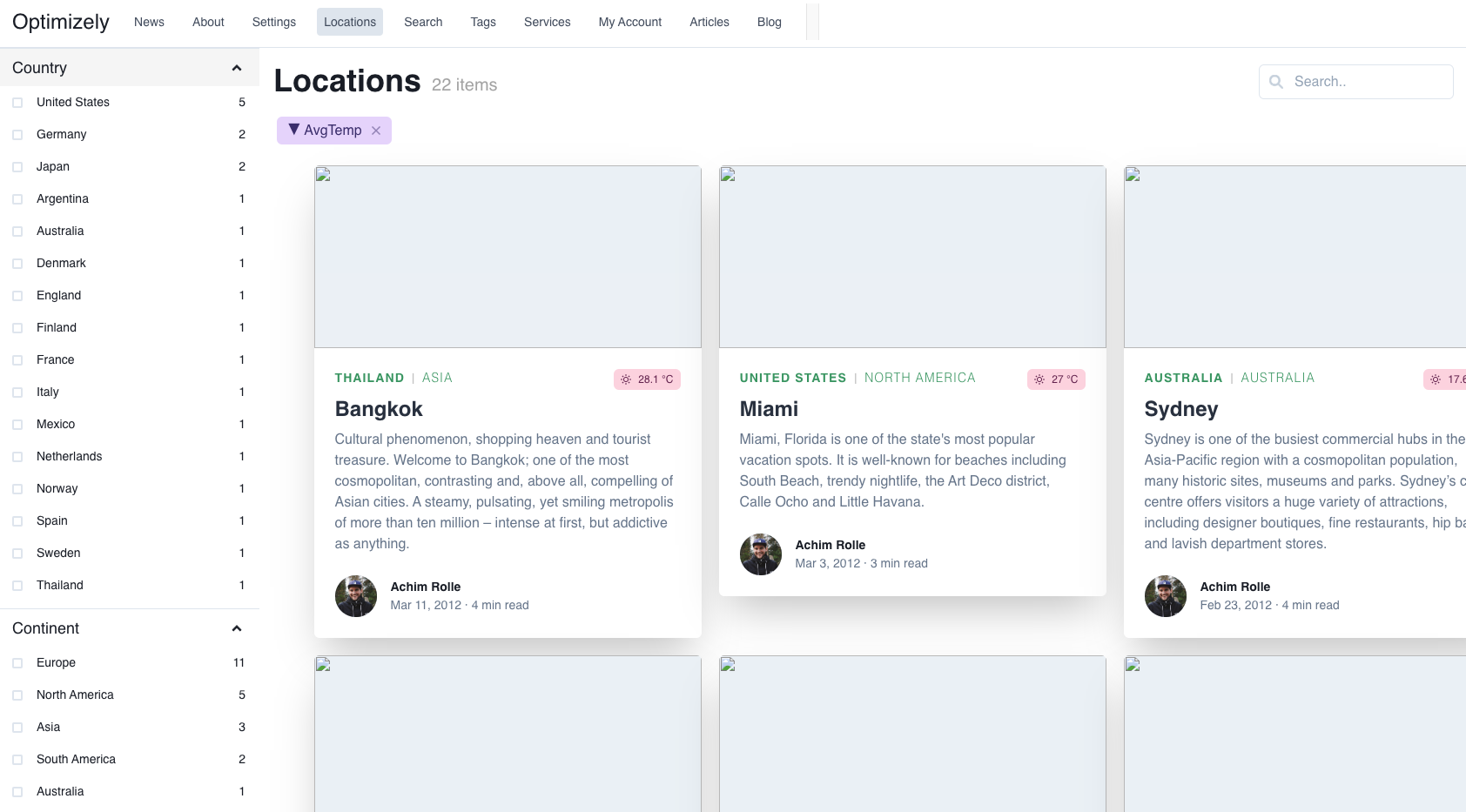
The result on our example application for Foundation CMS will look like this when not selecting any continents or countries:
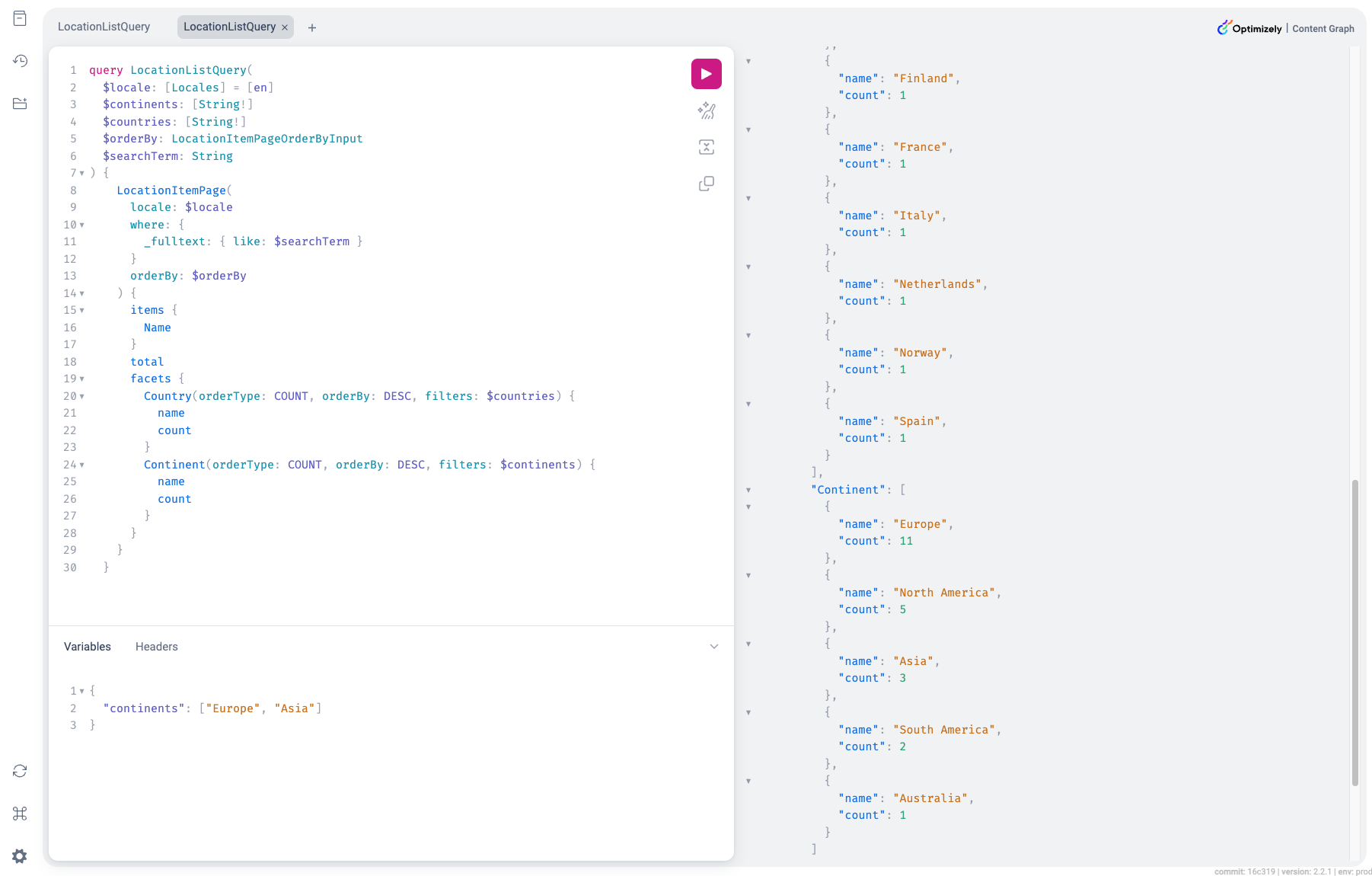
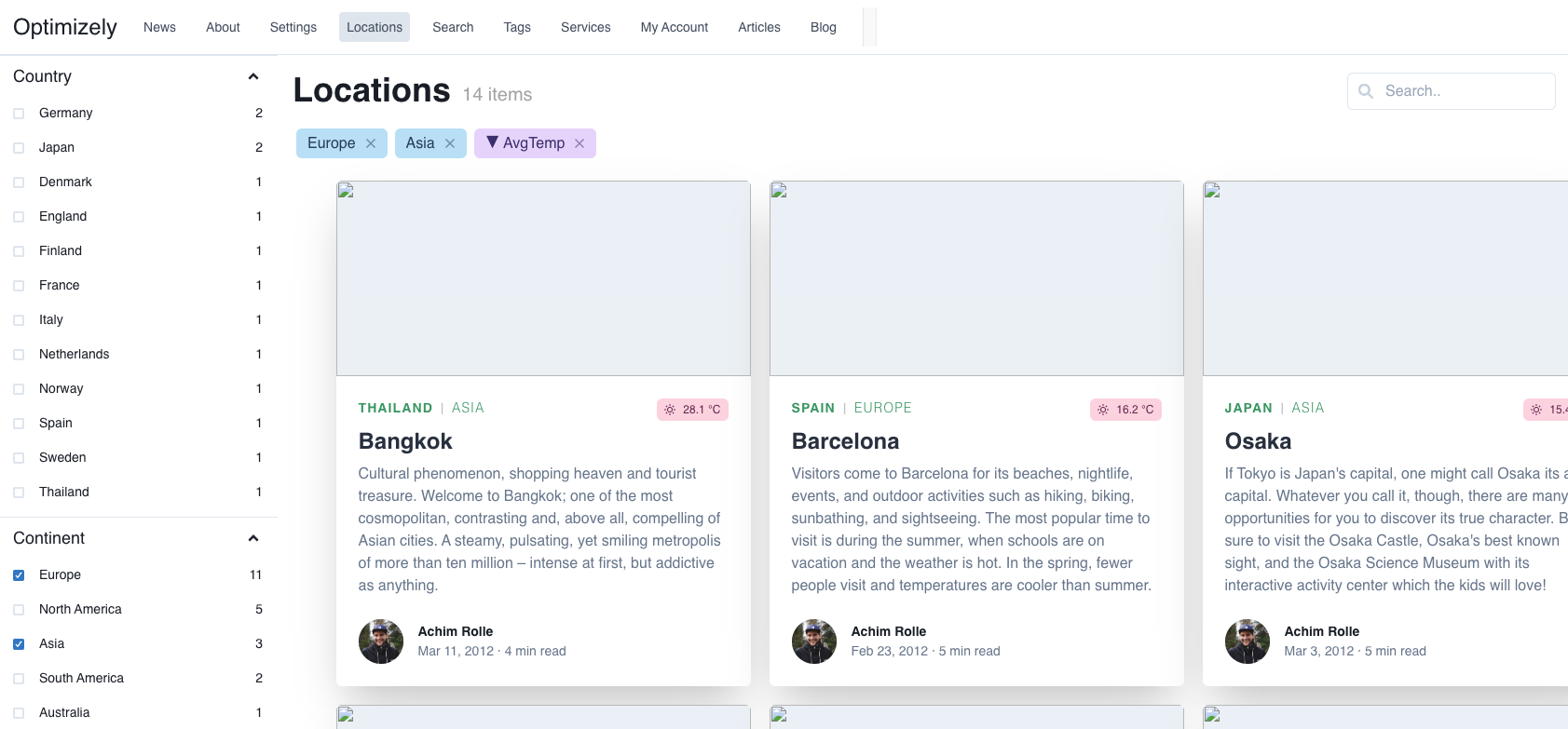
Adding "Europe" and "Asia" for facet filtering of Continents will filter items to only get european and asian cities.
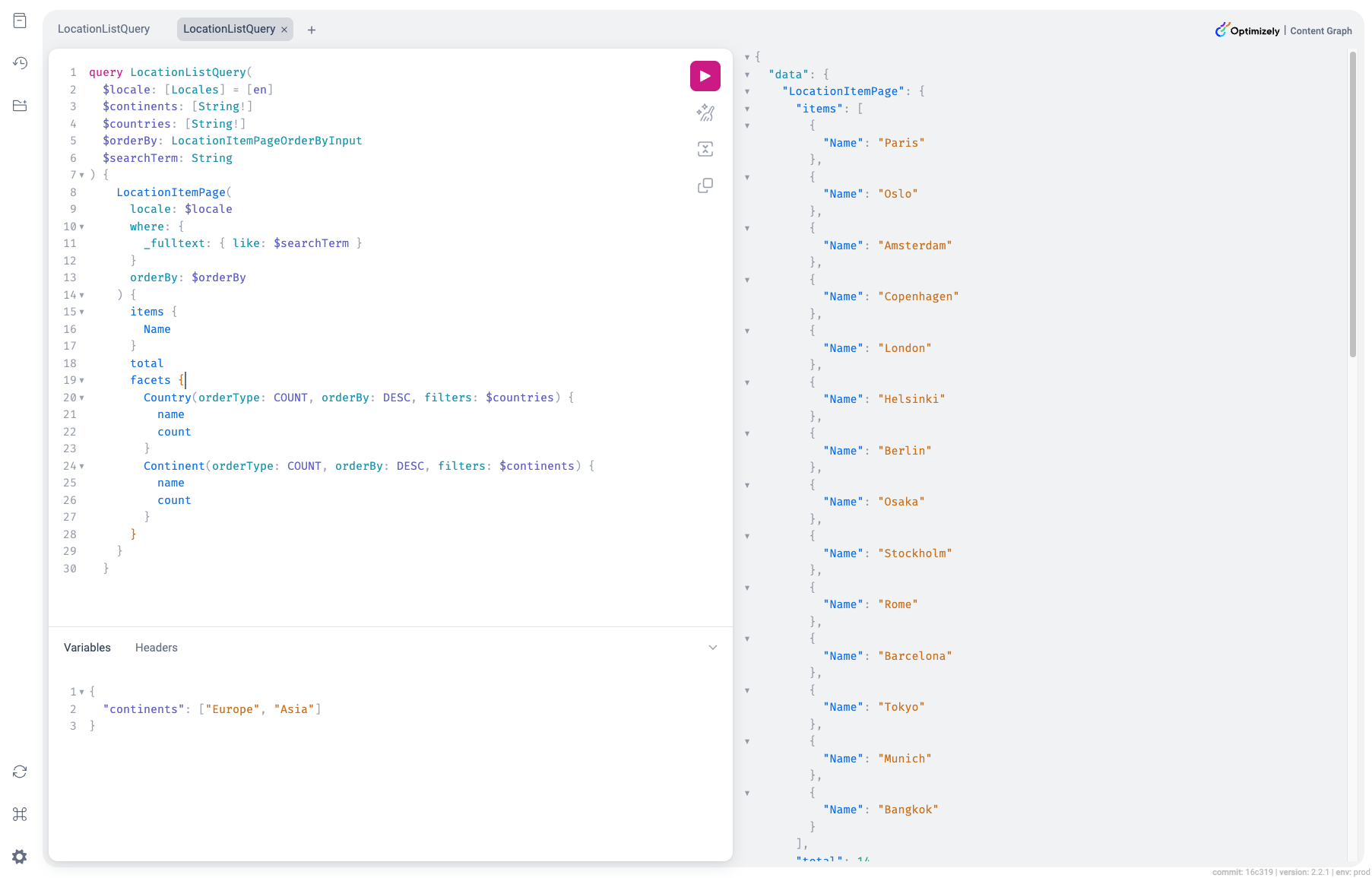
The countries will also be filtered to only show countries in europa and asia. The continents facet will still contain all values, to make it possible for user to see how many other continents that exist.
The example of selecting "Europe" and "Asia" looks like this in the example application:
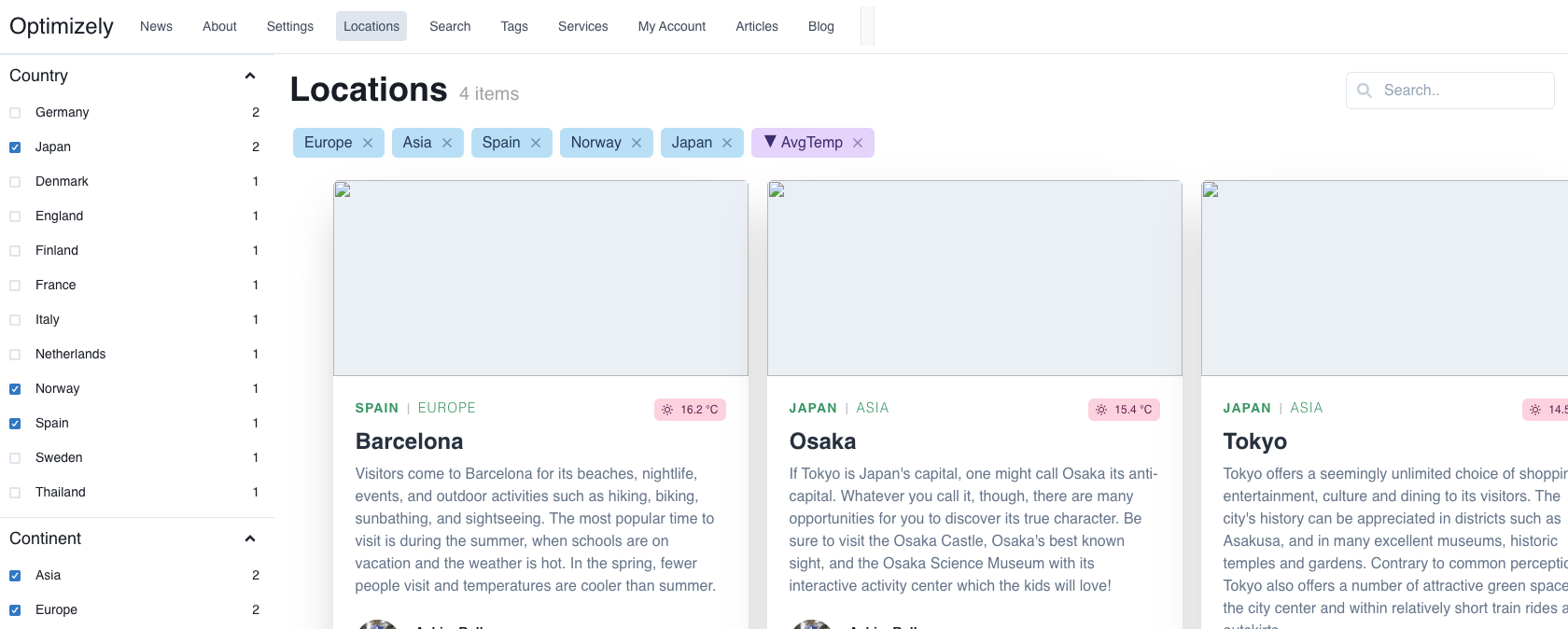
We will finally add filtering for countries as will, which will filtering items based on combination of countries and continents.
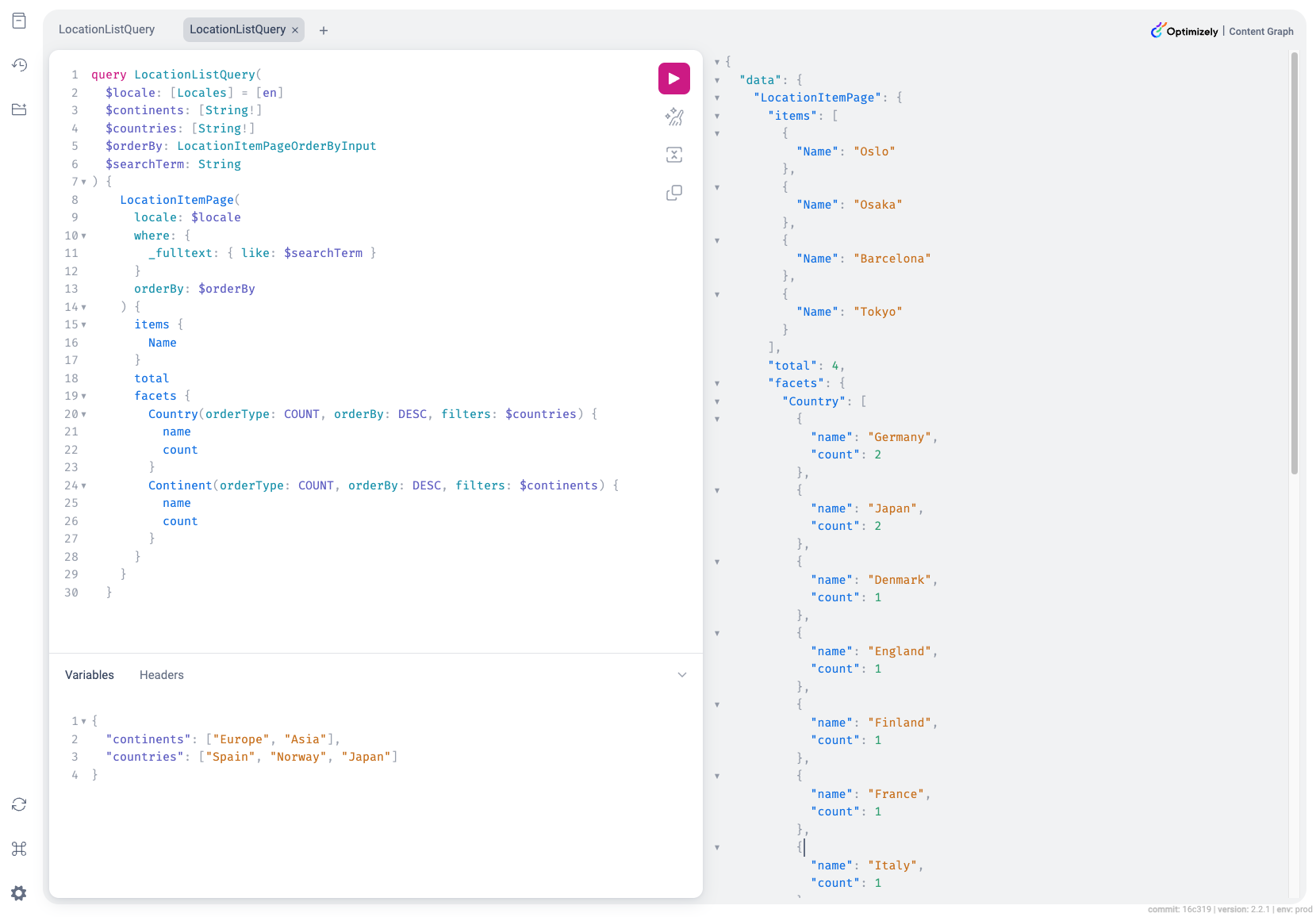
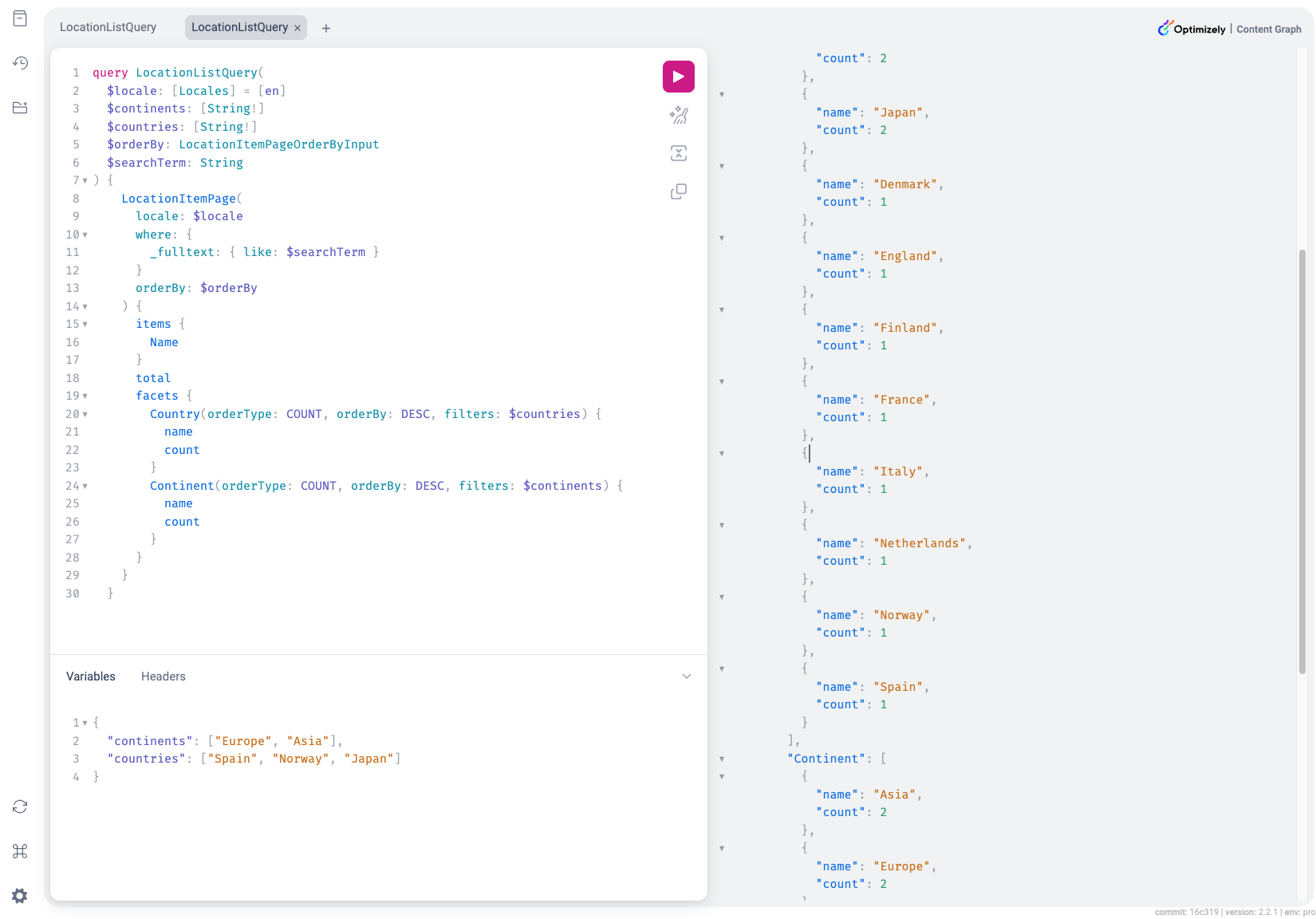
The facets will now return the matching items based on values for the other facet.
 The result looks like the following in the example application:

Very cool feature Jonas and the team! Besides the search capability, it's easier to navigate the content based on the facet.