
Inspect In Index for EPiServer Find
Have you ever found yourself in the situation where you’ve been wondering if your index content is correct, updated or there at all? I have. Often. So, to save me from having to go to the Find Explore view and search for the content, I created another content view to inspect the index for the currently selected content. So simple, but SO useful!
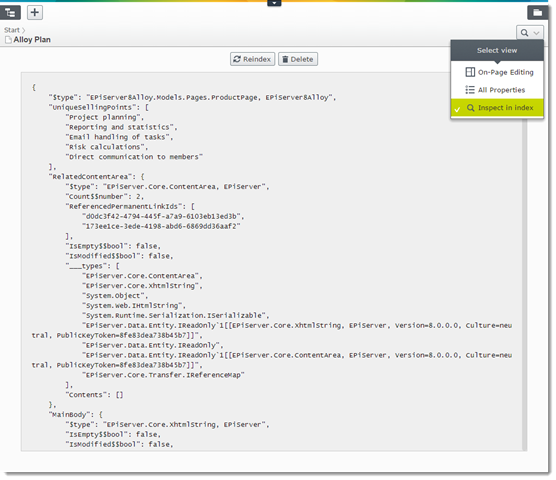
The view shows the current content’s raw form in the EPiServer Find index. From the view you may also index, re-index or delete the content from the index. It will show the content for the currently selected language. Works for pages, blocks, media and custom IContent.
Note: Since non-developers are most likely not interested in the view, it will by default only be visible for users that are members of the “CmsAdmins” or the “SearchAdmins” role.
Want to try it? It’s in the EPiServer NuGet Feed: Install-Package EPiCode.InspectInIndex
Source code and documentation: github.com/BVNetwork/InspectInIndex/
Nice work as always!
Awesome! I am spreading the word here in Finland.
Awesome stuff! Straight into my toolbox!
Cool and really useful!
very helpful indeed, Bundle of Thanks!
I must join in on the comment love train. This is sweet! :)
Hi Team,
I tried the solution in Alloy sample site, for few languages it works and for few it gives below error. Any clue to resolve this?
Error:
An unexpected error occurred: RequestError: Unable to load /EPiServer/Find/proxy/MalikAlloy_Models_Pages_StandardPage/_579871c7-6ec0-4a2b-b7b7-bd3c24af776c_da?language_routing=da status: 400
Thanks in Advance!