
Per Nergård (MVP)
May 6, 2026
  38
(0 votes)

Hide built in scheduled job from the admin UI

Ok so this probably goes into the not so useful section but late last night I got a veery strong feeling that all projects I am  involved with have alot of builtin scheduled jobs that are never used and only add noice to the admin ui scheduled job list. So there must be a way to hide them I thought...

And it turns out that you can, even though that in retrospect this isn't such a big problem maybe :). But I created a  RCL project which you just register / configure in your solution.

You can get the code over at GitHub.

Usage
1. Add the below line to startup and then start in debug mode and check the output for a list of scheduledjobs and their guid / name

services.HideScheduledJobs(_ => { });

2. Add the Guids you want to hide

services.HideScheduledJobs(opts => opts
    .Hide(new Guid("e652f3bd-f550-40e8-8743-2c39cda651dc"), "Remove unrelated content assets")
    .Hide(new Guid("656e747e-b2cb-4930-83dc-5d8d97aeaabb"), "Trim content versions"));

Results 

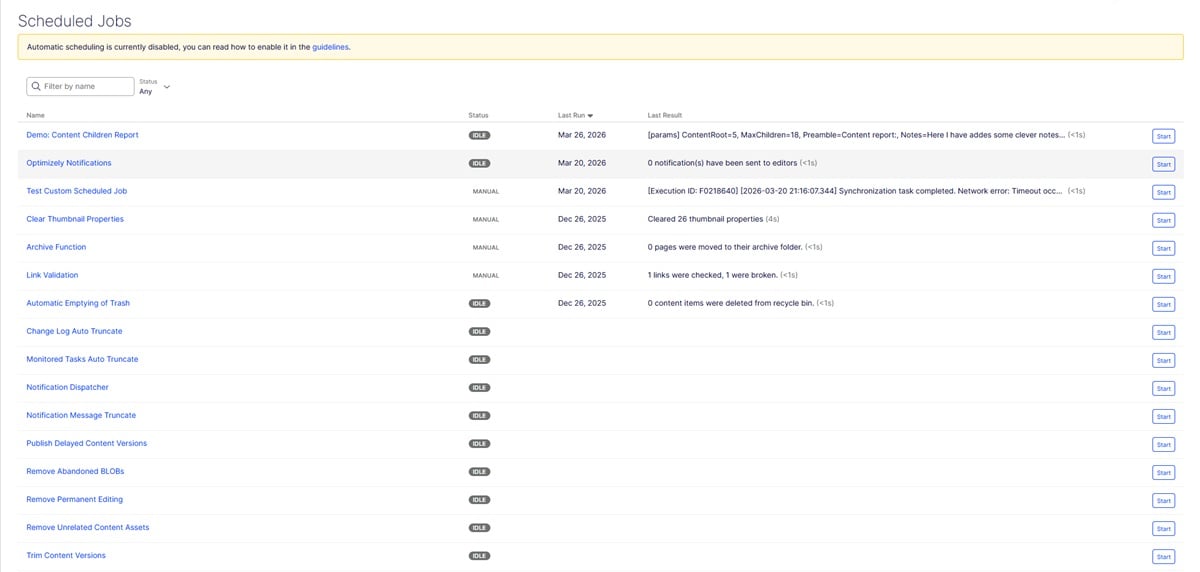
All jobs visible:
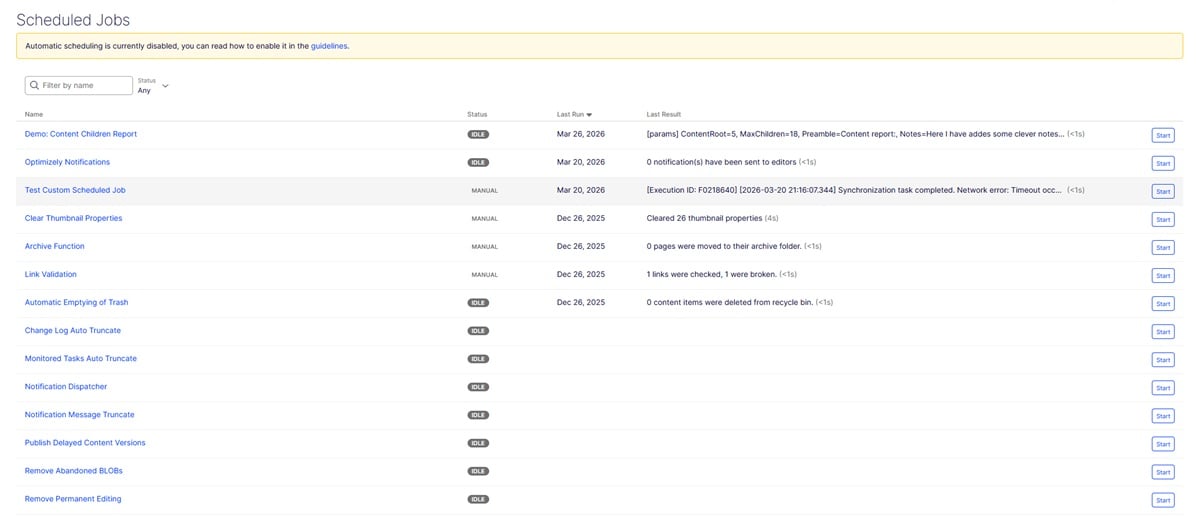
Here I have hidden the bottow two
 

May 06, 2026

Comments

Please login to comment.
Latest blogs
Optimizely SaaS CMS Developer Certification Exam

The Optimizely SaaS CMS Developer Certification is an industry-recognized credential for developers and architects who build scalable, composable...

Megha Rathore | May 5, 2026

Piwik PRO Connector for Optimizely CMS — Now on NuGet (and Yes, It Speaks Both 12 and 13)

Analytics has spent the last decade living in another tab — and what's in that tab usually isn't the full story. Between consent requirements,...

Allan Thraen | May 4, 2026 |

A First Look at Optimizely Remote MCP Server for Experimentation

Optimizely just released a Remote MCP Server for Experimentation and I've been trying it out to see what it can do. If you don't know, MCP (Model...

Jacob Pretorius | May 1, 2026

Promoted and Certified

What a busy week

Andy Blyth | May 1, 2026 |

Announcing new library: SettingsManager

When you run .net app, there have been a few ways to store settings. Those can be set via appSettings.json, or via Azure Portal AppService...

Quan Mai | Apr 30, 2026