
Per Nergård (MVP)
+1
May 6, 2026
visibility 869
star star star star star
(0 votes)

Hide built in scheduled job from the admin UI

Ok so this probably goes into the not so useful section but late last night I got a veery strong feeling that all projects I am  involved with have alot of builtin scheduled jobs that are never used and only add noice to the admin ui scheduled job list. So there must be a way to hide them I thought...

And it turns out that you can, even though that in retrospect this isn't such a big problem maybe :). But I created a  RCL project which you just register / configure in your solution.

You can get the code over at GitHub.

Usage
1. Add the below line to startup and then start in debug mode and check the output for a list of scheduledjobs and their guid / name

services.HideScheduledJobs(_ => { });

2. Add the Guids you want to hide

services.HideScheduledJobs(opts => opts
    .Hide(new Guid("e652f3bd-f550-40e8-8743-2c39cda651dc"), "Remove unrelated content assets")
    .Hide(new Guid("656e747e-b2cb-4930-83dc-5d8d97aeaabb"), "Trim content versions"));

Results 

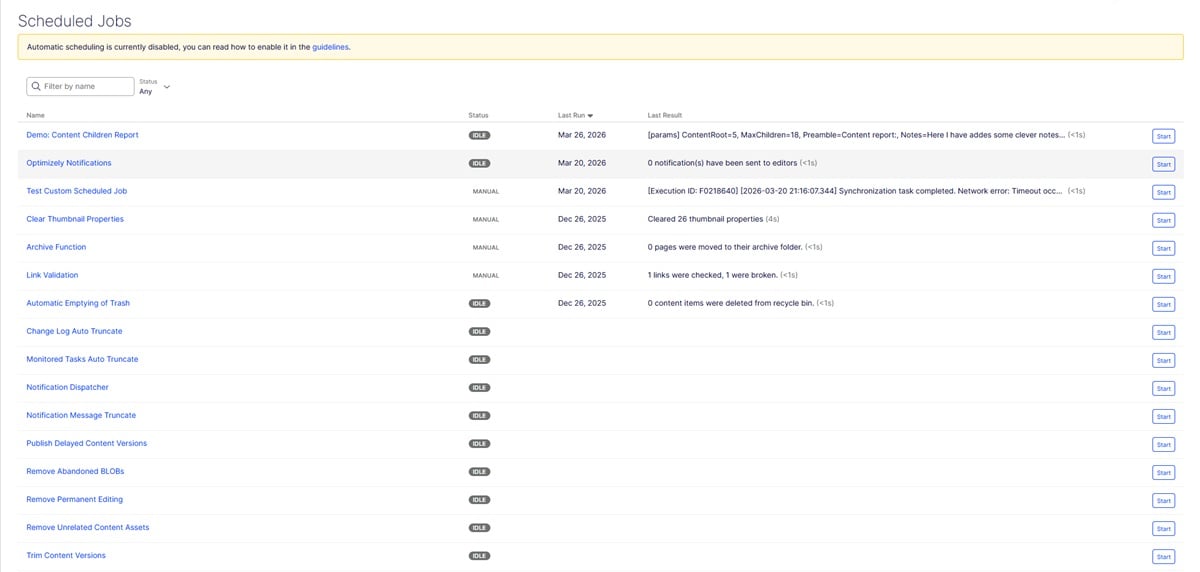
All jobs visible:
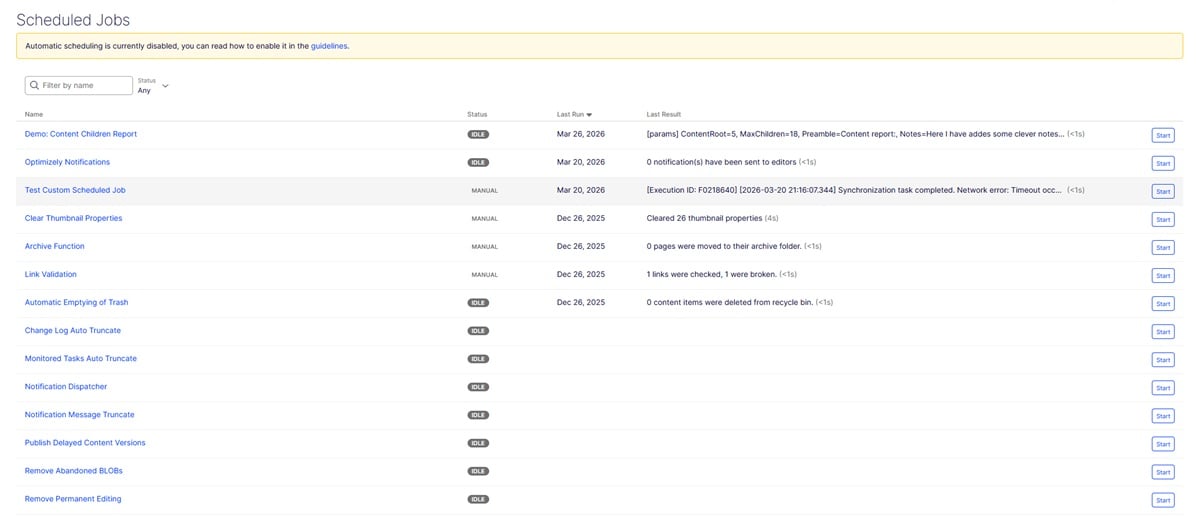
Here I have hidden the bottow two
 

May 06, 2026

Comments

error Please login to comment.
Latest blogs
Flat or Nested? Weighing Your Content Modeling Options in Optimizely SaaS CMS

When building a headless site on Optimizely SaaS CMS, one of the earliest and most critical design milestones your team will face is defining your...

Vipin Banka | Jul 31, 2026

From SDK to Core: Modernizing Optimizely Configured Commerce for .NET 8 and .NET 10

The .NET Framework 4.8 clock is running out for Configured Commerce customizations. Handled well, this deadline is not a chore it is the cleanest...

Vaibhav | Jul 29, 2026

Parallel Development in Optimizely CMS SaaS: Shifting to a Schema Migration Mindset

  Part 3 of the Parallel Development series. The branch-scoped push script from Part 1 works. Run it on a feature branch where you've touched a...

Vipin Banka | Jul 25, 2026

From AI Agents to AI Workflow with Opal

Introduction In the first article in this series , we talked about AI agents in Optimizely Opal and walked through the process of creating a...

Igor Safonov | Jul 23, 2026