A critical vulnerability was discovered in React Server Components (Next.js). Our systems remain protected but we advise to update packages to newest version. Learn More

Petter Klang
Feb 27, 2015
  4073
(4 votes)

Setting up WebDeploy

After running in to the same problem over and over I though I would make this post to remind myself and to share with others.

WebDeploy is easy as long as you can get the Web Platform Installer and then just follow the steps in this guide.

But should you find yourself (like I do) on a server that doesn’t alow for the installer to go and get it’s goodies then there are some steps to remember in order to keep you from pulling your hair out.

  1. By default the port 8172 is used for Web Deploy so make sure the the firewall is open

  2.   Get the msi file for WebDeply and run it. Remember to click custom and add the Remote Agent Service.
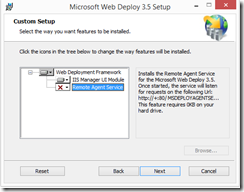
    MSWebDeploy 

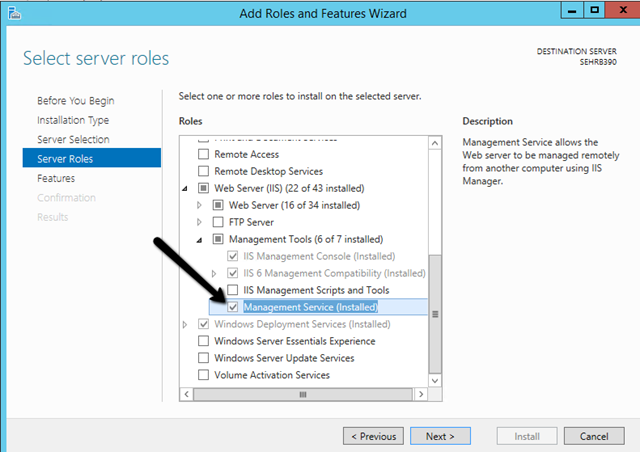
  3. Open up the server management and add the Role “Management Service” .
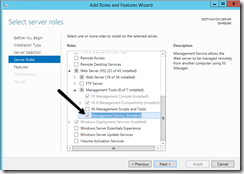
    ManagementService

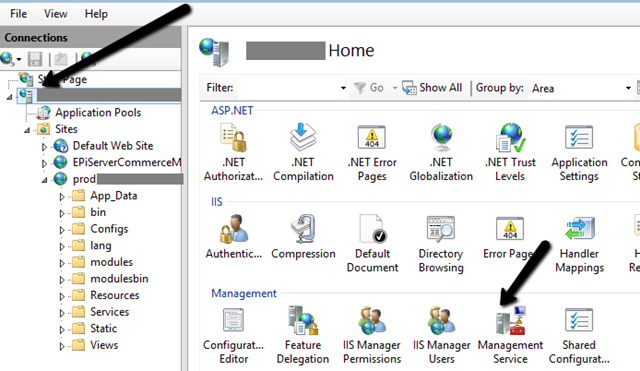
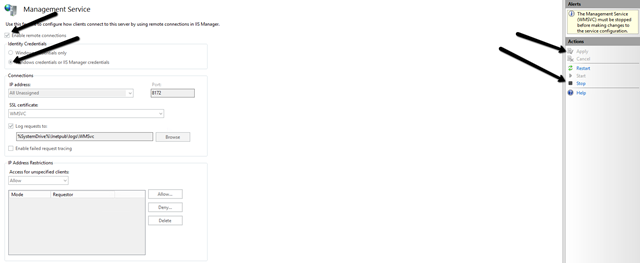
  4. Go to the IIS and EnableRemoteConnections for the Management Service.
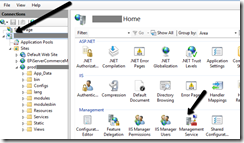
    IISManagementService
    EnableRemoteConnections

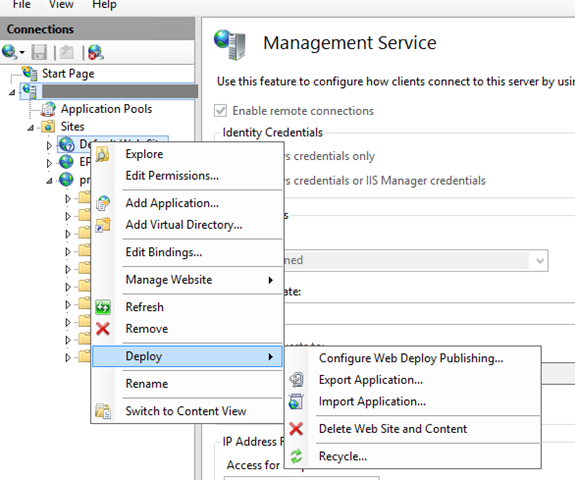
  5. Right click the site and get the Deploy configuration for the site and import this in Visual Studio
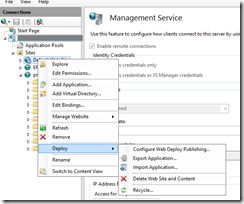
    Configure_web_deploy

And you are done!

Feb 27, 2015

Comments

Please login to comment.
Latest blogs
CMS Audiences - check all usage

Sometimes you want to check if an Audience from your CMS (former Visitor Group) has been used by which page(and which version of that page) Then yo...

Tuan Anh Hoang | Dec 12, 2025

Data Imports in Optimizely: Part 2 - Query data efficiently

One of the more time consuming parts of an import is looking up data to update. Naively, it is possible to use the PageCriteriaQueryService to quer...

Matt FitzGerald-Chamberlain | Dec 11, 2025 |

Beginner's Guide for Optimizely Backend Developers

Developing with Optimizely (formerly Episerver) requires more than just technical know‑how. It’s about respecting the editor’s perspective, ensurin...

MilosR | Dec 10, 2025

Optimizely PaaS Administrator Certification : Free for Everyone

Optimizely has recently launched a free PaaS Administrator Certification. https://academy.optimizely.com/student/activity/2958208-paas-cms-administ...

Madhu | Dec 9, 2025 |