
Adding market to Optimize Commerce site url in .net core
As we all know, CMS 12 and Commerce 14 a brought brand new evolution to the developer, with .net core, performance improvement and headless style. Beside the great announcement, the major version contains a lot of breaking changes which were highlight in the document. However, we need to migrate one by one in each document section.
In the topic today, I'd like to dig a bit into the routing which was introduced in CMS 12.
I faced a challenge that is adding the market id to site url. The expectation is the site url contains language, market and the rest of content, it should be like https://mycommercesite/en/sw/new-arrivals/ for the CMS content, where en is language code and sw (Sweden) is a market id. In addition, the Commerce products content url should looks like https://mycommercesite/en/sw/fashion/mens/mens-sweatshirts/p-22471481/ , and I need to remove fashion - the catalog name as well since we used only 1 catalog. The requirement is great, clear enough and a challenge :)
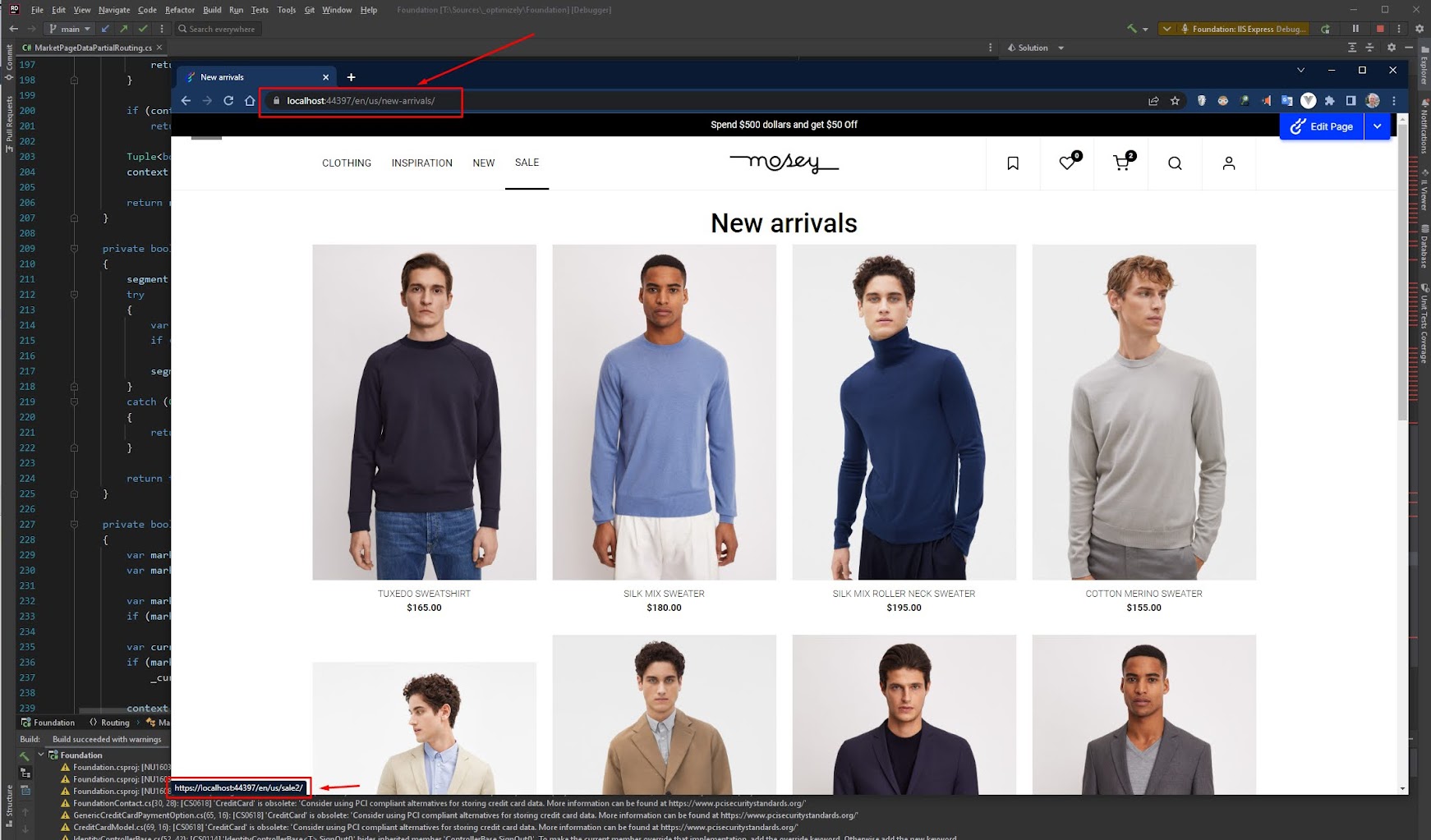
I found some blog post, forum post which relates to this request. The Māris' blog post could be mentioned as a solution which can be applied to CMS 11 and below, the post is great, but unfortunately, it cannot be applied to .Net core and CMS 12 site.
So I dig into a couple of documents for routing in CMS 12
- The routing setion in breaking changes document
- The IPartialRouter interface and it’s sample code document
- IPartialRouter<TContent, TRoutedData> and PartialRouter<TIncoming, TOutgoing> class document
I read them a couple of time, tried a couple of way and finally, I found a possible way to do this stuff.
Now let go to the code and I will explain the solution in detail.
First of all, in the sample code for News partial routing, it said about IPartialRouter: Make the partial router handle incoming requests beyond pages of type NewsContainer. Also, allow outgoing FURLs to be created for instances of NewsContent. So which means we can use IPartialRoute for all the pages - PageData :)
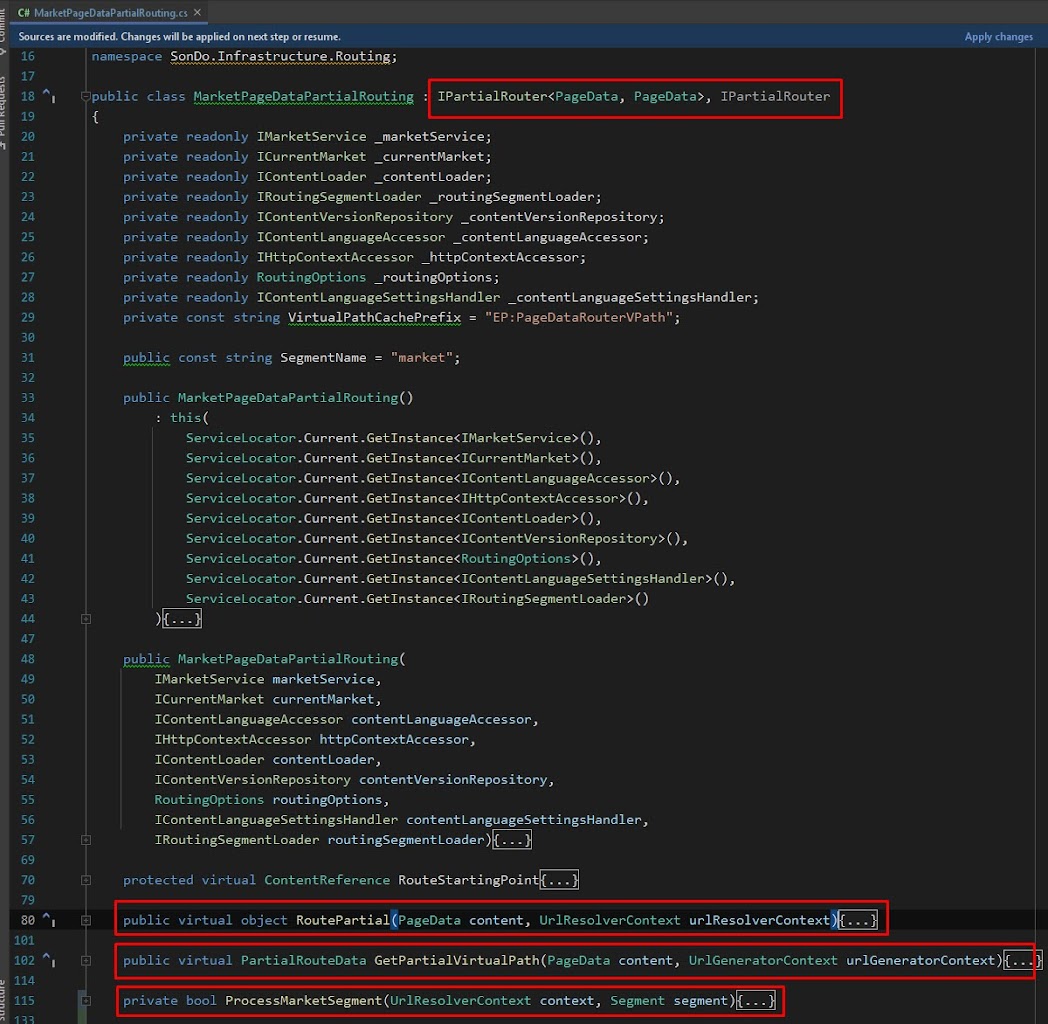
I folked the latest version of Foundation project and created MarketPageDataPartialRouting.cs, you can get it in my github.
In this file, there are 2 most important methods:
- object RoutePartial(...) this method handles imcomming request
- PartialRouteData GetPartialVirtualPath(...) this method handles outgoing url
In the GetPartialVirtualPath method, we will get the current market id and set to url, in current language.
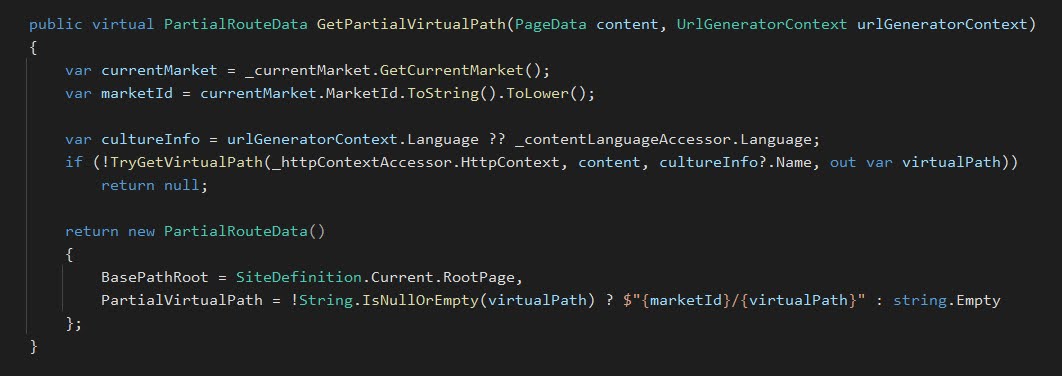
This step help us create the link with language and market in our site.
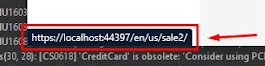
In the RoutePartial, we will look for the market id in url segment and set it to current market if needed, then also process the rest of the content, returns correct content for that url.
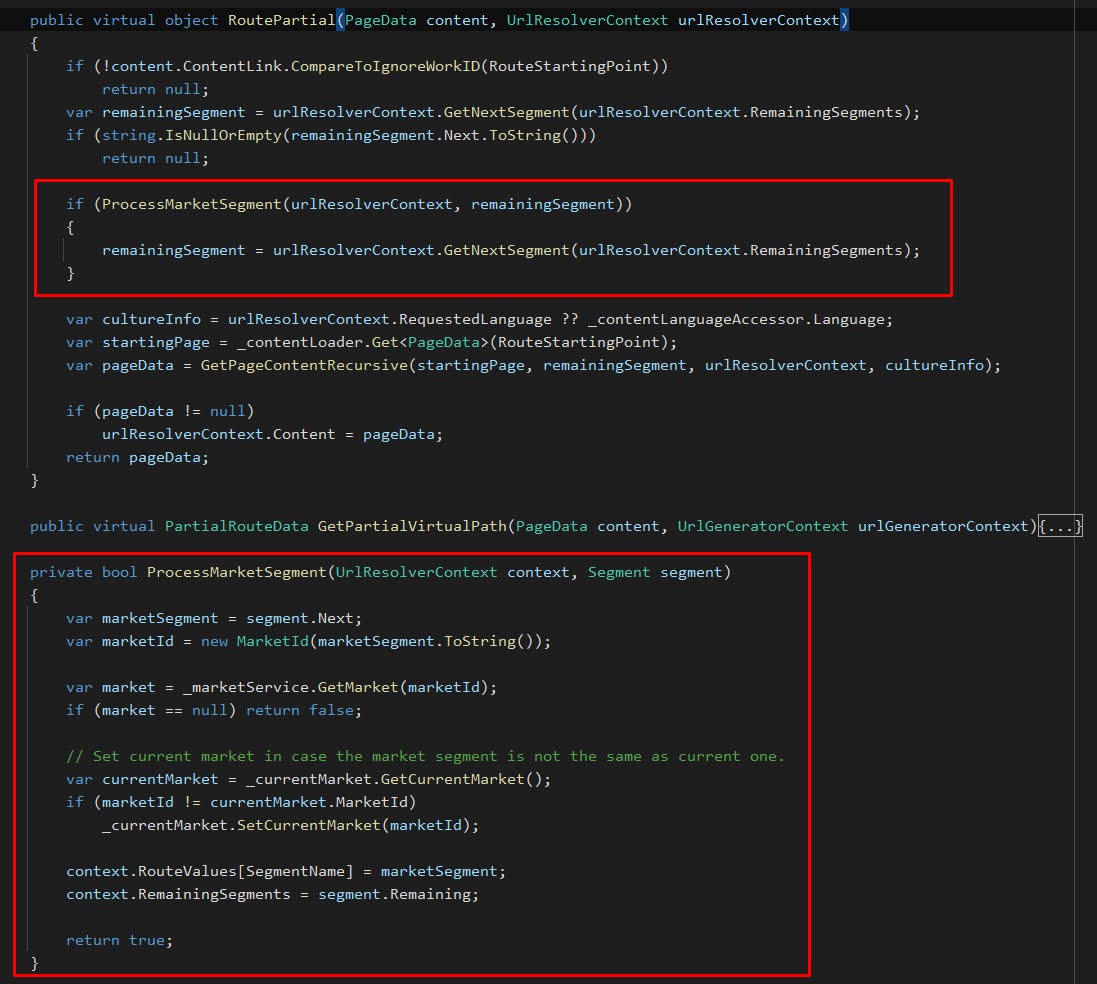
This step handles the incomming request with language and market in site url.
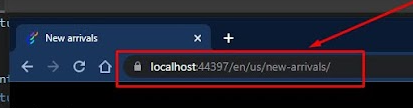
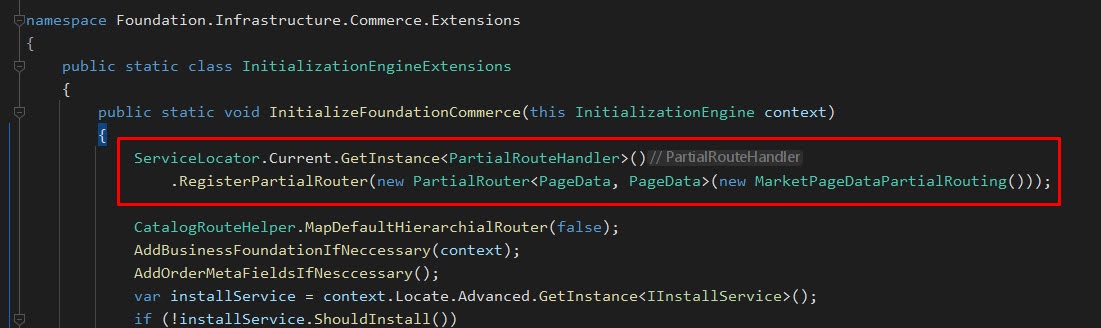
However, we need to register our Market partial routing to the site using PartialRouteHandler.RegisterPartialRouter to make the routing works as expected.
You can get the code in the Foundation project in my github, MarketPageDataPartialRouting.cs file. And that is for CMS content, I'll create Commerce content in another post.
Bonus tip: we can use the HttpContextExtensions.GetContentLink(HttpContext) to get the current page content link :) it's useful.
Hope this make developer life easier :)) If you have any comment about the solution, could be better way, please let me know :)
Btw, I'm glad to be back to Optimizely Commerce after 3 years, a pretty long time :)
Link to MarketPageDataPartialRouting.cs is broken.
Thank @Hognestad, I fixed the link :)
I have not tried but I think an alternative could be to hook up event handlers to
and
In the first event handler (outgoing) you would add market segment to the url (and remove fashion) while you in the second (incoming) would consume/remove the market segment and add back fashion segment.
As I said I have not tested it but in theory it should work and might be simpler solution.
Hi Son Do,
Great write up, I was just wondering if you ever got round to the commerce piece of this and if so would you mind sharing?
Thanks
Paul