

Sending emails with ICS invitation using Episerver Forms
This article describes a simple way to create an Episerver.Forms-based element that sends out ICS invitation.
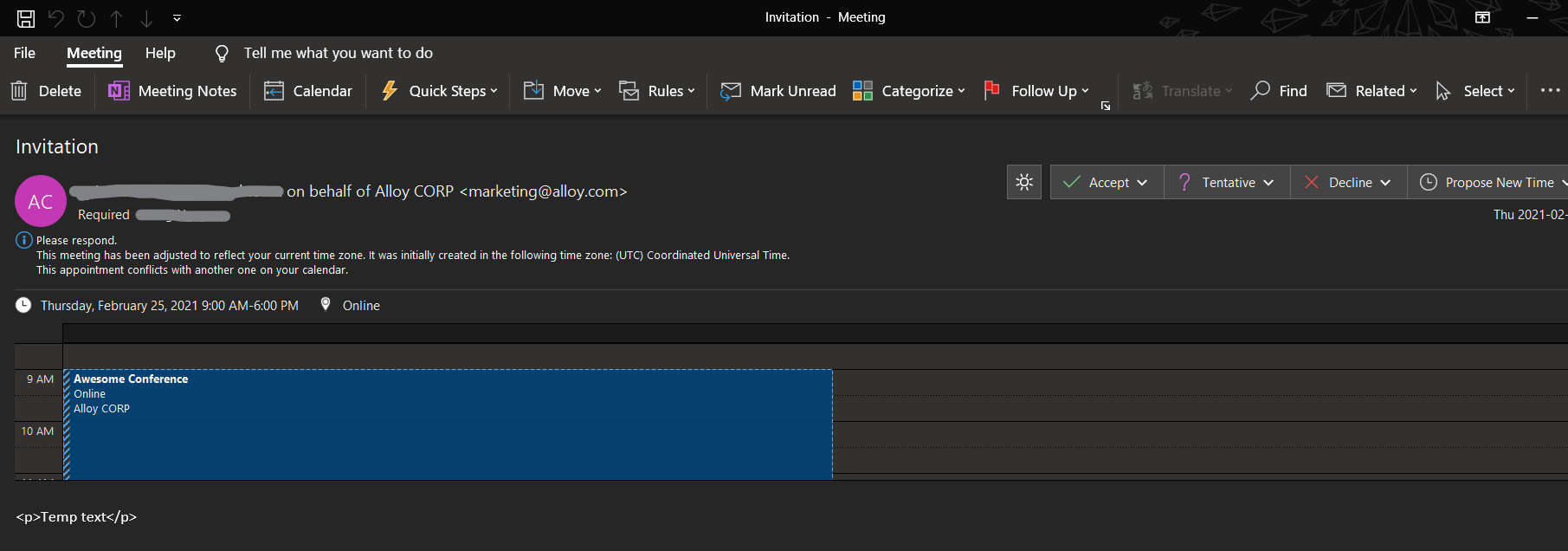
If an email has a correct iCalendar structure (RFC 5545), major mail clients would display the email as an event and also add it to user's calendar automatically.
I will go with a simple and plain way to create a form, using all Episerver's built-in functionalities.
Create a custom FormContainerBlock
Pretty easy, just create a Block that extends FormContainerBlock
    [ContentType(DisplayName = "Form for Inviation", GUID = "xxxxxx-xxxx-xxxx-xxxx-xxxxxxxxxxxx", Description = "")]
    public class FormInvitationBlock : FormContainerBlock
    {
        // To-do: Custom properties go here
    }
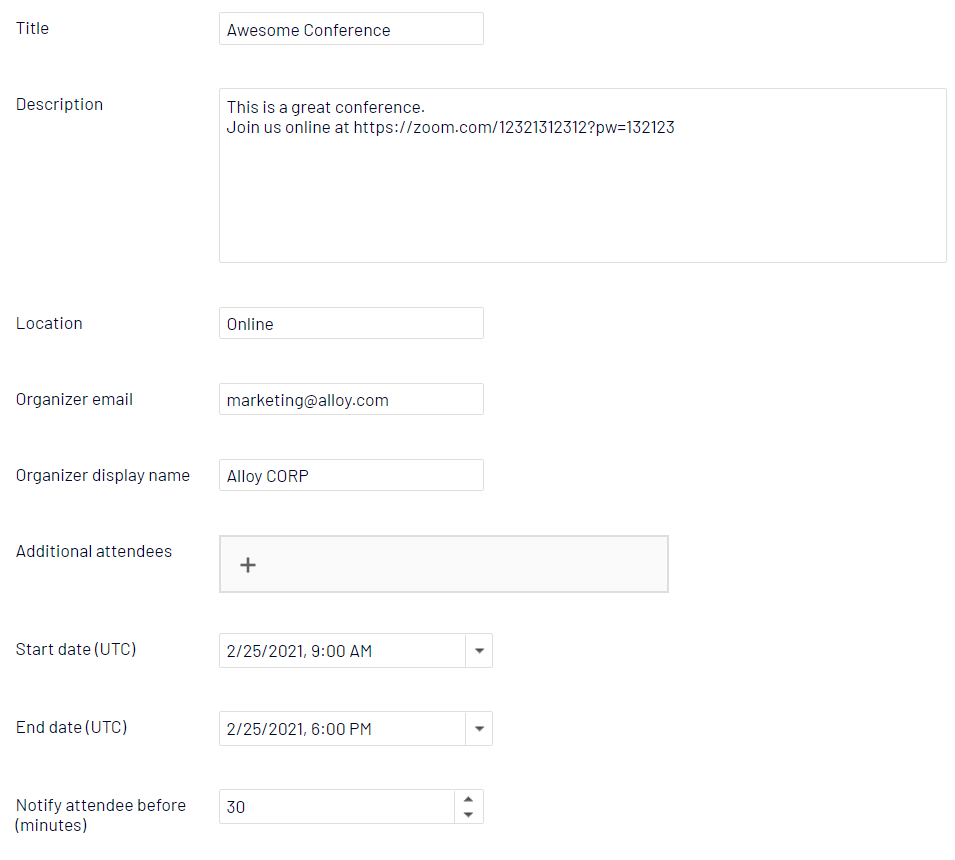
You'll need some field to hold neccessary fields. It depends on your need and iCalendar specification: https://icalendar.org/RFC-Specifications/iCalendar-RFC-5545/ . For example:
- Title
- Description
- Location
- Organizer
- Start/End date time
- (Optional) Alert settings
Other considerations:
- Validation, i.e. End time should be greater (aka after) Start time
- Which field would be CultureSpecific
- Timezone
- Groupping fields into a separated tab
Create a custom Forms Actor
It's good to extend and start with the default SendEmailAfterSubmissionActor, so we don't need to care much about its UI.
The idea is to override the default Run() method and use dotnet SmtpClient to send out emails.
    public class FormInvitationEmailActor : SendEmailAfterSubmissionActor, IUIPropertyCustomCollection
    {
        private static SmtpClient _smtpClient = new SmtpClient();
        private readonly PlaceHolderService _placeHolderService = new PlaceHolderService();
        private readonly Injected<IFormRepository> _formRepository;

        public override object Run(object input)
        {
            IEnumerable<EmailTemplateActorModel> model = this.Model as IEnumerable<EmailTemplateActorModel>;
            if (model == null || model.Count<EmailTemplateActorModel>() < 1)
                return null;
            foreach (EmailTemplateActorModel emailConfig in model)
                SendInvitation(emailConfig);
            return (object)null;
        }
    }
The usage of PlaceHolderService is optional.
Firstly, construct a MailMessage:
            try
            {
                IEnumerable<FriendlyNameInfo> friendlyNameInfos =
                    this._formRepository.Service.GetFriendlyNameInfos(this.FormIdentity, typeof(IExcludeInSubmission));
                PlaceHolderService placeHolderService = new PlaceHolderService();
                // Construct MailMessage
                MailMessage message = new MailMessage();
                message.Subject = emailConfig.Subject;
                message.Body = "";
                // From email
                if (!string.IsNullOrEmpty(emailConfig.FromEmail))
                {
                    MailMessage mailMessage = message;
                    placeHolderService = this._placeHolderService;
                    MailAddress mailAddress = new MailAddress(emailConfig.FromEmail);
                    mailMessage.From = mailAddress;
                }
                // To emails
                var toEmails = emailConfig.ToEmails.SplitBySeparators(new string[] { "," });
                foreach (string toEmail in toEmails)
                {
                    MailAddressCollection to = message.To;
                    MailAddress mailAddress =
                            new MailAddress(placeHolderService.Replace(template, GetBodyPlaceHolders(friendlyNameInfos), false));
                    to.Add(mailAddress);
                }
                // Add ICalendar data to message
                var icsFormBlock = this.FormIdentity.GetFormBlock() as FormInvitationBlock;
                if (icsFormBlock != null)
                {
                    GenerateInvitation(icsFormBlock, ref message);
                }
                // Send message
                _smtpClient.Send(message);
                message.Dispose();
            }
            catch (Exception ex)
            {
                _logger.Error("Failed to send e-mail: {0}", ex);
}Secondly, create and attach invitation to outgoing email
All we need now is construct a string that follows iCalendar structure.
The invitation email needs an attachment with MIME type of text/calendar and an alternative view:
System.Net.Mime.ContentType ct = new System.Net.Mime.ContentType("text/calendar");
ct.Parameters.Add("method", "REQUEST");
AlternateView avCal = AlternateView.CreateAlternateViewFromString(iCalendarString, ct);
message.AlternateViews.Add(avCal);
That's all, folks!
Time for testing! Let's create a simple form with type of FormInvitationBlock, for example:
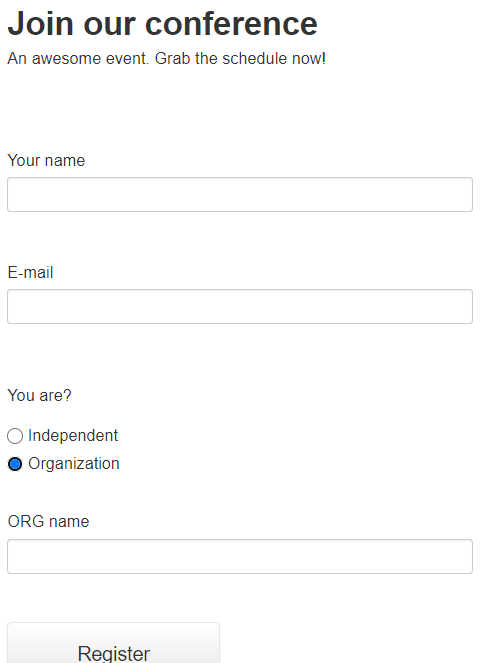
We now have a separated email actor just to attach the invitation:

Don't forget to configure SMTP!
  <system.net>
    <mailSettings>
      <smtp deliveryMethod="Network" deliveryFormat="SevenBit" from="foo@example.com">
        <network host="smtp.example.com" port="587" userName="foo@example.com" password="********" enableSsl="true" />
      </smtp>
    </mailSettings>
  </system.net>
On localhost, you can use deliveryMethod="SpecifiedPickupDirectory" with config <specifiedPickupDirectory pickupDirectoryLocation="C:\your\custom\path" /> instead of <network>.
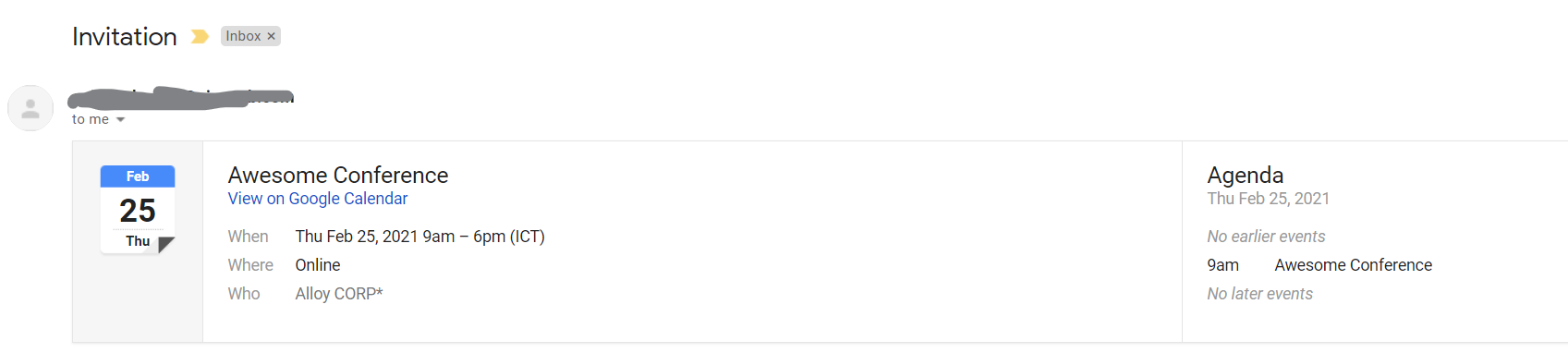
The result, on Gmail:

Nice work Giang!