
Handling Nynorsk and Bokmål in Optimizely CMS
Warning: Blog post about Norwegian language handling (but might be applicable to other languages and/or use cases).
Optimizely have flexible and several powerful ways of working with languages. From automatic translation via Azure Cognitive Services or Chat GPT to handling fallback. A customer can easily set up a new language and have it translated in one go with builtin workflows and project management.
Use case
In Norway, we have two official written forms of the Norwegian language: Bokmål and Nynorsk. There is a law stating that public websites must publish at least 25% of their content in Nynorsk. This can be achieved in various ways, but since the languages are quite similar, many websites choose to mix articles in both language forms. By using standard language handling and fallback in Optimizely CMS, it's easy to achieve this in an organized way. You can easily display meta tags for the language, use correct labels or show a different logo for pages in the two language forms.
Let's see how this can be set up with the Alloy templates.
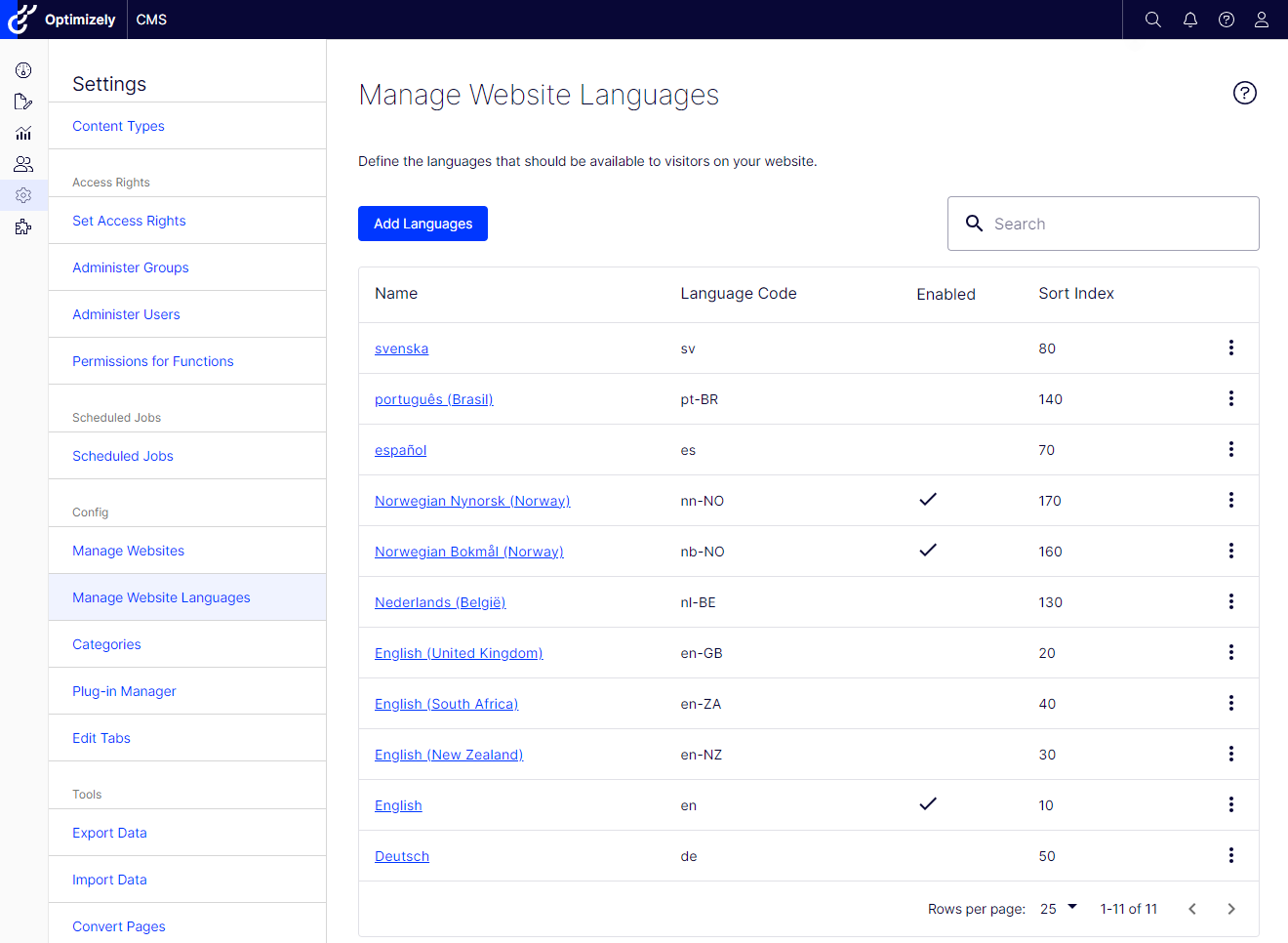
Add Bokmål and Nynorsk to the website languages.
Set the Web address prefix for Bokmål to “no” and Nynorsk to “nn”.
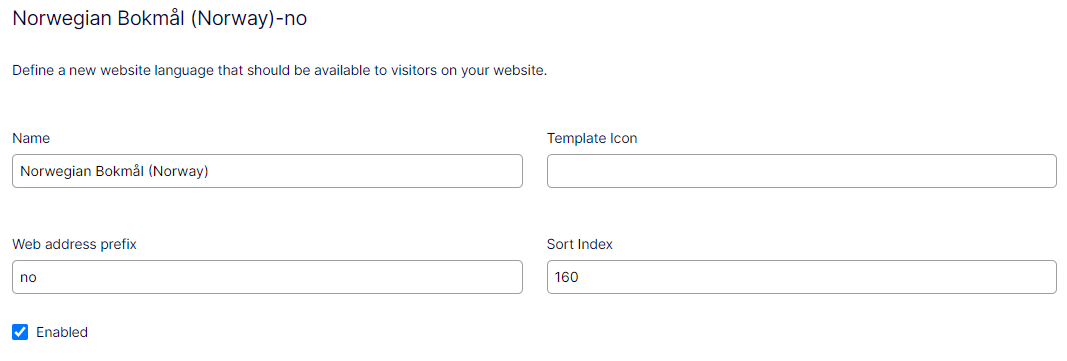
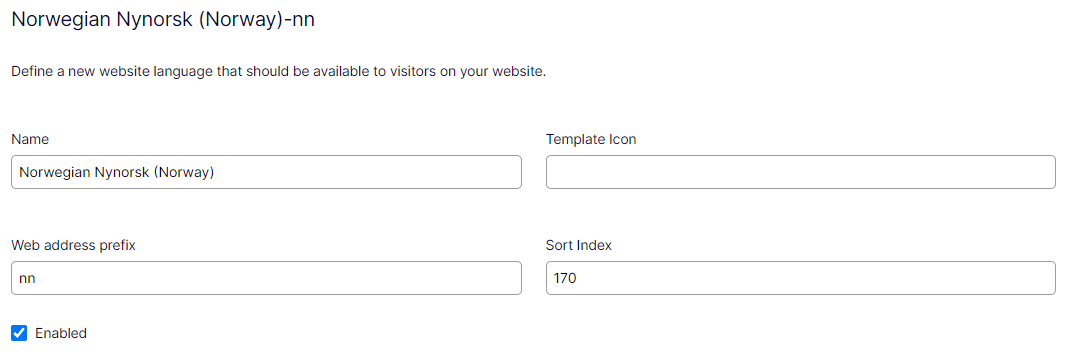
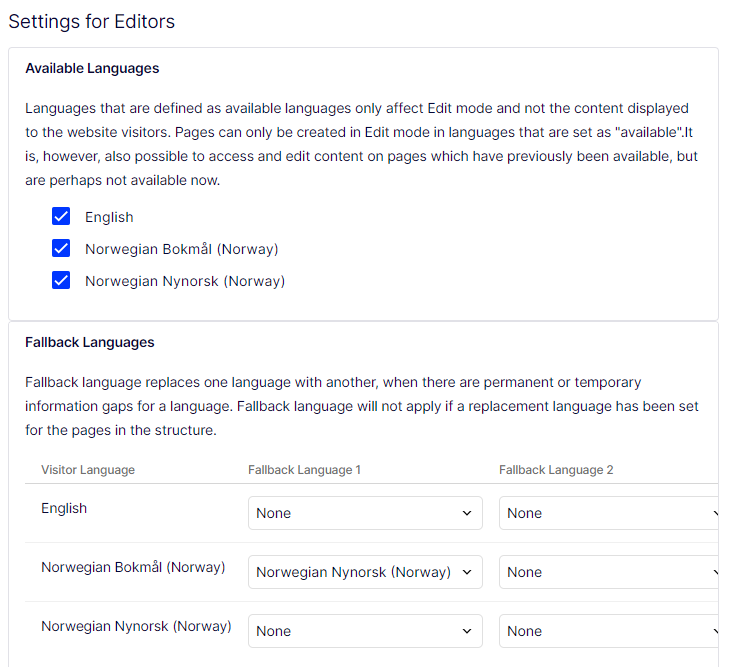
Enable the languages and set Nynorsk to fall back language for Bokmål.
Redirect urls from /nn to /no
Create a middleware to redirect urls from /nn to /no. This is mainly for editors using the "View on website" link but will also ensure that visitors will always visit the site with the correct url.
Should this be the case for the entire site or should parts of the site be available in both languages? Depending on the actual requirements the middleware could be something like:
public class RedirectToBokmaalMiddleware
{
    private readonly RequestDelegate _next;

    public RedirectToBokmaalMiddleware(RequestDelegate next)
    {
        _next = next;
    }

    public async Task InvokeAsync(HttpContext httpContext)
    {
        if (httpContext.Request.Path.StartsWithSegments("/nn"))
        {
            var path = httpContext.Request.Path.Value;
            var newUrl = path.StartsWith("/nn") ? "/no" + path.Substring(3) : path;
            httpContext.Response.Redirect(newUrl);
        }

        await _next(httpContext);
    }
}
Use content language to translate labels
To display labels and other texts from the LocalizationService in the content language (Nynorsk on Nynorsk pages) you will need to do some modifications. Add translations for labels and other texts for both languages to the XML-language files. Create an IHtmlHelper extension method and use this instead of the built-in extension without the language parameter.
public static class HtmlHelperExtensions
{
    private static readonly LocalizationService LocalizationService = LocalizationService.Current;

    public static IHtmlContent Translate(this IHtmlHelper html, string translationKey, CultureInfo contentCulture)
    {
        var translation = LocalizationService.GetStringByCulture(translationKey, contentCulture);
        return new HtmlString(translation);
    }
}
Install Optimizely Languages (EPiServer.Labs.LanguageManager)
I will also recommend installing Optimizely Languages (EPiServer.Labs.LanguageManager). This addon is a must for all Optimizely sites with more than one language.
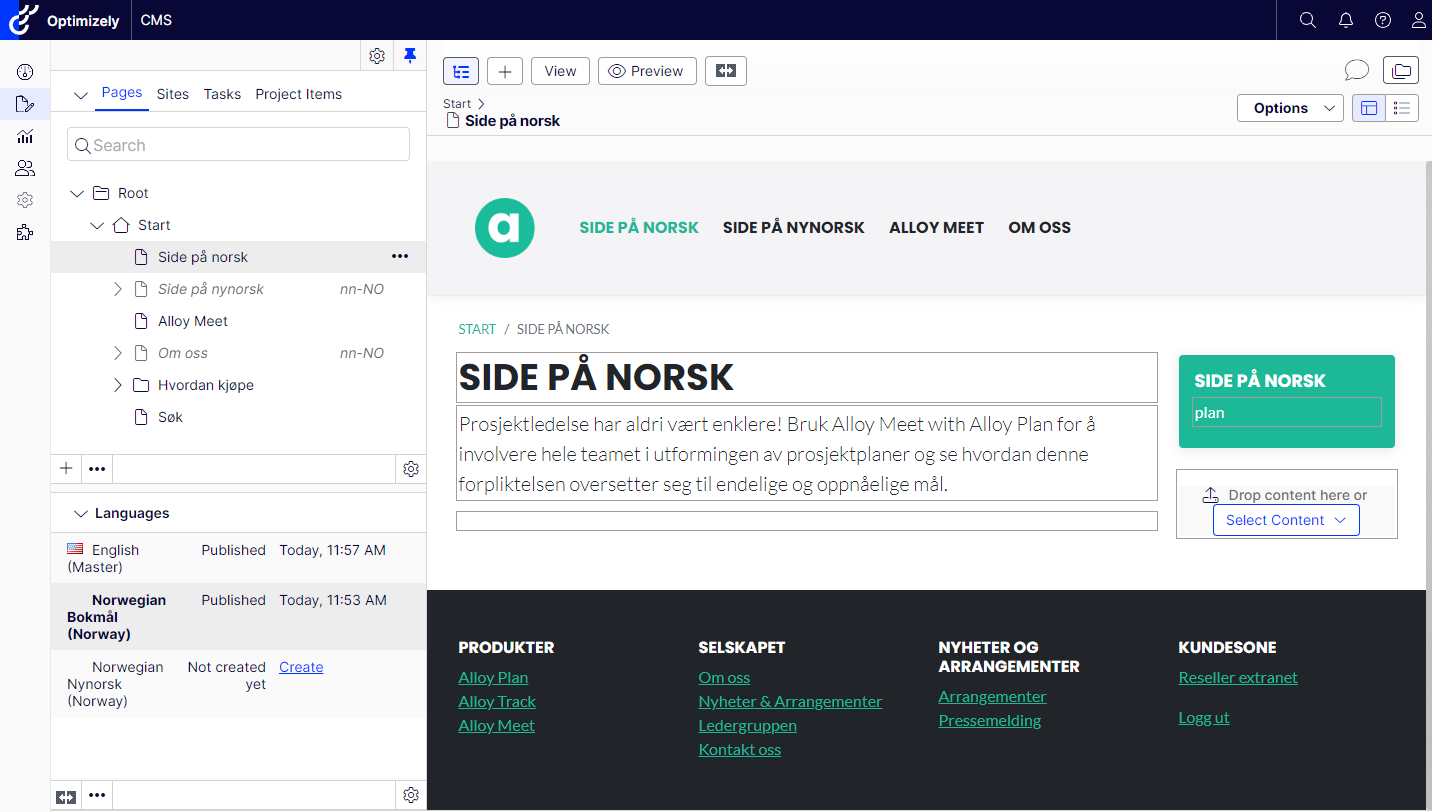
This is how the Alloy site can be customized to mix Bokmål and Nynorsk. Depending on your Optimizely CMS implementation you might need to do other adjustments aswell.
Summary
- Add Bokmål and Nynorsk to the website languages.
- Set the Web address prefix for Bokmål to “no” and Nynorsk to “nn”.
- Set Nynorsk to fall back language for Bokmål.
- Redirect urls from /nn to /no
- Use content language to translate labels
- Install Optimizely Languages (EPiServer.Labs.LanguageManager)

Comments