
Optimizely CMS SaaS Migration Tool
Introduction
Migrating and synchronizing environments in Optimizely CMS SaaS can be challenging, especially when working with multiple environments such as development, staging, and production.
Currently, CMS SaaS provides export/import functionality, but it does not yet include built-in tools for comparing or migrating entities between environments. As a result, developers often need to manually verify whether content types, display templates, or other entities exist in another environment before performing imports. This process can be time-consuming and error-prone.
The Optimizely CMS SaaS Migration Tool aims to help address this gap by providing a lightweight interface to compare environments and assist with migration tasks.
Key Capabilities
-
Connect to multiple CMS SaaS environments using OAuth2 (Client Credentials) + CMS APIs
-
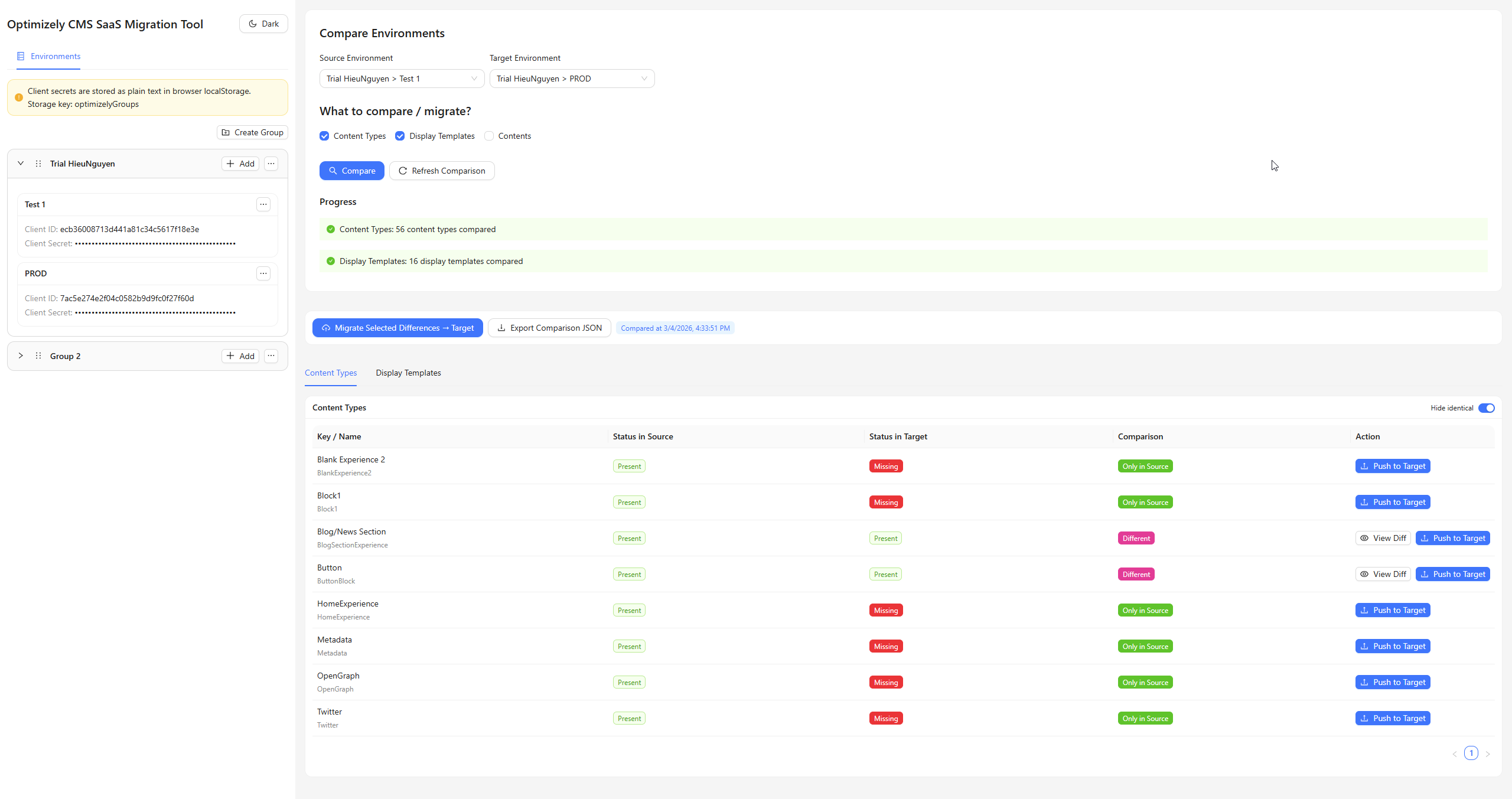
Compare content types and display templates between source and target environments
-
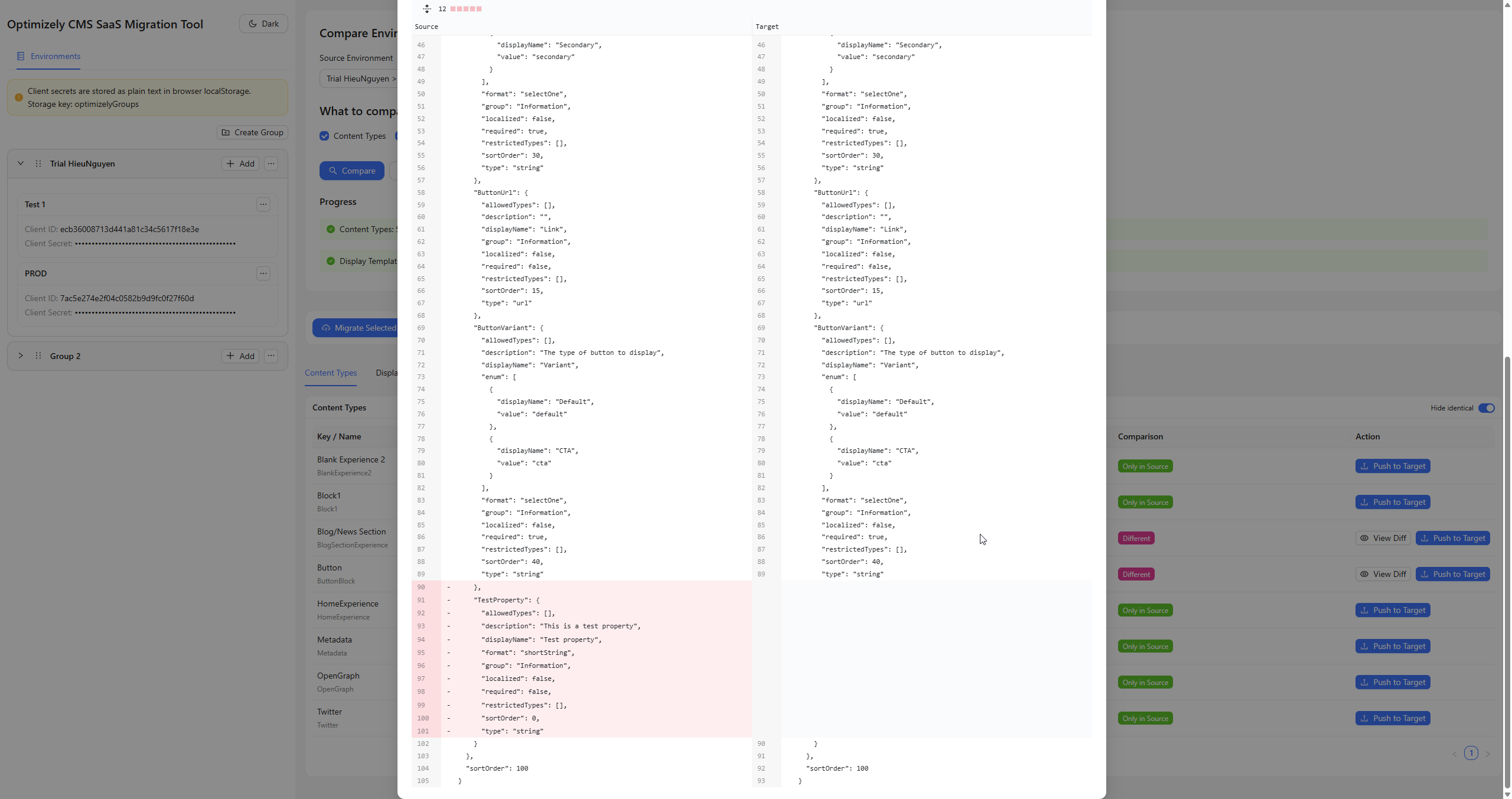
View structured differences to quickly identify missing or mismatched entities
-
Export comparison results as JSON for reference or automation
-
Track environment parity before performing export/import operations
This makes the tool particularly useful for tracking down differences in content types and display templates across environments, something that currently requires manual investigation when using the native SaaS tooling.
Current Status
Note: Content comparison and migration functionality is still under active development. At the moment, the tool should primarily be used to check whether a content item (with the same ID) exists in the target environment rather than relying on it for full content synchronization.
Access the Tool
-
GitHub Repository
https://github.com/chrno1209/optimizely-cms-saas-migration-tool -
Live Deployment (Vercel) – use instantly in the browser
https://optimizely-cms-saas-migration-tool.vercel.app/
Why This Tool Matters
As members of the Optimizely community (“Optimizers”), many of us are looking forward to official built-in capabilities for environment comparison and migration within CMS SaaS. While those features are being developed, tools like this can serve as a helpful interim solution.
This project provides an alternative approach to visualize differences and verify environment parity, helping developers reduce manual checks and better manage schema consistency across environments.
If you are working with Optimizely CMS SaaS today, this tool may help simplify part of your workflow while we wait for the official platform features to arrive.
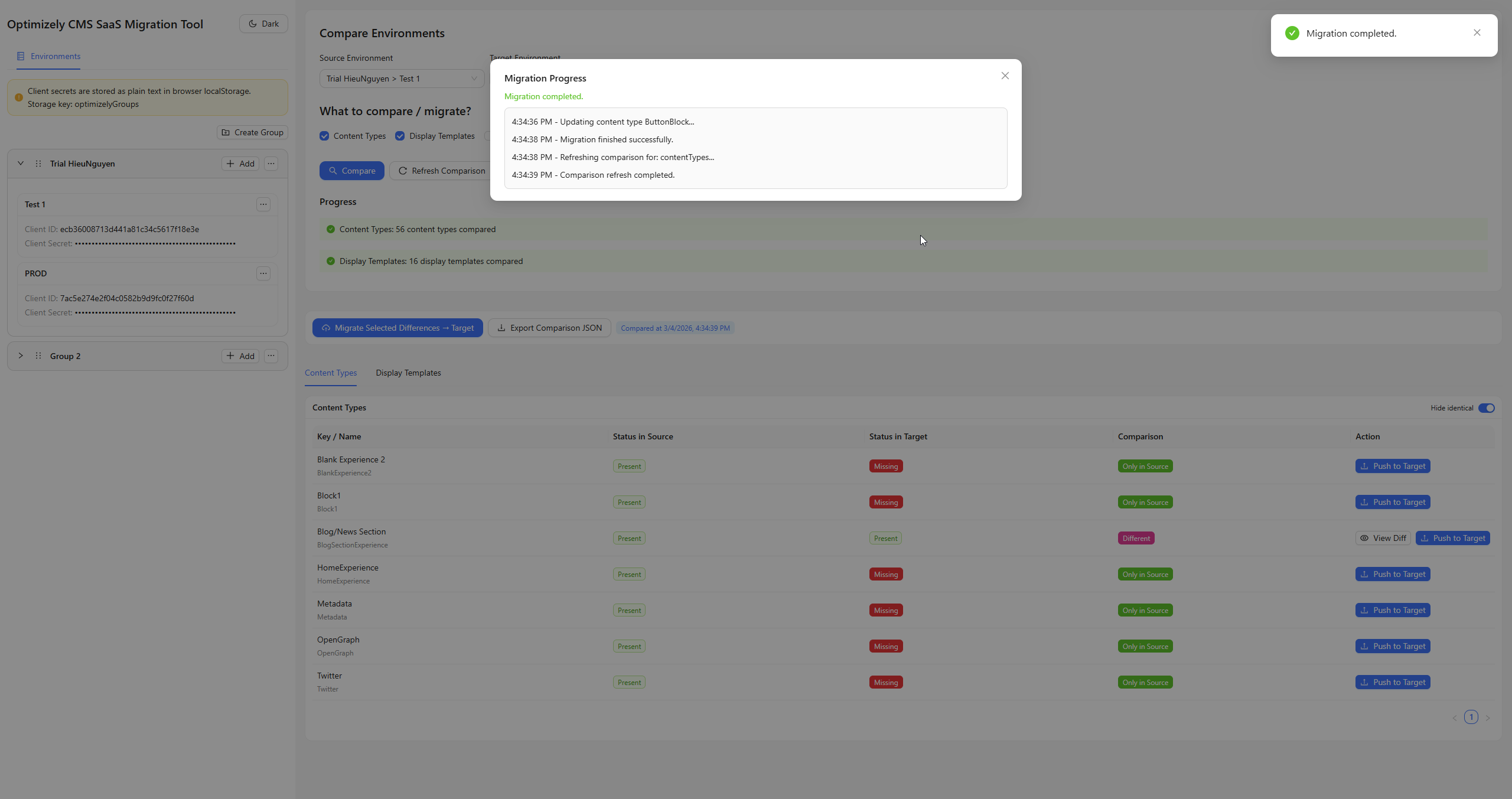
Screenshots
Hii Hieu, thanks for this its really very helpful
Just had 1 doubt can we also migrate Content items with variations using this tool?
Thanks,
Pranav Hugar