
Optimizely Graph Best Practices - Security, Access Control and Performance Optimisation
Introduction
Building on Part 1's content modeling and querying practices, this Part 2 focuses on the security and performance considerations essential for running Optimizely Graph in production environments.
We'll explore authentication strategies - from Single Key for public content to HMAC with role-based access control for restricted scenarios - and discuss when a Backend for Frontend (BFF) layer provides crucial security benefits. You'll also learn performance optimisation techniques including cached templates, query fragments, and approaches to eliminate inefficient query patterns.
These operational practices ensure your Graph implementation delivers content securely and efficiently at scale. In the final post of this series, we'll cover API key management, integration strategies, and governance approaches for long-term maintainability.
1. Security & Access Control
Do:
1. Use role-based API keys
If your content is publicly available then you can use the 'Single key' mechanism for authenticating and reading content from Graph.
This key can be accessed from the PaaS Portal:
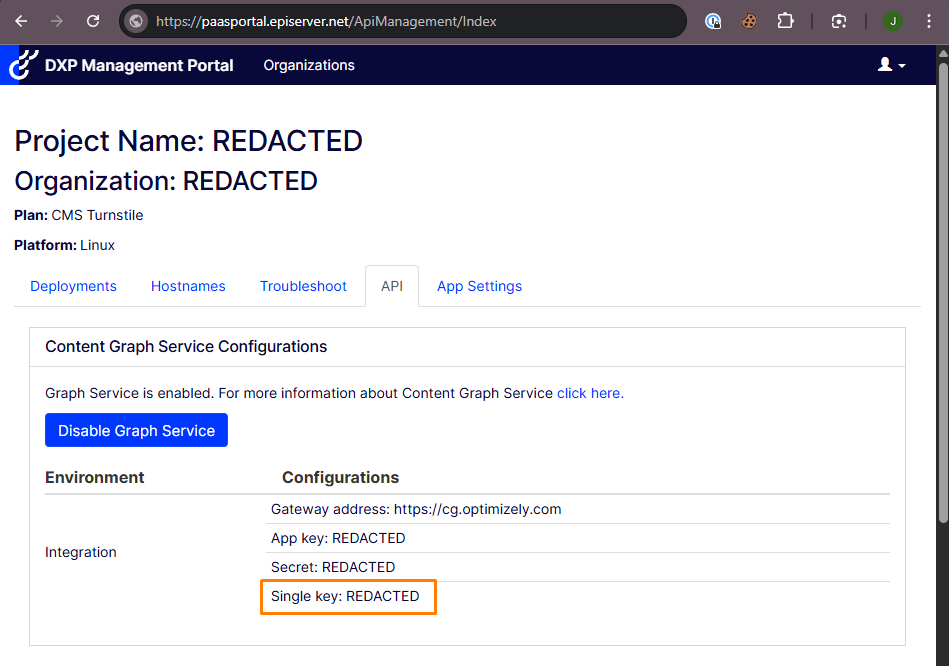
Note that 'Single key' access only returns content that is accessible to the the Everyone group within the Content Management System. It is good for general website content, as it is read-only, fast and can be called directly from a frontend (headless) application.
2. Respect CMS content permissions
If you need to access restricted content (i.e. content that is not accessible by the Everyone group) then you'll need to do this using 'role-based access control' (RBAC) and preferably through HMAC.
HMAC access uses the 'App key' and 'Secret' (available from the PaaS Portal) and can be combined with `cg-username` and `cg-roles` request headers to only fetch content where one of the roles or the username specified has read access.
However, given that this mechanism requires the 'App key' and 'Secret', which could be used to provide full access to all Graph resources without restriction, it important that these are not used from frontend code. If these are needed then a Backend for Frontend (BFF) layer is recommended to securely proxy requests to Graph while keeping credentials server-side.
3. Avoid exposing draft or non-public content
Using the 'Single key' authentication mechanism only gives access to published, non-expired content that is available to everyone.
However, if using the 'App key' and 'Secret' to authenticate then it is possible to include additional headers (`cg-include-deleted`, `cg-include-hard-deleted` and `cg-include-expired`) to also include deleted and expired content. If you are using these (or user / role based access) for any reason then proceed with care, as there may be out-of-date or potentially sensitive content being exposed.
4. Be aware that GraphiQL is openly available
Be aware that anyone with your Single key can access the GraphiQL interface at https://cg.optimizely.com/app/graphiql?auth={singlekey}, which exposes your full content schema through introspection.
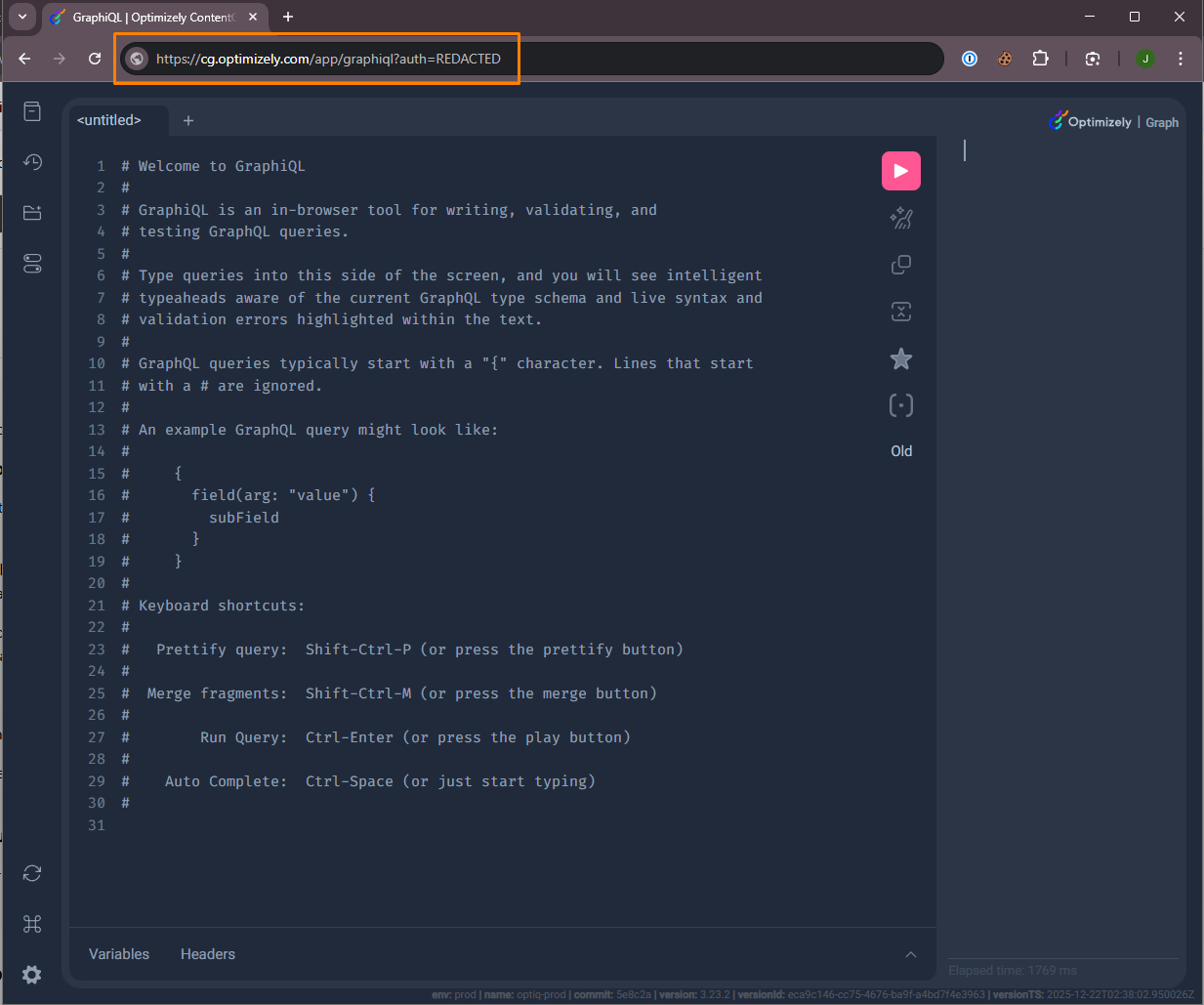
If you choose to expose the Single key in client-side code (as is common for a headless website) then at least be aware that this is a possibility and potentially increases the attack vector on your estate.
If you elect to implement a BFF then this can be used to proxy requests to Optimizely Graph, allowing the Single key to be hidden, as well as adding functionality like caching, rate limiting, transformation and more sophisticated authentication.
2. Performance Optimisation
Do:
1. Use cached templates and cached queries
This is one of the biggest performance gains to be made when querying Optimizely Graph!
Rather than 'hardcoding' queries, such as this:
query GetArticlesByCategory {
  ArticlePage(
    where: { TeaserText: { contains: "Technology" } }
    limit: 10
    locale: "en"
  ) {
    items {
      Name
      TeaserText
      RelativePath
    }
  }
}
... Using a query containing GraphQL variables, such as the following, enables Optimizely Graph's cached template feature:
query GetArticlesByCategory {
  ArticlePage(
    where: { TeaserText: { contains: "Technology" } }
    limit: 10
    locale: "en"
  ) {
    items {
      Name
      TeaserText
      RelativePath
    }
  }
}
Including the query `parameter stored=true` and the header `cg-stored-query: template`, along with this restructuring allows the translated query structure to be cached and only variable values are substituted, dramatically improving performance.
More details on this can be found in Jonas Bergqvist's blog post listed in the Related Links below.
2. Cache responses at edge or client
Another advantage of using a BFF middleware would be to facilitate the caching of content coming from the Optimizely Graph API.
In this situation, if the content rarely changes then this could be cached within the BFF application or by providing a more fine-grained caching strategy for clients of the BFF (or CDN).
3. Use query fragments for reusable content blocks
Define GraphQL fragments to standardise and optimise how frequently used structures (e.g. banners, nav items) are retrieved.
For example, rather than repeating the sections for `` and ``, the following query has been implemented using fragments:
# Common image fragment
fragment ImageFields on ContentReference {
  Url
  AltText
  Width
  Height
}

# Common link fragment
fragment LinkFields on ContentReference {
  Url
  Text
  Title
  Target
}

# Common page metadata fragment
fragment PageMetadata on IContent {
  Name
  RelativePath
  _metadata {
    published
    lastModified
    locale
  }
}

# Full query using all fragments
query GetProductPage($id: String!) {
  ProductPage(where: { _metadata: { key: { eq: $id } } }) {
    items {
      ...PageMetadata

      ProductName
      ProductDescription

      ProductImage {
        ...ImageFields
      }

      RelatedProducts {
        ...on ProductPage {
          ProductName
          ThumbnailImage {
            ...ImageFields
          }
          ProductLink {
            ...LinkFields
          }
        }
      }

      CallToAction {
        ...LinkFields
      }
    }
  }
}
Whilst there will be a small performance gain from the (slightly) shorter query content, this has the added benefits of:
- DRY Principle: Define field selections once, reuse everywhere
- Consistency: All queries return the same fields for the same content types
- Maintainability: Update fields in one place, all queries automatically updated
- Readability: Smaller queries are easier to read, understand and debug
- Optimisation: Graph can better optimise repeated fragment usage
4. Avoid N+1 issues in nested queries
The N+1 problem occurs when you fetch a list of content items, then make separate queries to retrieve related content for each item (e.g., fetching 10 events pages, then making 10 additional queries to get each event's location). This results in poor performance.
Solution: Use GraphQL's nested query capabilities to fetch related content in a single request. Here is an example of this from the scenario above:
query GetEventsWithLocations {
  EventPage(limit: 10) {
    items {
      Name
      EventDate
      Description
      LocationReference {
        ...on LocationPage {  # Expand the reference inline
          Name
          Address
          City
          PostalCode
          Country
          Latitude
          Longitude
        }
      }
    }
  }
}
When querying content with ContentReference or ContentArea fields, expand those references inline using fragments rather than fetching them separately.
If multiple queries are unavoidable, implement caching to prevent redundant requests for the same content, or use bulk queries with the in operator to fetch multiple related items at once.
Don’t:
1. Use Graph for high-frequency real-time queries (e.g. stock price tickers, rapidly changing datasets)
Optimizely Graph is optimised for content delivery, not real-time data streams. Whilst it can be used to serve data from external (non-Optimizely) systems, it excels with content that changes at human editorial pace (pages, blog articles, products, etc.) rather than data that updates multiple times per second.
If your application requires high-frequency updates like stock price tickers, live sports scores, real-time chat messages, IoT sensor readings, or rapidly changing inventory levels, these should be served from a dedicated real-time backend (Redis, WebSockets, SignalR) or a specialised time-series database. Use Graph for what it excels at - flexible querying and delivery of editorial content.
Summary
Running Optimizely Graph securely and efficiently in production requires balancing accessibility with control. Use Single Key authentication for public content, implement HMAC with role-based access for restricted content, and consider a Backend for Frontend (BFF) layer when exposing credentials would create security risks. Maximise performance through cached templates, query fragments, and nested queries that eliminate redundant requests.
Combined with Part 1's content modeling and querying best practices, these operational guidelines ensure your Graph implementation remains secure, performant, and maintainable as your content delivery needs evolve and scale. In the final post of this series I'll be giving our best practices for managing and maintaining the implementation, including: managing API keys, integration strategies and governance.
Related Links
- https://docs.developers.optimizely.com/platform-optimizely/docs/authentication
- https://docs.developers.optimizely.com/platform-optimizely/docs/api-single-key-auth
- https://docs.developers.optimizely.com/platform-optimizely/docs/hmac-auth
- https://world.optimizely.com/forum/developer-forum/cms-12/thread-container/2025/5/graph-cms-index-jobs---ignoring-restricted-content/
- https://docs.developers.optimizely.com/platform-optimizely/docs/cached-templates
- https://world.optimizely.com/blogs/Jonas-Bergqvist/Dates/2025/2/boosting-graph-query-performance-with-stored-templates/
- https://docs.developers.optimizely.com/platform-optimizely/docs/graphql-best-practices

Comments