

Toggling content validation on TinyMCE
Recently, we received a request from one of our clients to add a feature to the TinyMCE editor that would allow them to disable or enable any validations being run on the content written into the editor. We are happy to announce that this feature is now available in version 4.1.0
Overview
The basic editor currently only runs a simple alt-text validation which checks whether or not the image inserted into the editor contains any alternative text used for accessibility. With this new feature, users can now choose whether or not they want to disable validation from happening.
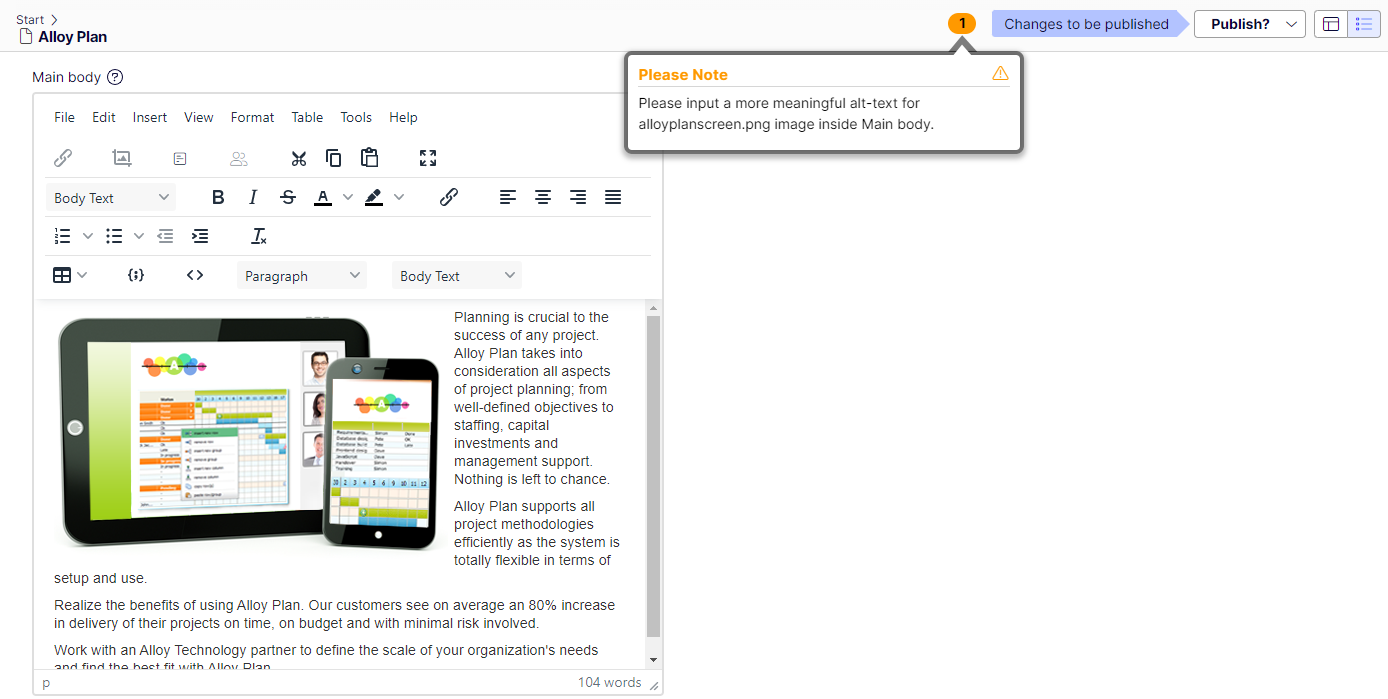
As it stands, when validation runs on the editor, warnings will become visible while publishing a page and they might feel as if they are unnecessary or distracting.
Configuration
By default, validation on the editor will run as-is without any prior configuration. To disable it we have provided two methods:
Through an extension method on IServiceCollection
The method takes an optional bool parameter. If it is set to true, validation will not run (this is the default). If it is set to false it will run.
services.AddTinyMce().DisableEditorValidation()By disabling directly through TinyMceConfiguration
The usage is same as above, except the bool parameter is required.
services.Configure<TinyMceConfiguration>(config => {
    config.Default()
          .DisableValidation(true);
});
Disabling the validation on the editor no longer runs any checks on the content, and as such, no warnings will be shown.

Thank you, for listening to my request!
The reason for the request is not that I dislike alt texts, but I have created an addon that will use AI to generate alt text as the images are uploaded, and then automatically insert the alt text when the image is used on a page.
If you want to manually override the AI-generated alt text, you can of course do that.