

Display page/block thumbnail based on selected site in multi-site solution
In previous blog we described how to control the visibility of the blocks or properties based on the current site in multisite solution. We can use the same technique to display different thumbnails for pages and blocks inside the CMS based on selected site, to help the content authors to identify the components or page types.
Assuming we have SiteHelper helper class from the previous blog, we can create a folder structure under wwwroot, where each site has its own subfolder with thumbnail images and the subfolder names match ourMySite enum values:
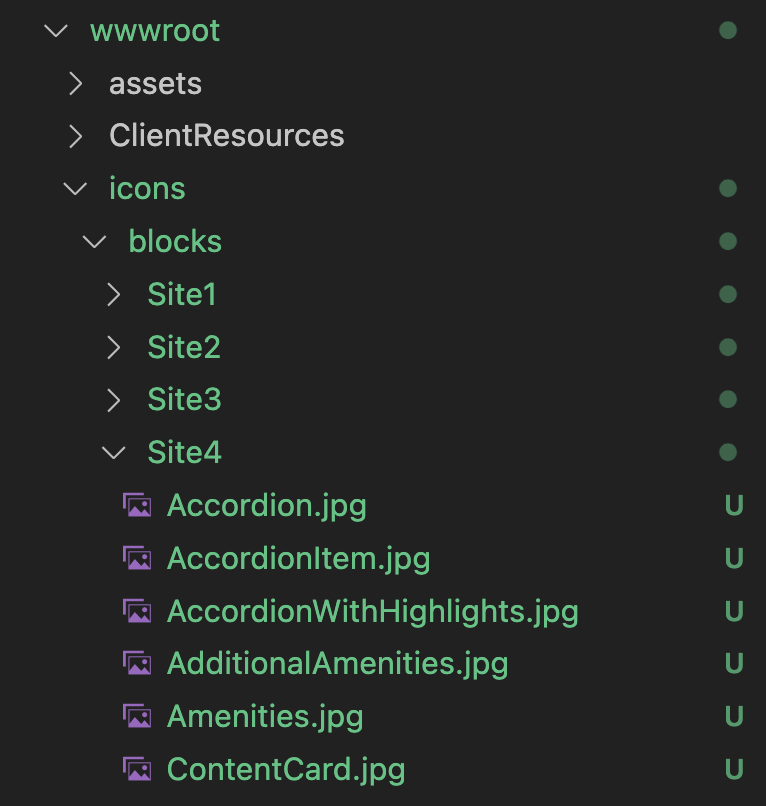
Now we can implement an Attribute for our Blocks and Pages inheriting from ImageUrlAttribute. In constructor we will list the sites for which the thumbnail is available:
    [AttributeUsage(AttributeTargets.Class)]
    public class ImageUrlSitesAttribute : ImageUrlAttribute
    {
        private readonly ISiteHelper _siteHelper;

        //root folder with our thumbnails
        private readonly string _basePath = "/icons/blocks/";

        public Dictionary<MySite, string> Paths { get; set; }

        public override string Path
        {
            get
            {
                var currentSite = _siteHelper.GetCurrentSite(null);
                if (Paths.ContainsKey(currentSite))
                {
                    var currentPath = Paths[currentSite];
                    if (!string.IsNullOrWhiteSpace(currentPath))
                    {
                        return currentPath;
                    }
                }

                //default if not defined for site, we can place generic images in the _basePath folder
                return _basePath + base.Path;
            }
        }

        public ImageUrlSitesAttribute(string path, params MySite[] sites) : base(path)
        {
            _siteHelper = ServiceLocator.Current.GetService<ISiteHelper>();
            Paths = new Dictionary<MySite, string>();
            foreach (var site in sites)
            {
                var sitePath = System.IO.Path.Combine(_basePath, site.ToString().ToLower(), path);
                Paths.Add(site, sitePath);
            }
        }
    }
We can use now the attribute in Page class:
    [ContentType(
        DisplayName = "Generic Page",
        Description = "Standard page of an article.",
        GUID = "0AF06AF4-3185-4D8C-A65E-D942AC9A27D3")]
    [ImageUrlBrands("GenericPage.jpg", sites: new[] { MySite.Site1, MySite.Site2, MySite.Site3 })]
    public class GenericPage : PageData
    {
    }
or Block class:
    [ContentType(DisplayName = "Hero Full Screen",
        GUID = "A0C85434-35DE-42BF-88B7-1136B936AEAD",
        Description = "Display an immersive hero when the brand and/or hotel website pages load.",
        GroupName = GroupNames.Hero)]
    [ImageUrlBrands("HeroFullScreen.jpg", sites: new [] { MySite.Site1, MySite.Site2, MySite.Site3, MySite.Site4})]
    public class HeroFullScreenBlock : BlockData
    {
    }
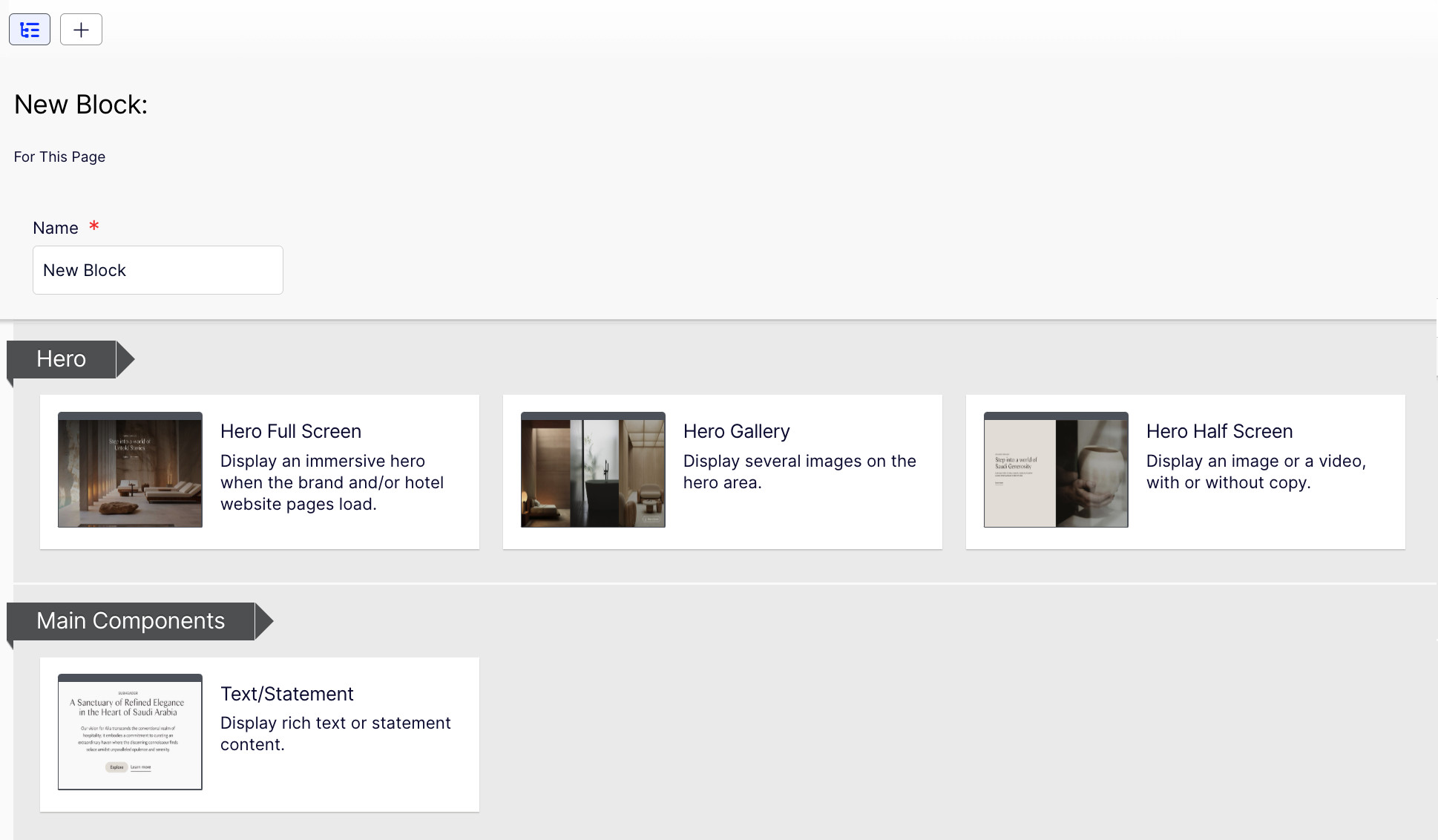
Final results, when authors add new block under Site1:
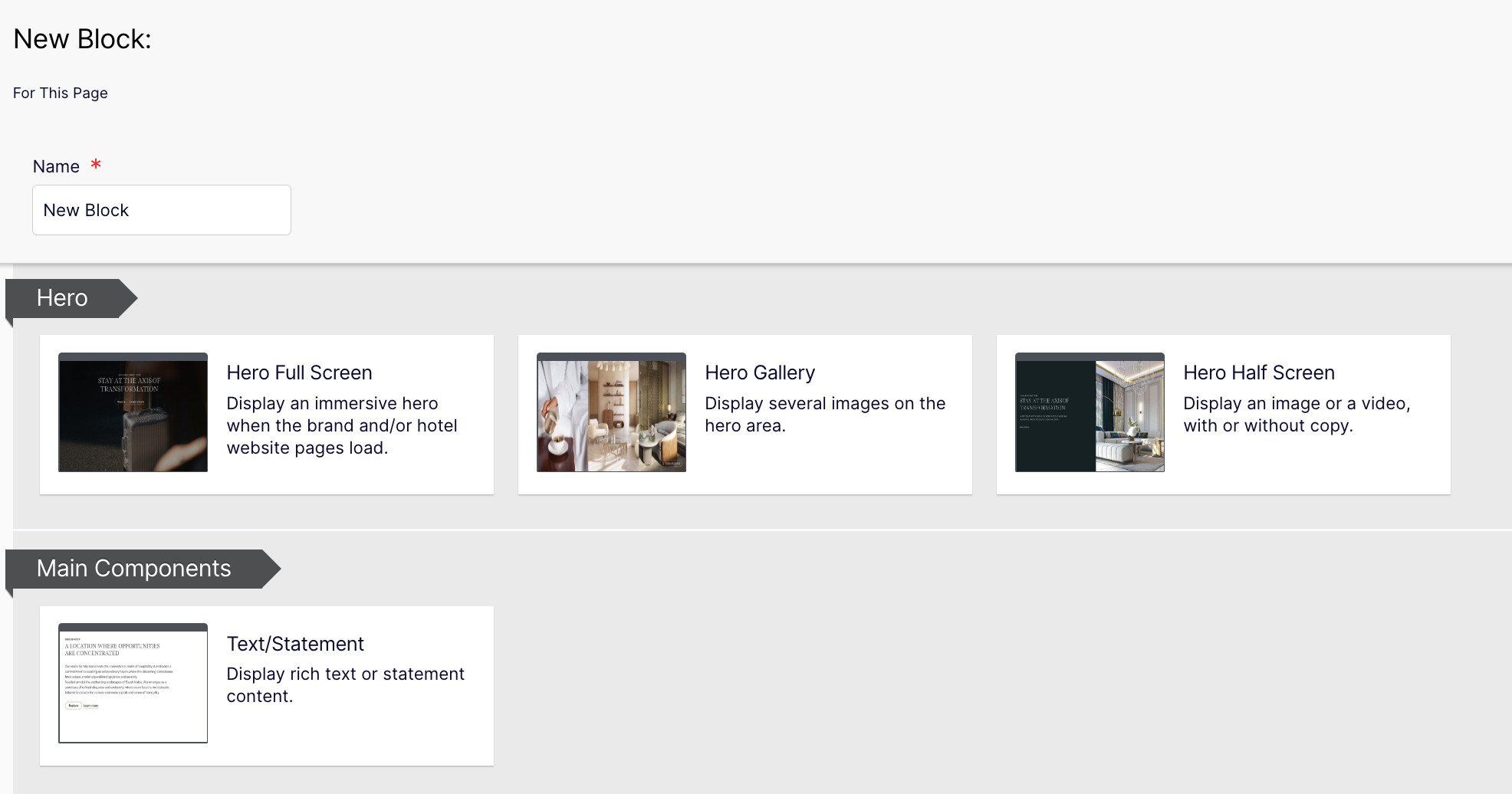
and under Site2:

Thanks