
Editing on a touch screen device
Working with a touch screen device, like a Surface Pro, Book or Laptop, might lead to some unexpected behaviour in the editor. In my case, I didn't receive any feedback on hovering the cursor over the editable parts of a page or block. So, no green (or grey on a content area) highlight and no information label with the field name. It didn't matter what browser I tried it in. Edge, Firefox and Chrome all gave me the same feedback-less experience.
It took some digging around to find out what caused this. I consulted developer support, but for them it was working as expected. I uninstalled all browser extensions/add-ons, but still no success. Then I moved to the browser specific settings. Turns out all the browsers have W3C Touch API support that you can change. After disabling this support all browsers started to show the expected highlight and label!
If you happen to have the same problem on a touch screen device, here's how you can change the mentioned setting:
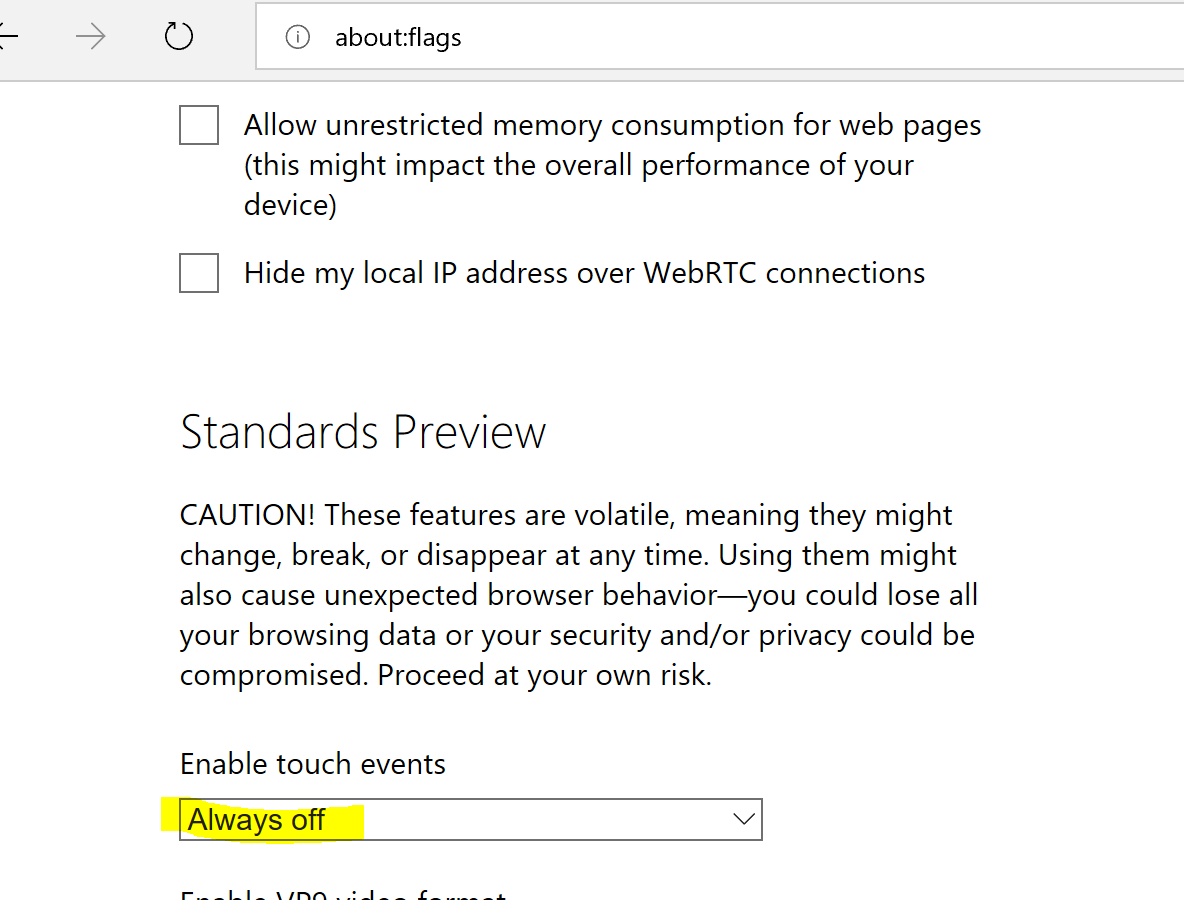
Edge
Navigate to 'about:flags'. In the screen that appears scroll down to Standards Preview. For 'Enable touch events' select 'Always off' in the dropdwn list.
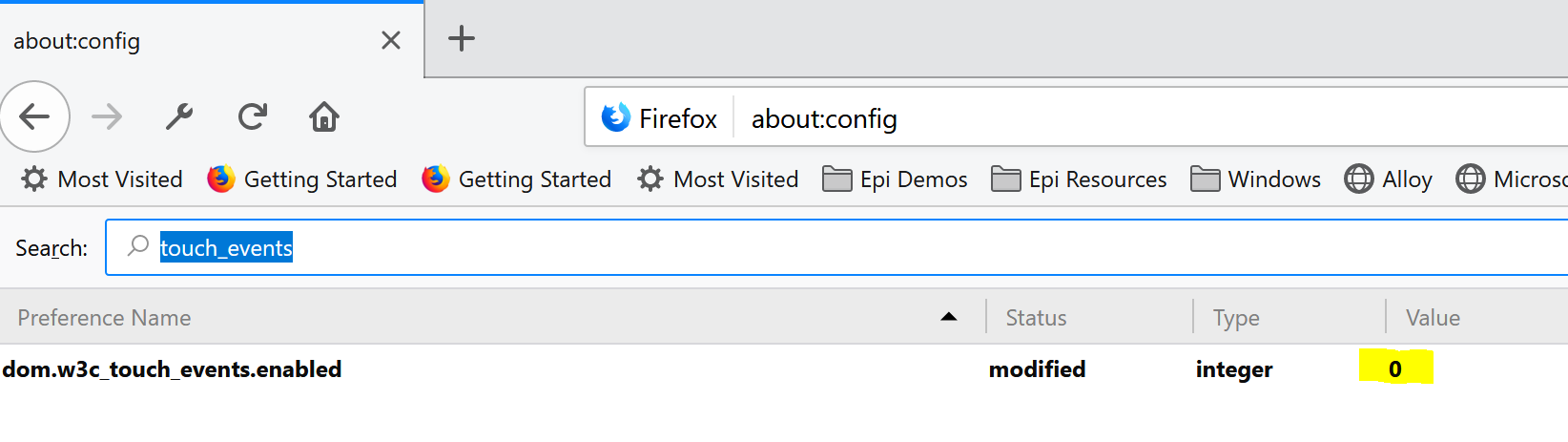
Firefox
Navigate to 'about:config'. In the screen that appears serch for 'touch_events'. Double click and set the value to '0'
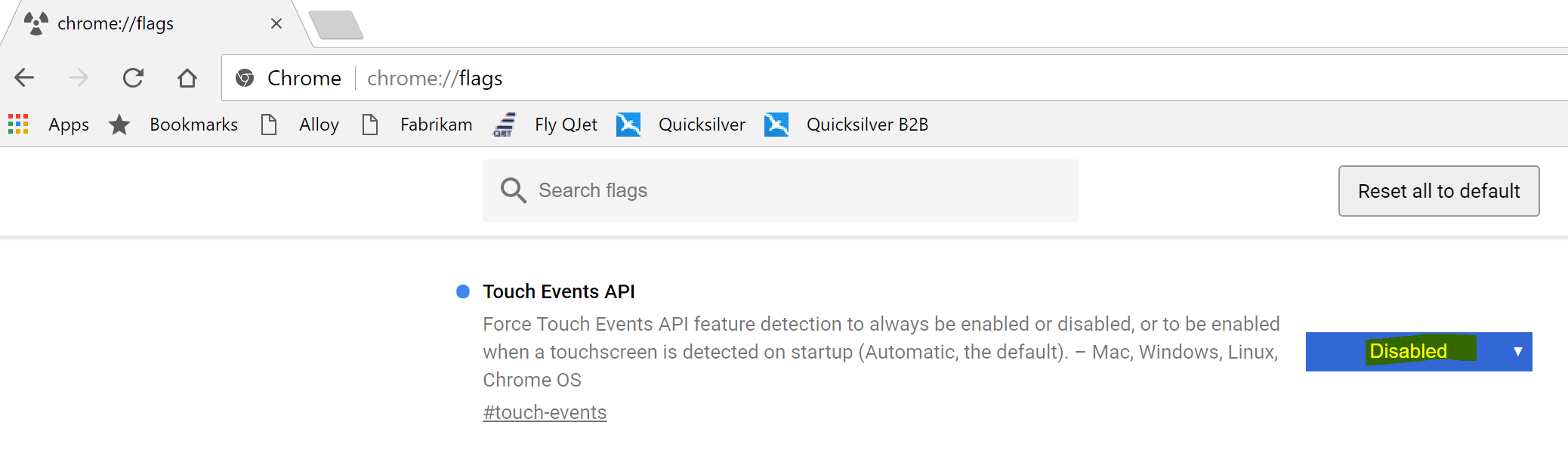
Chrome
Navigate to 'chrome://flags'. In the screen that appears look for 'Touch Events API'. Set value to 'Disabled'
Hope this helps,
Vincent

This is what I do:
Check "Limit touch support" on my users´s settings
Good catch Erik! Thanks.
That is indeed a lot easier to set and you don't mess with other sites that might depend on the original API support.