A critical vulnerability was discovered in React Server Components (Next.js). Our systems remain protected but we advise to update packages to newest version. Learn More

Guidelines for community packages on Episerver NuGet

Episerver product updates are regularly published as NuGet packages to the Episerver NuGet feed, where you can access them to install products and upgrade solutions. The same feed is used for add-ons provided by Episerver Technology Partners, as well contributions from the Episerver community.  

Episerver encourages community contributions and appreciates the effort spent on these. A contribution can be for example extensions and add-ons for Episerver, or useful tools when developing Episerver solutions. When you upload your NuGet package, it will be moderated before being released to the feed, to ensure the quality. In the following we provide a checklist with things to consider when submitting a community package for approval.
Recommendations when posting community packages

  • Use a correct package name
    Anything prefixed with "Epi", "Episerver" or "EPiServer" is reserved for Episerver packages. Community packages submitted with any one of these prefixes will be rejected.
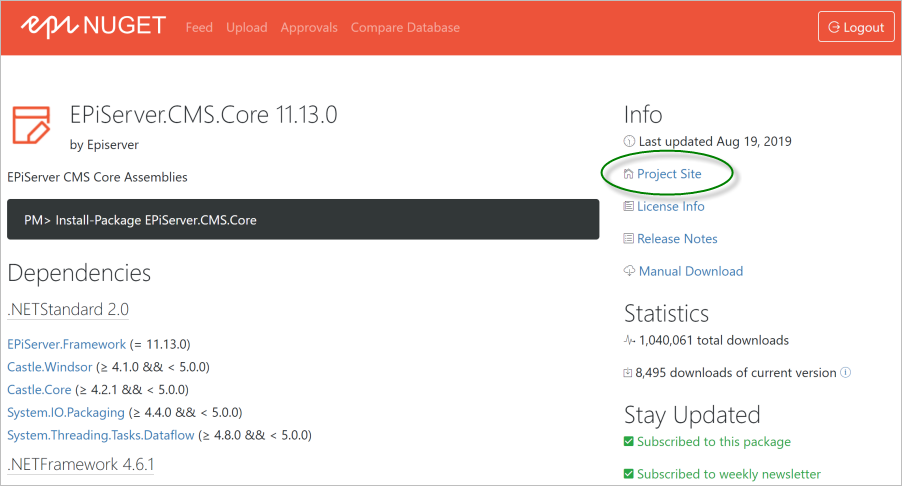
  • Include a project URL for your package in the Nuspec
    This can for example be a link to your to your GitHub project, blog or a product description page on your site. This will be shown as a link in the NuGet feed, helping users understand what the package is doing.
      
    NuGetGuidelines1.png
      
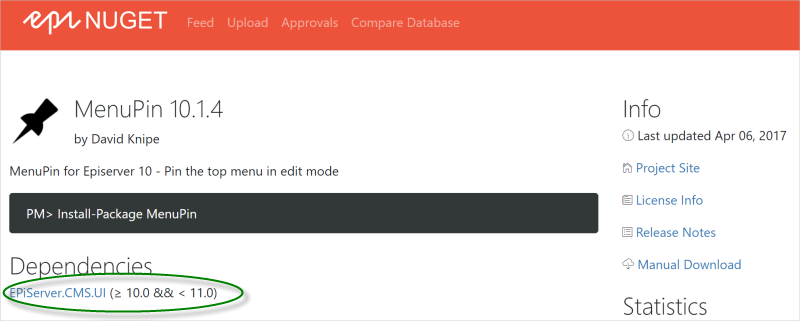
  • Keep the dependency range within a major version of Episerver  
    Additional efforts may be required when upgrading 3rd-party add-ons for major version releases. For compatibility reasons it is therefore better to target major versions, for example version="[10.0, 11.0)". 
      
    NuGetGuidelines2.png
       
  • Build your package against the lowest compatible version of Episerver
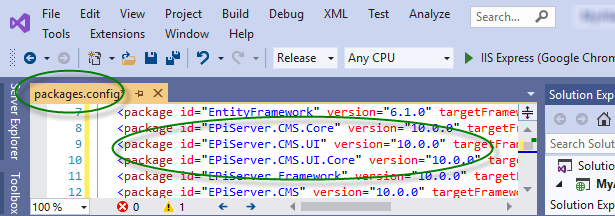
    This applies if your package includes a binary with a dependency on Episerver. For example, if your package is for Episerver 10, ensure to install the EPiServer.CMS.Core v10.0.0 package when building. See the packages.config file in your project.
      
    NuGetGuidelines4.png  
      
  • Test your package carefully!
    Testing should include installation/uninstallation of the package on the oldest and newest version of Episerver that the package supports. You should also verify that it works with other main Episerver components like Episerver Find in your solution. The more you test the better the quality, and the more likely it is that your add-on package will be used and promoted.

The approval of community packages will be moderated following these guidelines. Curious about what is new in the Episerver NuGet feed? See package details to subscribe to the weekly Episerver NuGet newsletter.

Last updated: Sep 25, 2019