AI OnAI Off
Auto Translation Disable for specific page





Are you using the built-in provider you must disable the feature in the UI at the parent level. All children will be affected.
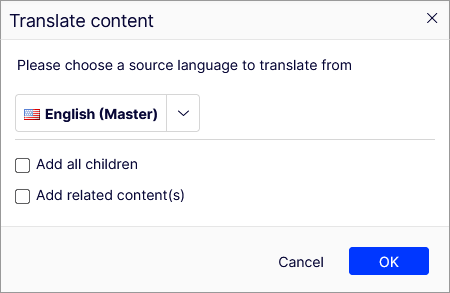
Read more at https://docs.developers.optimizely.com/content-management-system/docs/optimizely-languages#configure-auto-translation
If you want a more granular approach you'll need to do some coding.
Dec 11, 2025 12:06

 Certification.png "Commerce Connect 14 Developer (Expert) Certification")
Ive looked at the plugin, and its really half done, not every thing is implemented the right way. I will report that.There is
"EPiServer": {
"CmsUI": {
"LanguageManager": {
"RestrictedTypes": [
"AlloySandbox.Models.Pages.*",
"AlloyTemplates.Models.Pages.ExamplePage2"
]
}
},
But it is never used in the code! So the way is to override LanguageBranchManager.
You can exlude properties by overriding IEnumerable<string> ExcludedProperties => new string[2] { "CatalogContent.SeoUri", ".MetaTitle" };
But you need to override many methods in the ILanguageBranchManager because it is poorly build.
Still, i dont see you can disable the button, you can trigger the autotranslate but return false, you get a message "Error see the logs" which is not user friendly.
Dec 13, 2025 10:17
Hi Luc Gosso (MVP), Eric Herlitz,
Currently I am overriding ILanguageBranchManager with all methods. I am triggering autotranslation it is return false. Page is not translating throwing warning "Error occurs while translating content, please check the logs for more details."
As for now i did this implementation. But i was expecting this warning pop up massage also should not come. But i am unable to achieve this.
Thanks,
Deepmala
Edited,
Dec 15, 2025 10:03



Hi Deepmala S,
Thats the expected behaviour.
If you need to still disabled this popup, you can no-op success(Perform no operation and return success) at service level
Hope this helps.
Dec 19, 2025 13:18

Hi,
We have a requirement to disable Auto-Translate from language manager on specific page only.
Can anyone suggest how we can achieve this?
I am trying but still draft version is creating.
Thanks,
Deepmala Sharma