AI OnAI Off
Duplicate key issue when creating a new settings tab





Hi Dileep,
The duplicate key is almost certainly coming from the repository descriptor registration, not from the Settings.Add("repositoryKey", …) line on the component.
In this Site Settings pattern there are two different concepts:
1. Component setting name
Settings.Add(new Setting("repositoryKey", GlobalSettingsRepositoryDescriptor.RepositoryKey));
Here, "repositoryKey" is just the setting name inside the component.
You can reuse this name across multiple components - that’s fine.
2. Content repository descriptor key
In your ContentRepositoryDescriptorBase implementation you usually have something like:
public class GlobalSettingsRepositoryDescriptor : ContentRepositoryDescriptorBase
{
    public static string RepositoryKey => "globalsettings";

    public override string Key => RepositoryKey;
    // ...
}
This Key is what Optimizely uses internally in a dictionary of descriptors.
This must be unique across all descriptors.
If two descriptors return the same Key, you get the classic:
An item with the same key has already been added.
…even if you changed the string used by the component setting.
I think you just need to check in your SettingsV2ContentRepositoryDescriptor
Make sure your new descriptor has its own constant and that both RepositoryKey and Key are unique, e.g.:
[ServiceConfiguration(typeof(IContentRepositoryDescriptor))]
public class SettingsV2ContentRepositoryDescriptor : ContentRepositoryDescriptorBase
{
    public static string RepositoryKey => "sitewidesettingsv2";

    public override string Key => RepositoryKey;   // Must be unique!

    // Other overrides...
    // ContainedTypes, CreatableTypes, Roots, Name, SortOrder, etc.
}
If you only changed RepositoryKey but left Key returning the old constant (or copied the old descriptor without updating this), you’ll still get the duplicate key exception.
Once that’s true, this part of your component is fine:
Settings.Add(new Setting("repositoryKey", SettingsV2ContentRepositoryDescriptor.RepositoryKey));
You don’t need to change the setting name "repositoryKey" – the important bit is that the descriptor’s Key is unique.
Hope this will help!
Dec 01, 2025 5:55
I am not sure if am following, here are my descriptors and the key is unique for both of them
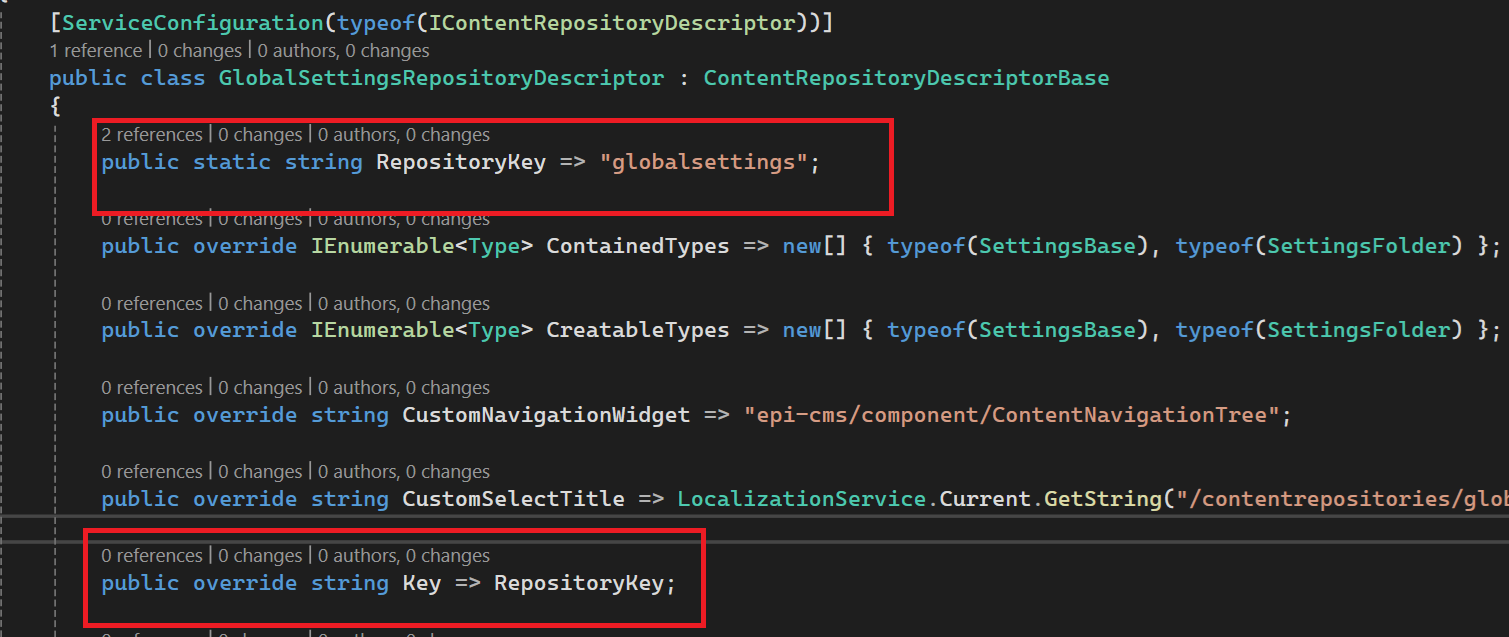
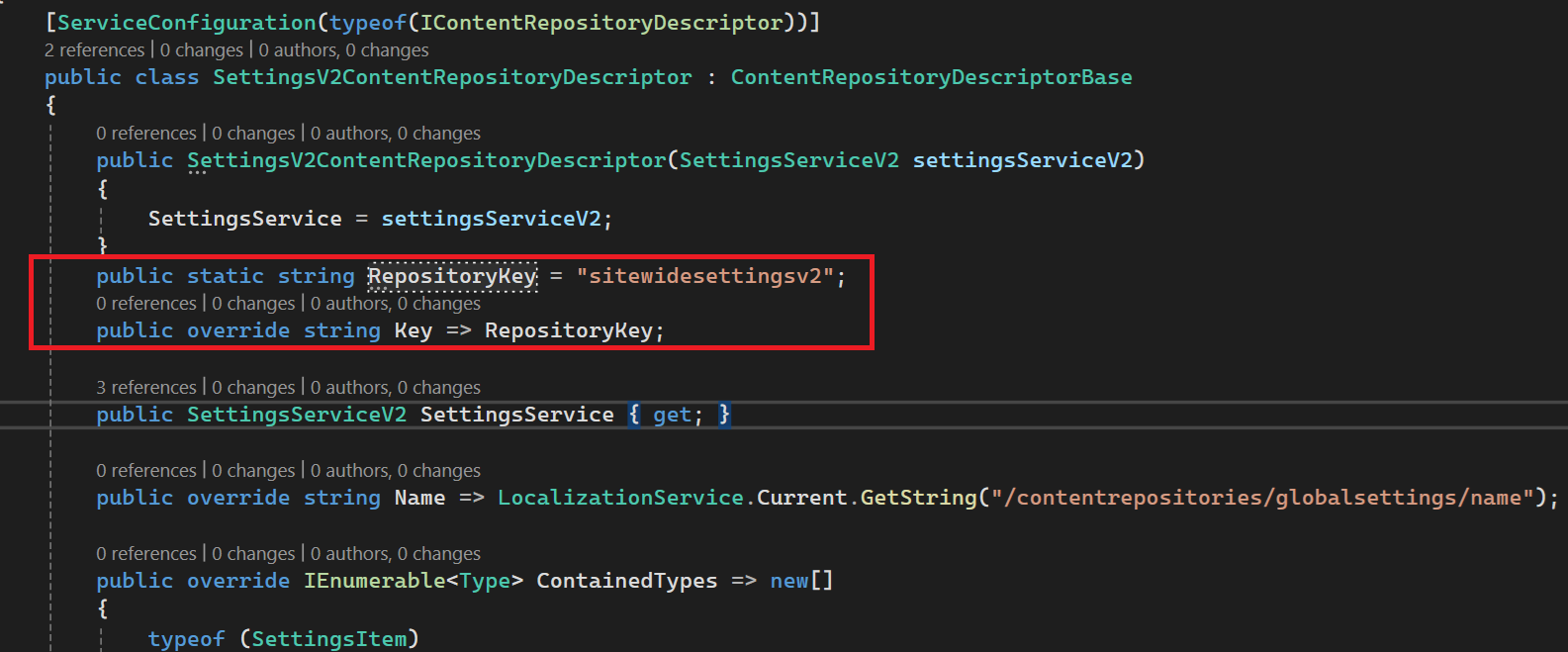
If you are mentioning about RepositoryKey constant then changing that doesn't help, and regarding the Key its an override string.
Dec 01, 2025 14:52
Thanks Dileep, Yes, I can now see that both of your descriptors do have unique RepositoryKey and unique Key values, so the duplicate-key issue is not coming from these two classes.
That means the error is almost certainly coming from a third place where Optimizely registers repository descriptors. A duplicate registration can happen even if your own keys are unique.
Few more places you can check:
1. Search in the solution for any other implementation of IContentRepositoryDescriptor
Sometimes a leftover test class, scaffolded descriptor, or an older settings repository still exists.
Try searching for:
: ContentRepositoryDescriptorBase
OR
IContentRepositoryDescriptor
Make sure no other descriptor is returning:
-
"globalsettings" -
"sitewidesettingsv2" -
or sharing the same
Keyas your new class
Even one old / unused descriptor can cause this error.
2. Check for accidental duplicate DI registrations
If the same descriptor class is registered twice, Optimizely also throws "duplicate key" because it tries to add it two times.
Look for:
[ServiceConfiguration(typeof(IContentRepositoryDescriptor))]
being applied twice accidentally, or manual services.AddTransient<IContentRepositoryDescriptor> calls in:
Startup.cs / Program.cs
If your descriptor is registered via attribute and via manual DI, the runtime will try to add it twice ==> same error.
3. Reset CMS UI views
Sometimes the CMS UI caches panel definitions:
User menu ==> My Settings ==> Reset View
(Not directly the cause of the exception, but worth doing after descriptor changes.)
Hope this will help!
Dec 02, 2025 5:47

I have a CMS 12 project which has a Settings tab (shown next to Blocks, Media tabs) and it works as expected. This implements ComponentDefinitionBase. Following similar stuff I wanted to create another tab for a different kind of settings feature, however I am getting error for key already exists.
Existing component:
public GlobalSettingsComponent()
: base("epi-cms/component/MainNavigationComponent")
{
LanguagePath = "/episerver/cms/components/globalsettings";
Title = "Site settings";
SortOrder = 1000;
PlugInAreas = new[] { PlugInArea.AssetsDefaultGroup };
Settings.Add(new Setting("repositoryKey", value: GlobalSettingsRepositoryDescriptor.RepositoryKey));
}
The repositoryKey value is "globalsettings" which comes from a descriptor that implements ContentRepositoryDescriptorBase is decorated with [ServiceConfiguration(typeof(IContentRepositoryDescriptor))]
New Component:
public SettingsV2TreeComponent(SettingsServiceV2 settingsServiceV2)
: base("epi-cms/component/MainNavigationComponent")
{
LanguagePath = "/episerver/cms/components/globalsettings";
PlugInAreas = new[]
{
PlugInArea.AssetsDefaultGroup
};
Title = "Site settings V2";
SortOrder = 2000;
Settings.Add(new Setting("repositoryKey", SettingsV2ContentRepositoryDescriptor.RepositoryKey));
}
The repositoryKey value is "sitewidesettingsv2" which comes from a descriptor that implements ContentRepositoryDescriptorBase and is decorated with [ServiceConfiguration(typeof(IContentRepositoryDescriptor))]
No matter the name of te key i always will get error that key already exists.
What am I missing here ? I am trying to create a new tab for new settings type, that will follow similar structure of "For all Sites"/ "For this Site" similar to what Blocks and Media , Geta Categories do.