

SQL backward compatibility issues
Compatibility
Have you ever had backward compatibility issues with different SQL Server database versions? I.e. you can't use a database from a newer SQL version in an older or you're not able to restore a backup from a newer SQL version to an older. An example of an error message you get when trying to use a database from SQL Server 2008 R2 in 2008:
"The database "dbDemo" cannot be opened because it is version 661. The server supports version 655 and earlier."
A solution is to upgrade the database. If that isn't an option, then what to do?
Try Scripting!
Scripting a database is just another way of taking a copy/backup of a whole or part of a database. The outcome is a sql-script which is backward compatible. I.e. if you script a database you are able to use it in older SQL Server versions. For instance, if you have a database in SQL Server 2008 R2 you can script it and then use it in SQL Server 2008 R2, 2008, 2005 or 2000. When you run the script in the new database environment, a new database is created or new tables etc.
How do I script a database?
This is how you do it in SQL Server 2008 R2 so that you get a sql-script which is backward compatible with SQL Server 2008. The script contains the database structure and the content.
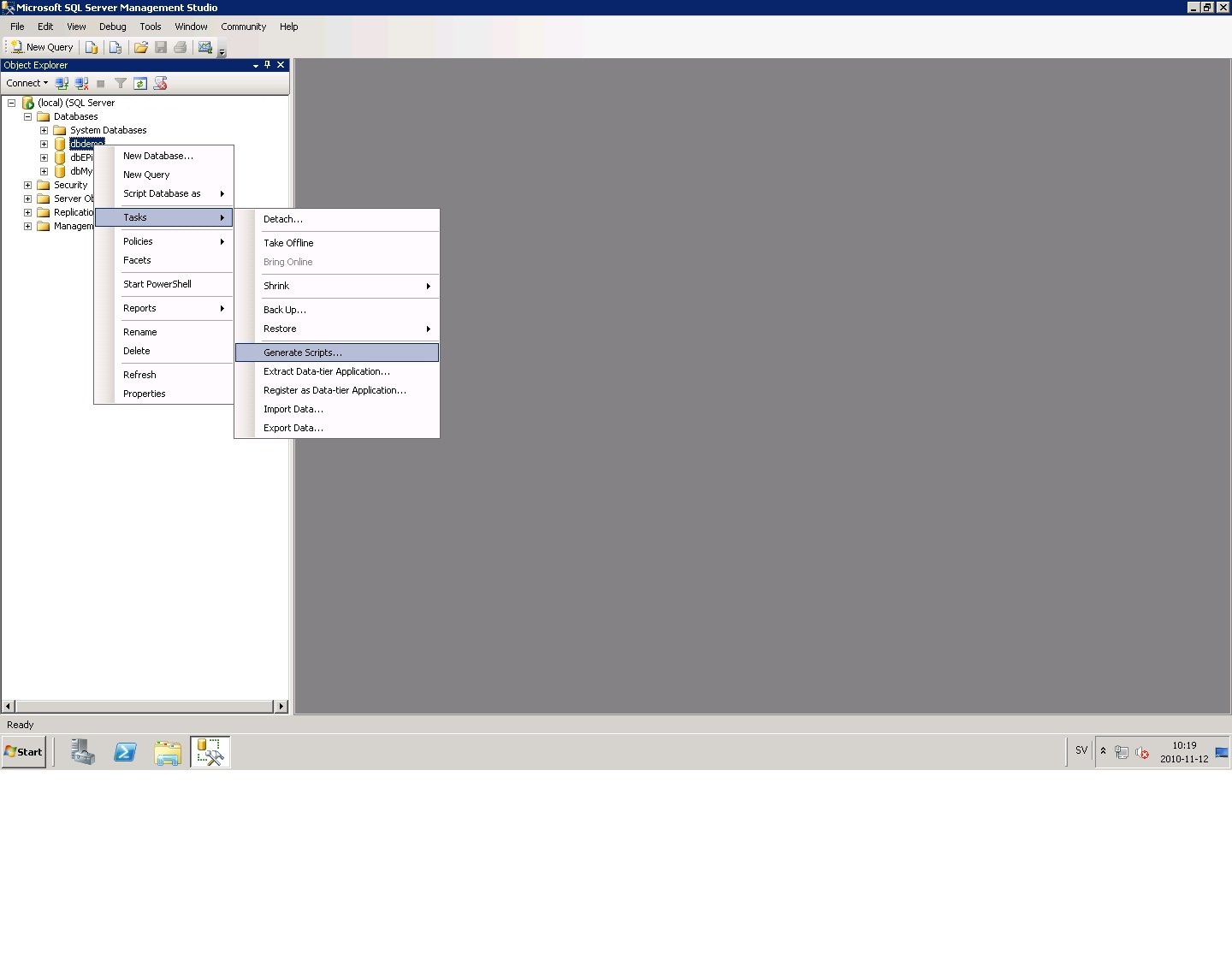
1. Open SQL Management Studio and right-click the database to script. Choose Tasks -> Generate Scripts...
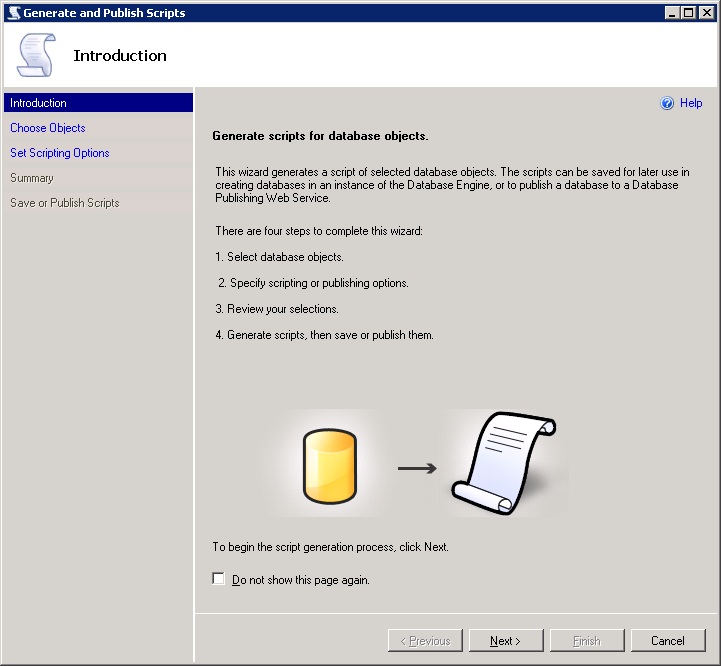
2. Click Next on the Introduction.
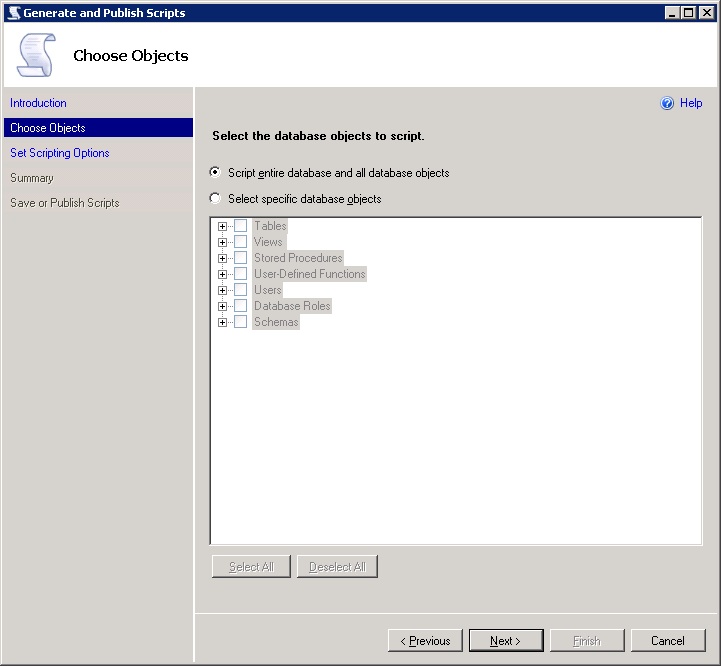
3. Because we want the whole database to be copied we choose to script entire database and all database objects:
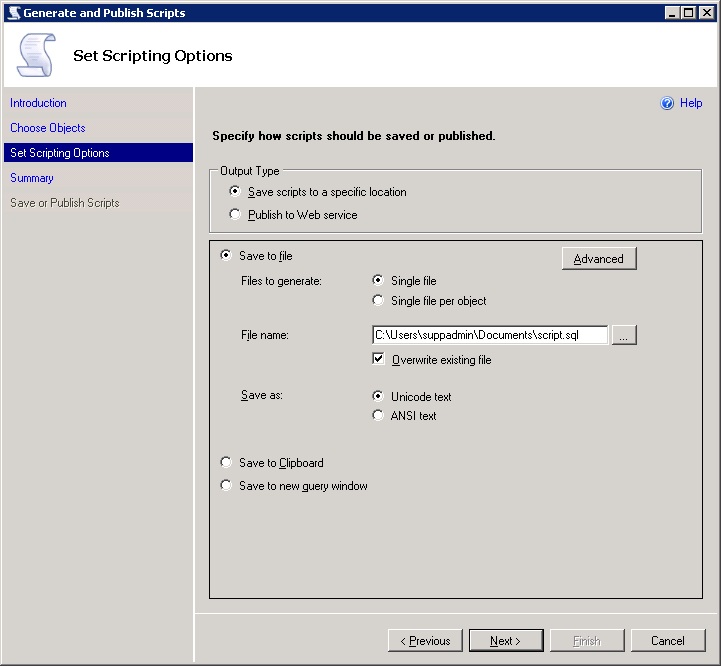
4. Save the script to a specific location and to a single file and then press the Advanced button:
5. In the Advanced Scripting Options dialog there's a few options that are important to change:
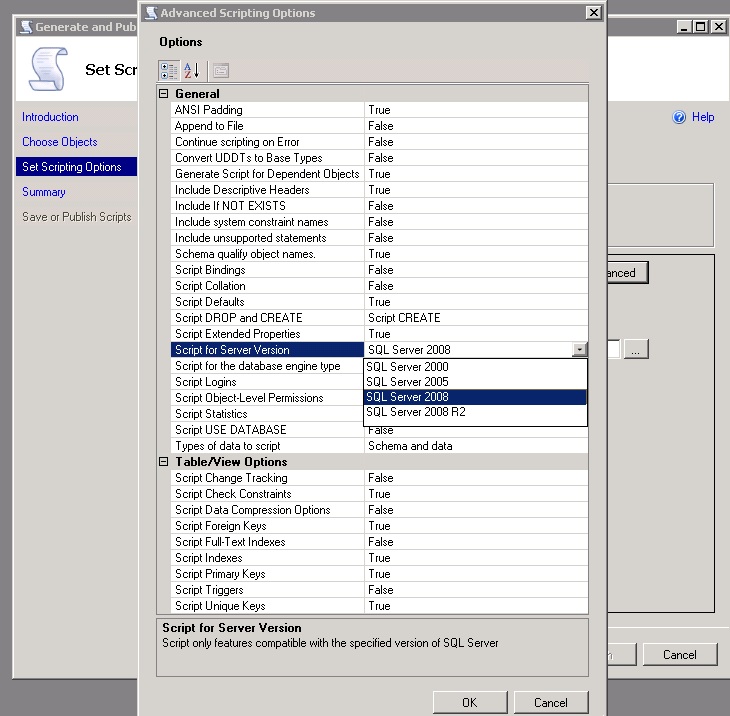
* Script for Server Version - you can choose which SQL Server version to script to (make compatible with). In this case I choose SQL Server 2008.
* Script USE DATABASE:
- False when the script is expected to be used in a different database (our case)
- True to make sure that database objects are created in the correct database
* Types of data to script - Schema and data is our choice. If we don't choose data we will just get the database structure, i.e. the tables and schemas etc.
There are many options. For an explanation of each go to Generate and Publish Scripts Wizard (Advanced Scripting Options Page)
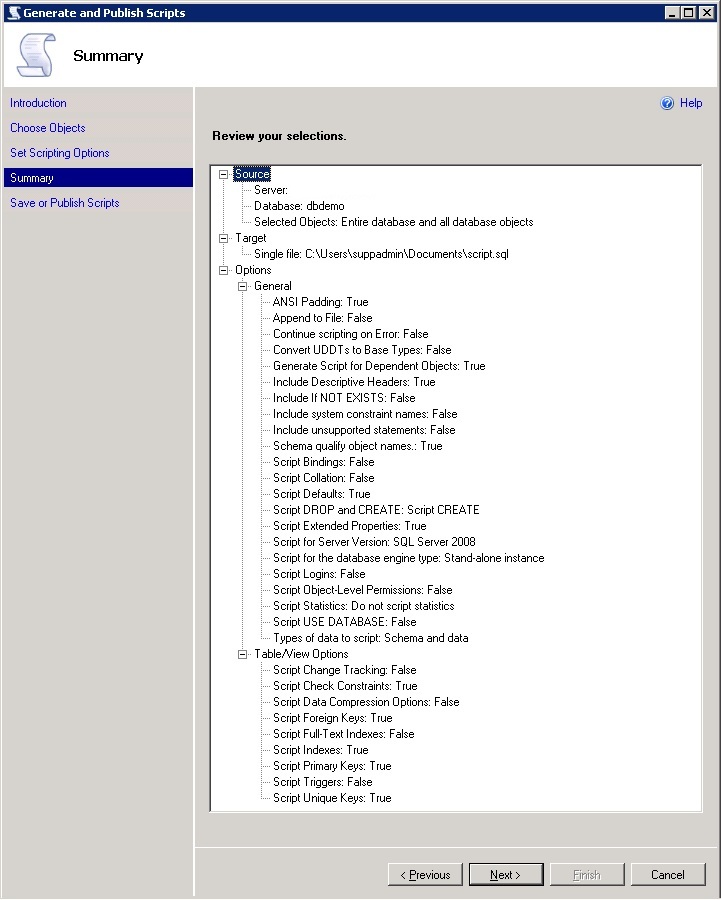
6. Review your selections. Click Next to run.
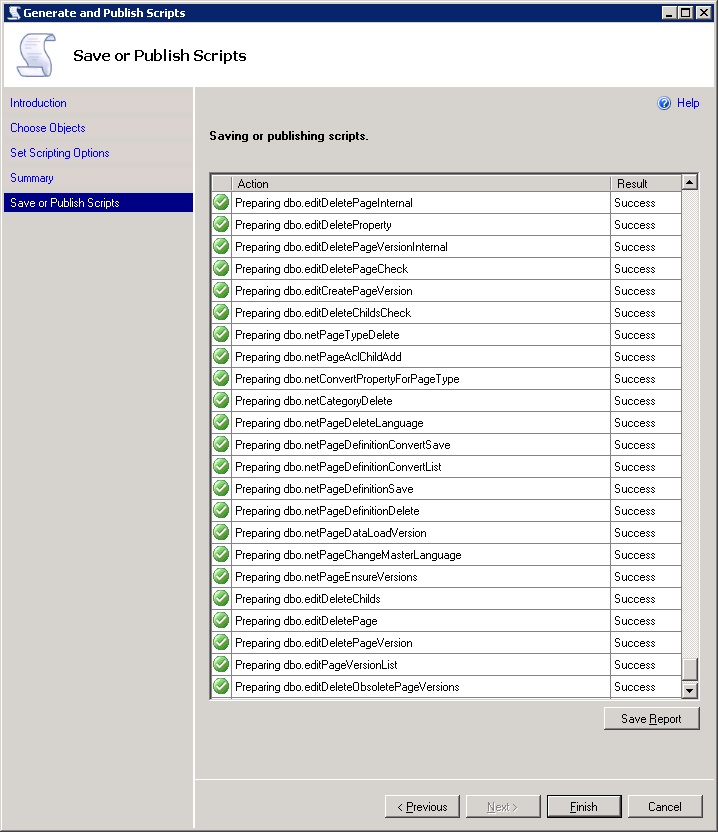
7. You'll get a report on the result. If the result is successful you'll find the script.sql file in the location you chose in a previous step (image 4).
8. Execute the new script in SQL Server 2008 Management Studio. A new database is created with the tables, content etc.
SQL Server 2008 and 2005 scripting?
It's possible to create a script with structure and content in SQL Server 2008. Here's an example.
Scripting is also possible in SQL Server 2005 but I couldn't find any data option. Maybe you are just able to script the structure and not the data (?).
Generate and Publish Scripts Wizard Help
http://msdn.microsoft.com/en-us/library/ee240853.aspx
Comments