A critical vulnerability was discovered in React Server Components (Next.js). Our systems remain protected but we advise to update packages to newest version. Learn More.
AI OnAI Off
A critical vulnerability was discovered in React Server Components (Next.js). Our systems remain protected but we advise to update packages to newest version. Learn More.
| Product version: | Episerver Commerce 1 R2 SP1/1 R2 SP2 |
|---|---|
|
Document last saved: |
This document describes the procedure for upgrading EPiServer Commerce from version 1 R2 SP1 to 1 R2 SP2 (for EPiServer CMS 6 R2). NOTE that this procedure only supports upgrade from EPiServer Commerce 1 R2 SP1, meaning that if you have a site based on an earlier version, you must first upgrade it to version R2 SP1.
Check the following before you start the upgrade:
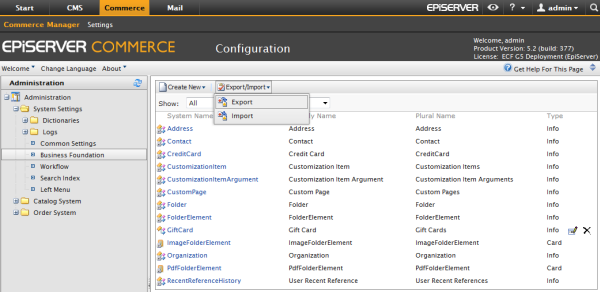
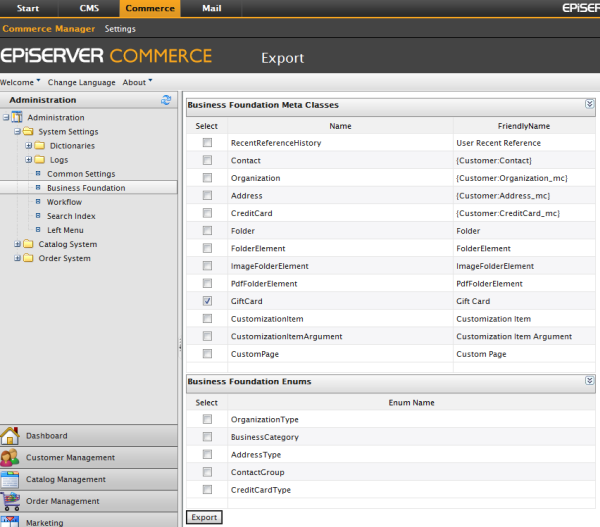
Before you do the actual upgrade, you need to export any customized business foundation objects. After a successful upgrade, the customized business foundation objects will then be imported back to the upgraded site.
Follow these steps to export and then import customized business objects for your website.
This section applies if the sample templates are installed on your EPiServer Commerce website.
If your sample site has Commerce gadgets (gadgets for Orders, Overview, Approval, Abuse Report or CMO settings), you should remove those gadgets before doing the upgrade, because in the 1 R2 SP2 release Commerce specific gadgets have been moved to the EPiServer Commerce core and will be installed from there. For more information about gadget configuration and disabling, refer to this document about OnlineCenter Development.
Follow these steps to do the actual upgrade:
Read this section if you encounter problems when saving a catalog entry after upgrading to EPiServer Commerce 1 R2 SP2.
After the upgrade some auto-generated stored procedures (with prefix mdpsp_avto_CatalogEntryEx_*) may be missing, which means that you need to update the meta classes in order for the system to be able to auto-generate these stored procedures again. To update, open the meta classes and save them again without doing any modifications.
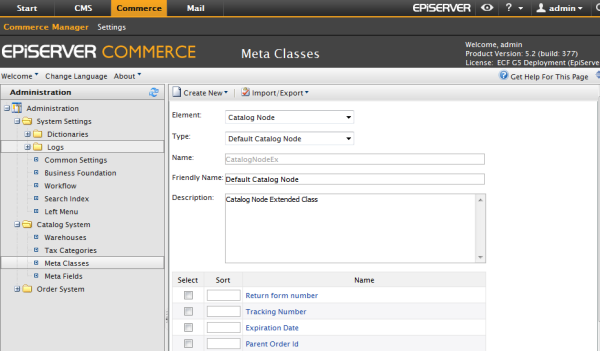
Read this section if you encounter problems with existing orders after upgrading to EPiServer Commerce 1 R2 SP2.
This is a possible solution if you cannot release a shipment, or if shipments do not appear in the pick list or cannot be completed.