

Strongly typed CMS content with TypeScript & React
Its now easy to create applications with strongly typed CMS content, using any language of you choice, and host it anywhere you like. You can try out an example account we have created using the following tutorial: https://docs.developers.optimizely.com/digital-experience-platform/v1.4.0-content-graph/docs/tutorial-create-a-site-with-strongly-typed-music-festival-content-using-react-and-content-graph
Content Graph
Content Graph is the service which enables this functionality. Content Graph is a "versionless", stand alone service, hosted in the CDN. Here are some benifits of using Content Graph when creating your application
Work with strongly typed content in your decoupled application
You can auto-generate classes/types for most existing languages, just by specifying the url to Content Graphs GraphQL endpoint together with your authentication key. This will enable you to work strongly typed against your content types, even if you haven't specified the content types in your decoupled application.
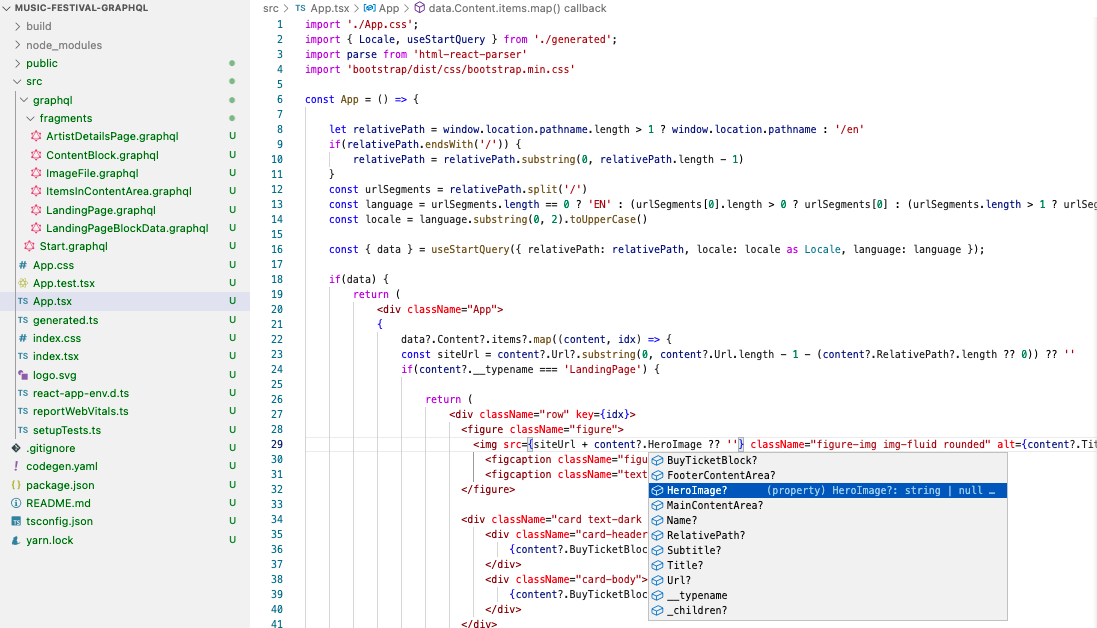
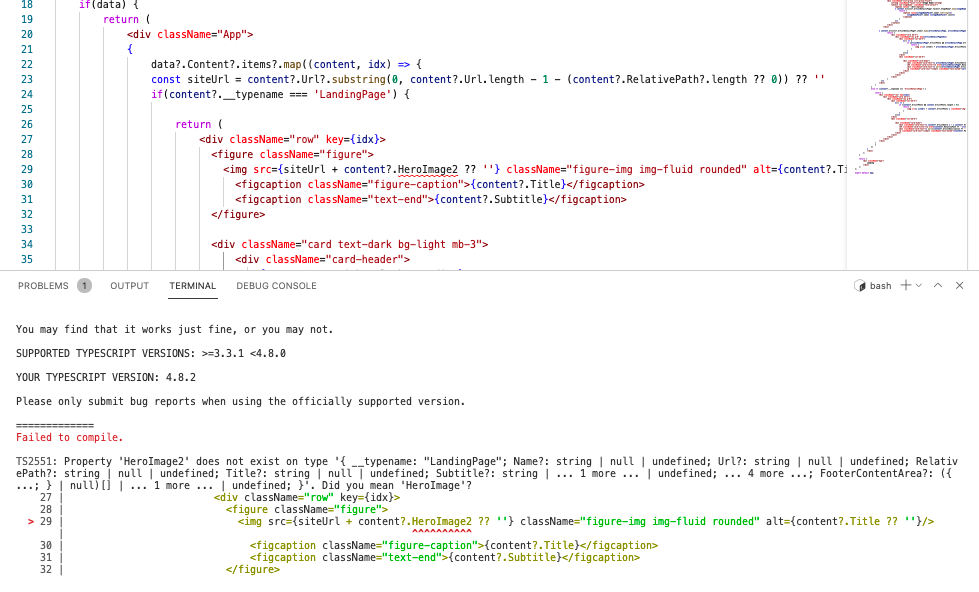
Following is an example where the developer used a property doesn't exist on the content type and got a suggestion by compiler.
Seperation between queries and components
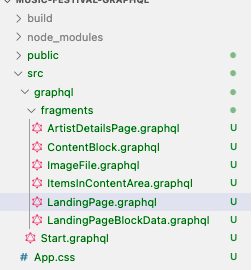
Content Graph makes it easy to separate your queries from the components. Add your queries in a special folder, and run "yarn generate" to generate classes/types for both queries and content types from the schema.
Write your queries in Visual Studio Code for your decoupled application, with intellisense and validation
You can write your queries with intellisense directly in Visual Studio Code for your decoupled application. You just have to specify the url to Content Graphs GraphQL API together with the authentication key, and you will be able to quickly write your queries.
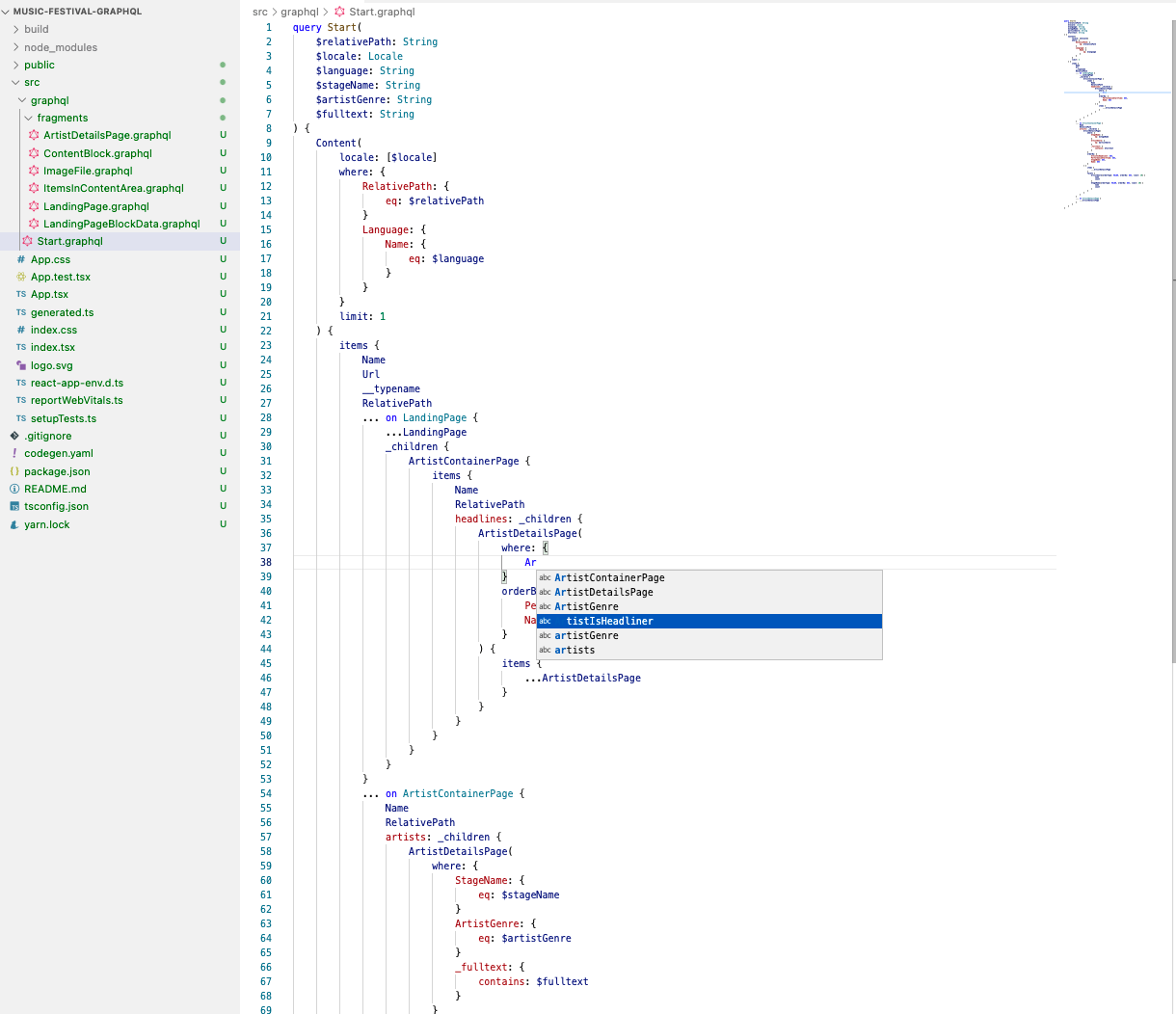
Following is an example where the query was not created correctly. Content Graph gave a suggestion for fixing the query:
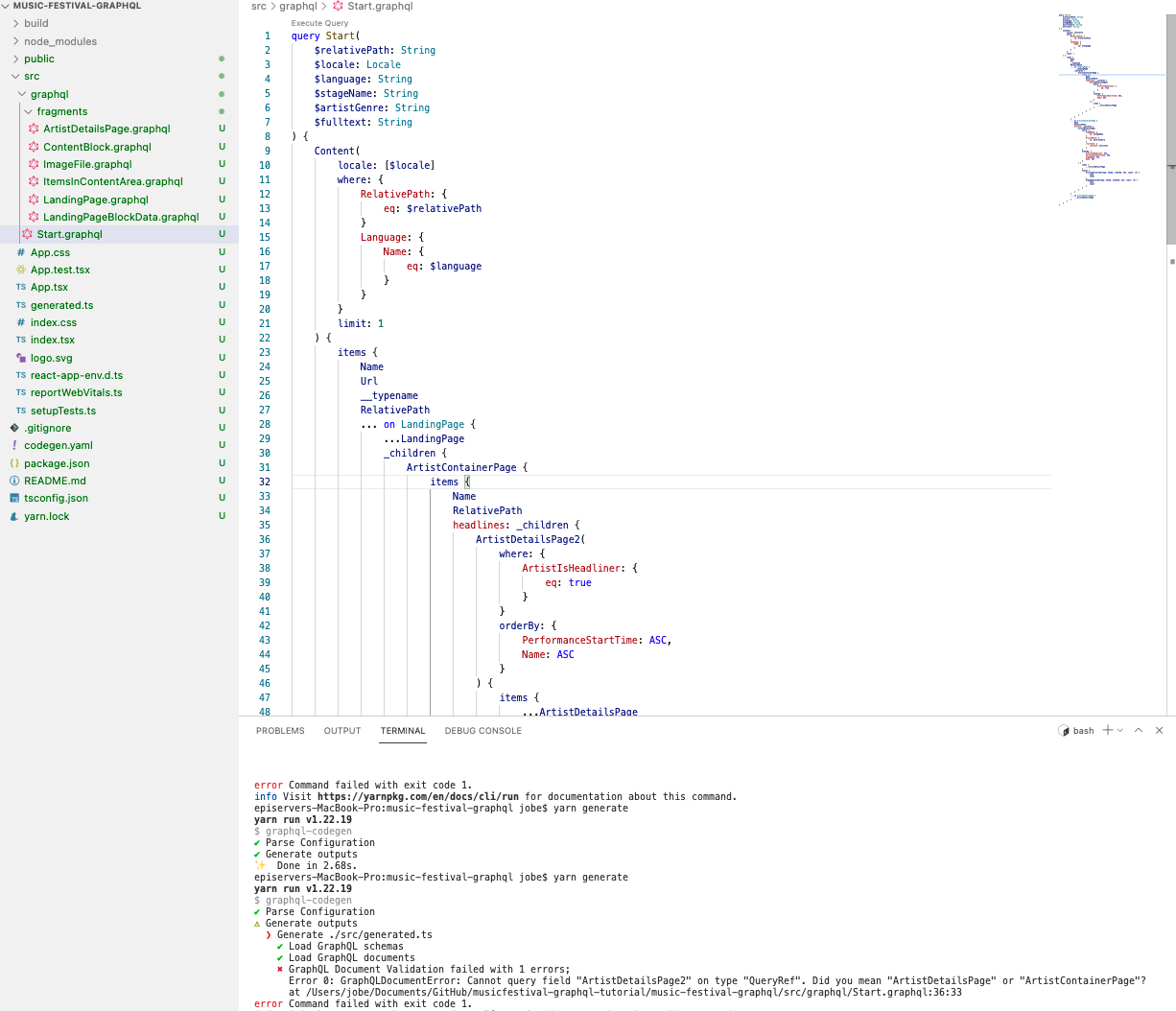
Query children of result in several layers - all in one query
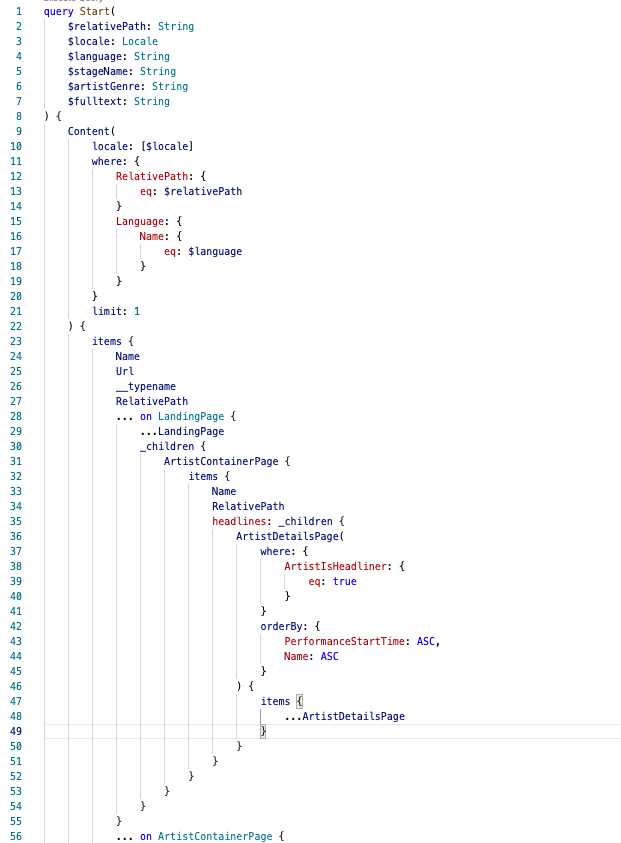
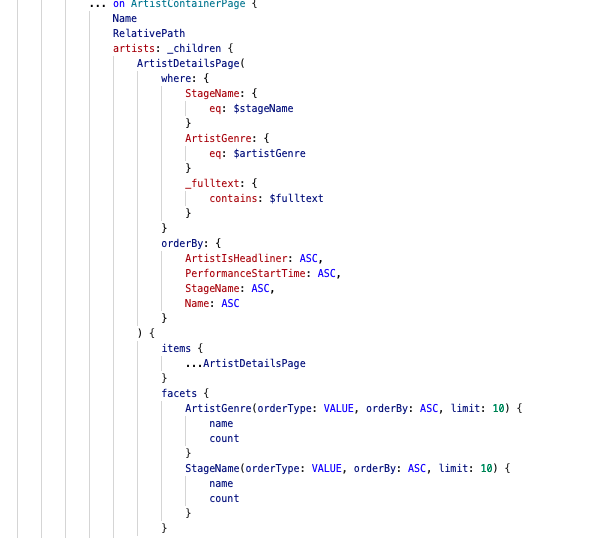
Following example will, in case the result from main query is of type "LandingPage", return some properties from LandingPage. It will also get children of type ArtistContainerPage with "Name" and "RelativePath". It will finally get children for the returned ArtistContainerPages of type ArtistDetailPage, where "ArtistHeadliner" is true for the ArtistDetailPages. All in one query.
Get items in Content Areas recursively
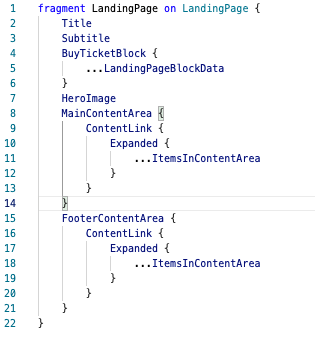
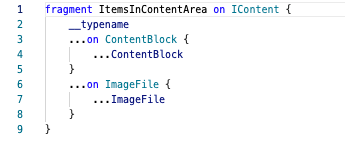
A block type can contain a ContentArea property, where other blocks can be added. An instance of the block can then be placed in another ContentArea property, for example an ContentArea on a page. This creates a recursively Content Area item fetching, which can be problematic for many services.
Content Graph supports retrieving items in ContentArea properties recursivly - in several levels. Another important feature in Content Graph is that you must specify which properties to fetch for the different content types that could exist in the ContentArea property. This will reduce the data size send from the service to your application.
Search capabilities directly in the service
We have implemented free text search support in Content Graph, with stemming and decompounding support. We have also added support for facets of strings and numbers.
Online IDE
An online IDE are available using https://cg.optimizely.com/app/graphiql?auth={yourkey}. You can use the example account we have created for Music Festival: https://cg.optimizely.com/app/graphiql?auth=XoXsOl2bScWZzguDUylvaaZ5PEAAH5tg5qme0NebCHzEpyO4
Comments