


Standardizing the Catalog Structure
A coffee company selected Joe’s company for their Ecommerce websites in Episerver Digital Experience Cloud. Same company have developed their POS system in Java. On their website, along with few other packed products they will be selling breakfast where user can order coffee also with all type of condiments that they offer on their shops.
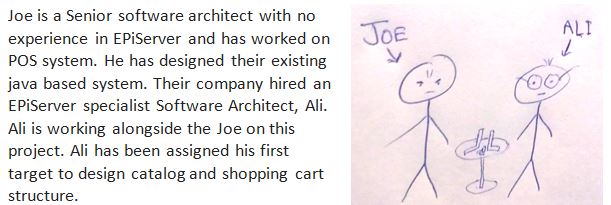
They setup a meeting to discuss catalog structure
[Meeting Started]
…
Blah blah
…
Joe: At the shop customer asks for several condiments along with Coffee like milk, soy or mocha. Shop charges a bit extra for those. This is the diagram of their order System.
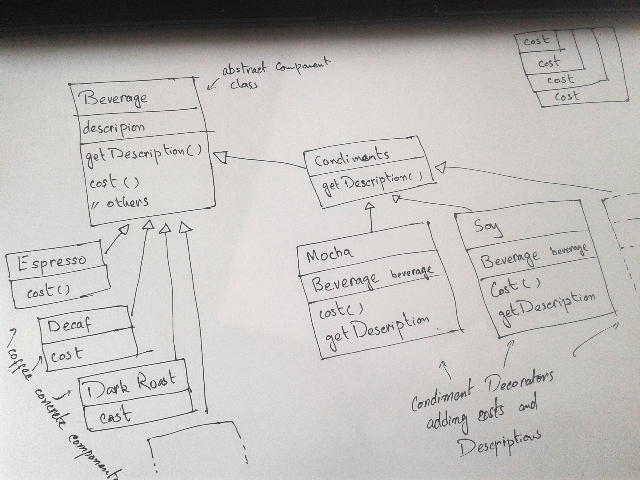
Ali: Well, So you used the decorator pattern here.
Joe: Yehhh! How will you design application in EPiServer?
Ali: Broadly speaking, EPiServer Commerce offers a catalog, promotion and order system. Products are defined in catalog and website user can browse the catalog and add those into cart. Cart converts into order after payment processing. Promotion can be applied on products or orders.
Joe: How will you manage beverages and condiments in EPiServer catalog.
Ali: I have brought their menu with me to discuss.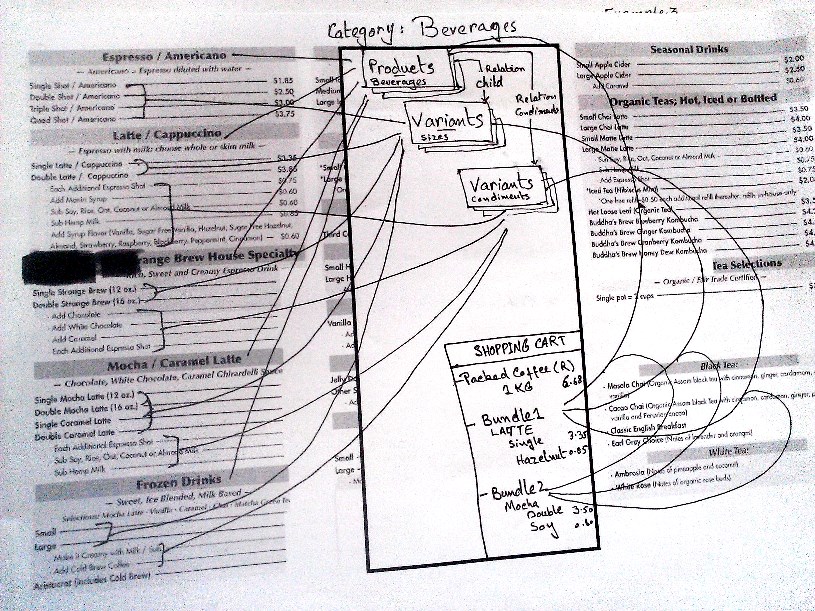
Ali: We will define main categories like Beverages and Packed products. Editors can add Packed products, Beverages and condiments and their relations in a catalog UI under related categories.
Joe: Is this the only supported catalog structure?
Ali: No! Catalog can be designed in very different ways in EpiServer Commerce. In my opinion this will be the best way to manage products.
Joe: Can I see other examples that how we can structure catalog in EPiServer?
(Ali draws some example for him.)
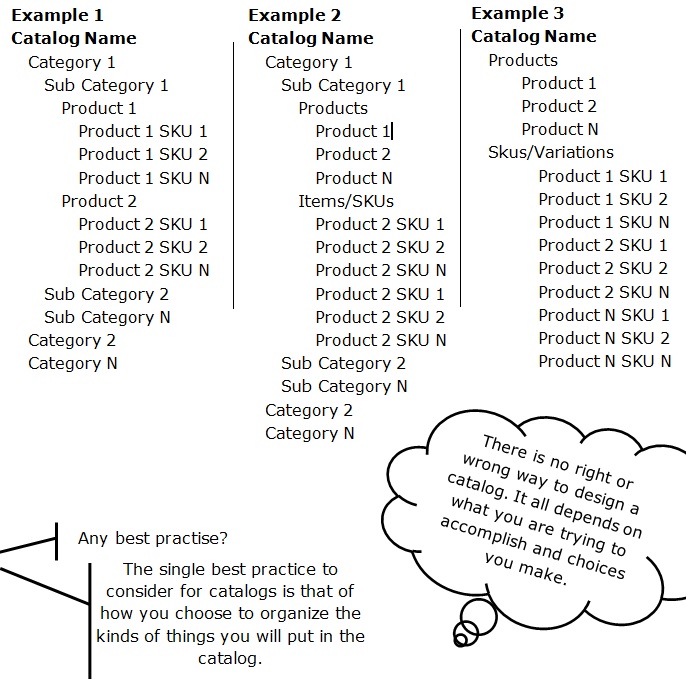
Joe: Any Consideration?
Ali: a lot!
- How will the catalog be managed, will it be updated directly and/or by some external data source?
- What are the marketing, promotions, and merchandizing requirements the catalog must support?
- Are we integrating with other systems as PIM or ERPs?Are we migrating products to other systems?
- Think carefully about the data that we need
- How we are displaying data in listing pages, what filters we are using on listing pages.
- Does catalog structure makes sense to your business team?
- Is structure as simple as possible?
Joe: Hum! I can see you are near about following Example 1. How will you manage those products in order, especially condiments, as each beverage included in basket can have none or more condiments?
Ali: We will create a bundle in a catalog, that will work as a Cup and we will add products in that cup and that cup will be ordered and delivered. Web user can order more than one cup.
Joe: It sounds interesting, I think we are ready. Can you please leave these diagrams with me? We will finalize this tomorrow.
Ali: Alright.
…
Blah blah
…
[Meeting Ended]
-------------------------------------------------------------------------------------------------
We have a problem here, when both architects are communicating with each other they don’t have a shared vocabulary or a name that they could give to structure of catalog. It is important to have a name to share between team. Although there can be of numerous types o fstructures, but still we can standardize some structures that we used mostly. In my next blog I will discuss catalog structures further and will try to name different type of catalog structure, so in next meetings Ali could describe to his team mates with one name that what catalog structure he is looking for rather to say Example 1.
Comments