

ServiceApi Customers and Organizations Extended
Recently I helped a couple of partners who needed to be able to update custom properties on customers and organizations using the service api. I sent them some code and thought I would share here for anyone else who might need. Hopefully soon this will be in the product as it is on the backlog.
Since there is seven files I created a sample project on my github where you can see the extensions
https://github.com/lunchin/EPiServer.ServiceApi.Extended.Sample
To use the extensions, install the repo and refer to the API folder and specifically CustomerExtendedController. This api controller exposes the new endpoints. Next weill use postman to demonstarte how to use the new endpoints.
- First we need to get the token for our request
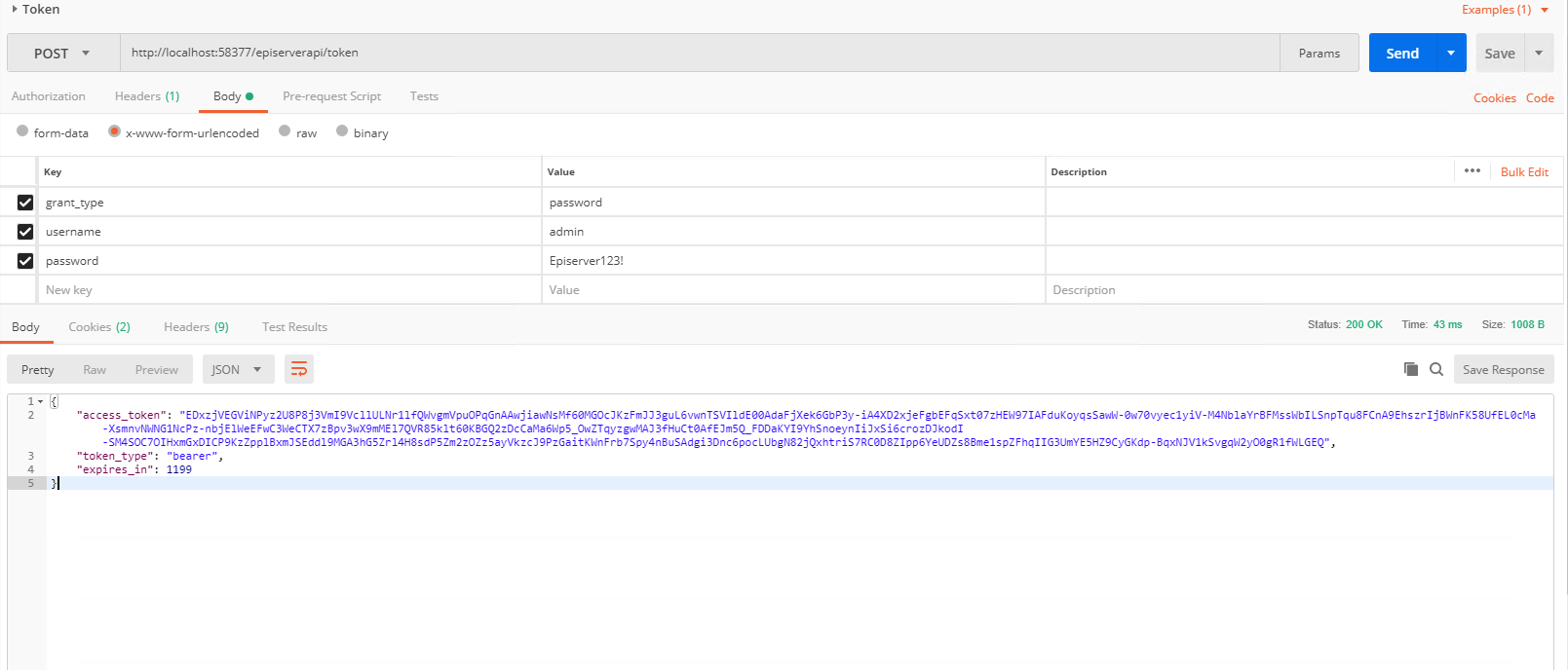
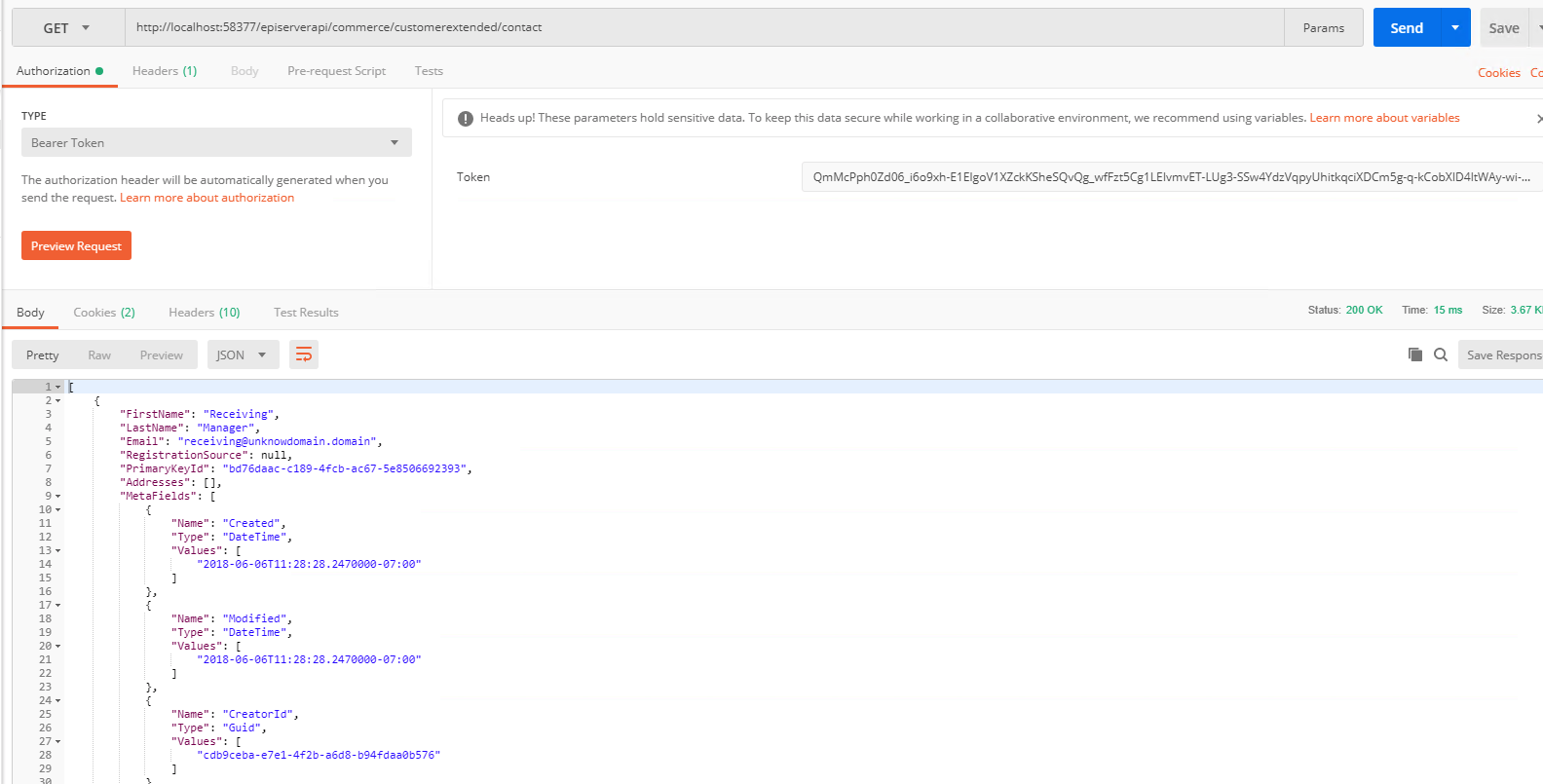
2. Next we will do a get on the contacts to make it easy to do an update the contact. Make sure you add the authorization bearer token you received from the previous request
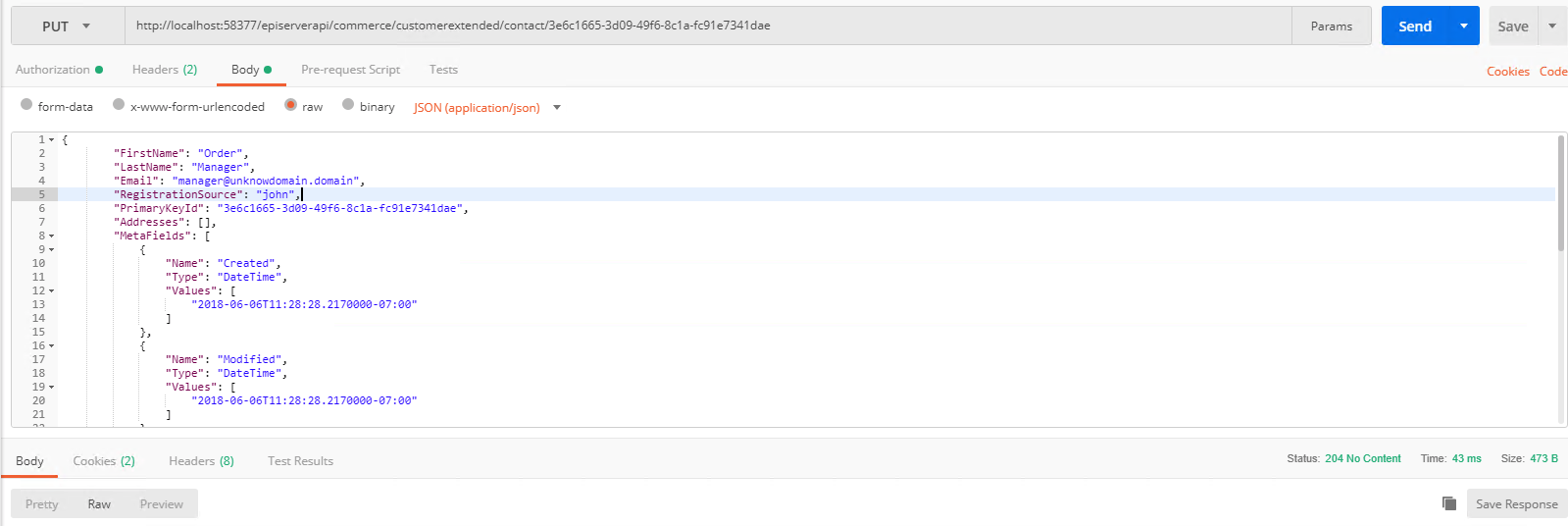
3. Finally lets update the contact with a PUT. First I show the body payload and then the request in postman.
{
        "FirstName": "Order",
        "LastName": "Manager",
        "Email": "manager@unknowdomain.domain",
        "RegistrationSource": "john",
        "PrimaryKeyId": "3e6c1665-3d09-49f6-8c1a-fc91e7341dae",
        "Addresses": [],
        "MetaFields": [
            {
                "Name": "Created",
                "Type": "DateTime",
                "Values": [
                    "2018-06-06T11:28:28.2170000-07:00"
                ]
            },
            {
                "Name": "Modified",
                "Type": "DateTime",
                "Values": [
                    "2018-06-06T11:28:28.2170000-07:00"
                ]
            },
            {
                "Name": "CreatorId",
                "Type": "Guid",
                "Values": [
                    "d4af0b76-3ea8-4a3a-86ea-22d4b3ca2552"
                ]
            },
            {
                "Name": "ModifierId",
                "Type": "Guid",
                "Values": [
                    "9c28ec95-fdec-41e9-aa1e-8acfcc58c074"
                ]
            },
            {
                "Name": "FullName",
                "Type": "Text",
                "Values": [
                    "Order Test"
                ]
            },
            {
                "Name": "UserId",
                "Type": "Text",
                "Values": [
                    "String:manager"
                ]
            }
        ]
    }
Thanks for sharing