


Virtual Teammates in Optimizely Mark: a hands-on first look
Virtual Teammates are the most interesting thing Optimizely has shipped on its agent platform this year, and the hardest to evaluate from a demo. They are not another agent. They are persistent AI workers with their own login, mailbox, memory and job description, and they keep working when you close the tab.
The Optimizely MVP organisation has just been given access, so I spent a day taking them apart: reading the docs, walking every screen in the directory, and enabling the SEO & AI Search Analyst against a real site with real Google Analytics 4 and Search Console data. Every screenshot below is from that session, unedited apart from cropping. This post covers what they are, how they are configured end to end, what my teammate actually found, where I think they earn their keep, and the gotchas I hit on the way.
A quick note on naming, because it will trip you up. Opal is now the Optimizely Agent Platform, and the assistant and app you work in are called Mark. The UI says Mark, the docs mostly say Mark, and some help articles and the release notes page still say Opal. They are the same product. Virtual Teammates were released on 25/08/2026 with five roles. The Web Manager and Content Marketer arrived on 13/10/2026, and a Translation Specialist is now in the directory too.
Teammate, not agent
The difference is persistence and identity. An agent runs when you invoke it and forgets you when it finishes. A Virtual Teammate is hired once, given a job, and then runs that job on a schedule or in response to events, building up memory as it goes.
Optimizely describes four layers, and they map neatly onto things you already know in Mark:
- Tools. Connectors to systems like GA4, Search Console, Semrush, HubSpot or Slack. The same connectors your agents already use.
- Agents and workflows. Packaged tasks the teammate runs from Mark, with your permission.
- Jobs. Workflows the teammate runs on its own, on a schedule or an event. This is the bit that makes it a teammate.
- Teammate layer. A persistent identity, memory, personality and job description wrapped around the rest.
The identity part is more literal than I expected. Each teammate gets its own Opti ID account, login and email address, flagged as a virtual user. It does not consume a product seat. It inherits nothing from the person who hired it, so you grant it access exactly as you would a new starter. Inside Optimizely products it acts as itself. Outside them it acts through accounts a human connects on its behalf, because a teammate cannot complete an OAuth consent itself.
You work with it through Team Messages, a Slack-style messaging layer inside Mark with direct messages, groups and channels. Teammates can message each other too, and can join Teams and Slack meetings to share summaries. The default autonomy model is sensible: the teammate drafts and proposes, you approve or redirect in Team Messages, and you widen what it can do unattended as trust builds.
The directory: eight teammates
The MVP organisation's directory lists eight teammates. Each has a CV-style card ("Why hire me", "Experience", "Tools used") and a set of jobs you can switch on or off when enabling it. All jobs are on by default.
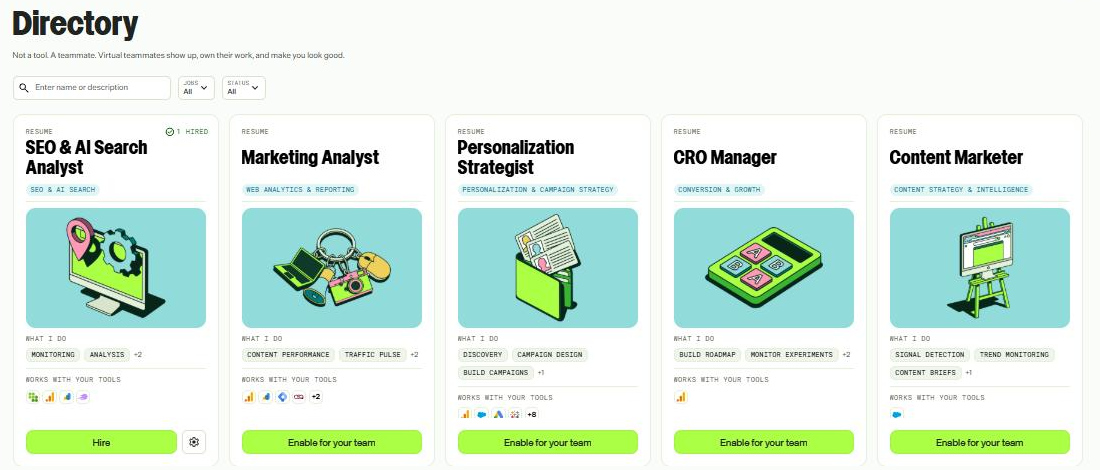
The Virtual Teammates directory in Mark. Each card is a "resume" with the jobs it does and the tools it works with.
The table below is taken from the enable screens in the MVP instance on 27/10/2026.
| Teammate | Jobs | Connectors it asks for |
|---|---|---|
| SEO & AI Search Analyst | Audit AEO readiness (daily), Research industry trends, Monitor performance (SEO and GEO anomaly scan), Research keywords (daily, from Conductor and Search Console) | GA4, Search Console at enablement. Conductor and Semrush at hire. |
| Marketing Analyst | Traffic and acquisition pulse (weekly), Content performance (weekly), Conversion summary (monthly), Anomaly detection (daily), Marketing Analyst actions, Self evaluation | GA4, Search Console, Tag Manager |
| CRO Manager | Generate experimentation roadmap (PIE scored), Write test plans, Monitor experiment portfolio (daily SRM and stat sig checks), Analyse and report results, Configure experiments | GA4. Works natively in Web Experimentation. |
| Personalization Strategist | Identify opportunities, Design campaign plan, Build campaign, Monitor performance, Impact overview | GA4, Search Console, Salesforce, Google Ads, Figma |
| Content Marketer | Monitor industry trends (daily), Track competitor content (weekly), Surface pipeline gaps (weekly, from Salesforce), Self evaluation | Salesforce |
| Web Manager | Perform audit compliance, Manage site health, Manage website updates, Audit report actions | None. Works natively in CMS. |
| Translation Specialist | Create translations, Audit translations | None. Works natively in CMS. |
| Chief of Staff | Daily brief, Weekly brief, Meeting prep, Meeting recap, Competitive intel | Teams, Outlook mail and calendar, OneDrive and SharePoint, or Gmail, Drive and Google Calendar. Plus Salesforce. |
Two things stand out. First, the Marketing Analyst and Content Marketer both ship a Self evaluation job that scores each run against expected results and logs what worked. That is the memory story in practice, and it is the job I would watch most closely. Second, the Web Manager and Translation Specialist need no third-party connectors at all. For CMS-heavy clients they are the lowest-friction place to start.
Configuration, end to end
Setup happens in two halves: an admin enables a teammate for the organisation, then any permitted user hires their own copy of it. It touches four places: Mark, Connect Platform (the old ODP app directory), Opti ID, and the third-party tool itself. Here is the full path I took, in order.
1. Before you start: email domain (admin)
Check Settings > Email Domain in Mark. Every teammate gets a mailbox on your Mark email domain, so this must be configured and verified first. In the MVP org it already was.

Settings > Email Domain. The verified domain is where each teammate's mailbox lives.
2. Enable the teammate and choose its jobs (admin)
Go to Directory > Virtual Teammates, or Grow your team > Browse the directory from the empty Teammates page, and select Details on a card. This drops you straight into the enable wizard, where every job is on by default. Turn off any you don't want offered. Once a teammate is enabled, the same list lives under the cog on its card as Manage jobs, next to Freeze hiring.
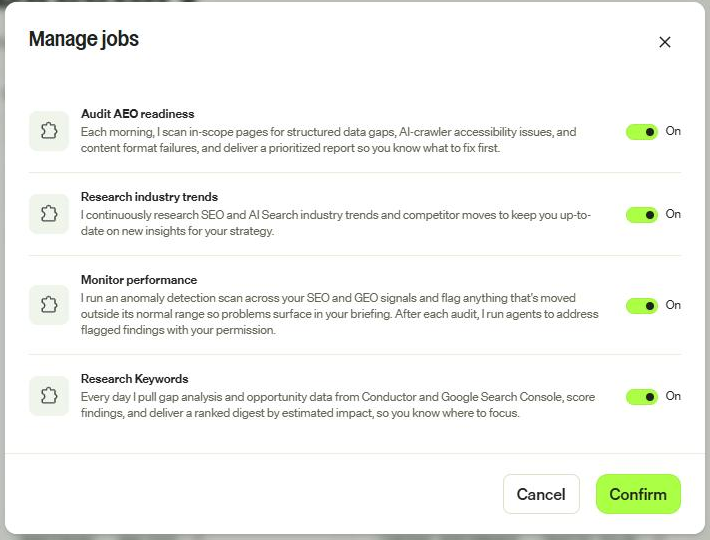
The SEO & AI Search Analyst's four jobs. Admins can switch any of them off for the whole organisation.
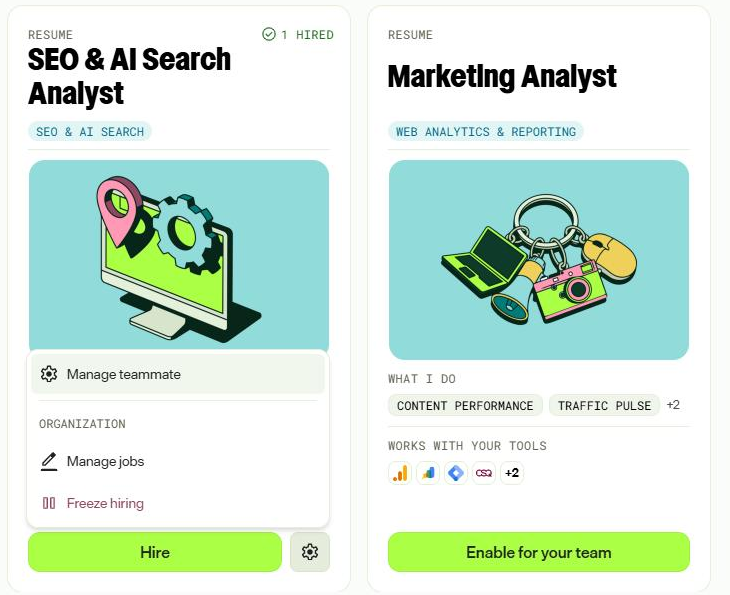
After enablement the card shows "1 hired" and a Hire button. The cog holds the organisation-level controls.
3. Install the connectors (admin)
Select Set up connectors. The wizard lists the third-party tools the teammate needs, with a tick for anything already installed and Add connector for anything missing. This example is the Marketing Analyst, where GA4 and Search Console were already in place and Tag Manager was not.
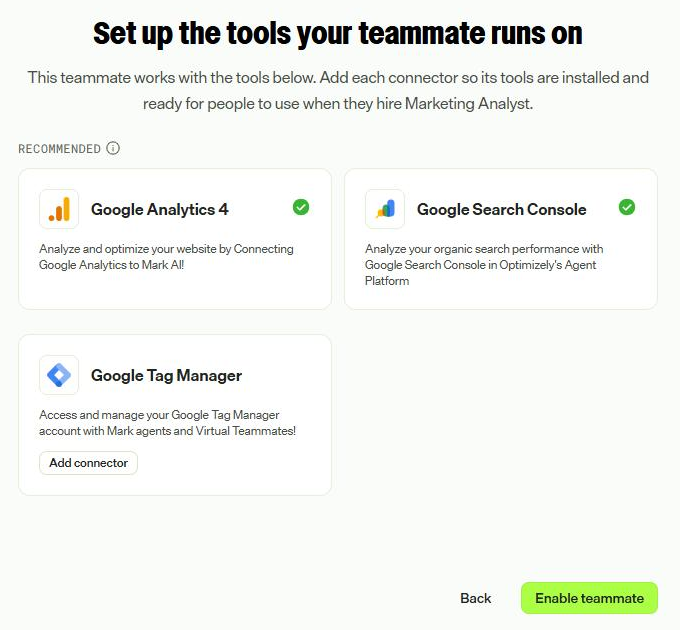
The connector step of the enable wizard.
Add connector opens the connector's app in Connect Platform in a new tab. GA4 showed as installed when the tab opened; Search Console needed Install App. Installing accepts the third-party add-on terms.
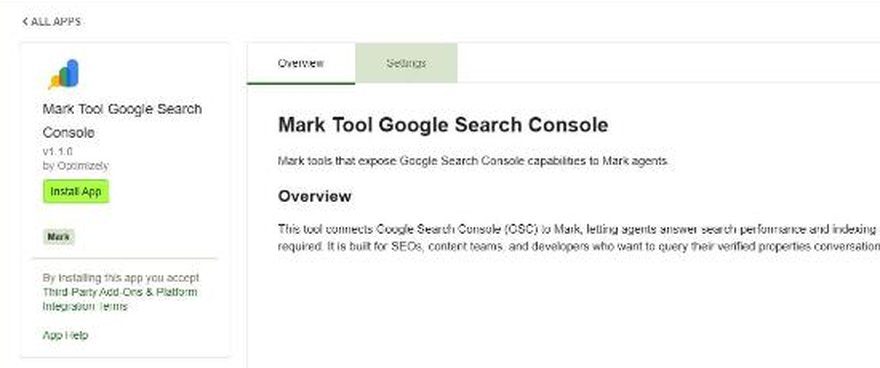
The Search Console connector is an app in Connect Platform's App Directory.
4. Configure GA4 in Connect Platform (admin)
Search Console needs no org-level configuration because each user authenticates with OAuth. GA4 does. Open the GA4 app's Settings tab and you get four sections.
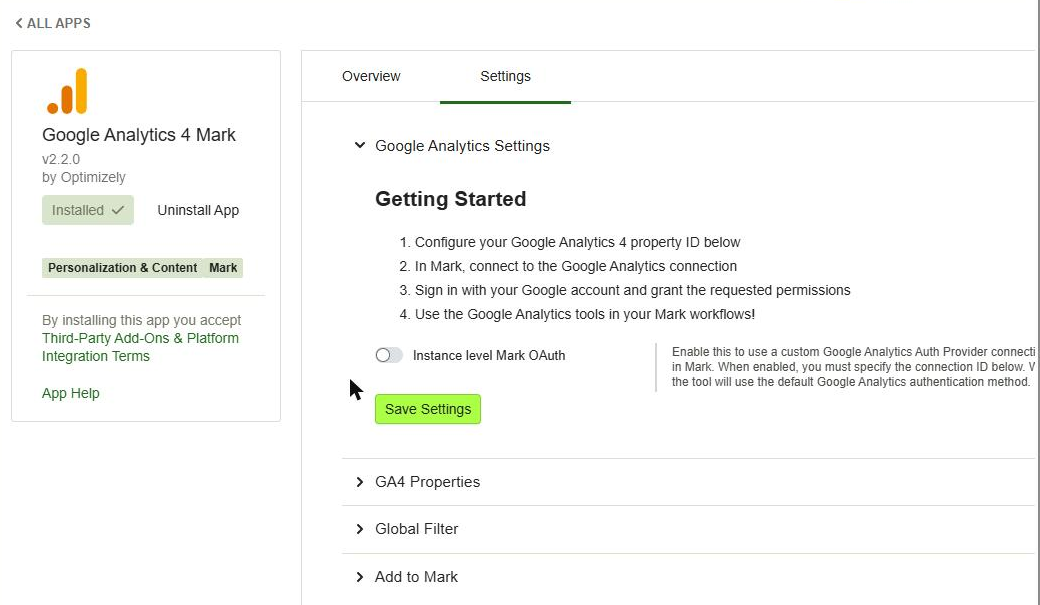
The GA4 Mark app settings. The instance-level OAuth toggle is off by default, so each person uses their own Google login.
Under GA4 Properties, add the property ID (from GA4 under Admin > Property details) and an optional nickname. I added realyield.co.uk.
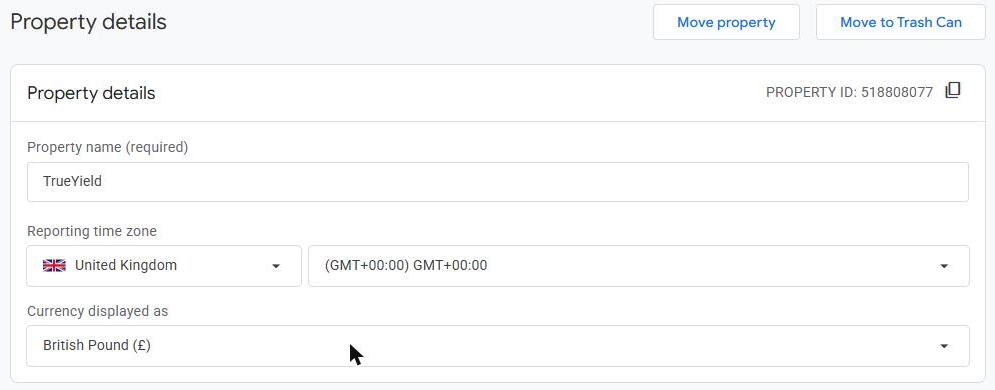
The property ID in Google Analytics, under Admin > Property details.
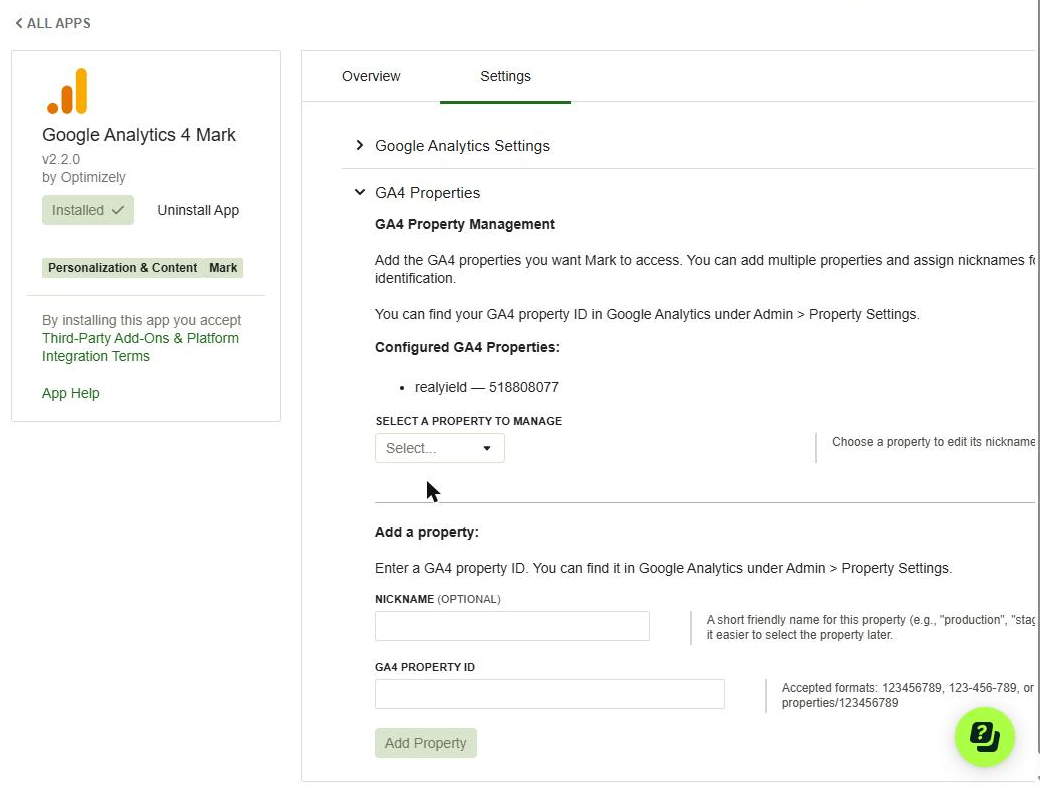
The property registered in the connector, with its nickname.
Global Filter lets you pin every standard report to one hostname. It is always applied and Mark cannot override it, which is useful when one GA4 property tracks several sites. It does not apply to realtime reports.
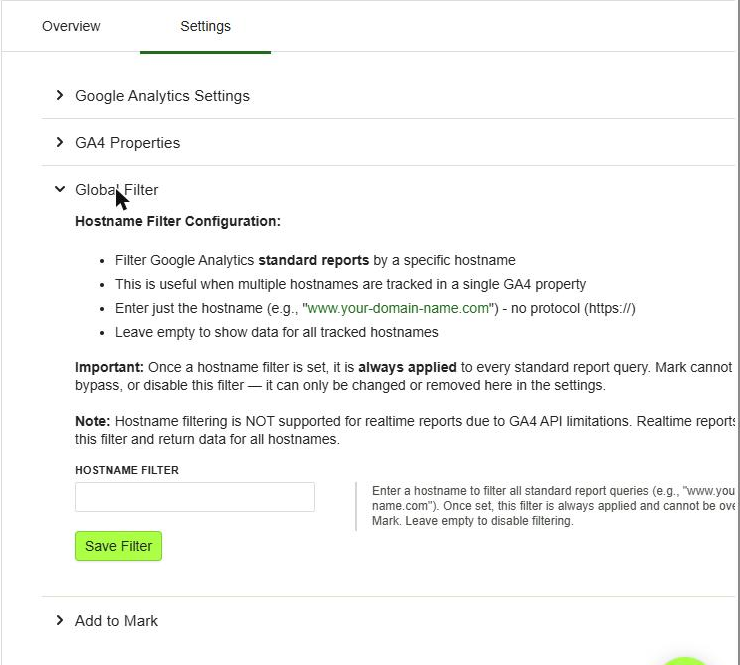
The optional hostname filter.
Finally, under Add to Mark, select Add to Mark to register the tools with your Mark account. The spinner gave no feedback and reverted, but it had worked: about a minute later the row showed a tick with Remove from Mark and Sync, and the Mark Connectors page had flipped from "Add connector" to "Connect".
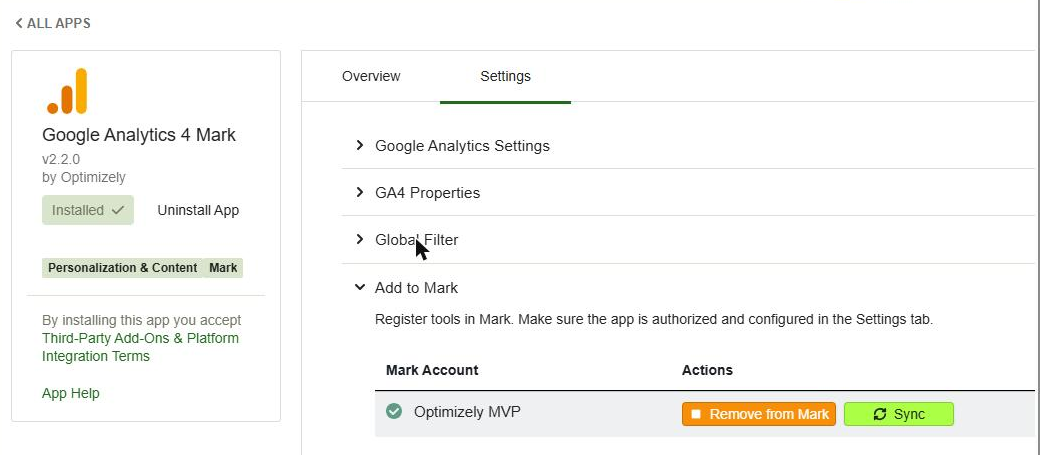
Registered. Do the same for the Search Console app.
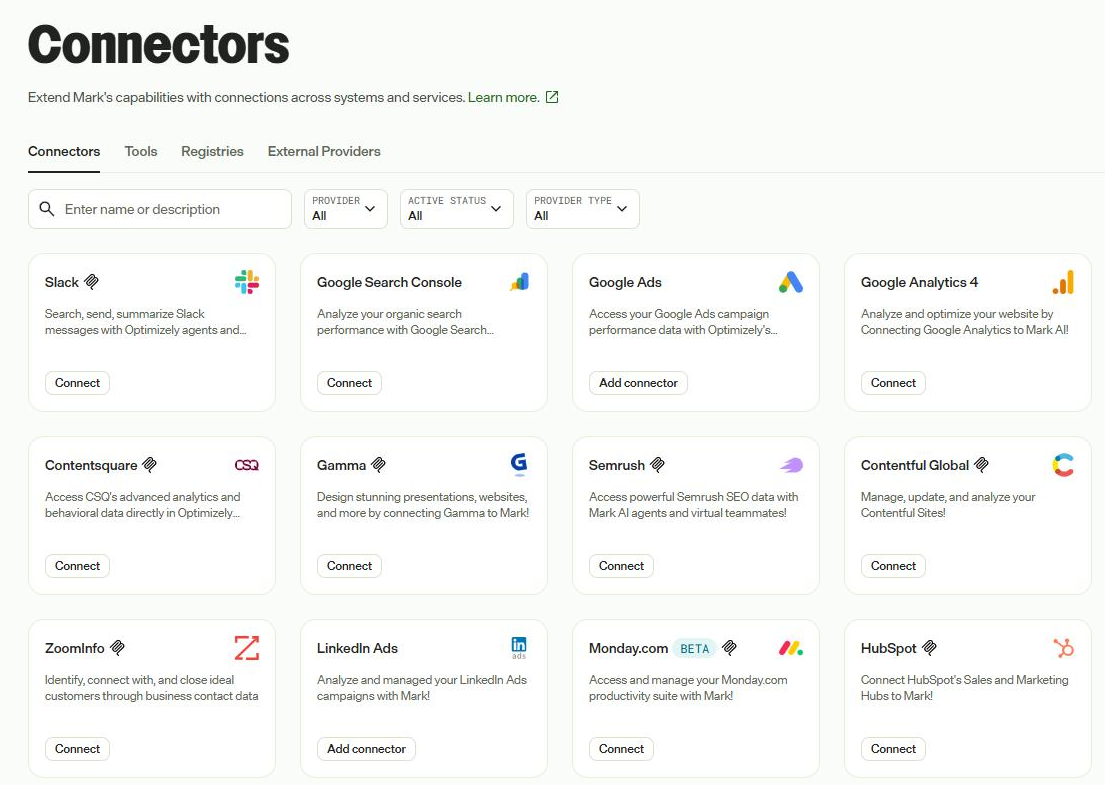
The Connectors page in Mark once both Google connectors were registered.
Back in the wizard, select Enable teammate. The card in the directory now says Hire.
5. Hire your teammate (any permitted user)
Hiring is a four-screen wizard:
- Name it. Select Hire and give it a name. Mine is Rankin. A name with no spaces keeps the email address clean. You can change the avatar here too.
- Choose where it works. Pick the product and instance. The MVP org offered cms and oa. I left it unset, as realyield does not run on Optimizely. The screen is honest that this only tells it where to work. It does not grant access.
- Connect its tools. Under Day one essentials, select Connect for each tool. This opens a Google OAuth pop-up that a human must complete, because the teammate cannot consent for itself. Conductor and Semrush appear here too, but as "Set up its tools on the Connectors page first".
- Start working together. Once both show Connected, select Start working together, then Go to your teammate. You land in a Team Messages DM.
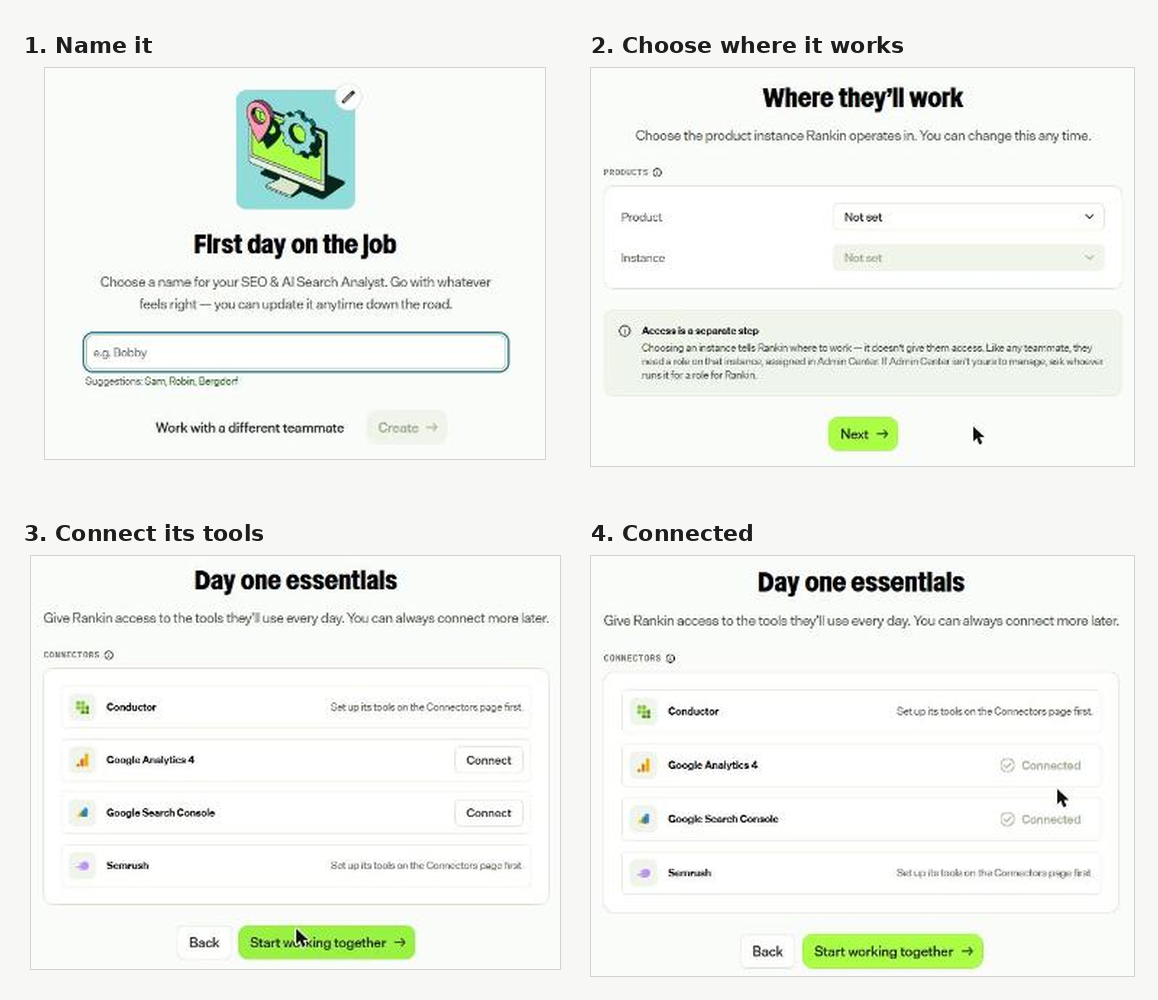
The hire wizard, from naming to connected tools.
6. Grant access inside Optimizely products (Opti ID admin)
If the teammate will work inside Optimizely products, give its Opti ID user a role on each instance in the Opti ID Admin Center. For CMS 13 and CMS SaaS, also add it under Settings > Set Access Rights with only the rights its jobs need (Read, Create, Change, Delete, Publish or Administer). I skipped this, as Rankin only needed Google data.
Managing a teammate
Every hired teammate appears under Virtual Teammates > Teammates with its own email address, managers, status and start date.
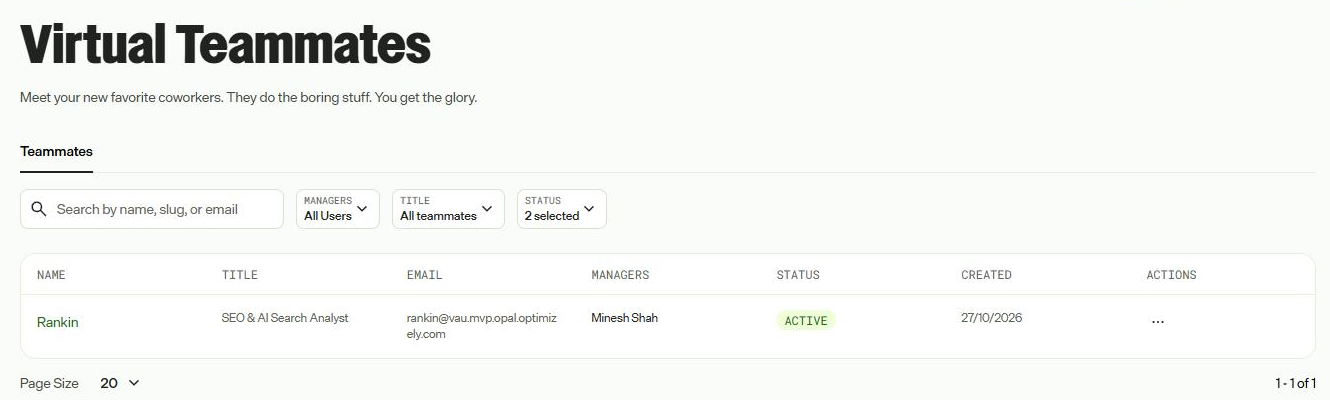
Rankin on the Teammates list, with its own address on the Mark email domain.
Each teammate has two areas. Supervise shows Activity (upcoming and completed job runs, with status, priority and trigger) and Work (everything it has produced).
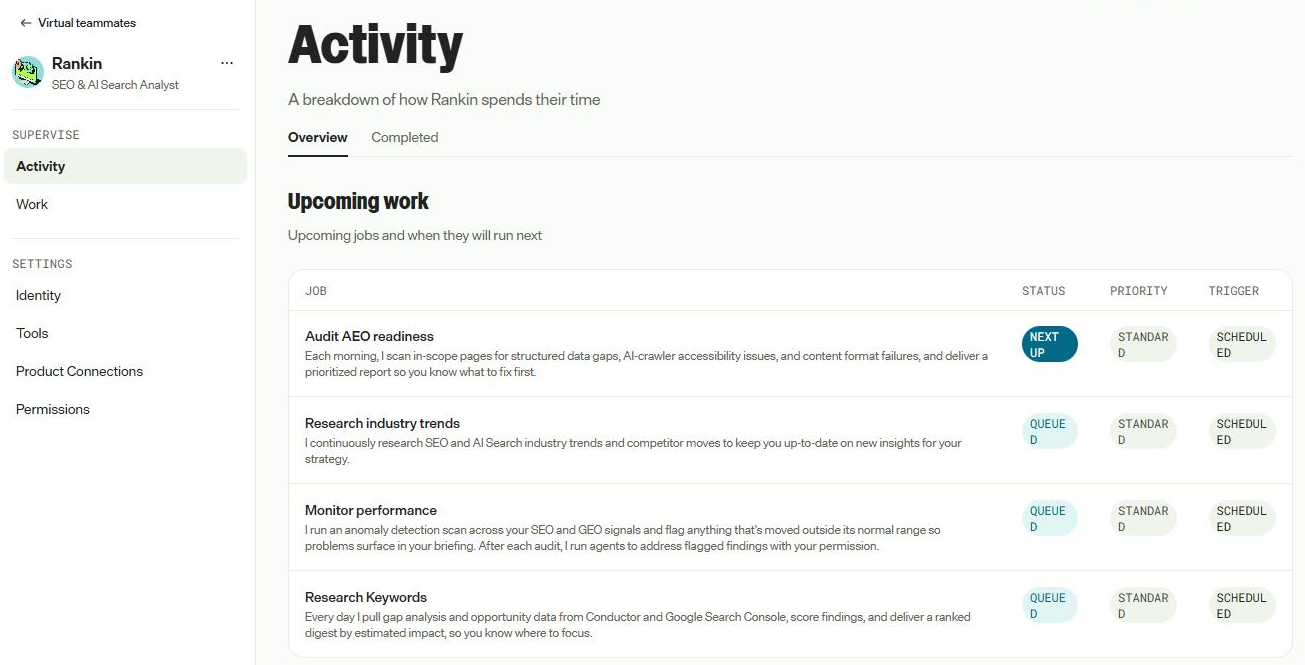
Activity. The four scheduled jobs are queued, with Audit AEO readiness next up.
Settings covers Identity, Tools, Product Connections and Permissions. Identity holds the basics and a personality, which shapes how it writes and reasons. There are four templates, or you can build your own.
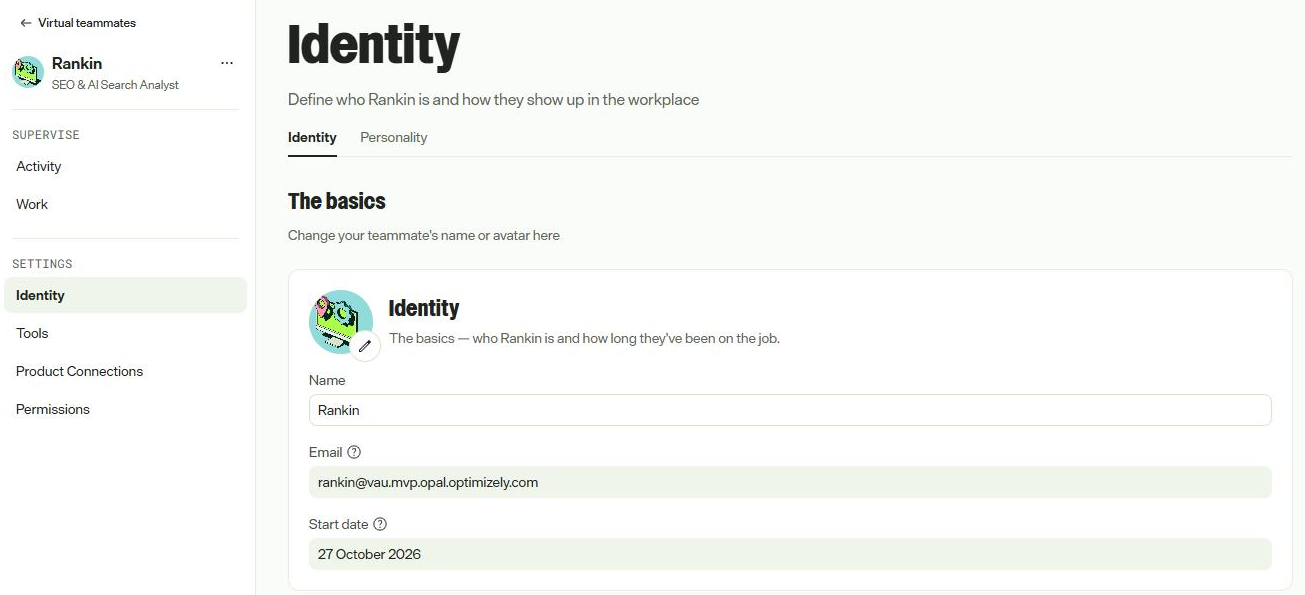
Identity: name, email and start date.
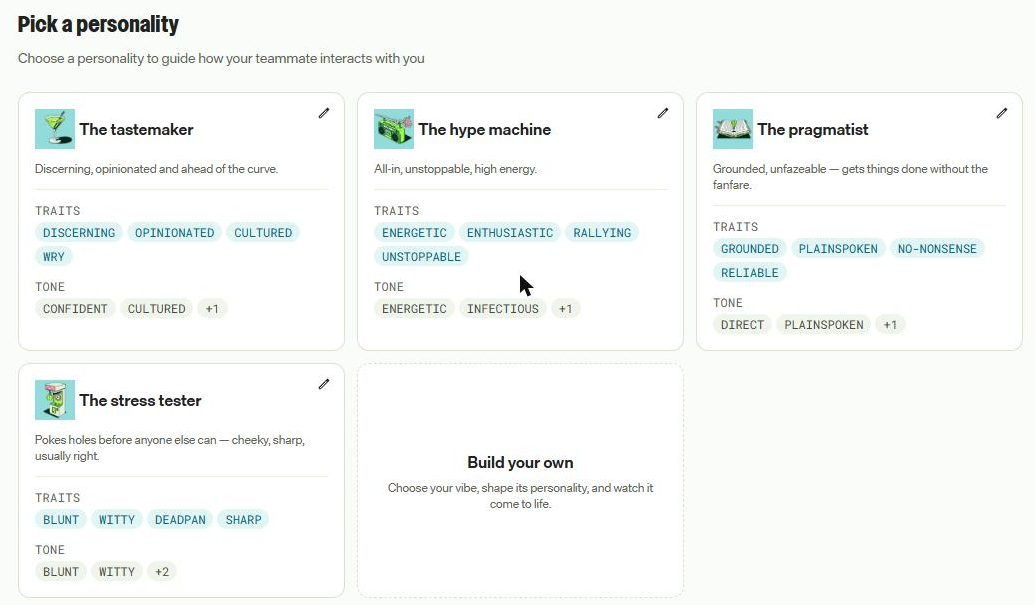
The personality templates: the tastemaker, the hype machine, the pragmatist and the stress tester.
Tools shows what it can reach. Connections you own can be disconnected here; anything an admin has not set up shows as "Contact Admin".
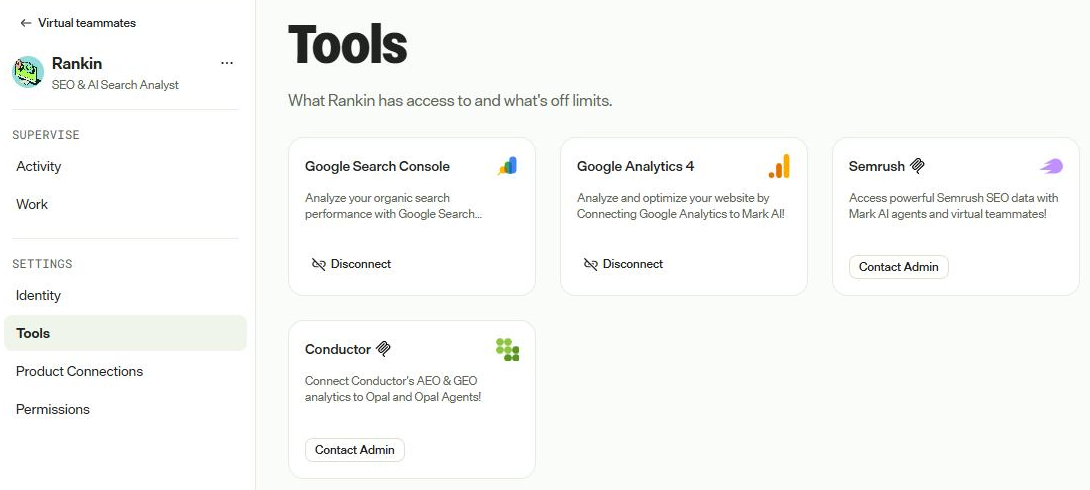
Rankin's tools. GA4 and Search Console are connected; Semrush and Conductor need an admin.
Permissions is where the governance lives. Roles set who manages the teammate and which other people can message it.
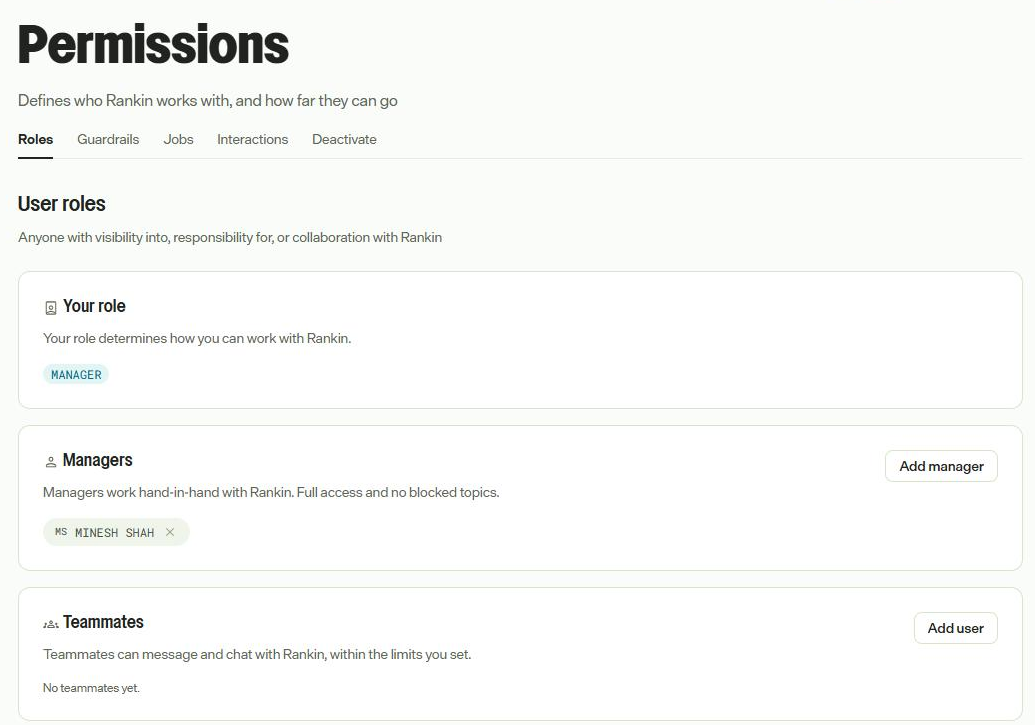
Roles. Managers get full access; teammates only what you allow.
Conversation guardrails set what it shares with each audience: managers, named teammates, and anyone in the organisation.
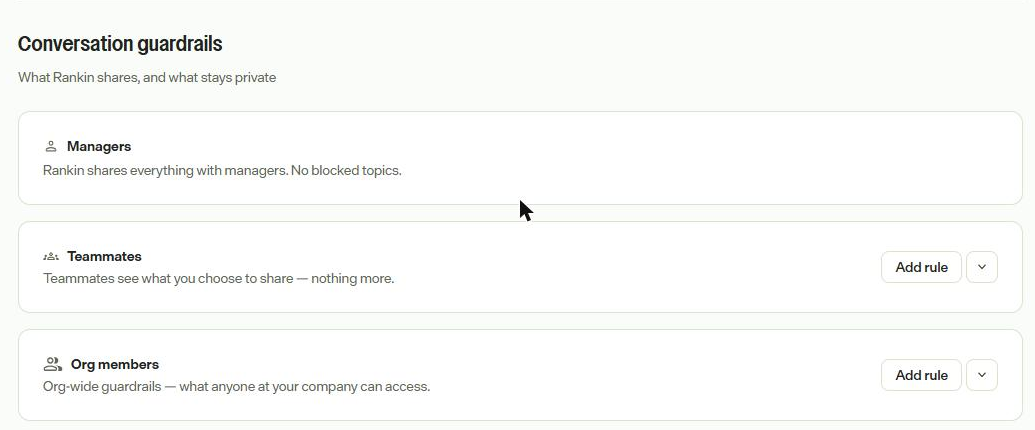
Conversation guardrails per audience.
Jobs can be reordered, switched off, or added. Add job offers Create job or Install from catalog, so you are not limited to the defaults.
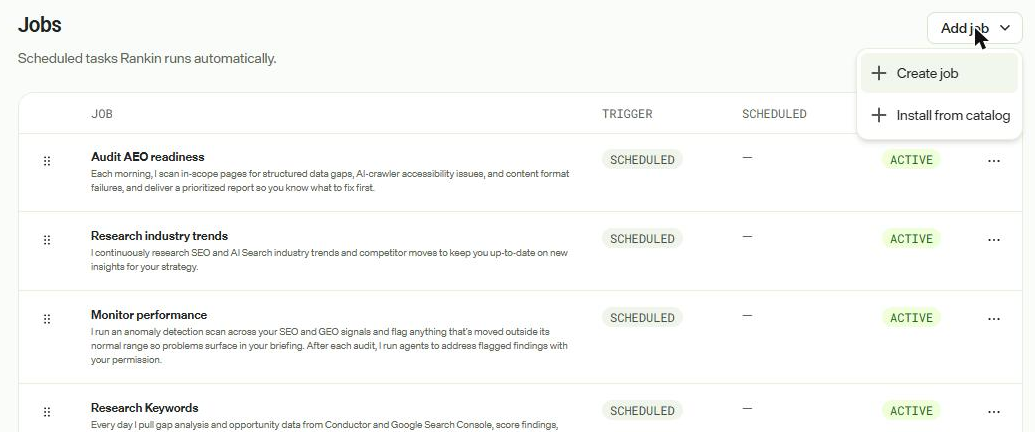
Jobs, with the Add job menu open.
Interactions lists the channels it listens on. By default that is instant messaging, and the description shows the tool set it uses to read and reply in Team Messages. Deactivation sits at the bottom and is permanent.
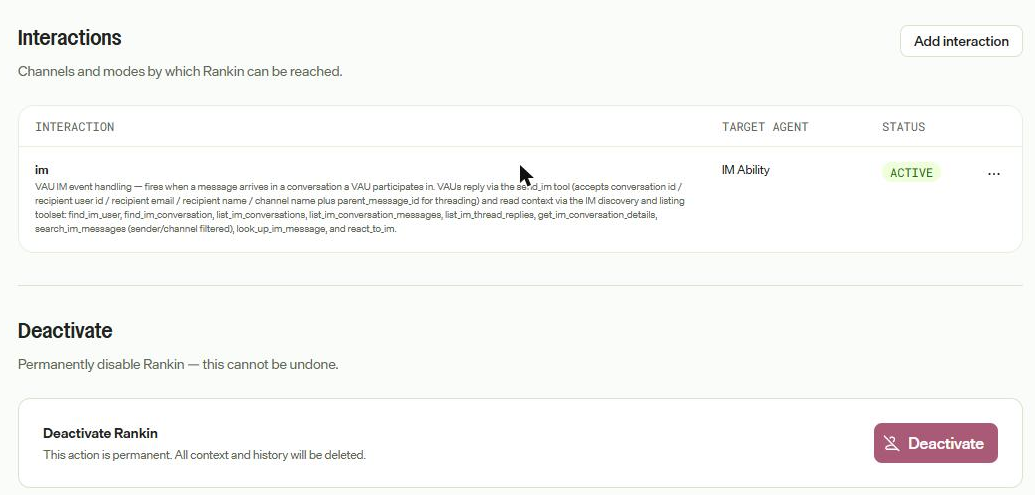
Interactions and deactivation.
Hands-on: what Rankin found on realyield.co.uk
Rankin found a likely GA4 tracking break on its first run, and that alone made the setup worthwhile. realyield.co.uk is a UK buy-to-let analysis side project of mine. It is a small site, which makes it a good test: there is not much data to hide behind.
The onboarding interview
The first message was not a report. It was six questions: domain, competitors, business goals and how SEO contributes to each, priority content areas, keyword focus, and which actions it may take without approval.
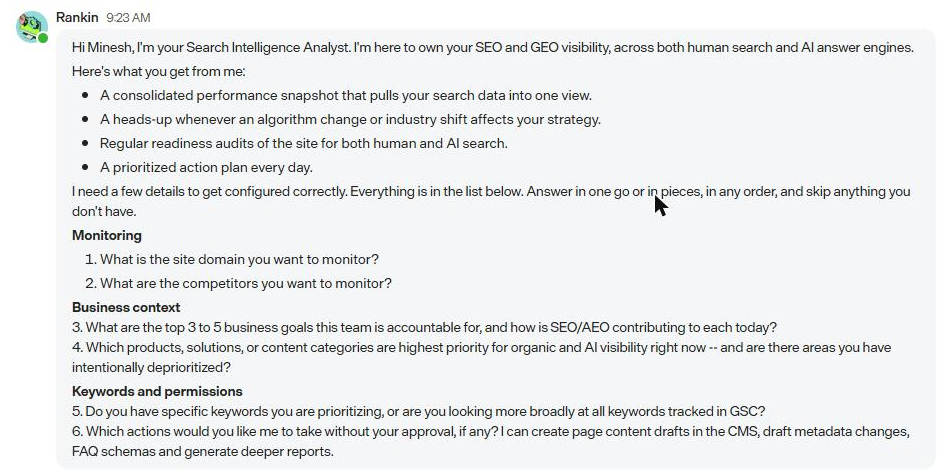
Rankin's opening message in Team Messages.
I answered in one message and told it to propose everything first. It played the configuration back, flagged that I had not given a fixed keyword list, and said it had no data yet so would not invent findings.
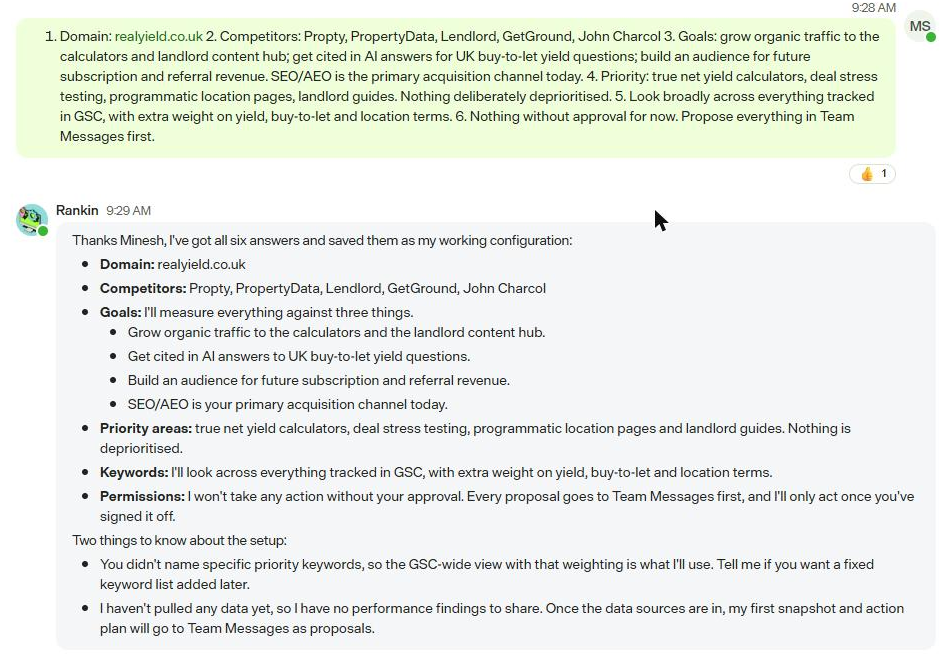
My answers, and Rankin's confirmation of its working configuration.
The first snapshot
I asked for the last 28 days against the previous 28. The reply came six minutes later, clearly labelled as proposals with nothing actioned. The headline was not a ranking problem at all:
- GA4 Organic Search sessions fell 59% (164 against 398) while Search Console clicks fell only 17% (209 against 251).
- Every GA4 channel dropped together: 381 sessions against 934 in total, with Direct, Organic Social and AI Assistant traffic all falling at once.
- Organic sessions ran at 12 to 20 a day until 1 October, then 1 to 7 a day from 2 October. Search Console clicks show no such step. The GA4-to-GSC ratio went from 1.6x to 0.5x overnight.
- It concluded this is probably a tag or consent change around 1 to 2 October, marked it as an unconfirmed hypothesis, and told me to treat GA4 page-level data as unreliable until it is checked.
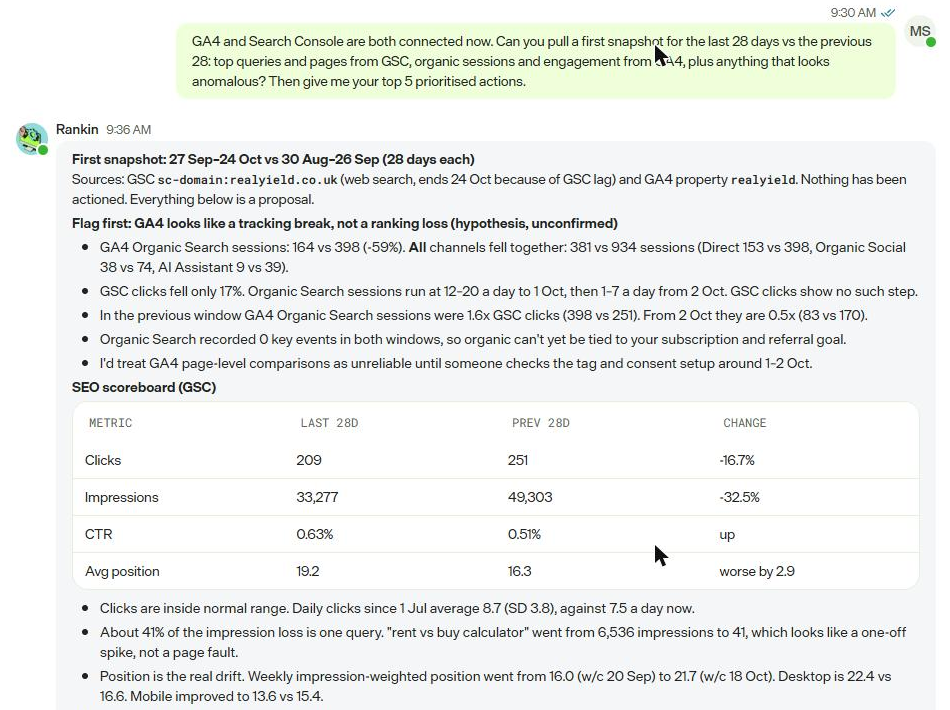
The first half of the snapshot: the tracking flag and the Search Console scoreboard.
That is exactly the cross-source reasoning a human analyst should do and usually doesn't. The raw data backs it up. GA4's traffic acquisition report shows every channel falling off a cliff at the start of October:
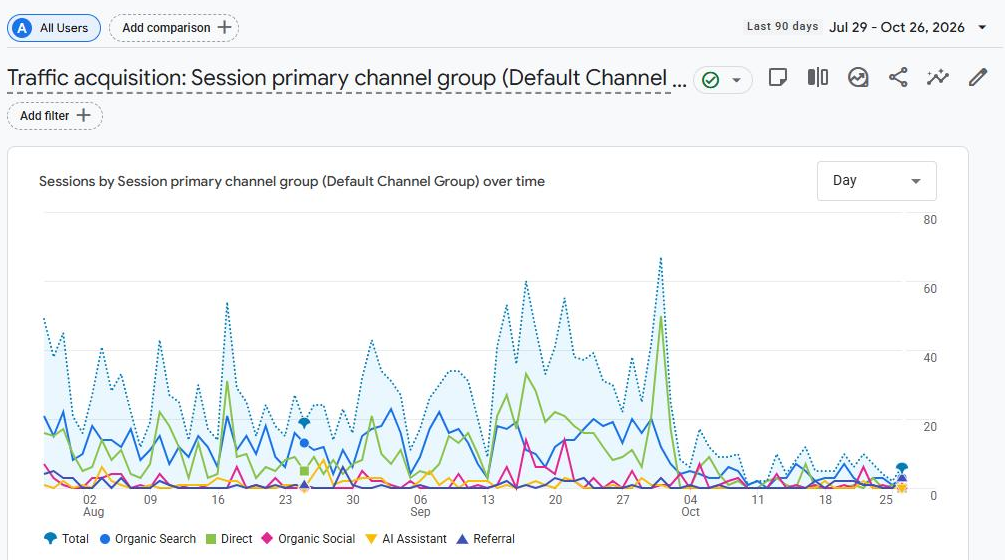
GA4 traffic acquisition for realyield.co.uk, last 90 days. Every channel steps down at the start of October.
Search Console over the same period shows no such step in clicks:
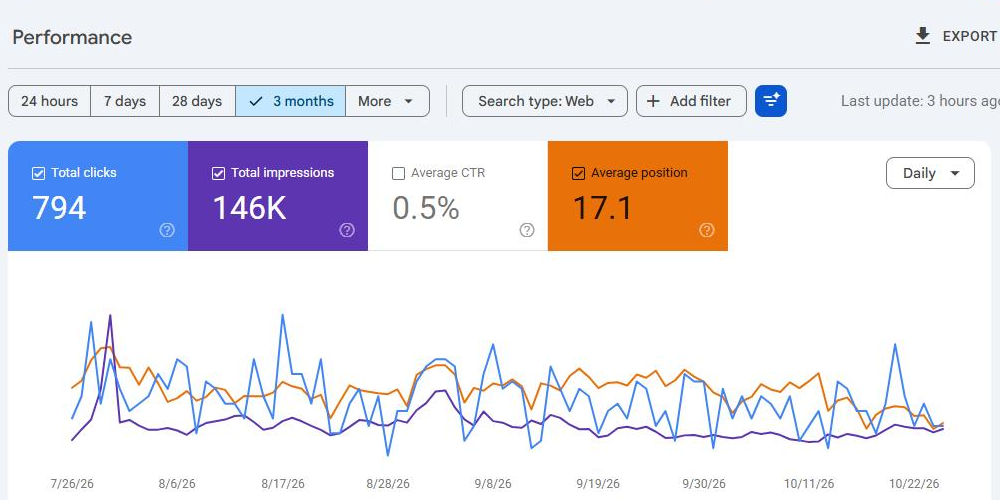
Search Console performance for realyield.co.uk, last three months. Clicks hold steady through October.
The Search Console analysis was just as specific. Clicks were within one standard deviation of the daily mean since 1 July (8.7 a day, SD 3.8, against 7.5 now). 41% of the impression loss was a single query, "rent vs buy calculator", spiking to 6,536 impressions and falling back to 41. The real drift was position: impression-weighted average position went from 16.0 to 21.7 over four weeks, with desktop slipping from 16.6 to 22.4 while mobile improved from 15.4 to 13.6.
It then broke down top pages and found the anomalies worth acting on:
- /tools/personal-vs-ltd-company lost 45% of the total click loss on its own. Position held and impressions fell only 9%, so CTR halved from 3.7% to 1.9%. A CTR problem, not a ranking one.
- Location pages: 270 URLs with impressions (5,053 impressions, 29 clicks), and 90% of them with no clicks at all. "average rent in" queries had 381 impressions at position 9.7 and no clicks.
- The core net yield calculator sits at position 55.7 with no clicks.
- Housekeeping: the login subdomain appears in search and should be noindex.
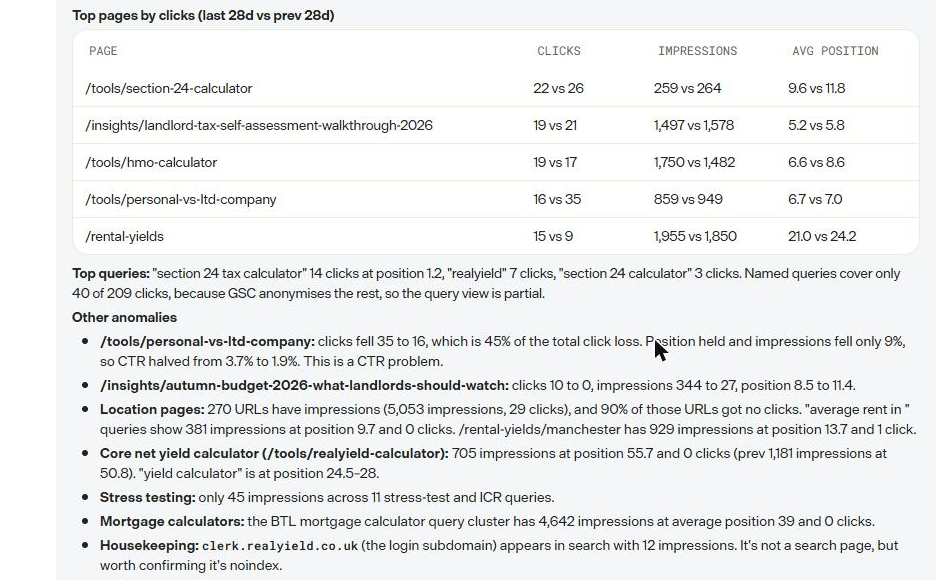
Top pages, top queries and the other anomalies.
The action plan
Five prioritised proposals, each with a first step: fix GA4 tracking and add calculator completion as a key event; rework the core calculator page for "rental yield calculator" and "net yield calculator"; pilot a new location page template on six named cities and read CTR after four weeks; recover CTR on the page that halved; and build a manual AI-citation baseline of about 20 questions because no citation tool is connected. It then listed two further opportunities outside my stated priorities and asked for a steer rather than assuming.
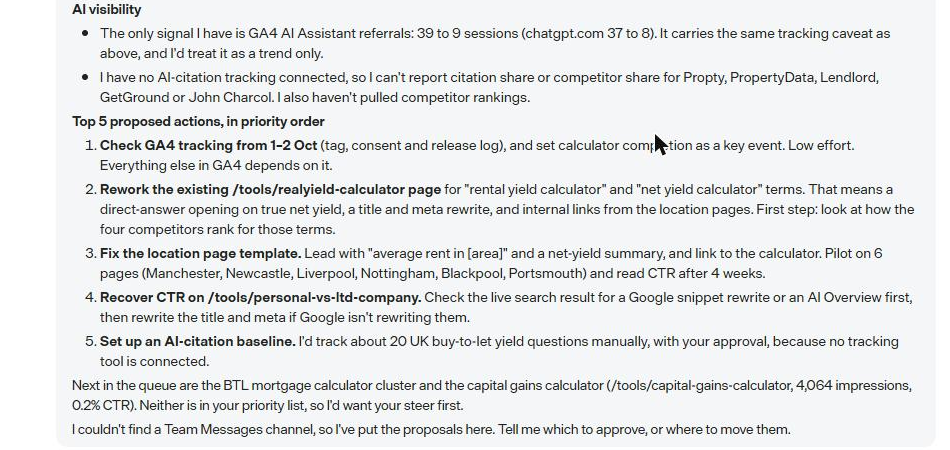
AI visibility, the five proposed actions, and the questions it wanted answered.
Where it fell short
It was honest about it. With no Conductor, Semrush or AI-citation connector, it could not report competitor rankings or citation share, which is half of the "AI Search" in its job title. It also could not find a Team Messages channel to post into, so it put everything in our DM. And at the time of writing none of its four scheduled jobs had run yet, so the daily cadence, memory and self-improvement claims are still untested. I'll follow up once it has a fortnight of runs behind it.
Where they earn their keep
The pattern that fits is recurring, data-heavy work that nobody owns and everybody means to do. Teammates are weakest where the work is a one-off, and strongest where the value comes from turning up every day. Here is where I would start with clients, roughly in order of effort.
- Search and AEO monitoring for marketing teams without an SEO. The SEO & AI Search Analyst gives a daily AEO readiness audit, a keyword digest and anomaly alerts off GA4 and Search Console. For mid-market Optimizely clients who rely on an agency retainer for this, it is a real change in cadence.
- Weekly reporting that people actually read. The Marketing Analyst replaces the Monday GA4 export. Its 15% channel-movement threshold and "content win of the week" are opinionated defaults, which is what you want from a report.
- Content governance on CMS 13 and SaaS. The Web Manager scans content at publish time for brand, legal, style and accessibility issues and stages fixes for approval. Pair it with the Translation Specialist for multi-locale sites. Neither needs a third-party connector, so the only real setup is CMS access rights.
- Experimentation hygiene. The CRO Manager's daily SRM, zero-conversion and overrun checks are the boring safety net most programmes lack. Its test plans include sample size and runtime, and it stages experiments in Web Experimentation as drafts for QA.
- Personalisation programmes that stall after launch. The Personalization Strategist runs the whole loop from opportunity to campaign build to impact overview, all staged for review.
- Leadership admin. The Chief of Staff does daily and weekly briefs, meeting prep and recaps across Microsoft 365 or Google Workspace. Useful, but it competes with Copilot and Gemini, which most clients already pay for.
For partners there is a second angle. A teammate is a packaged, governed role you can hand a client in week one of a build, before their own team is in place. That changes the shape of a launch: the site goes live with an always-on analyst and a content governance check already running.
Governance, credits and gotchas
The governance model is the strongest part of the design. Teammates are real Opti ID users, so access is granted, audited and revoked like any starter's. Managers get full access; other teammates see only what conversation guardrails allow; jobs can be switched off per teammate by its manager, or per organisation by an admin, who can also freeze hiring. Pausing keeps history. Deactivating is permanent and deletes the teammate's memory and context, so pause unless you mean it.
Credits are the open question. Mark uses pooled credits across eligible products, and Scott Reed's October state of play notes that scheduled, webhook and email triggers bill to whoever created the trigger, at an average of 2 credits for chat up to 200 for an XL agent run. The Virtual Teammates docs do not yet say how a teammate's daily jobs are metered or who pays. A teammate running four daily jobs could be a meaningful line item, so model it before you put one in front of a client.
The gotchas I hit:
- Org-level data, personal teammate. GA4 property IDs are registered on the connector app for the whole organisation, so everyone in the org sees the list. Data access still runs through each person's own Google OAuth by default, so the exposure is the property name and ID, not the data. That changes if an admin turns on the app's instance-level OAuth option. Think about both before listing client properties in a shared partner sandbox.
- No feedback on registration. "Add to Mark" in Connect Platform spins, then silently reverts. It had worked; the Mark Connectors page just took a minute to catch up. The enable wizard also does not refresh connector status until you reload it.
- Tool lists disagree. The SEO card shows four tools, but enablement asks for only GA4 and Search Console. Conductor and Semrush then appear at hire time as "Set up its tools on the Connectors page first", and on the teammate's Tools page as "Contact Admin", even though Semrush shows as installed on the Connectors page.
- Choosing an instance is not access. The UI says so clearly, but it is still an extra trip to the Opti ID Admin Center, and for CMS a second trip to Set Access Rights.
- OAuth needs a human. Every third-party connection is a pop-up a person must complete. Plan this into onboarding sessions with clients rather than assuming an admin can do it alone.
- Three names, one product. Opal, Agent Platform and Mark all appear in the UI, docs and connector descriptions. Brief clients on this up front.
Verdict
Virtual Teammates are worth taking seriously, and worth piloting now on one narrow job. The identity and governance model is properly thought through, the onboarding interview is better than most agency kick-offs, and the first piece of analysis I got back was specific, cautious and correct about the thing that mattered most.
The weak spots are setup friction and cost visibility. Enablement spans Mark, Connect Platform, Opti ID and the CMS, with status that lags and tool lists that disagree. And until Optimizely documents how a teammate's scheduled jobs consume credits, I would not promise a client a monthly figure.
My recommendation for partners: pick one client with a clear recurring gap, usually search monitoring or content governance, hire one teammate with propose-only permissions, and review its output weekly for a month before widening its autonomy. That is how you would onboard a junior hire, and it is the right mental model here too.
Sources
- Virtual Teammates overview, Optimizely docs
- Enable Virtual Teammates, Optimizely docs
- Hire a Virtual Teammate, Optimizely support
- Manage your Virtual Teammate, Optimizely support
- Manage Virtual Teammates for your organization, Optimizely support
- 2026 release notes, Optimizely docs
- Virtual Teammates vs AI agents, Optimizely Field Notes
- Optimizely Agent Platform: October state of play, Scott Reed
- Optimizely retires DXP label, bets everything on agent platform, CMSWire
Comments