


Shareable stakeholder previews for Optimizely SaaS CMS
In August, : there is no out-of-the-box way to share a draft page with someone outside the CMS. The editor preview is session-bound. If a legal reviewer or brand owner without a CMS account needs to approve a page, you have to build that yourself.
The post set out a design. The link should be a signed "permission slip" rather than a credential: it grants access to one draft page until an expiry date. Links should be internal-only by default, with external sharing an explicit choice. No database should be needed, CMS keys should stay on the server, and drafts should be hidden from search engines.
We built that design as a CMS UI Extension on the Optimizely Connect Platform (OCP). This post covers how.
Why a CMS UI Extension
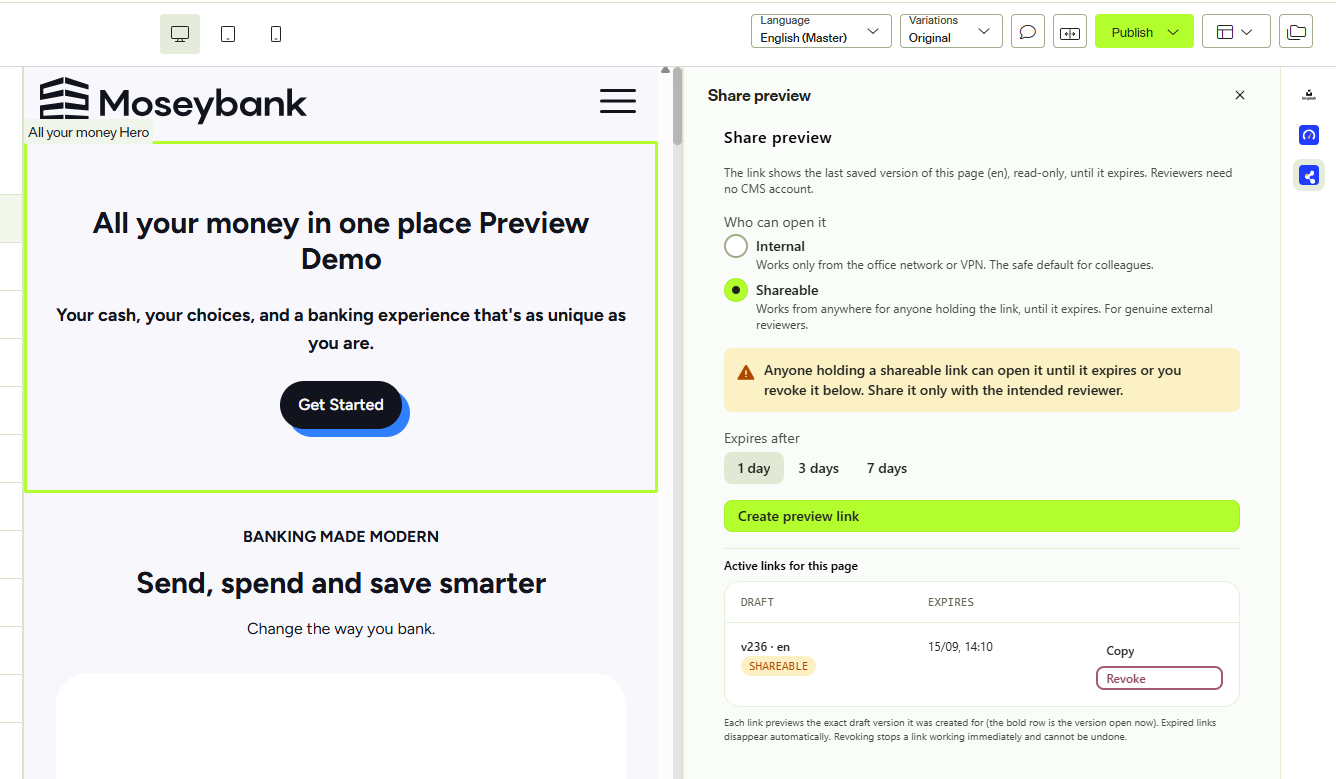
Authors should create the link next to the page they are editing, not in a separate admin tool. That is what CMS UI Extensions do: an OCP app can register a sidebar panel inside the editing view. The panel is told which content item is open (key, version, locale) and updates as the editor moves between pages.
The same app also carries its backend functions, a settings screen and storage, so the whole feature ships as one unit. The manifest declares everything:
functions:
  cms_extension:
    entry_point: CmsUiExtension
    accepts: cms_ui_extension     # callable only from the panel
  preview:
    entry_point: Preview
    accepts: http                 # public, reviewer-facing endpoint

ui_extensions:
  sidebar:
    - name: share-preview
      entry_point: SharePreview
      display_name: Share preview
The panel is a React component registered through @optimizely/cms-extensibility-sdk:
register((context) => (
  <AxiomProvider>
    <SharePreviewPanel context={context} />
  </AxiomProvider>
));
context.content.subscribe() gives the panel the open page; context.extension.invokeFunction() calls the app's backend. We built the UI with Optiaxiom, Optimizely's component library, so the panel matches the rest of the CMS.
That is the full setup: a manifest, a React entry point, a backend class, and ocp app prepare --publish to deploy to all regions.
The link
The link contains an HMAC-SHA256 signed token over six fields:
{ contentKey, version, locale, scope, iat, exp }There are no credentials in it and no session behind it. When a reviewer opens the link, the server recomputes the signature, checks the expiry against its own clock and enforces the scope. Editing the URL to extend the expiry or change the scope breaks the signature.
Internal links only open from configured office or VPN IP ranges. If no ranges are configured, they refuse rather than falling back to shareable behaviour. Shareable is a per-link choice and the panel warns you what it means.
The other guardrails from Nikki's design are all present: noindex via meta tag and X-Robots-Tag, no-store caching, read-only rendering, a clear page for expired links, and a hard refusal when the app is unconfigured. If the page has been published since the link was created, the link redirects to the live page.
Rendering the real page
A metadata summary of the draft is not enough; stakeholders want the page as designed, and in a headless setup only the front end can render it.
Our first attempt was to mint Optimizely Graph tokens from the app, both self-signed with the Graph secret and via an OAuth exchange. Graph rejected both. The documentation is clear once you read it properly: bearer tokens must come from an OIDC authorisation server.
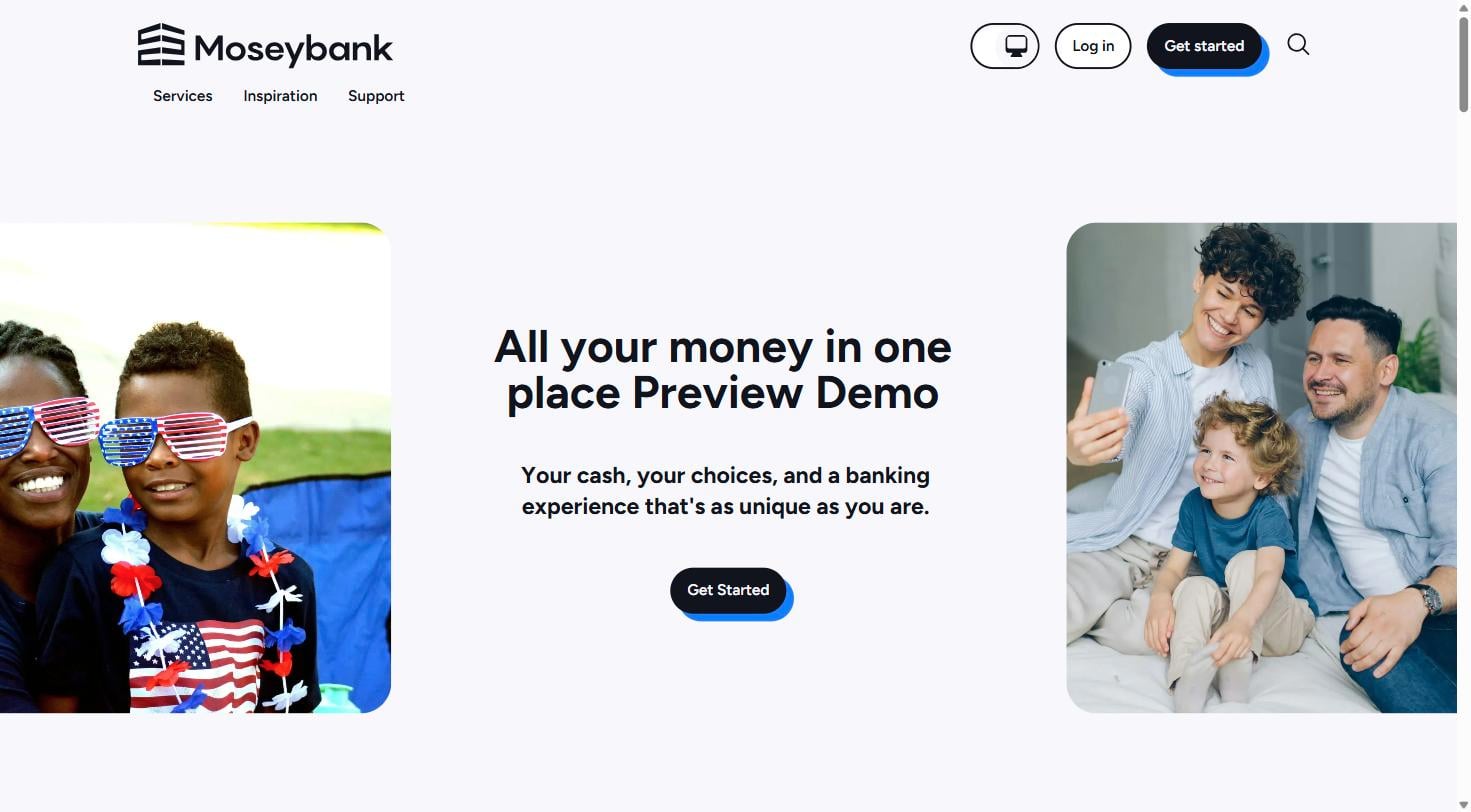
The working approach came from Optimizely's own SaaS demo site, which includes a route at /.well-known/optimizely/preview-psk for exactly this purpose. You send key, ver and loc plus an HMAC signature over those parameters, keyed with a pre-shared token the head already holds. The head validates the signature, fetches the draft with its own server-side Graph credentials, and renders it with its real components. No CMS or Graph credential ever reaches the browser.
That stock route has one problem for this use case: the signature never expires, so the URL a reviewer lands on works forever. We added a sibling route that includes an exp timestamp in the signed data and refuses once it has passed. Our app issues those redirects freshly signed on each visit, valid for ten minutes. The link the author shares remains the single entry point where expiry, scope and revocation are checked.
The key-value store
The first iteration stored nothing, as the original design suggested. Two requirements changed that: authors wanted to see a page's existing links after a refresh, and to revoke one.
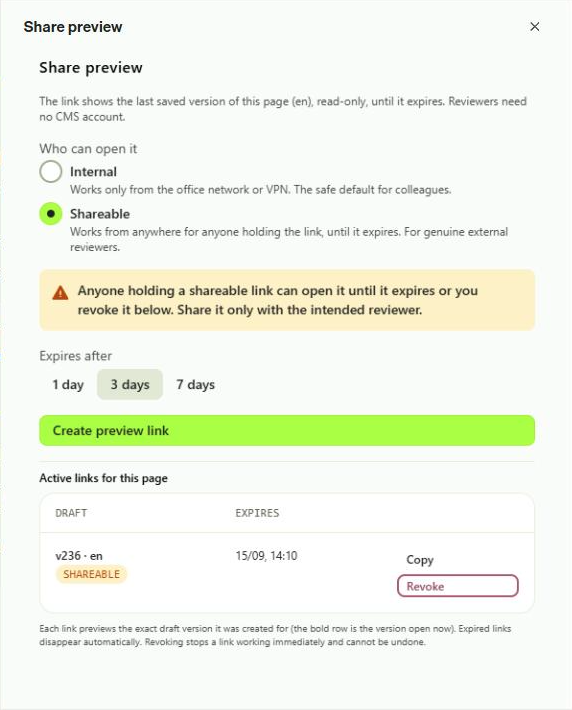
OCP apps have a key-value store with atomic read-modify-write and per-row TTL. We keep one row per content item. Each write prunes expired entries and resets the row's TTL to the furthest expiry, so the platform deletes the row once the last link dies. The panel filters by expiry on read, so expired links drop out of the list immediately.
Two details are worth copying:
- The KV store documentation says not to store tokens, and our URLs contain one. HMAC tokens are deterministic, so the registry stores only metadata (id, version, locale, scope, issued and expiry times) and the app re-signs the URL when listing. No sensitive value is ever stored.
- Revoking moves a link's entry to a deny-list in the same row. The public preview function checks the incoming token's payload against that list. The token format is unchanged, so earlier links are revocable too. A revoke that hits a storage error fails loudly; a viewer request that cannot read the registry fails closed.
Configuration
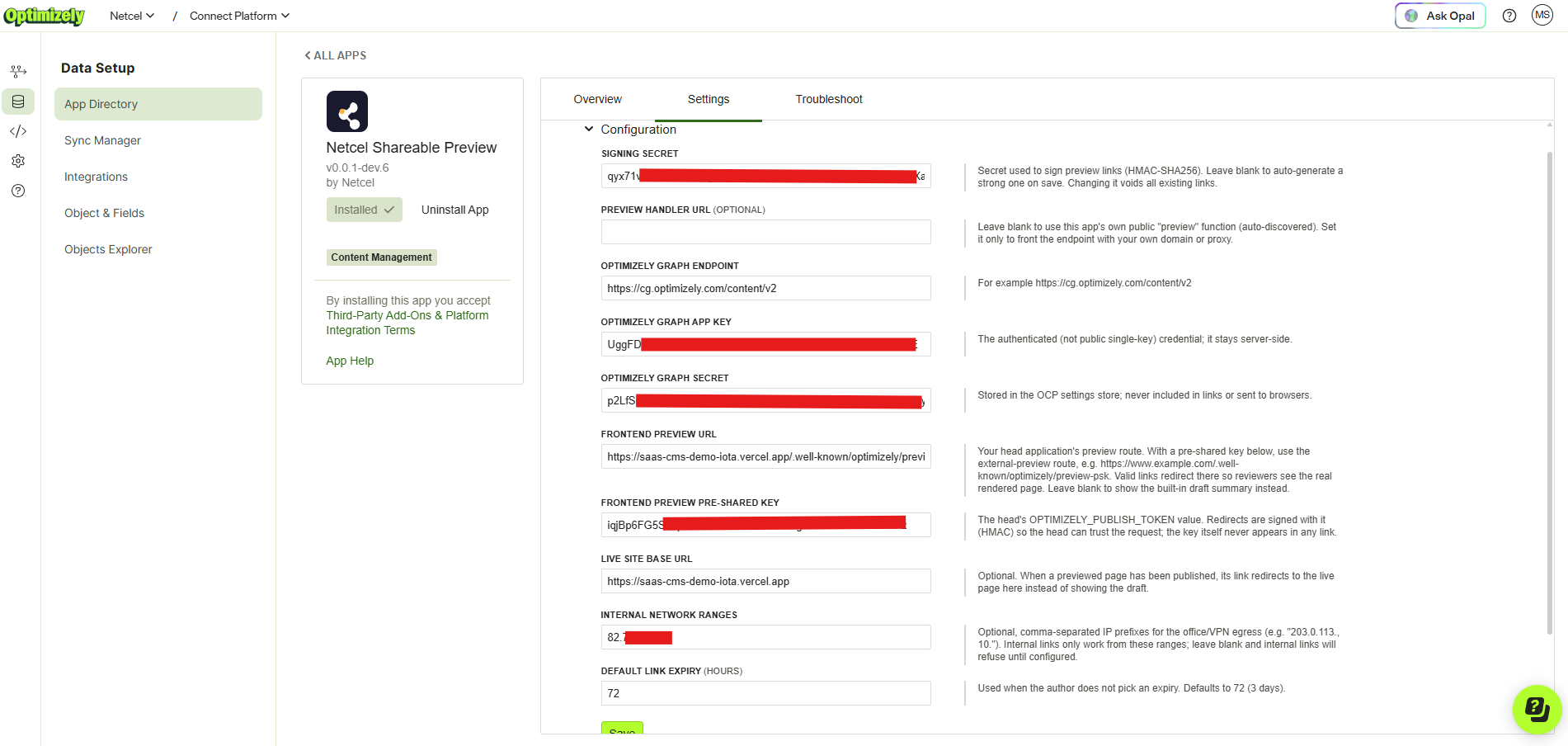
Everything above is driven by install-time settings, and OCP generates the settings screen for you. The fields are declared in a YAML form definition in the app (forms/settings.yml); a lifecycle hook validates and saves them into the app's settings store, which is the right home for credentials, unlike the key-value store. The app never needs its own admin UI.
The settings map directly to the decisions Nikki's post said to make before building:
- Signing secret: leave it blank and the app generates one on save. Rotating it voids every link.
- Optimizely Graph credentials: used by the server to fetch drafts.
- Front-end preview route and pre-shared key: for rendering the real page.
- Live site base URL: published pages redirect here.
- Internal network ranges: defines what "internal" means.
- Default link expiry: used when the author doesn't pick one.
What it offers
For authors: a panel next to the page with an audience choice (Internal by default, Shareable deliberately), an expiry choice (1, 3 or 7 days), one click to create, copy and send. The table of active links survives refreshes, shows which draft version each link was pinned to, and revokes per row with a confirm step.
For reviewers: a link that opens without an account or login, showing the real page rendered by the front end. Expired and revoked links get clear explanations.
For the organisation: link creation and revocation are logged with content key, version, scope and expiry. Rotating the signing secret voids every link at once. CMS and Graph credentials never leave the server.
Closing
External preview links are a small feature that touches security, caching, indexing and publishing policy, and a SaaS CMS UI Extension handled all of it in one deployable app. If your editors need something the CMS does not ship, this is a good route to it.
Thanks to Nikki Punjabi for the original design.
Comments