A critical vulnerability was discovered in React Server Components (Next.js). Our systems remain protected but we advise to update packages to newest version. Learn More

Per Nergård (MVP)
Sep 23, 2015
  1992
(0 votes)

Overview of properties and AllowedTypes attribute

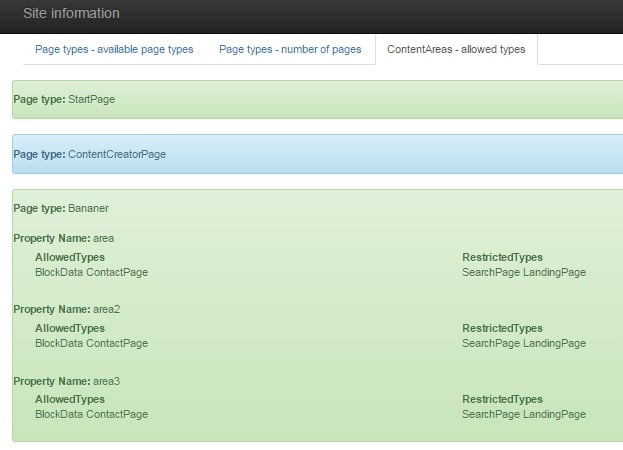
When testing a website one important piece for me is to validate that all content areas have the correct allowed types. Since I'm a developer I have compared the code to the specification. But reading this blog post about getting a list of allowed page types for a specific page type (post here) inspired me to make a small tool for that.

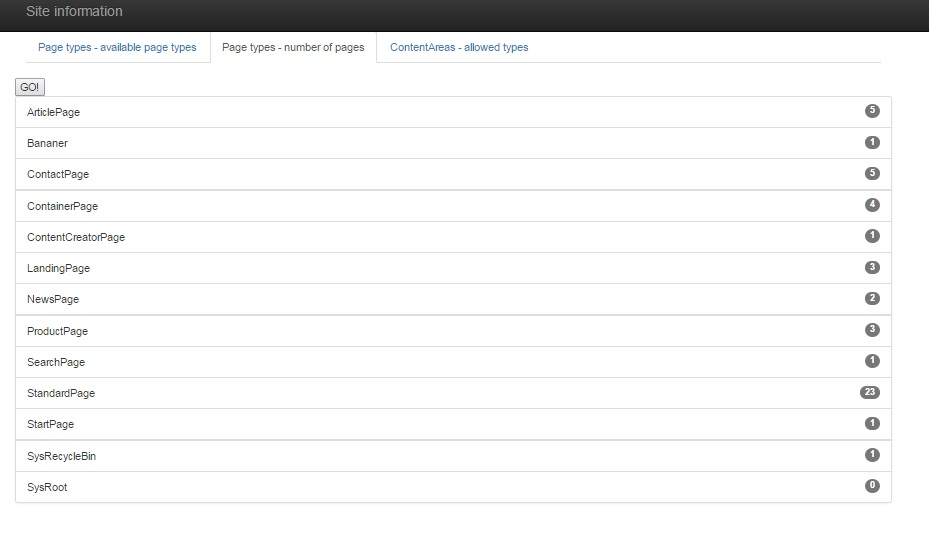
In the process I added the allowed page types code and a silly feature that just prints the count of pages per page type (from the root page, and with FPW call).

It looks like this:
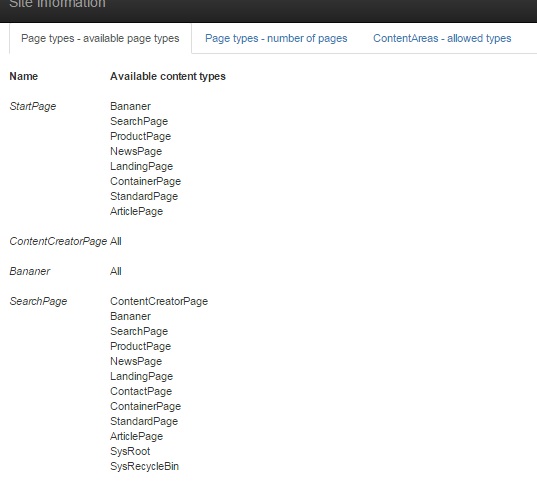
 Image siteinformation1.jpg

Image siteinformation3.jpg

Image siteinformation2.jpg

Code over at GitHub. I use CodeFile instead of CodeBehind so if you wan't to add it to your solution be sure to change it. If you just wan't to test it out just drop it in the root folder.

Sep 23, 2015

Comments

Sep 25, 2015 10:53 AM

Nice, simple and powerful!

valdis
valdis Sep 28, 2015 08:06 AM

Haven't checked the code- but would be nice to see a list of all page instances and links to it for "Page types - number of pages". Have you considered to "alter" built-in content type editor pages and provide this functionality also there? :) This can be done via Asp.Net web page adapters.

Per Nergård (MVP)
Per Nergård (MVP) Sep 28, 2015 01:38 PM

Hi Valids

Would be easy enough to add links to the pages since I do a simple FPWC call to get the count so I already have the list.

Haven't considered changing the built in content type editor pages but it's a good idea.

Please login to comment.
Latest blogs
ScheduledJob for getting overview of site content usage

In one of my current project which we are going to upgrade from Optimizely 11 I needed to get an overview of the content and which content types we...

Per Nergård (MVP) | Jan 27, 2026

A day in the life of an Optimizely OMVP: Migrating an Optimizely CMS Extension from CMS 12 to CMS 13: A Developer's Guide

With Optimizely CMS 13 now available in preview, extension developers need to understand what changes are required to make their packages compatibl...

Graham Carr | Jan 26, 2026

An “empty” Optimizely CMS 13 (preview) site on .NET 10

Optimizely CMS 13 is currently available as a preview. If you want a clean sandbox on .NET 10, the fastest path today is to scaffold a CMS 12 “empt...

Pär Wissmark | Jan 26, 2026 |

Building AI-Powered Tools with Optimizely Opal - A Step-by-Step Guide

Learn how to build and integrate custom tools with Optimizely Opal using the Opal Tools SDK. This tutorial walks through creating tools, handling...

Michał Mitas | Jan 26, 2026 |