
Per Nergård (MVP)
Sep 14, 2017
  4610
(3 votes)

Plugin for viewing scheduled job run history

A couple of times during the years I have had the need to view the scheduled job history log. In all these cases it has been jobs that are running frequently and therefor I need to use the paging since the default view doesn't display that many rows.

So I did a small plugin that let you choose between all scheduled jobs and display all the history in one table. Might not be the oste useful plugin but since I built it can as wll share it. You can find it over at my Gist.
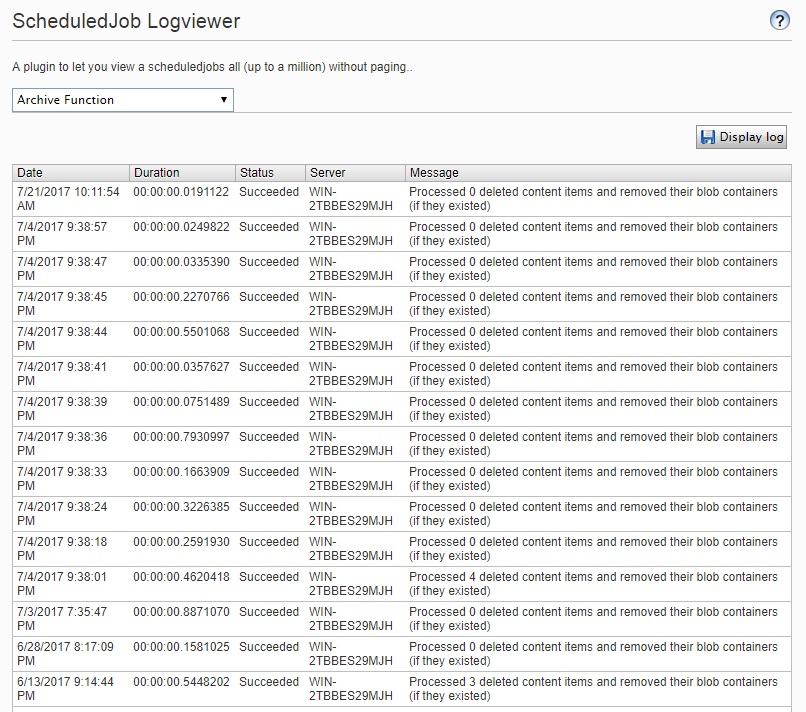
Image logviewer.jpg

Sep 14, 2017

Comments

valdis
valdis Sep 15, 2017 10:27 AM

could be merged into scheduled jobs overview plugin ;)

Please login to comment.
Latest blogs
Optimizely CMS SaaS Migration Tool

Migrating and synchronizing environments in  Optimizely CMS SaaS can be challenging, particularly when managing content types, display templates, a...

Hieu Nguyen | Mar 4, 2026

Alloy Aspire Scaffold, or how to simulate the Optimizely DXP setup on your dev machine

Alloy Aspire Scaffold is a .NET template for Optimizely CMS 13 PaaS (Preview) that runs the standard Alloy site on .NET Aspire 13 in a DXP-like loc...

Enes Bajramovic | Mar 4, 2026 |

OpenAI-Driven AI Assistant for TinyMCE in Optimizely CMS 12

The Tiny.AI add-on enhances Optimizely CMS 12 by seamlessly integrating OpenAI directly into the TinyMCE editor. It empowers editors to rewrite,...

Adnan Zameer | Mar 3, 2026 |

Your first SAAS Project -- Setup

Hey everyone, When I first started Remko's StarterKit, I honestly had no idea what I was doing. After spending a couple of months working through i...

PuneetGarg | Mar 3, 2026