


ScheduledJob overview Blazor component
I have always felt that the admin UI for scheduled jobs in Optimizely is harder to use than it needs to be. To check a job you have to go into admin, filter to find the right job, click to see the history, and then click again to view status messages. When you are troubleshooting, this quickly becomes frustrating.
Back in 2017 I tried to improve this by creating a small plugin for viewing scheduled job run history. I wrote about it here:
https://world.optimizely.com/blogs/Per-Nergard/Dates/2017/9/plugin-for-viewing-scheduled-job-run-history/
During the Christmas break I decided to revisit the idea. The result is a Blazor component that gives a better overview of scheduled jobs and their status messages, with fewer clicks and faster access to the information you usually care about. I am using MudBlazor for UI components. It's a Razor Class Library so you need to configure Blazor in you CMS solution and see that the MudBlazor css and js are loaded.
The component includes:
-
Separate tabs for custom jobs and built-in jobs, since custom jobs are often the ones causing issues
-
Filtering on job names
-
Direct access to the latest run and status message when selecting a job
-
A list view of up to 1000 status message excerpts with keyword filtering
-
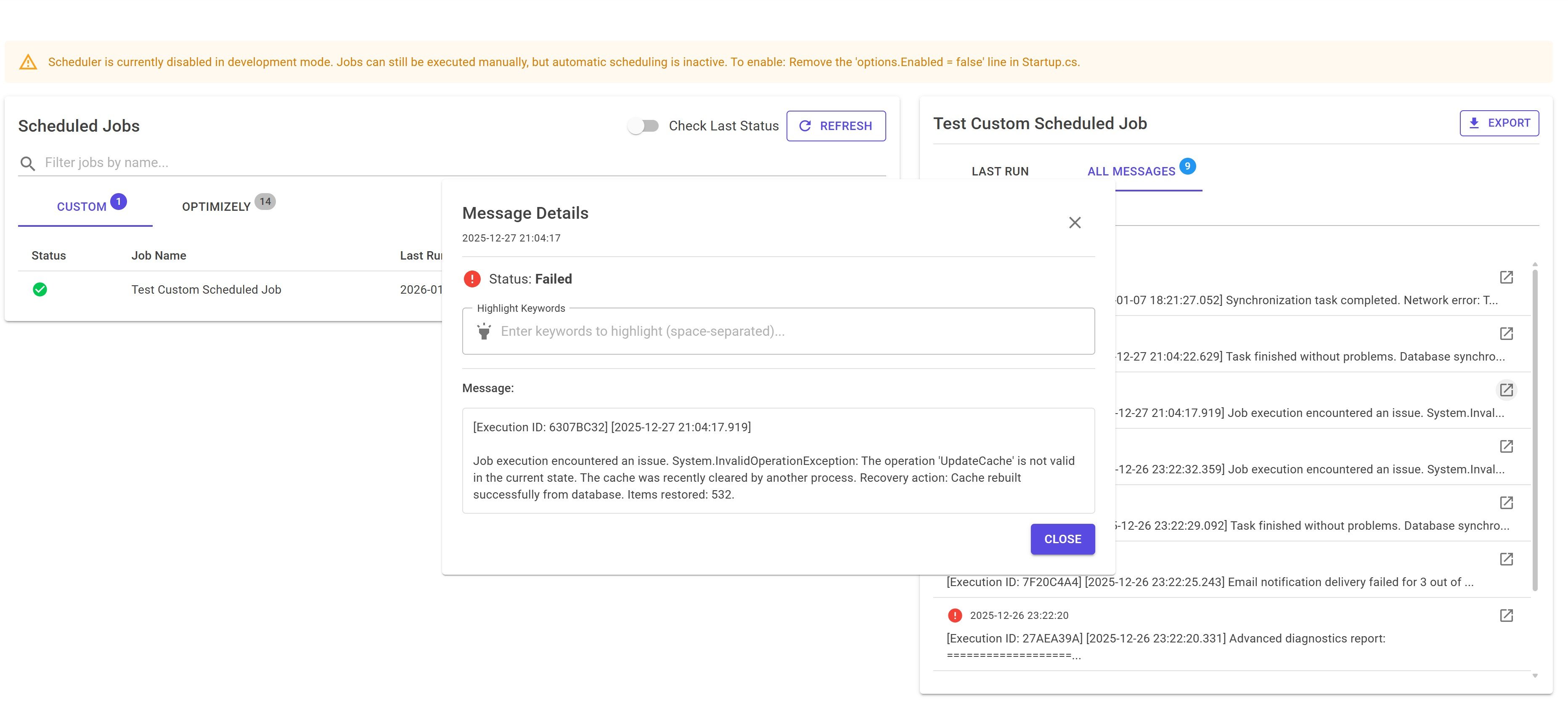
Drill-down into a specific status message with additional filtering
Image 1: Overview of the component.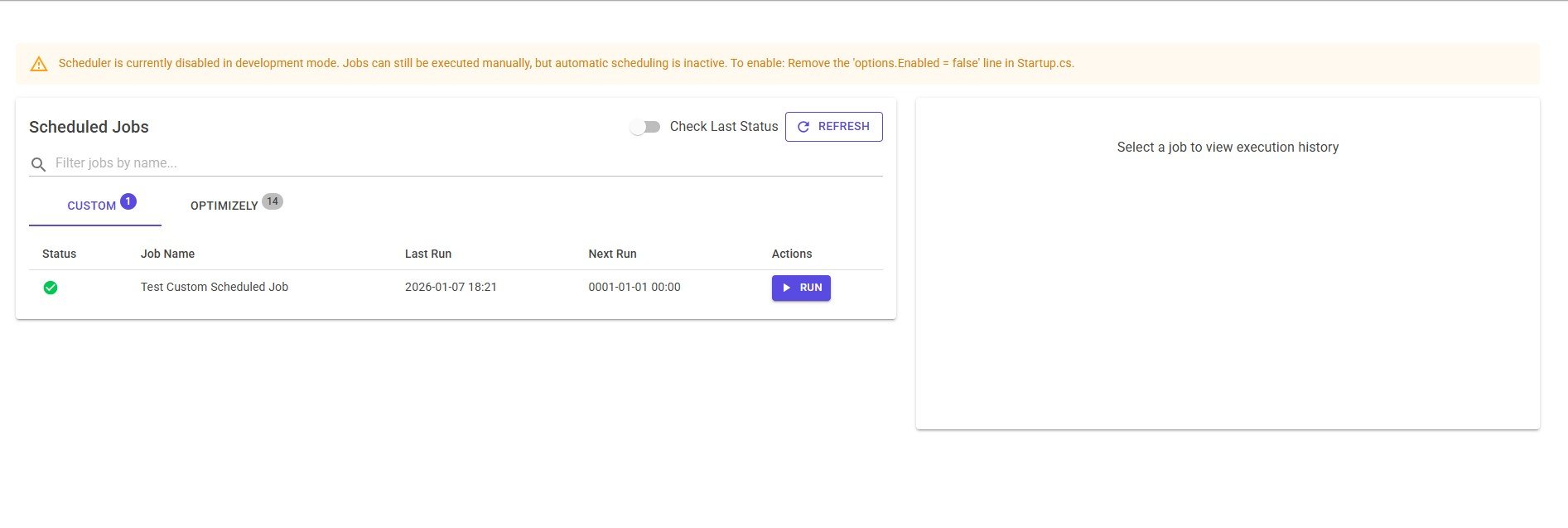
Image 2: A selected job showing all status messages.
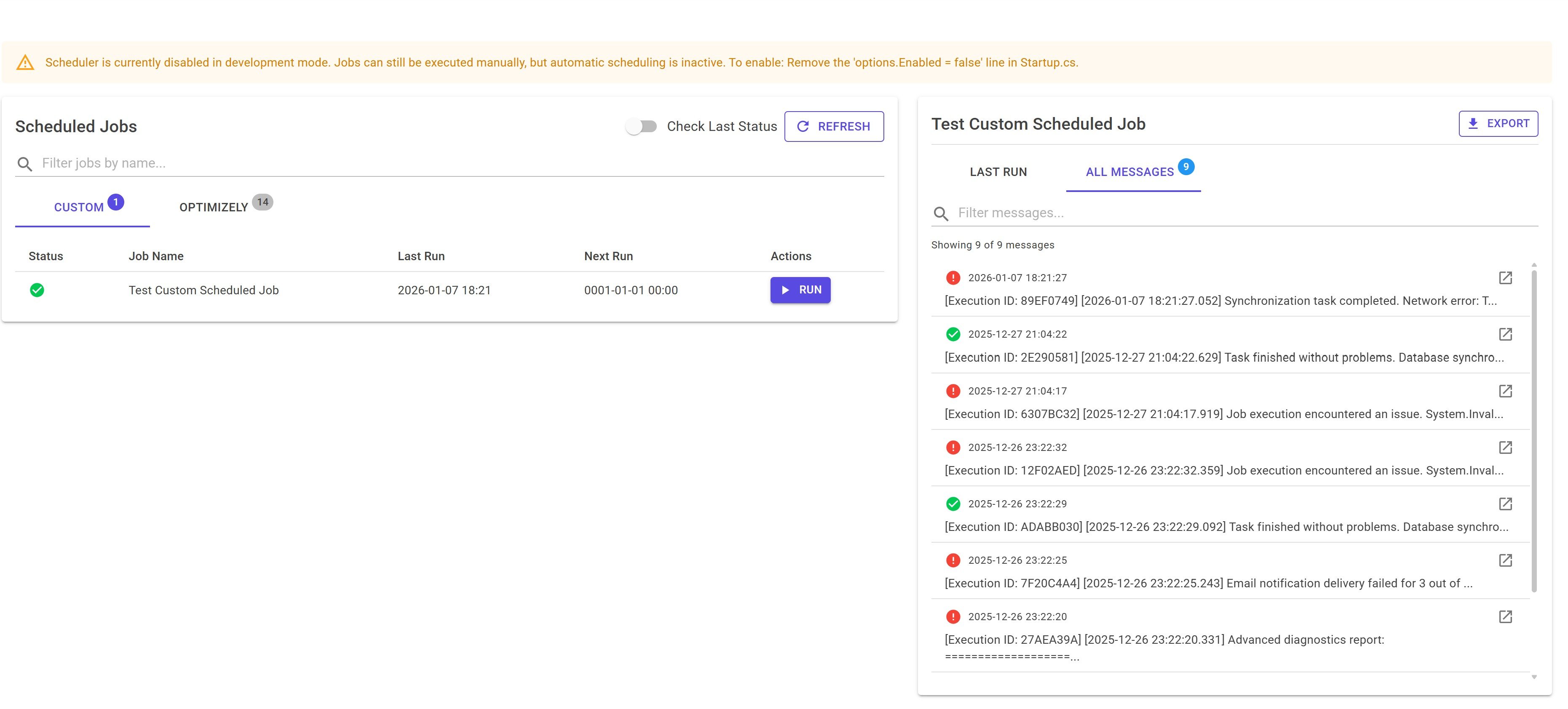
Image 3: Drill-down view of a single status message with filtering.
The full source code is available in a public GitHub repository:
https://github.com/PNergard/ScheduledJob-overview-Blazor-component
This looks great! I looked at the repo and didnt see the MIT license or another like it. We we thinking of taking a look at it in our project if possible. Is the codebase free to use?
Ofcourse just go for it. I will add a license.