

New feature in Commerce 13: Exclude catalog items per promotion
In Commerce 10.1, we added a feature to allow you to exclude items from the promotion engine. Some items - such as gift cards - can be seen as "money" and should never be discounted, or used as a condition to calculate other discounts. That is a very nice feature, but our partners - as always, keep asking for more - for example, Joel from Avensia wrote this lengthy post to explain what they need https://world.episerver.com/forum/developer-forum/Episerver-Commerce/Thread-Container/2017/11/exclude-specific-catalog-entries-from-a-promotion/ and proposed a few solutions.
Basically, you might need to exclude certain catalog items from a specific promotion. A scenario I can think of, is that you want to have a 20% site-wide off, but a specific supplier said no (which is not uncommon for luxury brands). So you have to exclude items from that supplier.
That is solved in Commerce 13 with a new property in each and every builtin and custom promotion:
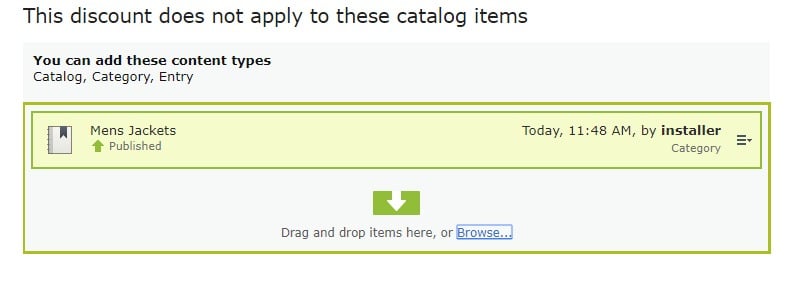
You can drag and drop catalogs, categories and entries to make them excluded by this specific promotion.
You can also set it using APIs by using new `ExcludedCatalogItems` property:
promotionData.ExcludedCatalogItems = new List<ContentReference>() { catalogLink, categoryLink, entryLink };Note that the exclusion is always recursive. So if you add a category to ExcludedCatalogItems, all subcategories and their subcategories will be excluded.
Commerce 13 is on its way and can be released in a month or so (as always, don't take my words as promises)

Cool! And when will commerce 13 be out? :)
@Sebbe: I expect it to be out in 1 month, but that is not fixed.