


A day in the life of an Optimizely OMVP: London Meetup 2026
On 2nd July 2026 the Optimizely London Developer Meetup returned to The Lightwell, and the running theme across the evening was less about individual features and more about boundaries, where SaaS draws the line PaaS never did, where Coveo stops being a drop-in for Find, where edge orchestration ends and your .NET tools begin. Six talks, six practitioners, and a consistent message: the interesting engineering lives at the seams. What follows is my account of the night, talk by talk, with the architecture decisions I'd flag if I were scoping any of this for a client.
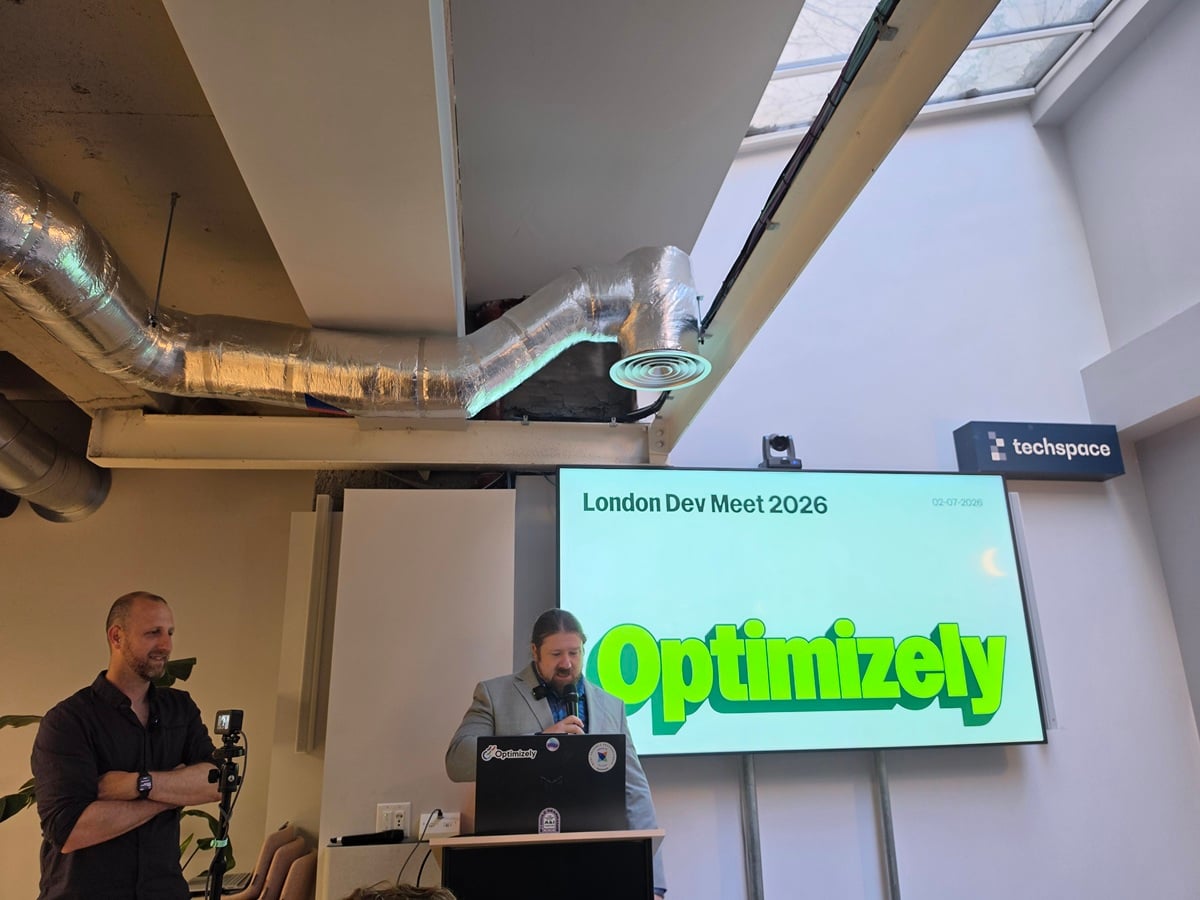
Replacing Search & Navigation with Coveo: notes from Scott Reed's talk
Scott Reed (Niteco) walked through a project that's just gone live: replacing Optimizely Search & Navigation on a Customized Commerce build with Coveo. It was refreshingly honest - a developer's account of what shipped, what pivoted, and what they'd do differently. Here's the story as I took it in.
Why move off S&N at all
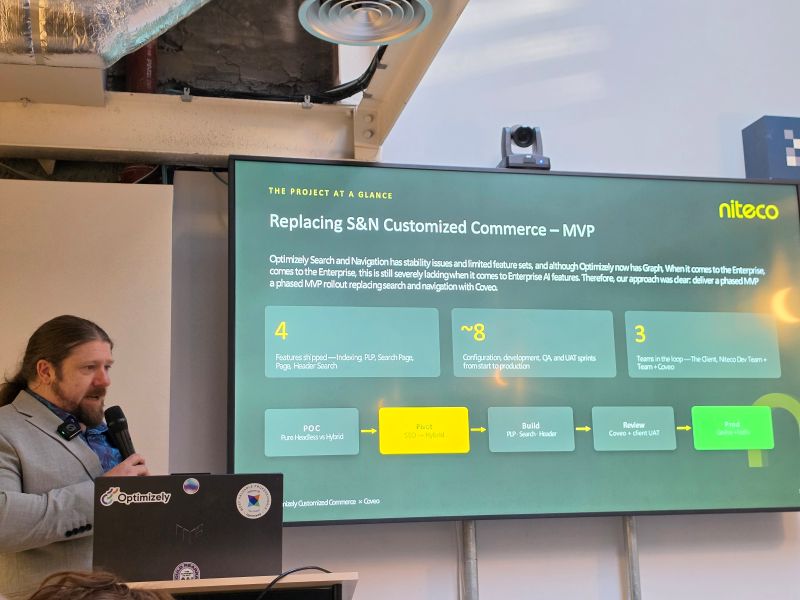
The starting position was familiar to anyone who's run Find at scale: Search & Navigation has stability issues and a limited feature set, and while Graph now exists, it still falls short of enterprise-grade AI relevance. Conversational search was a hard requirement for this client, and that's the line S&N couldn't cross. So the decision was a phased MVP - swap search and navigation out for Coveo rather than attempting a big-bang replatform.
The shape of the delivery was deliberately contained: four features shipped (indexing, PLP, search page, header search), roughly eight sprints from configuration through to production, and three teams in the loop - the client, the Niteco dev team, and Coveo. The path ran POC → pivot → build → review → prod, and as you'll see, the pivot is where the interesting architecture decision lived.
The five building blocks
Scott framed the Coveo integration as five moving parts, which is a useful mental model if you're coming at this from an Optimizely background:
The indexing model is the foundation; products, variants and availabilities modelled as a catalogue entity, with results and facets built on top. Get this wrong and everything downstream suffers.
Crucially, you push and stream, not crawl. Rather than pointing Coveo at the storefront and letting it crawl, you push your data in via scheduled jobs. For a commerce catalogue this is the right call, you control freshness, structure and availability rather than hoping a crawler infers them.
Query pipelines carry the rules and ML. This is where relevance is shaped, and it's a genuinely different paradigm from configuring Find.
On top sits generative answering, Coveo's AI relevance layer. The sharp lesson here: no analytics, no AI. The ML depends entirely on clean behavioural signals, so if your tracking is broken, your "AI" is running blind.
And the catalogue entity ties the product model to the results and facets the storefront actually renders.
The merchandising hub: rules for humans
One thing worth flagging for anyone scoping this: pipelines hold the core config, but merchandisers still need a way to influence ranking and relevancy without a developer in the loop. Coveo splits this across listing pages (mapping to each catalogue page) and the search page (the single search experience). The practical tools were pinning; mapping client vocabulary to catalogue terms so a search for "robe" finds the right products; boost and bury with spelling correction and zero-result recovery baked into the pipeline, and content spotlight surfacing useful refinements from variant data.
The SEO pivot: why they went hybrid
This was the standout architecture moment. The POC was a pure client-side Coveo storefront, fast to build, full UI control. The problem: it's invisible to crawlers. Search and category pages returned an empty HTML shell, which is fine for users and fatal for SEO.
After the POC they pivoted to a hybrid SSR approach, server-rendering the listing and category pages while keeping Coveo's client-side interactivity where it earns its keep. The trade-off is honest, more plumbing and a headless SSR setup to maintain, but it's the difference between ranking and not ranking. If you're evaluating a headless Coveo storefront, budget for this from day one rather than discovering it after the POC.
Things to be aware of
The lessons landed harder than the wins, which is exactly what you want from a talk like this:
- It's a different paradigm. Coveo's settings and patterns diverge deeply from Optimizely. Treat it as a new platform, not a like-for-like swap.
- Features don't map 1:1. Boosting, ranking and pinning can't be ported across, they become entirely different Coveo workflows.
- Two teams, two views. Coveo lacked the business context; the dev team was still learning Coveo. Interpretations of search behaviour diverged as a result.
- Late feedback hurts. Delivering early for review was the right instinct, but feedback arrived late and tracking issues slipped into production.
- Scope is hard when you don't know the platform yet. You can't cleanly define what's in and out before you understand what the platform can and can't do.
- Tracking is fragile, and it matters more here. Analytics looked fine but wasn't firing correctly, and because the ML depends entirely on it, that's not a cosmetic bug. It's a relevance outage waiting to surface.
My takeaway
The through-line is that Coveo isn't a drop-in Find replacement, it's a platform shift, and the honest bits of this talk were the ones about paradigm mismatch and fragile tracking. If I were architecting this, the two things I'd lock down at the start are the hybrid SSR decision (before, not after, the POC) and analytics validation as a first-class deliverable rather than a UAT afterthought. Everything downstream, relevance, ML, generative answering; is only as good as the signals feeding it.
Cloudflare's agent stack, and where the .NET line sits
Guilherme Menezes (Solutions Engineer, Cloudflare) took the "Agent. Sandbox. MCP." slot at the July Optimizely London Developer Meetup, and the framing was refreshingly small: one agent, a few Cloudflare primitives, your CMS on the far end, about a hundred lines of TypeScript.
The talk built one primitive at a time. Start with a task, publish a page, generate a QR code. Rather than script it, you spin up an agent to do it for you: describe the task in natural language and the agent works out the sequence. In the Cloudflare Agents SDK that's a single class extending Agent, deployed to Workers. The agent itself is a Durable Object, stateful, addressable, one per user.
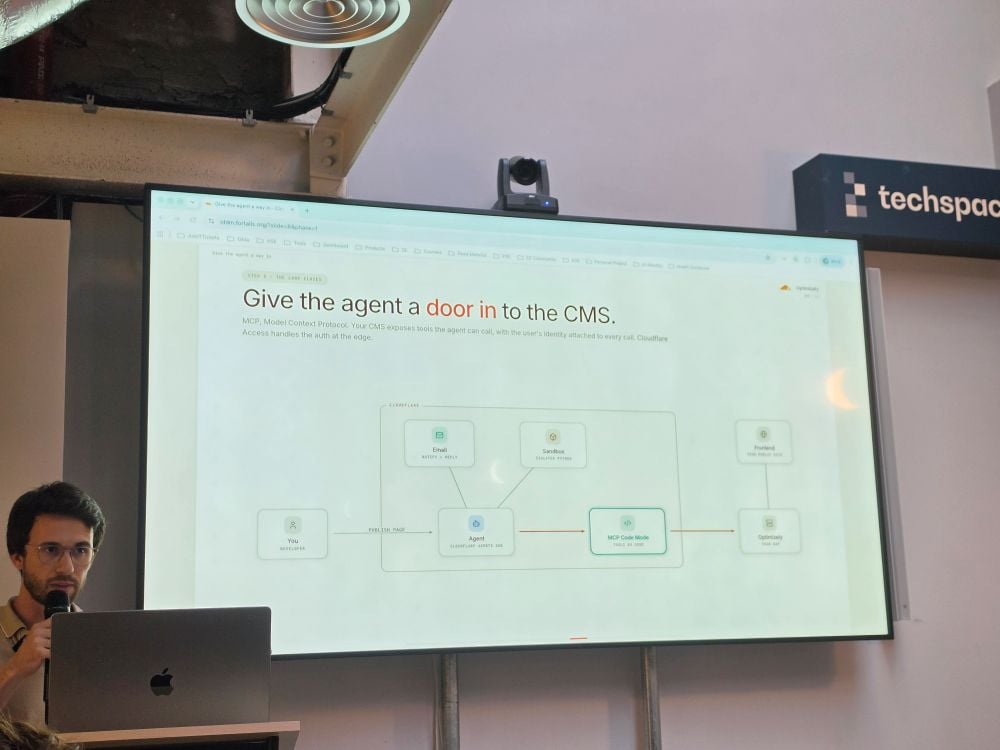
Then you bolt on capabilities. Email, so the agent can notify and reply. A Sandbox for when it needs to run code safely, real Python in an isolated container, nine lines to wire up as a tool. And finally the interesting bit for anyone in our world: MCP as the door into the CMS.
That last step is where the architecture got sharp. Instead of the agent calling ten discrete tools and round-tripping through the model each time, "Code Mode" lets it write code that calls the tools, executed in the sandbox, one plan, not ten round trips. The line that stuck with me: same agent, same prompt, different access. Cloudflare Access sits at the edge and attaches the user's identity to every call, so the same agent behaves differently depending on who's driving it.
So what does this mean if you live in Optimizely and .NET?
The demo stack is TypeScript on the edge, and that's fine, that's the orchestration layer. The part you own doesn't move. The "door into the CMS" is an MCP server, and there's no reason that server can't be .NET sitting alongside your Optimizely instance. If you've looked at Opal and Optimizely.Opal.Tools, you've already seen this shape: you define the tools, the auth and the business logic; something else does the orchestrating. MCP just makes the contract explicit and vendor-neutral.
Two things I'd flag as a TA before anyone gets carried away.
Identity has to be real. Cloudflare Access attaching a user to every call is only useful if your MCP tools honour it, content operations in Optimizely run against roles, virtual roles and content access rights, so those tools need to act as the calling user, not as a service principal holding every key. Get that wrong and you've built a very fast way to bypass your own permission model.
And it isn't Opal-or-this. Optimizely's own agentic story is in-platform; this is external orchestration on the edge. They meet at the same tool surface. The architectural decision isn't which one wins, it's where you draw the boundary, and MCP is a reasonable place to draw it.
A hundred lines of TypeScript to demo, sure. But the real engineering is in the CMS-side tools and the identity plumbing, and that's squarely .NET territory.
SaaS CMS UI Extensions: closing the gap PaaS left open
Minesh Shah (Head of Architecture, Netcel) started his presentation with a problem most of us have felt but rarely name: PaaS gave us the keys to the building. SaaS doesn't. You get a managed, always-current CMS, and you lose the shed full of hooks, initialisers and custom admin plugins we've leaned on for years. His talk was about the seam Optimizely has added to close that gap without handing the keys back.
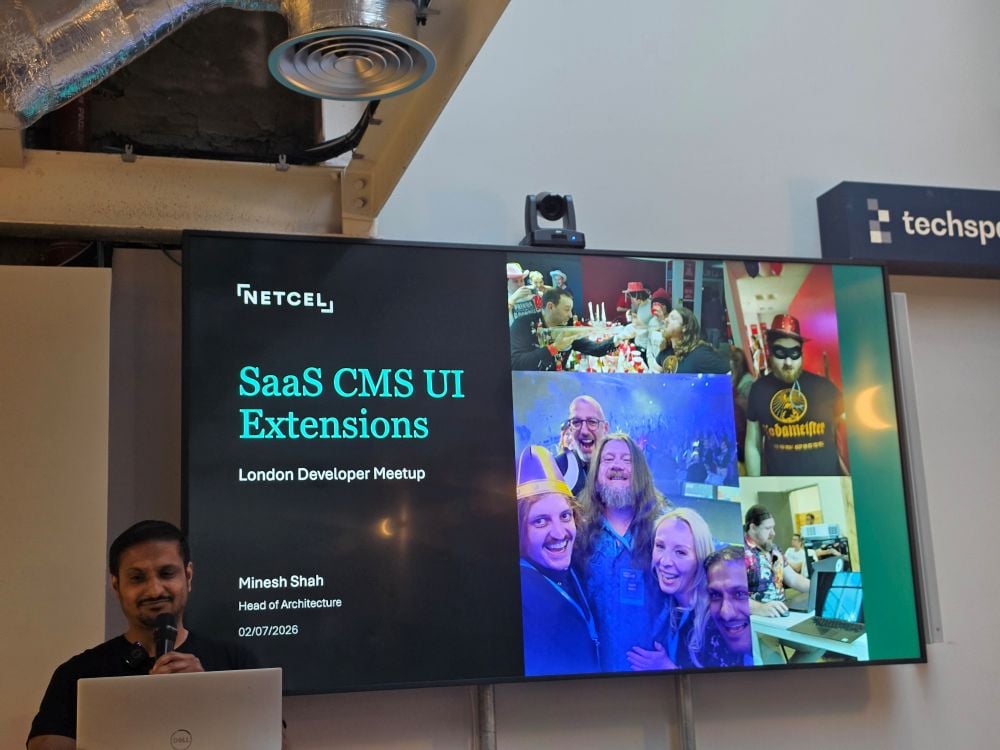
The framing that landed for me was same codebase, many editor experiences. Extensibility isn't a fork or a rebuild; it's a supported surface that lets partners and customers shape the editor per tenant while the platform underneath keeps moving. That's the right trade. Nobody wants to own a divergent copy of the CMS again.
There are three places you can plug in, and they map cleanly onto real jobs:
- Sidebar apps: a panel alongside the content tree. Minesh demoed a Signals panel surfacing health score, impressions, clicks and top queries next to the page you're editing.
- Full-page apps: a Reporting Centre living inside the CMS chrome, doing published-pages breakdowns by locale and content type. The sort of thing we'd previously have bolted on externally.
- Property editors: custom controls on a field. The stand-out was a flight-fares property that resolved a product ID to live pricing, rendered inline in the editor.
The architecture is the interesting bit. Extensions are built on the Optimizely Connect Platform (OCP), same SDK, manifests and runtime as the rest of the suite, so if you've shipped OCP apps the model already fits your hands. The CMS talks to OCP through a Discovery API; OCP fetches the UI bundle and invokes functions, while the extension UI runs a familiar lifecycle (render, destroy, configuration changed) with backend functions doing the heavier perform work. One CLI covers scaffold, build, package, push and install, and the host APIs are versioned, pin a version, ship, and stay stable as the CMS evolves.
On the point that matters most to anyone putting this in front of a client: how does it stay safe? Three answers. Extensions are sandboxed by default, iframes can't reach into the host. Permissions are scoped, the extension declares what it needs and the host enforces it. And the APIs are versioned, so a pinned extension keeps working as the platform changes underneath it. That's a sane security posture, and it's the difference between "interesting demo" and "something I'd deploy".
The commercial angle writes itself for partners: build a solution once, resell it, and reuse SDKs and scaffolds across engagements, quote in weeks, not quarters. But the architectural takeaway is simpler. SaaS took away the uncontrolled extensibility we used to rely on, and this gives it back in a governed, versioned, sandboxed form. That's a fair swap, and one worth designing around.
CMS 13 & Commerce Connect 15: the practitioner view
I spoke at the meetup about CMS 13 and Commerce Connect 15: what's actually changed, what works, and what to watch for once you're shipping it. Two releases, but one platform direction; Graph-first, .NET 10, AI embedded. Here's the short version.
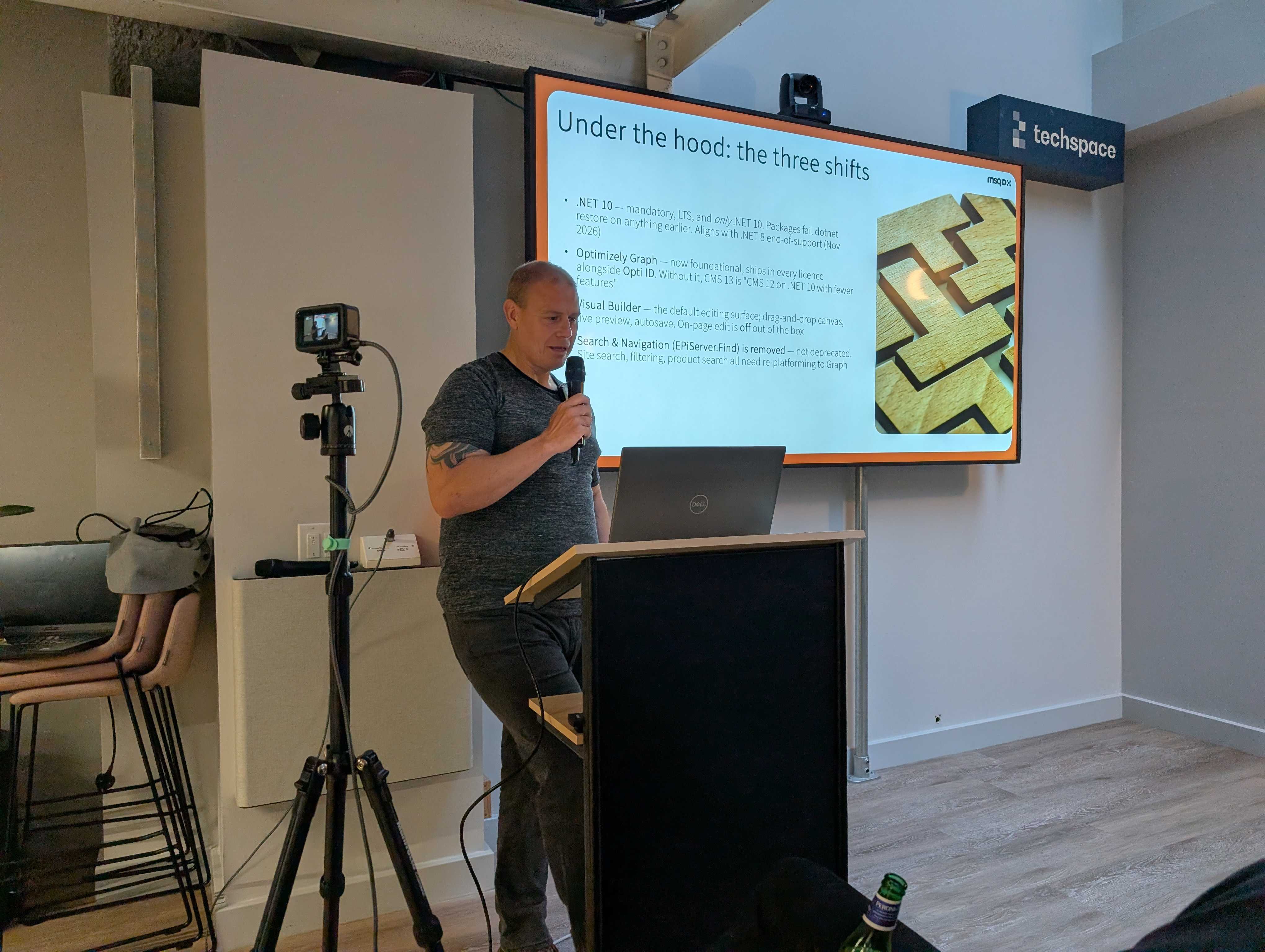
CMS 13: three shifts, not a version bump
Optimizely's launch framing is content creation, content delivery and AI. That's the marketing layer. Underneath sit three concrete architectural shifts that change how you build, and if you get these right the rest follows.
First, .NET 10 is mandatory: LTS, and only .NET 10. Packages fail dotnet restore on anything earlier, so one dependency without a .NET 10 build blocks your entire restore. Audit before you scope, not during.
Second, Optimizely Graph is now foundational. It ships in every licence alongside Opti ID. Without it, CMS 13 is essentially "CMS 12 on .NET 10 with fewer features." The big one for builders is that Search & Navigation (EPiServer.Find) is removed, not deprecated. Site search, filtering and product search all need re-platforming to Graph. The new Graph C# SDK will feel familiar if you came from Find's IClient, fluent API, typed deserialization, facets, caching and content modelling moves to interface-based content type contracts, which means less package coupling. One thing to watch: querying a base type does not automatically return derived types. Plan the query strategy; don't just port your Find code across.
Third, Visual Builder is the default editing surface, a drag-and-drop canvas with live preview and autosave, unifying pages, blocks, experiences and media into one interface. On-page edit is off out of the box. This is the change editors feel first, and it's a genuinely new mental model. MVC rendering is still supported inside Visual Builder, so you're not forced fully headless on day one.
Commerce Connect 15: compatibility on the surface, modernisation underneath
CMS 13 is the platform; Commerce Connect 15 rides on it as an add-on on the same .NET 10 foundation. It inherits everything; Visual Builder, Content Manager, DAM, Opal, Graph, so everything above is also true of your commerce build.
On the surface it's a compatibility release, keeping the shared CMS/Commerce dependencies in sync on .NET 10. But the changes underneath are real modernisation: catalog search moves from Find to Graph via Optimizely.Graph.Commerce; the core repositories (IOrderRepository, ICartProvider and friends) gain async methods; Visual Builder now handles product detail pages; and Opal lands in the catalog editor for inline product copy.
The breaking changes need respecting. Credit card storage APIs are removed for PCI DSS reasons; move to tokenized providers like Stripe, Adyen or PayPal, with the upside of a smaller compliance scope. The legacy workflow engine and legacy discount classes are gone, along with 50+ deprecated methods and Find.Commerce. If you've got custom code on any of that, budget for rework.
Lessons from shipping it
A few things I'd pass on if you're planning an upgrade:
- Audit before you scope: The blocked
dotnet restorefrom one legacy package is real, not theoretical. - Search migration is a workstream, not a task: and mind the Graph type-hierarchy behaviour.
- Resource the editorial change: Visual Builder lands on editors on day one, not just developers.
- Mind the procurement queue: .NET 10 runtime plus VS 2026 tooling can sit in a queue for weeks, that's a project risk, not an afterthought.
- Upgrade Commerce 15 alongside CMS 13: Don't half-upgrade; keep the shared .NET 10 dependencies synchronised.
The architecture is genuinely better; cleaner .NET story, composable within Optimizely One, AI embedded. But treat it as a coordinated project across infrastructure, engineering and editorial, not a patch. Any one of those three tracks can derail the timeline.
What Simon Chapman walked us through
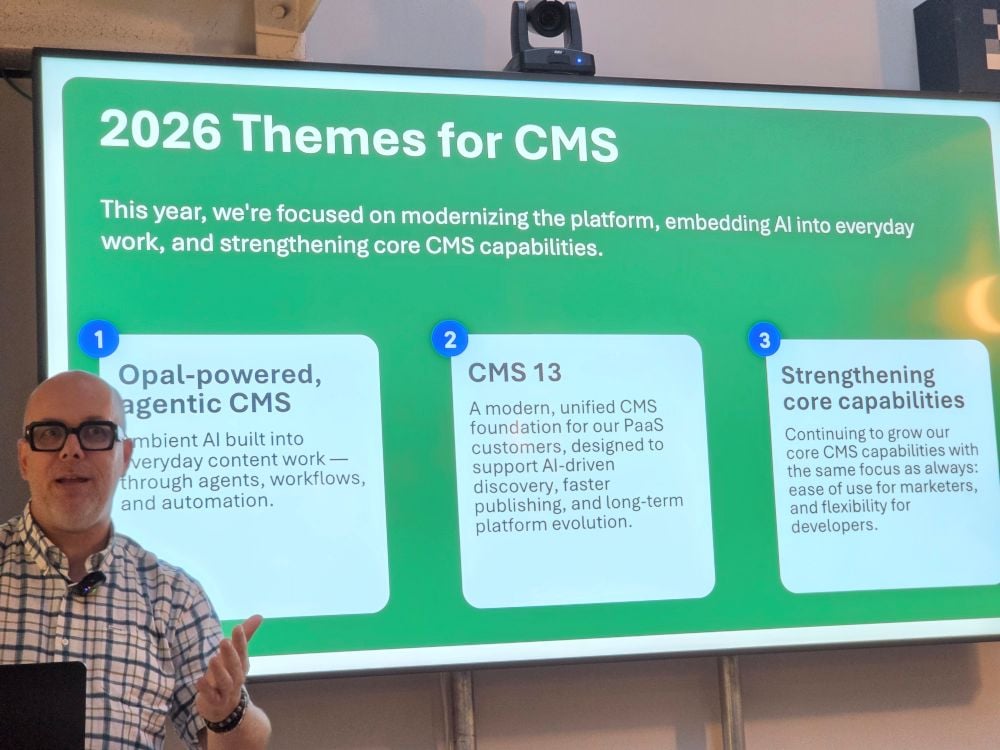
Simon Chapman took the room through Optimizely's 2026 roadmap, and the framing up front was useful: three themes for the year; an Opal-powered, agentic CMS; CMS 13 as the modern foundation for PaaS customers; and continued investment in the core capabilities that marketers and developers already rely on. Everything that followed hung off those three pegs.
The bulk of the session was Opal and the Agent Platform. The 30th of June drop was substantial - an Agent Library with 45+ agents launchable straight from Chat, role-based setup, agent sharing, a proper reporting dashboard, and an AI image editor. The one that got my attention was multi-model support: admins can now pick Gemini or Claude, either org-wide or per specialised agent. There's a long list of out-of-the-box agents too, and three of them - GEO Schema, SEO Metadata, and Content Model Creation - are coming to CMS 13, having already landed on SaaS CMS.
Underneath all of it sits the Agent Orchestration Platform. Simon's "Under the hood" slide is the one worth screenshotting: evals, execution guardrails, quality inspection and agent logs on one side; no-code workflow orchestration with looping, branching, triggers and autonomous execution in the middle; and a data-and-context layer covering Graph, Analytics, RAG and Memory. Interoperability is the part I'd flag for anyone building - Custom Tools, Webhooks and APIs, Remote MCPs, Slack, Copilot, Gemini and the A2A protocol. The reliability model - execution analysis, issue detection, self-recovery, escalation, plus human-in-the-loop - is slated for Q1 and Q2.
On CMS Core, the standout available-now item is the CMS MCP Server for frontend development: generate CMS-ready, content-model-aware components directly from designs. Coming soon are the Figma Import Agent (Figma to structured CMS page drafts), Visual Builder Multi-Layout, a Blueprint Edit UI, and locking for Visual Builder content models - that last one is the governance piece a lot of us have been asking for.
Experimentation got its share too: a Remote MCP Server so you can drive flags and experiments from ChatGPT, Claude, Cursor or VS Code over OAuth; an in-workflow Idea Builder powered by your own experimentation history; Device Emulation v2; and drag-and-drop rearrange in the Visual Editor. Conductor rounded things out with three answer-engine agents - AI Brand Visibility, Competitive AI Share of Voice, and an AEO Gap Finder - and CMP picked up Resource Management for workload and capacity visibility.
A lot shipped. The through-line, though, was consistent: AI is being pushed into the everyday content workflow rather than bolted on the side.
SaaS: Why You Need to Reevaluate Your Approach
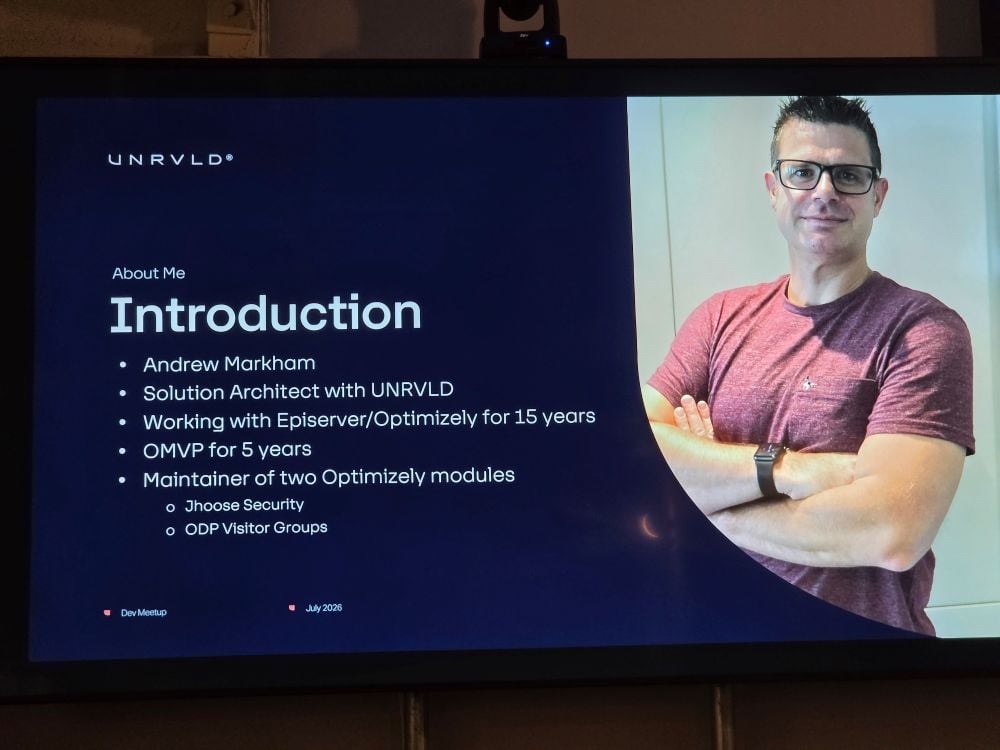
Opening the final session, Andrew Markham, Solution Architect at UNRVLD (fifteen years working with Episerver and Optimizely, and a five-year OMVP) set out a clear message: moving to Optimizely SaaS CMS is not a like-for-like port of what you know from PaaS. The habits that served you well on CMS 12 don't all carry across. Some of the extension points developers lean on simply aren't there, and the sooner a team accepts that, the smoother the build. His framing throughout was pragmatic rather than promotional: understand the constraints, design around them, and feed the gaps back to Optimizely.
Content Modelling
Andrew started where most projects start, and where the SaaS differences bite earliest: content modelling.
The headline was that code-first still works. You can define your types in code, and for teams coming from a PaaS background that will feel familiar. But he was candid that UI gaps exist, and he called out three in particular:
- You cannot set default values through code.
- There are no custom property types or selection factories.
- Custom validation rules are not supported.
For anyone who has built extensively on the traditional platform, that list represents a meaningful shift. Selection factories and custom validation in particular are everyday tools in a PaaS content model, and their absence changes how you approach editor experience and data integrity.
Rather than treat these as blockers, Markham offered an approach. First, audit your content model upfront against these limitations, do it at the start, not when you hit the wall mid-build. Second, design your models to work within the constraints instead of fighting them. And third, raise the gaps with Optimizely as product feedback, on the basis that SaaS CMS is evolving and editor-facing capability is still filling out.
The underlying point carried well beyond content modelling. SaaS CMS rewards teams who scope their limitations early and make deliberate design decisions, and it punishes those who assume parity with PaaS and discover the gaps late. Auditing first, designing within constraints, and staying in the feedback loop with the vendor is a sound operating model for a platform still maturing, and it set the tone for the rest of the session.
Main takeaways
Here are the main takeaways, organised by talk:
Coveo replacing Search & Navigation (Scott Reed, Niteco)
- Coveo is a platform shift, not a drop-in Find replacement; settings, patterns, and features (boosting, ranking, pinning) don't map 1:1.
- Push and stream your catalogue via scheduled jobs; don't crawl. You control freshness and structure.
- Lock in the hybrid SSR decision before the POC, not after. Pure client-side Coveo is invisible to crawlers and fatal for SEO.
- Treat analytics validation as a first-class deliverable: no analytics, no AI. Broken tracking is a relevance outage, not a cosmetic bug.
Cloudflare's agent stack (Guilherme Menezes, Cloudflare)
- Edge orchestration (TypeScript on Workers) is fine as the orchestration layer, but the CMS-side tools stay .NET, exposed via an MCP server alongside Optimizely.
- MCP makes the tool contract explicit and vendor-neutral; it's the same shape as Opal and
Optimizely.Opal.Tools. - Identity must be real end-to-end: MCP tools have to act as the calling user (honouring roles, virtual roles, content access rights), not a service principal or you bypass your own permission model.
- It's not Opal-or-edge; they meet at the same tool surface. The decision is where you draw the boundary.
SaaS CMS UI Extensions (Minesh Shah, Netcel)
- Extensions close the extensibility gap PaaS left open, "same codebase, many editor experiences," no divergent CMS fork.
- Three plug-in points: sidebar apps, full-page apps, and property editors.
- Built on OCP (same SDK, manifests, runtime) with a versioned host API. Pin a version and stay stable as the CMS evolves.
- Safe by design: sandboxed iframes, scoped permissions, versioned APIs.
CMS 13 & Commerce Connect 15 (your talk)
- .NET 10 is mandatory (LTS, only .NET 10); one non-.NET-10 package blocks the entire restore. Audit before you scope.
- Optimizely Graph is now foundational and ships in every licence; Find (EPiServer.Find) is removed, not deprecated. Search/filtering/product search need re-platforming.
- Watch the Graph type hierarchy: querying a base type doesn't return derived types.
- Visual Builder is the default surface; on-page edit is off by default, editors feel this on day one.
- Commerce 15 modernises underneath (Graph catalog search, async repositories, VB on PDPs, Opal in the catalog editor); credit-card storage APIs, legacy workflow/discount classes, and Find.Commerce are gone.
- Upgrade Commerce 15 alongside CMS 13; treat it as a coordinated infra/engineering/editorial project, not a patch.
2026 Roadmap (Simon Chapman)
- Three themes: an Opal-powered agentic CMS, CMS 13 as the modern PaaS foundation, and continued core investment.
- The 30 June Opal drop: 45+ agent library, agent sharing/reporting, AI image editor, and multi-model support (Gemini or Claude, org-wide or per agent).
- Under the hood: Agent Orchestration Platform with evals/guardrails, no-code workflow orchestration, and a Graph/Analytics/RAG/Memory context layer; interop via Custom Tools, Webhooks, Remote MCPs, and A2A.
- CMS MCP Server (design-to-component) is available now; VB content-model locking is the governance piece to watch.
SaaS: reevaluate your approach (Andrew Markham, UNRVLD)
- SaaS is not a like-for-like PaaS port, some extension points simply aren't there.
- Code-first content modelling works, but no code-set defaults, no custom property types/selection factories, no custom validation rules.
- Operating model: audit your content model against the limitations upfront, design within constraints, and feed gaps back to Optimizely.
The through-line for the night: the interesting engineering lives at the seams where SaaS stops mirroring PaaS, where Coveo stops being Find, and where edge orchestration ends and your .NET tools begin.
Below is a list of the presenters for the night:
- Scott Reed - https://www.linkedin.com/in/scottreed84/
- Mark Evard - https://www.linkedin.com/in/everard/
- Guilherme Menezes - https://www.linkedin.com/in/guilherme-menezes-0521a715a/
- Minesh Shah - https://www.linkedin.com/in/minesh-shah-dev/
- Graham Carr - https://www.linkedin.com/in/carrgraham/
- Simon Chapman - https://www.linkedin.com/in/sgchapman/
- Andrew Markham - https://www.linkedin.com/in/markham-andrew/

Comments