

Running Instance bound license on the same Server
A while ago I wrote a blog posts about how our licenses works and what the difference is between our instance bound licenses vs the old server bound licenses (we stopped selling the server bound licenses) and also what scenarios they work with.
See:
https://world.episerver.com/blogs/filip-gondek/dates/2017/8/instance-bound-licenses-in-episerver/
And:
https://world.episerver.com/blogs/filip-gondek/dates/2018/1/site-definition-and-licensing-confusion/
With this blog I want to add and clarify one more approach when hosting on a virtual or physical server.
If you run our instance bound license on the same physical or virtual server with IIS it works basically the same as deploying to a web app in Azure. Basically one instance in the IIS maps to one web app.
In the example below we have Test, QA and Prod on the same machine with only one site. If the Instance bound license has 1 site and 3 instances this will be fine. If you try to add another instance in the IIS and try to activate it you will get license error and another instance is required. So make sure you have right number of instances in the license so you can cover your capacity. In the DXC Service you don’t have to think of these parameters, the sites and instances are all included as mentioned in my blog above.
The scenario we see below is not optimal for larger web sites. We always recommend one server for each instance for the best performance and up-time.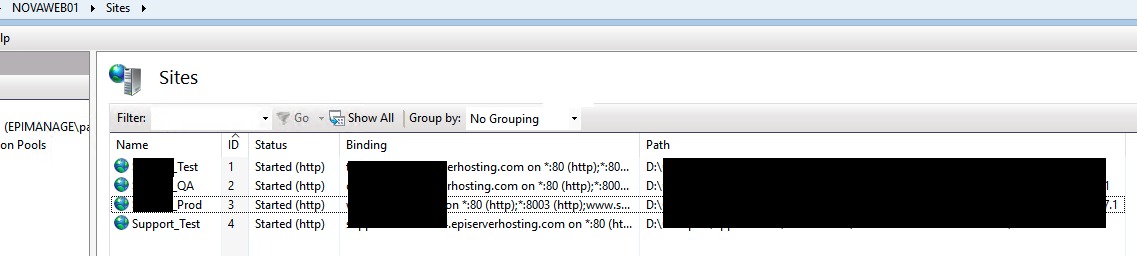
If you see at the picture below it says that this license is limited to 1 website and 3 servers (instances). If you try to activate one more instance or site with this license you will get an error like in the scenario below. In this case you must buy an additional web site.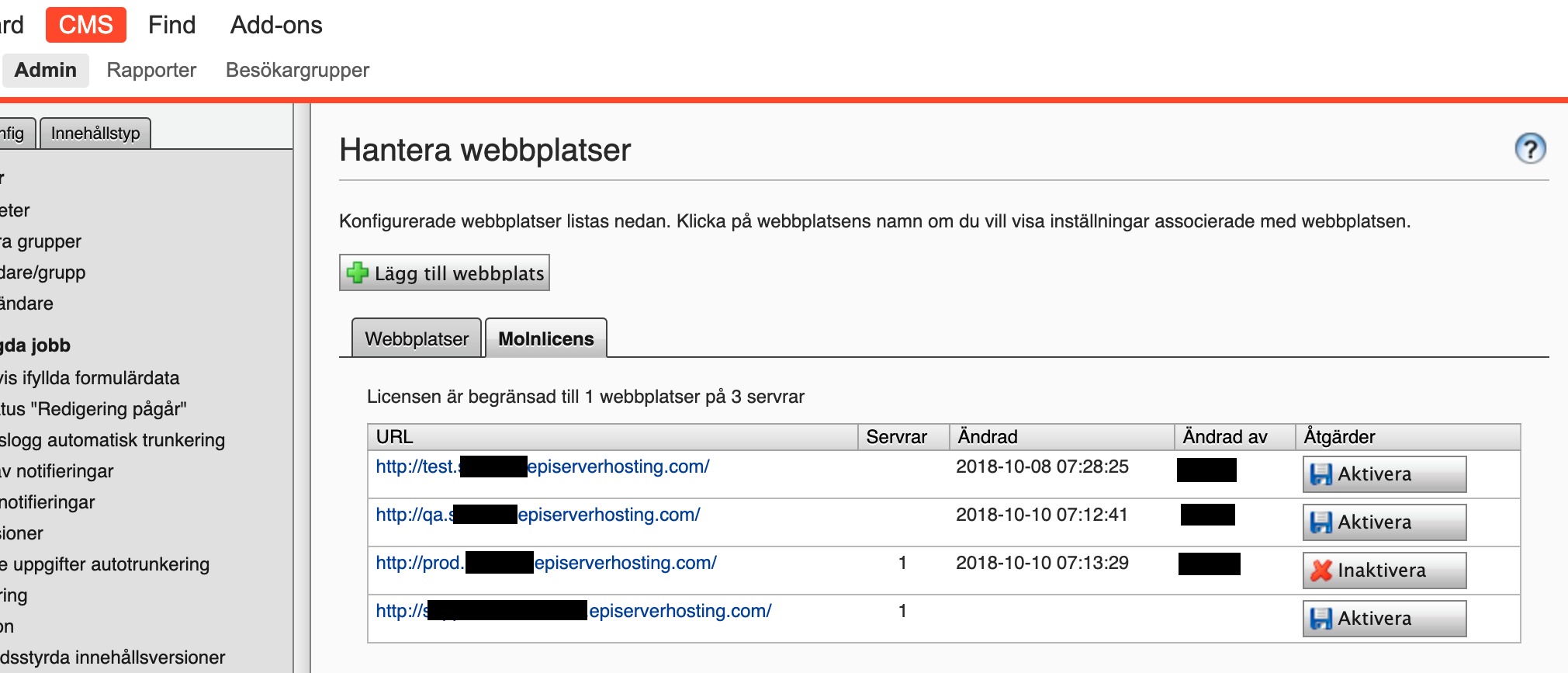
Always make sure that you have as many servers and sites needed when running instance bound licenses.
Comments