
 Certification.png "Commerce Connect 14 Developer (Expert) Certification")

Content Delivery / Headless API Implementation
Hi,
I was new to the Headless (CD) implementation and learned with the help of existing resources and implemented it successfully for our requirement, so thought of sharing the implementation steps, in case anyone looking for step by step Content Delivery API implementation or Headless Implementation.
Below are the tools/platforms I 've used for the implementation,
- CMS 11
- React
- ContentDeliveryApi.Cms 2.21.1
Step: 1
Install the below packages through the NuGet package manager.
<package id="EPiServer.ContentDeliveryApi" version="2.19.0" targetFramework="net48" />
  <package id="EPiServer.ContentDeliveryApi.Cms" version="2.21.1" targetFramework="net48" />
  <package id="EPiServer.ContentDeliveryApi.Core" version="2.21.1" targetFramework="net48" />
  <package id="EPiServer.ContentDeliveryApi.Forms" version="2.21.1" targetFramework="net48" />
Step: 2
Add the below configs into web.config, I'm not sure 100% knowledge on why this is required but either of those configs should be set to true, and the other one should be set to false, and not both of them set to true or false.
 <add key="episerver:contentdeliverysearch:maphttpattributeroutes" value="true" />
    <add key="episerver:contentdelivery:maphttpattributeroutes" value="false" />
Step: 3
Add a new Initialization module,
using EPiServer.ContentApi.Cms;
using EPiServer.ContentApi.Core.Configuration;
using EPiServer.Framework;
using EPiServer.Framework.Initialization;
using EPiServer.ServiceLocation;
using System;
using System.Linq;

namespace Alloy.Web.Admin.ContentDeliveryApi
{
    [InitializableModule]
    [ModuleDependency(typeof(ContentApiCmsInitialization))]
    public class ContentDeliveryApiInit : IConfigurableModule
    {
        public void ConfigureContainer(ServiceConfigurationContext context)
        {
            context.Services.Configure<ContentApiConfiguration>(config => {
                config.Default().SetMinimumRoles(String.Empty);
            });
        }

        public void Initialize(InitializationEngine context)
        {
            //Add initialization logic, this method is called once after CMS has been initialized
        }

        public void Uninitialize(InitializationEngine context)
        {
            //Add uninitialization logic
        }
    }
}
Once you are done with the above steps you can re-build and run your solution to verify everything okay with the solution.
If you see your solution is working fine, then you can test Content Delivery API by accessing a site content with the help of Visual Studio Code(I feel it's a very feasible tool to access Headless content), In case if you don't have a REST Client in your Visual Studio Code please install the below Extension, It's really useful during our Headless implementation to test content.
Examples:
To get site definitions:
https://localhost:44300/api/episerver/v2.0/site/
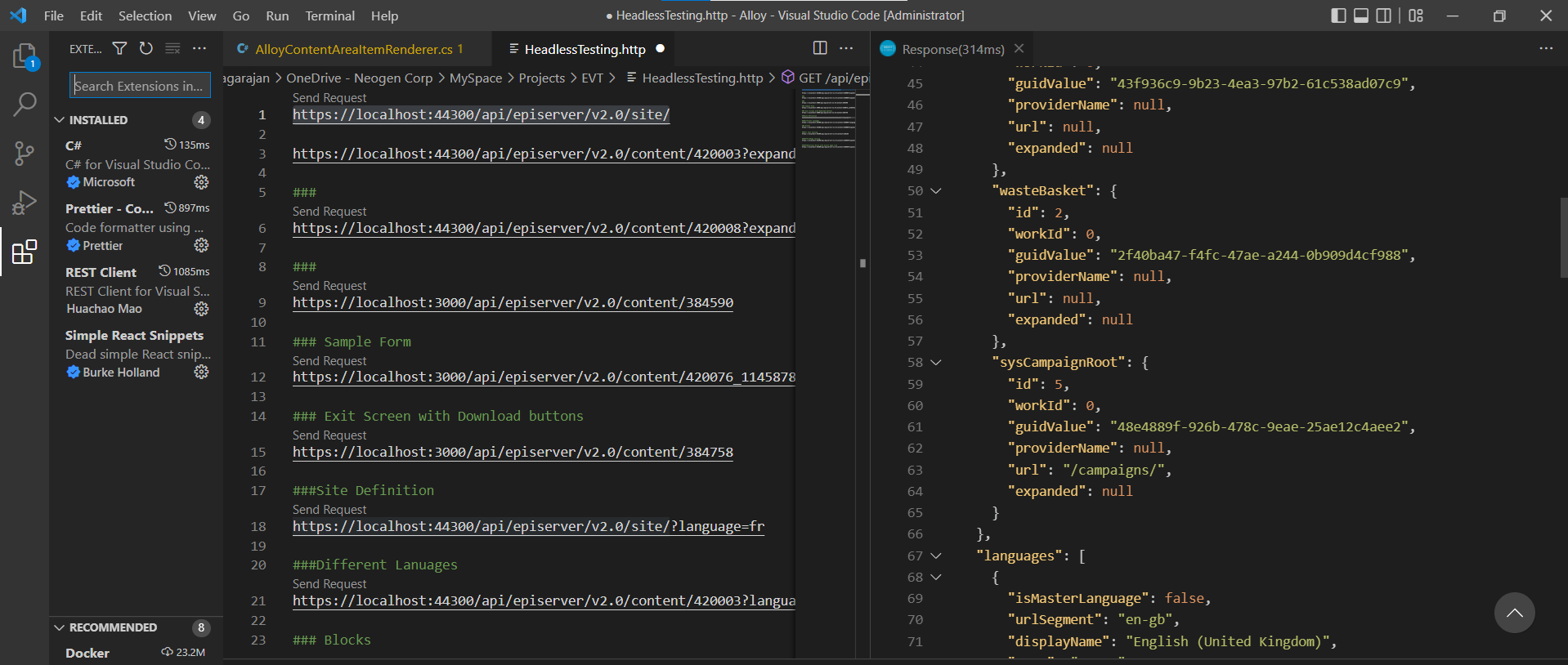
To get your page content:
https://localhost:44300/api/episerver/v2.0/content/420003
To Expand the Content Area/Content reference within Content:

Nice! Would be a good idea to write on Search & Navigation usages with ContentSearch.Api next ?