

John-Philip Johansson
Dec 27, 2016
visibility 6215
star star star star star
(2 votes)

Introducing Notifications in Content Approvals (Beta)

This feature was released as a Beta feature in CMS UI 10.3.0 and is still under development.

You can read more about how you enable Beta features in Fredrik Tjärnbergs blog post.

You can also read more about Content Approvals in my previous blog post.

Notifications require WebSockets and configuring your email server.

What are Notifications?

Notifications were released as public beta in CMS 9.4.0 and is used by CMS UI 9.4.0 to show notifications related to Projects. A notification is sent instantly to the recipient and shows up in the UI in the "bell icon". Any unread messages will later be emailed out to the user. In CMS 10.3.0, emails can also be sent out instantly instead of waiting for the Notification dispatcher scheduled job.

Notifications on Content Approval events

In CMS UI 10.3.0 notifications are also used to send Content Approval-related messages, and it uses the new instant emails as well.

In the screenshot below, Lina has received a notification that Alfred has sent a page to be reviewed, and she is one of the approvers that should approve or decline the change.
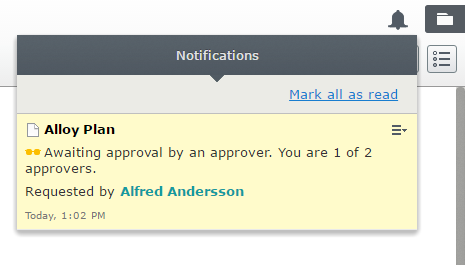
Image blog-notifications-lina-ui.PNG

Lina also receives an email about this, as seen below.
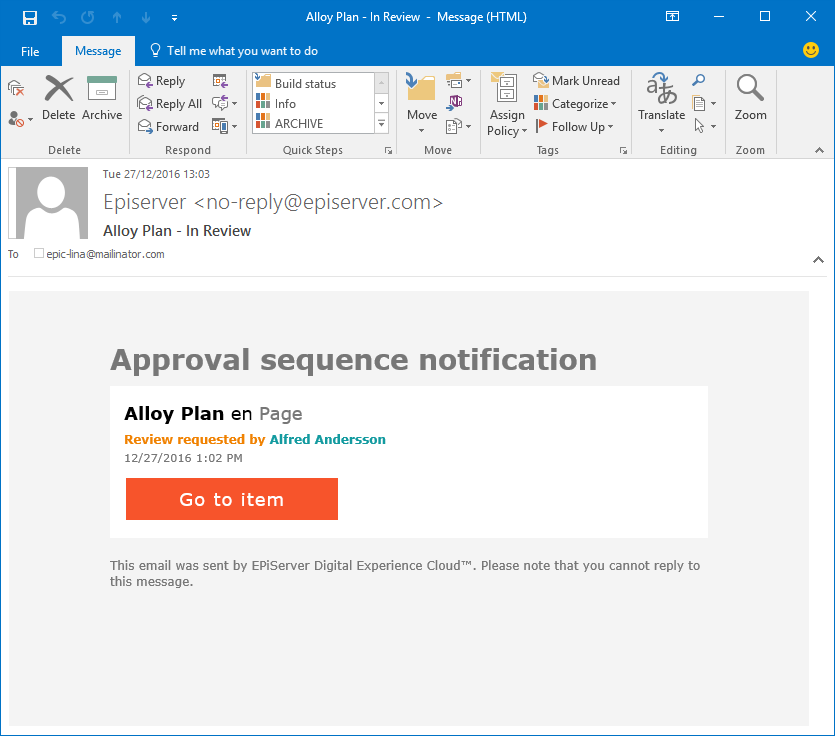
Image blog-notifications-lina-email.PNG

Lina decides to approve the changes and since this scenario only has one step, the page is now ready to be published. In the screenshot below, Alfred is notified about this.
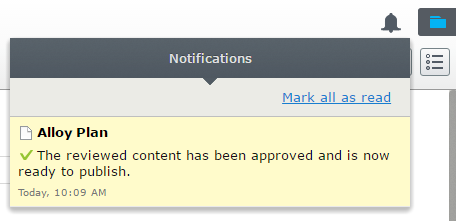
Image blog-notifications-alfred.PNG

Notifications are sent when content is awaiting approval, has been approved, declined, or aborted. Those events are available on the ApprovalEngineEvents which can be hooked into.

Dec 27, 2016

Comments

error Please login to comment.
Latest blogs
Architecting an Enterprise-Grade Development Pipeline in Optimizely SaaS CMS

Most enterprise teams show up to Optimizely SaaS CMS with a clear roadmap for their release pipeline: DEV → QA → Stage → Prod. Four logical...

Vipin Banka | Jul 12, 2026

Bynder DAM Connector for Optimizely SaaS CMS: Improved Metadata Property Synchronization

While working with the Bynder DAM Connector for Optimizely SaaS CMS , one of the key areas I explored was how Bynder asset metadata is synchronized...

Vipin Banka | Jul 11, 2026

Optimizely DXP: Every Supported Culture, One Searchable Page

Quick one for anyone building multi-language sites on Optimizely DXP. I put together a reference tool listing all 806 supported cultures. More...

Adnan Zameer | Jul 10, 2026 |

A day in the life of an Optimizely OMVP: London Meetup 2026

On 2nd July 2026 the Optimizely London Developer Meetup returned to The Lightwell, and the running theme across the evening was less about individu...

Graham Carr | Jul 10, 2026

Optimizely’s Summer ’26 Roadmap: The CMS Is Starting to Look Less Like a Publishing Tool and More Like Marketing Infrastructure

Optimizely’s Summer ’26 Product Roadmap event was not just a list of product updates. At least, that is not the part I found most interesting. The...

Augusto Davalos | Jul 9, 2026

Optimizely Content JS SDK v2.1.0 — What's New and Why It Matters

  v2.1.0 of the Optimizely Content JS SDK and CLI landed on July 7, 2026. This is a substantial release bringing a wave of capabilities for...

Vipin Banka | Jul 8, 2026