

LanguageMaster! From Managing to Mastering Languages!
Two years ago, I released my first Optimizely add-on. It was an extension to the Labs.LanguageManager tool from Optimizely that allowed the user to choose to use DeepL as their translation provider. I noticed recently that it has the highest number of downloads of any NuGet package used by LanguageManager – I’m very sure more to do with how many people are using DeepL rather than with the stunning code quality.
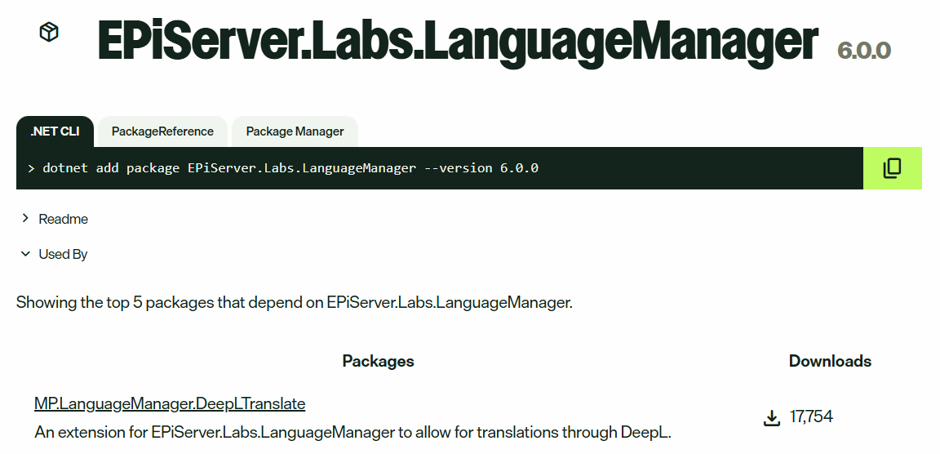
In the two years since, we have used DeepL and LanguageManager with a few of our clients, and I’m sure each of them would have a significant list of issues with both the functionality and usability of LanguageManager, and more than a few would have complaints about the quality of DeepL too – and I don’t particularly think the issues or complaints they're raised (and internalised) are unfounded.
As a tool, LanguageManager (which has been newly updated to support CMS 13) allows CMS users to select a root node, then either choose to include all children, and/or all associated blocks, and then fire them at a translation endpoint, where what is returned is used to create or update a new language branch version of the source page. It’s basic, though does the job, but also has some shortcomings – especially (in my humblest of opinions) with Page References in content areas, where suddenly those “children and associated content items” checkboxes can result in what you thought was a 15 item content translation job turning into 15,000 content items as the spider crawls outwards, upwards and forever on and on (this has happened, huge costs have been incurred, people have not been happy).
And you’re tied to one translation provider at a time – maybe Azure is great for general content, but products would benefit going through DeepL? And translations into Chinese must use Baidu because it’s got the best vocab for that locale. LanguageManager can’t do that without constantly updating the settings to match the provider you have in mind.
And the locale granularity problem, where in China for example, the many variations of dialect and character mean that the target slug as a translation target isn't ideal - you want Hong Kong oriented translations on /cn? No way!
In small demo sites, translation management can look simple, but in the real-world of CMS and Commerce builds, content relationships, reusable blocks, products, variants, regional language requirements and even provider functionality make it much more complicated.
Enter Language Master!
- Powerful selection tools for choosing what you want to translate, including full CMS and Commerce content tree, and Smart Select functionality for batch selections!
- Multi-provider functionality for different scenarios, with translation endpoints for MS Azure, DeepL, Google Cloud, Amazon Translate, Claude, Baidu, ModernMT, OpalAI and Smartling – or build your own!
- Per provider translation caching – so you can’t accidentally end up repeatedly sending the same source language and content items to be translated!
- Provider routing so you can choose which configured provider delivers translations for which content!
- Chained provider routing allows you to make better use of monthly free character tiers across multiple providers. Once Azure’s free allowance is used, for example, fallback can seamlessly continue through Google’s free allowance!
- Language target override allows you to use a specific provider-supported locale, such as zh-Hant-HK, even when your site branch uses a simpler slug such as /cn/!
- Projects allow you to build translation packages over time and run them once when you’re ready to translate all your content!
- Full audit logging allows you to see if anything went wrong and why!
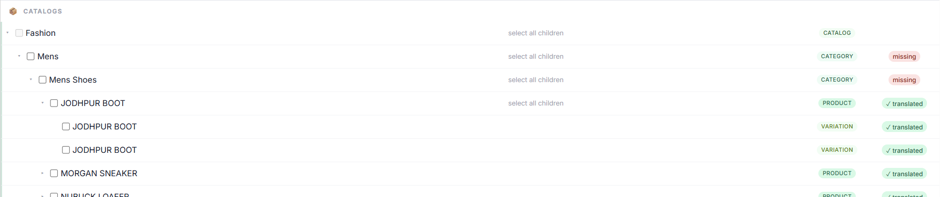
- Commerce support for Categories, Products and Variations!
- And… Multisite support!
What all of that looks like in practice...
Language Master’s Tree View allows an editor to select page content nodes, select block content node, select child nodes - you have full individual control over what is going to be translated. It also shows what’s already been translated, and what’s still in need of a new language version.

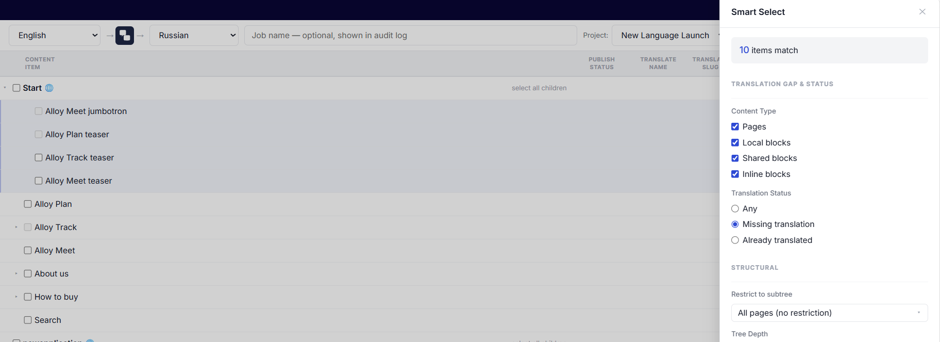
For larger trees, Smart Select allows for batch selections based on defined criteria – content types, publish status, parent node, date modified – completely extensible interface to build your own criteria for selection.
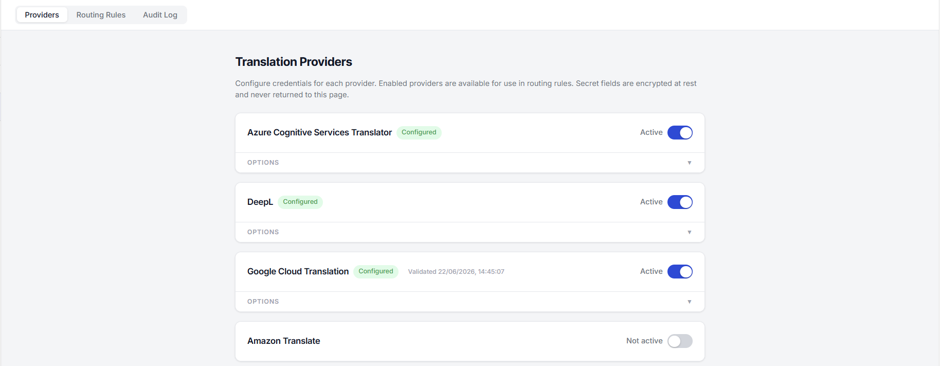
Language Master has pre-built Translation Providers for MS Azure, DeepL, Google Cloud, Amazon Translate, Claude, Baidu, ModernMT, OpalAI and Smartling – all of which can be configured and activated at the same time! And a framework to allow you to build your own provider if it’s not in the list.
Your activated providers can then be used to create Routing Rules for different language pairs – with a fallback for if you’ve got no specific language requirements.
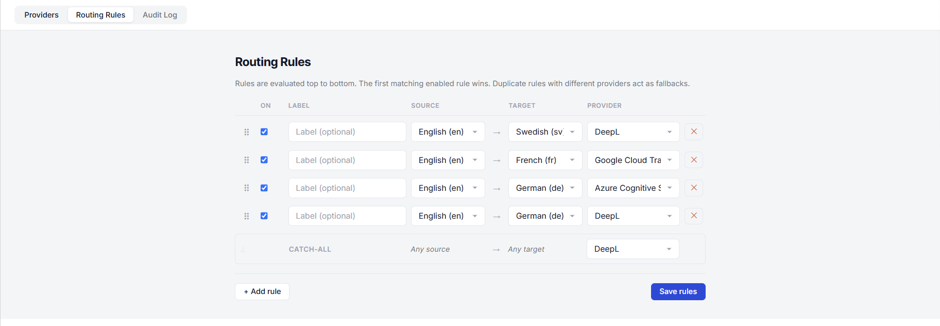
The same language pairs can be configured multiple times – essentially Chaining Providers - to provide fallback in the event of error – or having no translation credits left.
Provider Overrides mean that for content specific cases, you can abandon routing rules and send individual content items to a selected provider.

Language target override allows the editor to define the specific language code to be used to translate into – depending on provider availability!
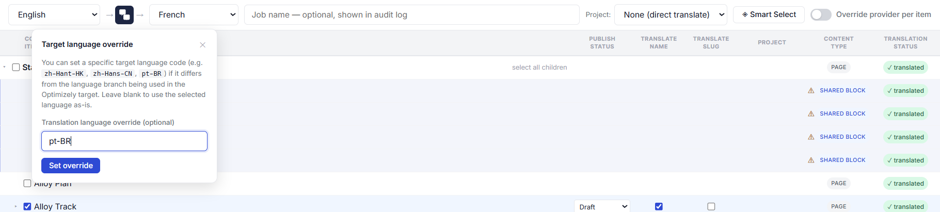
Batch Update means that selected content items can have their translation properties – publish status, provider choice, name and slug translation options - updated all at once.

Projects update the tree view to show what is in the project and what is not.

Projects can support multiple language pairs, making it possible to prepare translation work for different source and target content items, and run them as a single package when the content is ready. This means you don’t need to have separate projects for different languages – though you can if you want to!
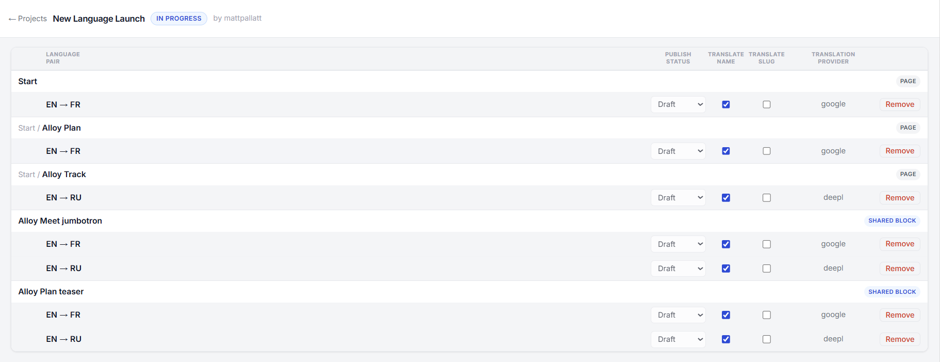
And provides a way of batching together multiple updates over time, to be translated all at once.

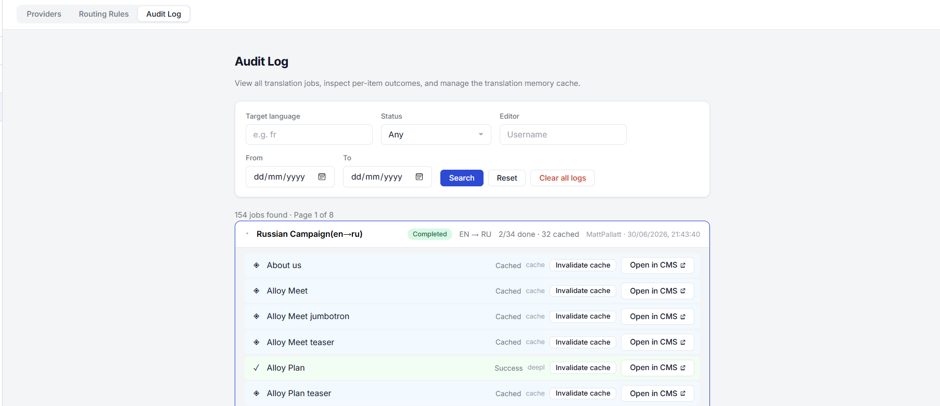
Audit Log allows the editor to see what has been translated and when, whether any errors occurred, and if needed allows the editor to invalidate any cache that exists for the content item and provider.
And it has Commerce support. Language Master covers Categories, Products, and Variations — not just CMS pages and blocks.
Going back to that DeepL extension: releasing it and watching it used across real projects showed me exactly where LanguageManager struggles. Not because it's a bad tool — it does what it does — but because real multilingual projects in production are messier than it was built to handle.
Language Master has been designed to tidy up that mess.
The packages are available on Optimizely's Nuget Feed for CMS and optionally Commerce.
If you try it, I'd genuinely like to hear what works, what doesn't, and what you'd want to see next - I'm thinking a SaaS version...?
Comments