

Prove what your experimentation program is worth with Holdouts
Running experiments is one thing. Knowing whether your experimentation program is moving the business forward? That's the harder question.
Most teams can point to individual test wins. A headline change that lifted click-through. A checkout flow that cut abandonment. But when leadership asks "what is all this experimentation worth?" the answer gets complicated fast.
Today, that question gets a lot easier to answer. Holdouts is now available in Optimizely Feature Experimentation.

What Holdouts do
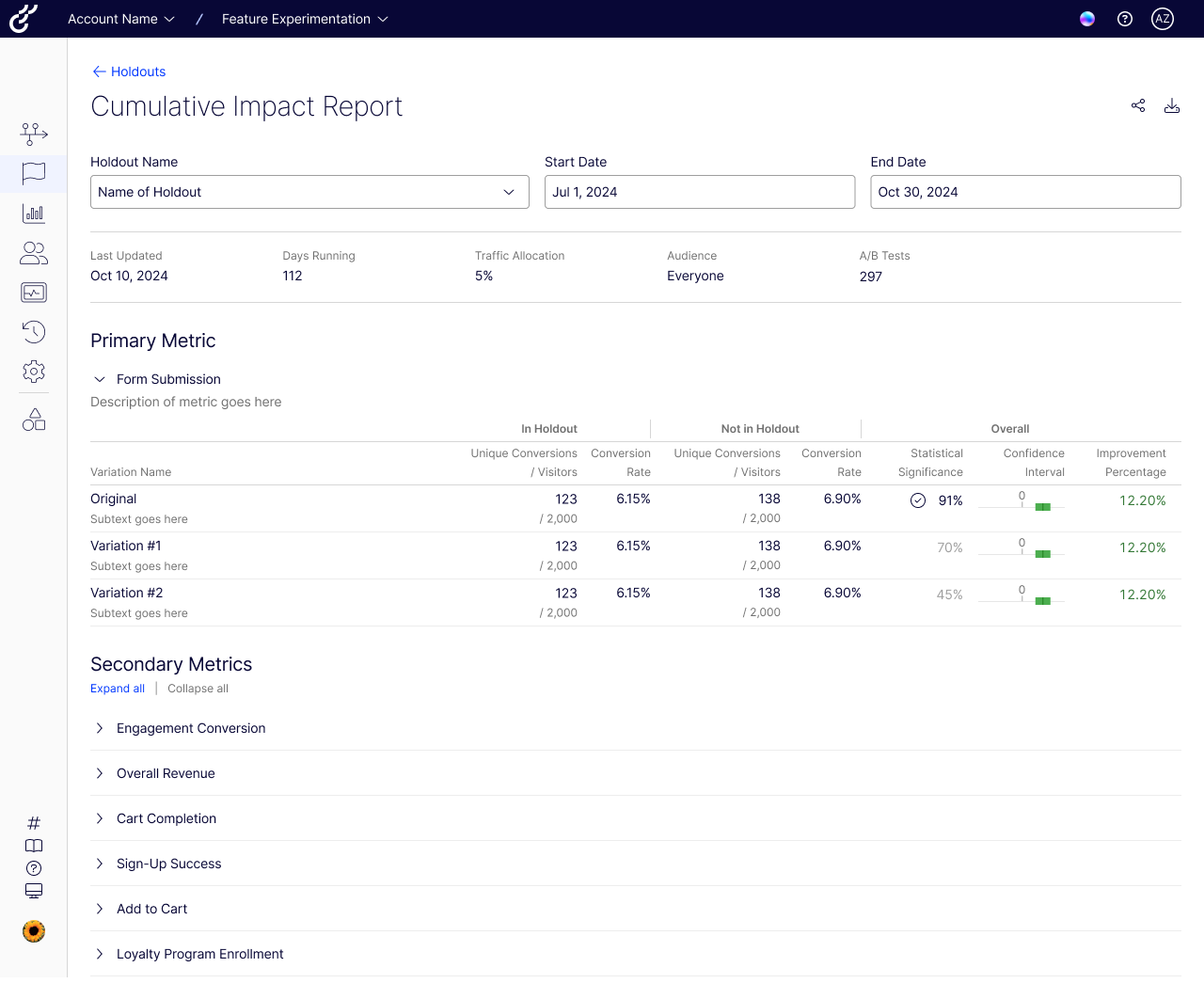
Holdouts reserves a fixed percentage of your users from all running experiments. That group sees no test variants, no changes, nothing different. They're your global control.
At the end of a measurement period, you compare what happened to the holdout group against everyone else. The difference is the net lift of your entire experimentation program. Not one test. All of them.
It's the cleanest answer to the question every experimentation leader eventually faces: "What would have happened if we hadn't run any experiments at all?"
Why it matters for mature programs
If you're running multiple experiments concurrently, individual test results only tell part of the story. Experiments interact. Variants overlap. And without a clean baseline, you're measuring performance against a constantly shifting target.
Holdouts fix that. It gives you an unbiased comparison point that sits outside your test traffic. The result is a measurement you can take to leadership with confidence.
Not a collection of test summaries. A defensible number that answers the question your CFO is asking.
Built for the programs that need it most
This feature is designed for teams running at scale. If you're running a handful of experiments a year, individual test metrics serve you well. But if your program spans multiple teams, products, and concurrent tests, Holdout Groups gives you the program-level view you've been missing.
And it works alongside your existing setup. No changes to individual experiments. No disruption to running tests. Just an additional layer of measurement that sits above everything you're already doing.

What you can do now
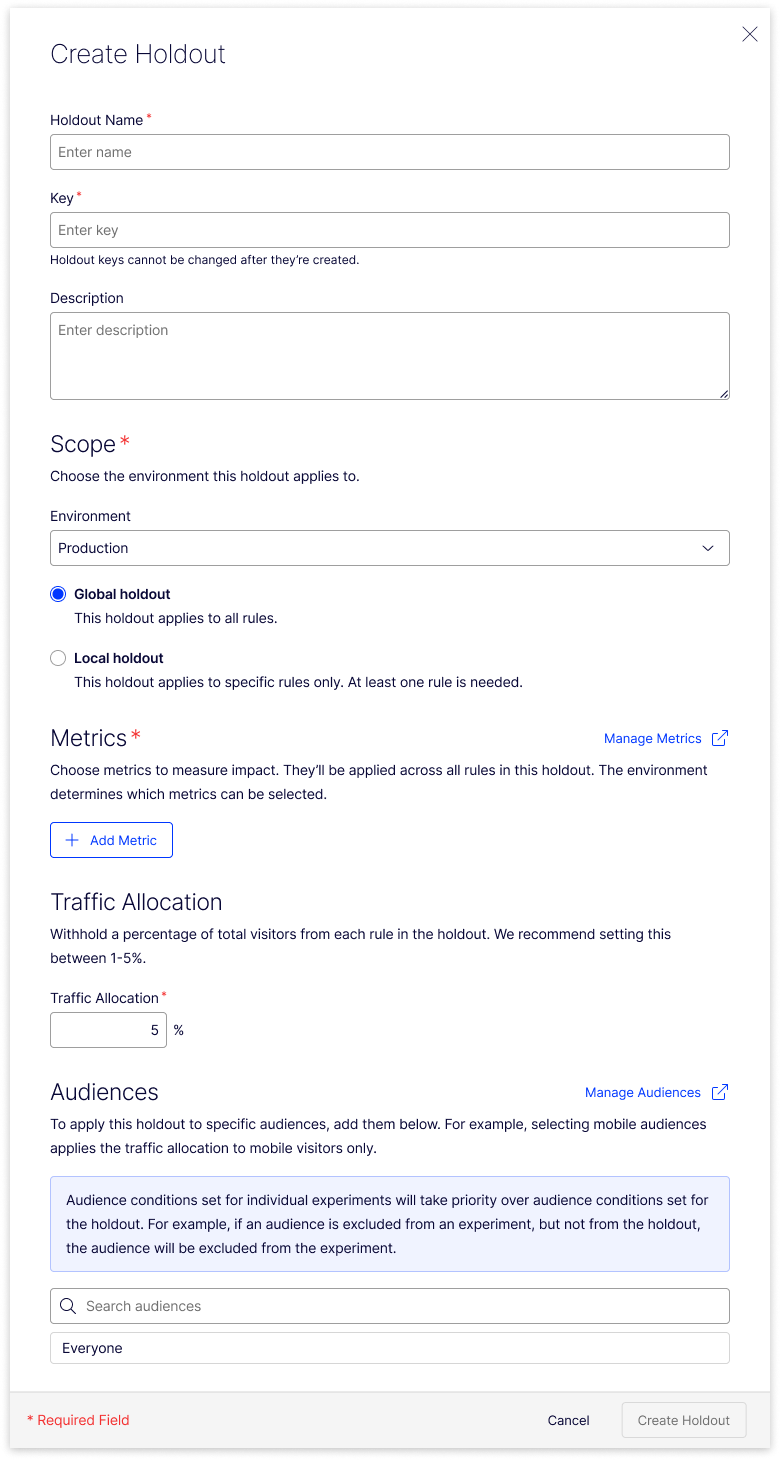
Create a Holdout group in your Flags > Holdouts tab. Set your holdout percentage, select what metrics to measure like Overall Revenue, what Audience, and this holdout will get added to your next experimentation based on the criteria. (I typically recomennd holding back between 1-5% of your traffic). Your next leadership review can include a number that answers the question that matters: what is our experimentation program delivering?
For a full explanation of how holdouts work, see the Holdouts Glossary Page.
Ready to get started? Log in to Optimizely Feature Experimentation.
Comments