


Accelerating Optimizely CMS Upgrades with Intelligent Automation
Upgrading an Optimizely (formerly EPiServer) CMS solution has traditionally been a high-risk, resource-intensive endeavor. Transitioning from CMS 11 to modern versions (CMS 12/13) requires a fundamental shift from .NET Framework to .NET Core/8/10, involving hundreds of breaking API changes and structural re-architecting.
OptiUpgrade Assistant by Royal Cyber Inc. is a purpose-built automation platform that transforms this multi-week manual process into a single-session automated workflow. By automating up to 31 migration steps and fixing over 220 categories of build errors, the tool reduces migration time by approximately 60–70%.
The Business Challenge: The Cost of Manual Migration
Manual upgrades are expensive, not just in developer hours, but in project risk and delayed time-to-market. A typical medium-complexity migration faces:
- Runtime Complexity: Moving from Windows-only .NET Framework to modern, cross-platform .NET 8/10.
- API Breaking Changes: Over 220 distinct patterns that invalidate legacy code.
- Manual Effort: A standard migration for a medium project typically consumes 11–19 days of senior engineering time just for the initial build-ready state.
| Migration Activity | Manual Effort | With OptiUpgrade | Time Saved |
|---|---|---|---|
| Project Structure & Conversion | 2–3 Days | < 5 Minute | ~80% |
| NuGet Package Resolution | 1–2 Days | < 10 Minute | ~70% |
| Breaking API Fixes (220+ patterns) | 5–10 Days | < 50 Minutes | ~65% |
| Issue Identification & Reporting | 2–3 Days | Instant | ~95% |
| TOTAL (Medium Project) | 11–19 Days | < 1 Day | ~60–70% |
Key Business Benefits
1. Massive Cost Reduction
By automating the mechanical aspects of the upgrade, organizations can reallocate senior talent to high-value feature development rather than repetitive code refactoring.
- Small Projects: Save 8–12 days.
- Medium Projects: Save 18–37 days.
- Large Enterprise Projects: Save 50–80+ days.
2. Risk Mitigation & Non-Destructive Workflow
The tool operates on a "Safety First" principle. It never modifies the original codebase. Instead, it creates a complete workspace copy and applies transformations there. This ensures:
- Zero Regression Risk: The original production-ready code remains untouched.
- Reversibility: Migrations can be discarded and re-run without complex rollback procedures.
- Auditability: Every automated fix is annotated with
// TODOcomments and logged in a comprehensive report.
3. Future-Proofing (CMS 12 & CMS 13)
OptiUpgrade Assistant is not a one-time fix. It supports the entire modern Optimizely roadmap:
- CMS 11 → 12: Full .NET 8 transition and API modernization.
- CMS 12 → 13: Transition to .NET 10 and the new Optimizely Graph search platform.
Quantified ROI Example
For a medium-complexity project (~80,000 lines of code), the shift from manual to automated migration delivers a 70% reduction in total estimated cost.
OptiUpgrade Assistant removes the primary barrier to platform modernization: the prohibitive cost and risk of the upgrade itself. By providing a systematic, automated, and non-destructive path to the latest Optimizely versions, it enables businesses to leverage modern cloud-native features, improved performance, and the latest security standards in a fraction of the time.
OptiUpgrade Assistant in Action
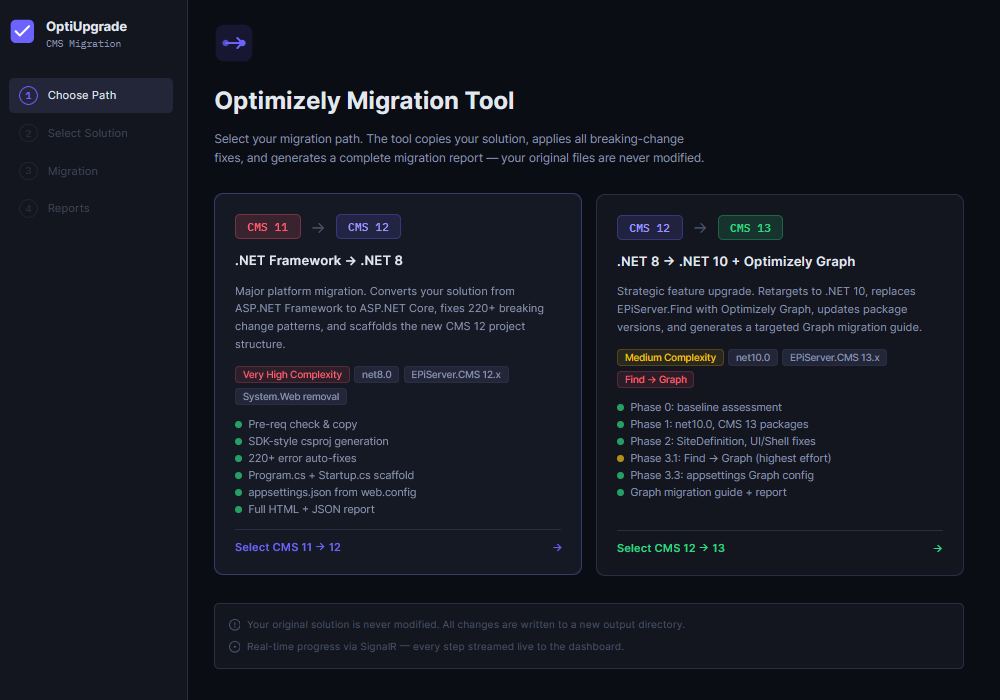
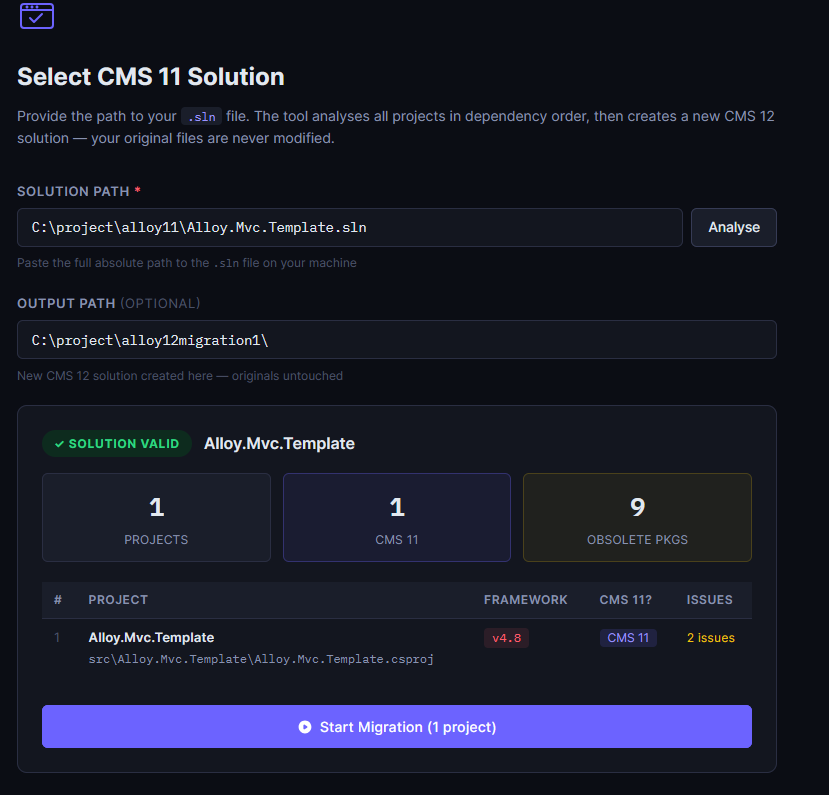
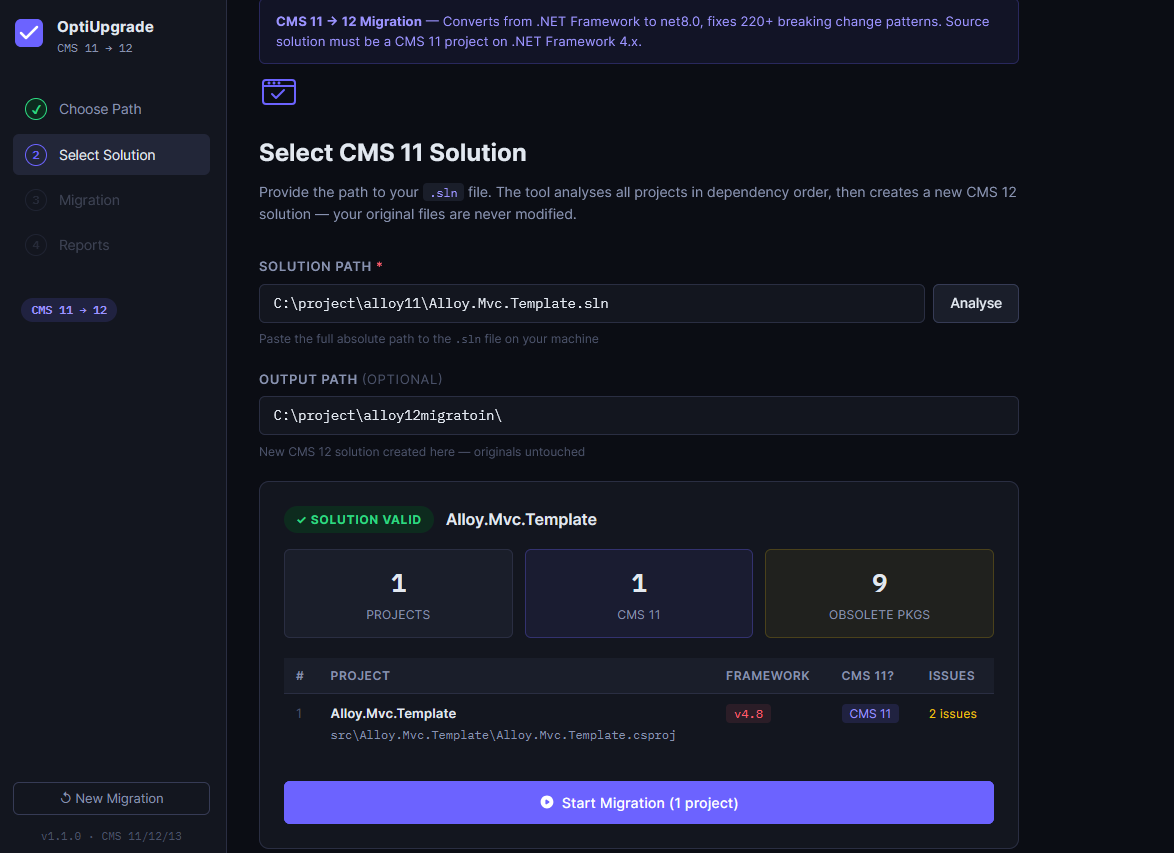
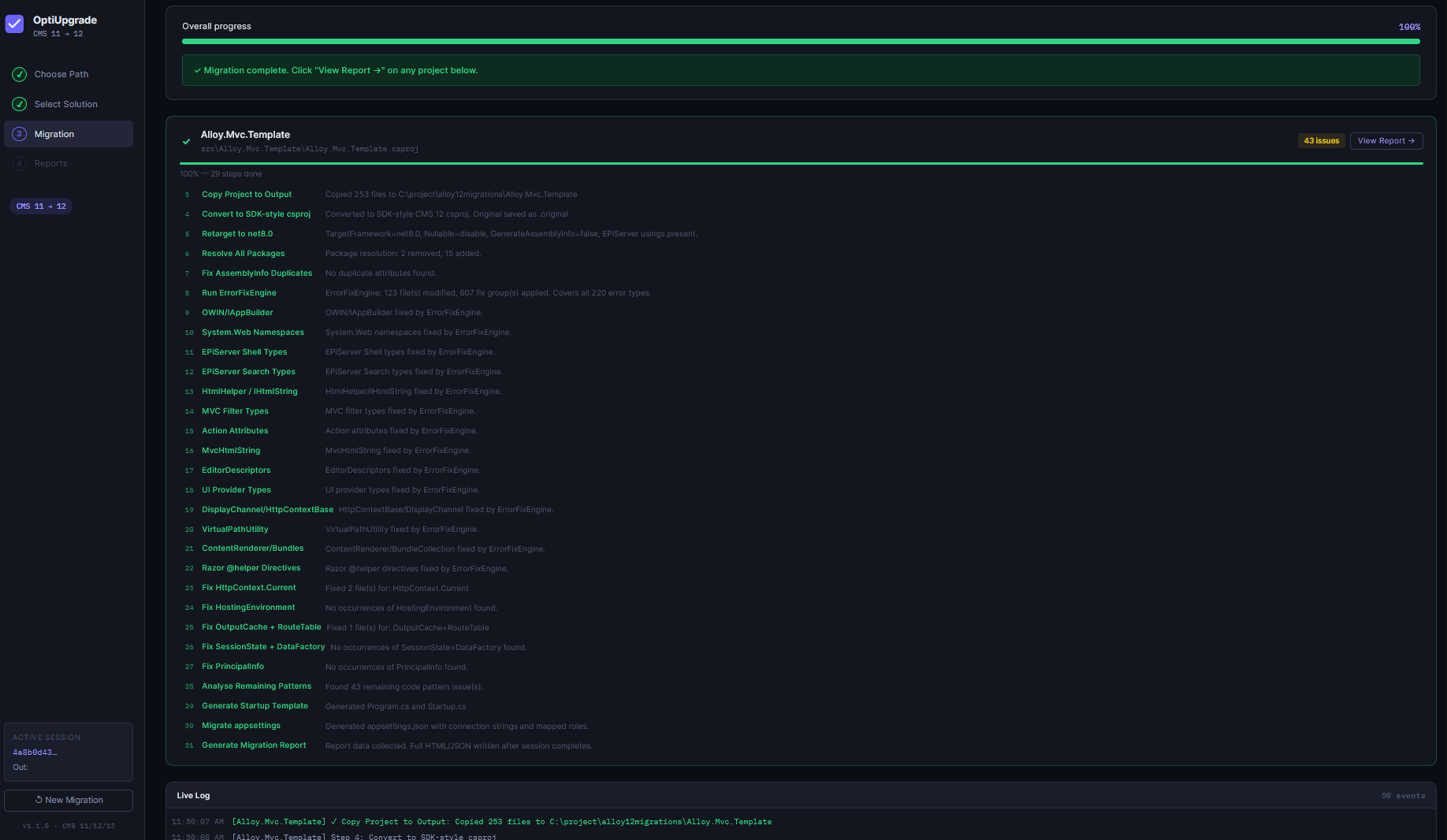
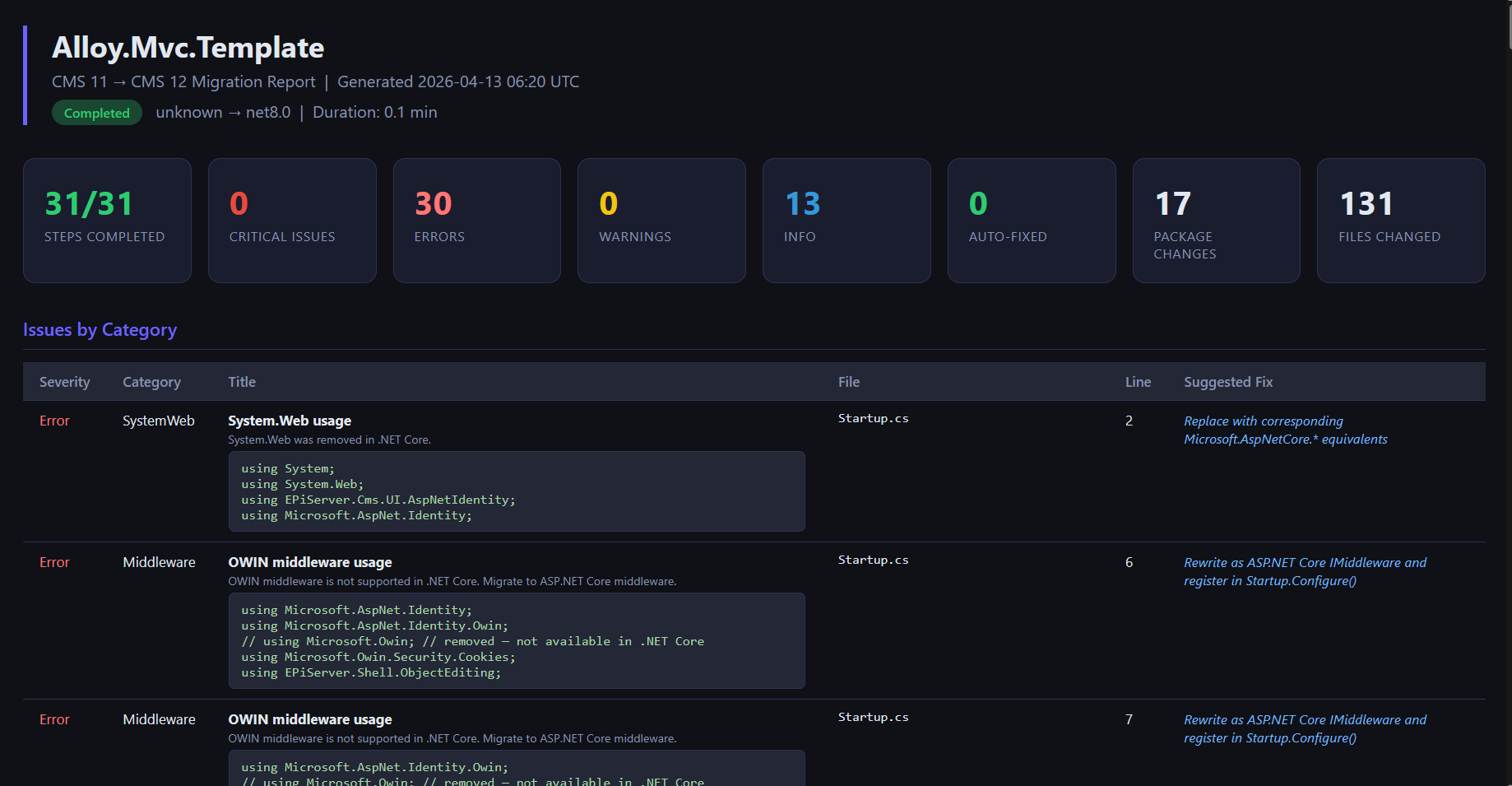
The following screenshots highlight the end-to-end workflow of the OptiUpgrade Assistant, from selecting a CMS 11 solution to executing automated migration and reviewing detailed reports. The tool provides full visibility into each migration step, ensuring accuracy, transparency, and confidence throughout the upgrade process.
With real-time analysis, automated fixes, and comprehensive reporting, teams can seamlessly transition from CMS 11 to CMS 12 while significantly reducing manual effort and risk.
Sounds awesome!
1) Does this thing exist? If so, could you post a link to it? Is it free or does it come with a license cost?
2) Does it support upgrading Commerce?
3) If a medium project takes 11–19 days of manual work (according to the table), how can we "save 18–37 days" on the same?
4) You talk about reduction in "total estimated cost", but this assistant will only take you to "the initial build-ready state". How much do you estimate in QA, bug fixes etc? If you have integrations, they all have to be re-tested. In my experience, this is where most of the time is spent - at least for Commerce projects.
Does this tool actually exist? Is it free or licensed?
Yes, this solution is real, actively used, and has been validated across multiple project implementations. It’s not a conceptual framework or prototype; it’s a working migration accelerator designed to streamline the transition to modern Optimizely architectures.
At present, the tool is exclusively available for internal use within Royal Cyber projects. It is not commercially licensed or distributed as a public product, and therefore does not carry any external licensing cost.
In short:
Does it support Optimizely Commerce upgrades?
No—this accelerator is currently focused only on CMS migration scenarios.
It does not support Optimizely Commerce upgrades, which typically involve significantly more complexity, including:
Commerce migrations require a different strategy and tooling approach, often involving deeper validation cycles and business logic reconciliation.
What about QA, bug fixing, and post-migration effort?
This is a critical question, and frankly, where many migration projects encounter the most friction.
You’re absolutely right: while this accelerator gets you to a “build-ready baseline”, the real effort often lies in stabilization, especially for complex ecosystems.
That said, our approach doesn’t stop at code generation.
We combine the migration accelerator with automated QA tooling such as GoTestPro to significantly reduce downstream effort.