
Using Page Properties as dynamic properties in EPiServer 7
Dynamic properties was great for having properties that is inherit. But the new interface of EPiServer 7 makes this a bit difficult. One solution is to modify the EPiServer: Property code so it allows for finding the property that have value up in the page structure. And if the Property exist on the page allow the editor to add values to the current property and break the inherit chain.
The code is simple. Find the first property (can be a page block) that have value and display that
- public class PropertyInherit : EPiServer.Web.WebControls.Property
- {
- protected override void CreateChildControls()
- {
- try
- {
- InnerProperty = FindInheritBlock(PageSource.CurrentPage, PropertyName);
- if (!InnerProperty.IsNull && PageSource.CurrentPage.Property[PropertyName] != null && PageSource.CurrentPage.Property[PropertyName].IsNull)
- {
- //Is using inherit isUsingInherit = true;
- }
- if (PageSource.CurrentPage.Property[PropertyName] != null)
- {
- this.Editable = true; //Property exist on current page, make it editable
- }
- base.CreateChildControls();
- }
- catch
- {
- AddLiteral("Error in PropertyInherit");
- }
- }
- protected PropertyData FindInheritBlock(PageData page, string key)
- {
- var prop = page.Property[key];
- if (prop != null && !prop.IsNull)
- {
- return prop;
- }
- if (PageReference.RootPage.CompareToIgnoreWorkID(page.PageLink))
- return null;
- return FindInheritBlock(EPiServer.DataFactory.Instance.GetPage(page.ParentLink), key);
- }
- Literal AddLiteral(string key)
- {
- var lit = new Literal() { ID = key };
- this.Controls.Add(lit);
- return lit;
- }
- }
If you have page block SideBarImage with no data, but the parent page have data it will display
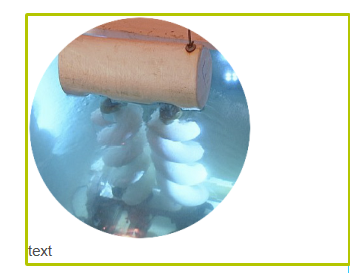
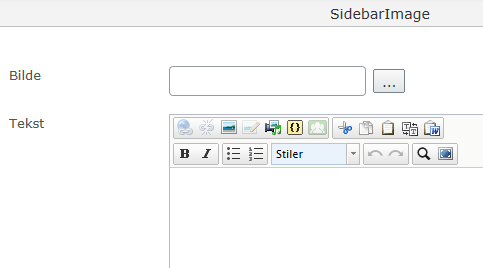
but when you try to edit it it will be empty
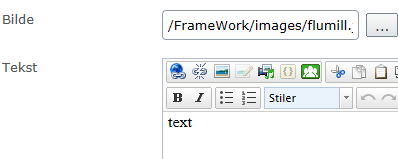
if you go to the parent page and try to edit it it will have data of course 
You will need to register you new web control
- <httpRuntime requestValidationMode="2.0" />
- <pages validateRequest="false" enableEventValidation="true" pageParserFilterType="System.Web.Mvc.ViewTypeParserFilter, System.Web.Mvc, Version=4.0.0.0, Culture=neutral, PublicKeyToken=31BF3856AD364E35">
- <controls>
- <add tagPrefix="Itera" namespace="Itera.WebControls" assembly="Itera" />
And you can use it like this
- <Itera:PropertyInherit runat="server" PropertyName="SidebarImage" id="SidebarImage1" />

Any thoughts on how to do this in a MVC enviroment?
I am also curious about the MVC way although it is possible to use "classic" usercontrols in MVC. I see that the Datafactory is used, shouldn't the Servicelocator be used instead? I have the idea the datafactory will be fased-out at some point.
If you have a model such as SitePageData in the Alloy example site from which all other page models inherit then you can do something like this
(Works for me)
[Display(
GroupName = SystemTabNames.Settings,
Order = 305)]
[CultureSpecific]
public virtual string SiteSection
{
get
{
return GetInheritedSection(this);
}
set { this.SetPropertyValue(p => p.SiteSection, value); }
}
public string GetInheritedSection(SitePageData page)
{
string result = page.GetPropertyValue(p => p.SiteSection);
if (string.IsNullOrWhiteSpace(result))
{
if (page.ParentLink != null)
{
SitePageData parent = EPiServer.DataFactory.Instance.GetPage(page.ParentLink) as SitePageData;
if (parent != null)
{
result = GetInheritedSection(parent);
}
}
}
return result;
}