

Support for Visual Studio 2017
A new version of the Episerver Visual Studio extension with support for Visual Studio 2017 is now available on the Visual Studio Marketplace. We support all editions from Community to Enterprise. Visual Studio 2017 will be available for download on March 7th.
The best way to install it is using the "Extensions and updates" menu inside Visual Studio.
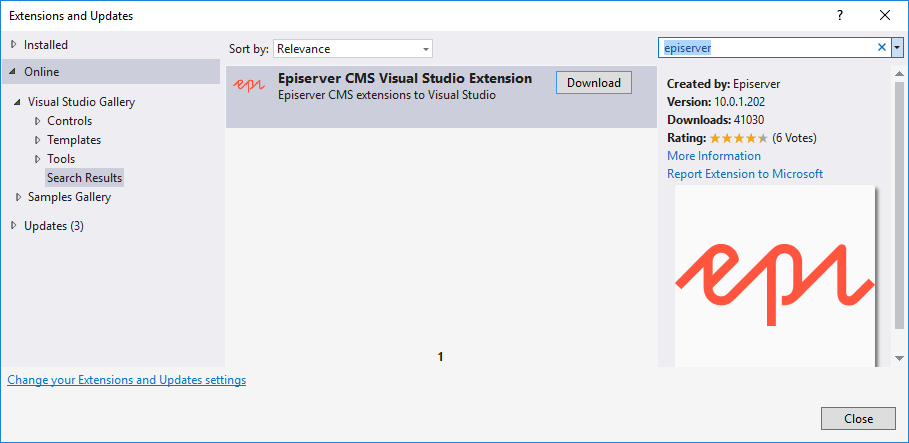
What changed
This new version contains the latest releases of the CMS NuGet packages, we plan to have another version released in the coming weeks with the latest version of the Find packages as well.
Visual Studio 2017 requires add-ons to adhere to new rules and a packaging format to support the minimal footprint of Visual Studio 2017. So there are a lot of under-the-hood changes in this release.
There is also full support for Visual Studio 2015 ofcourse. Support for Visual Studio 2012 and 2013 has been dropped for this version, but will make the old version downloadable stand-alone.
The page on the Visual Studio Marketplace contains more details. Try it out and let us know if you find any issues.

Would be nice if Visual Studio Extension could be extended so that developers can choose which version of EPiServer they want to install :)
Could be handy when testing if an add-on works in previous versions of Epi.
Yes that would be nice, I have a git repo with different versions instead, that makes it fast to switch between versions using tags.
Per, are you considering to open this up for community to contribute?
Valdis, not on the backlog but is a good idea
Per, are there any plans to add Episerver Commerce features? (This could be related to Valdis' comment)
Petter, Commerce team is looking into it.
Sorry to raise a question in this chain. I didn't find any related chain so posted my question here.
We have mvc projects and we load some of the images for the landing pages from epi-server using global assets folder..
The images are loaded in the html during the run time and are stored with unique identifier in
sql db. Making changes on the web-config works fine for the local but while deploying it is being
overriden by different value.
I tried most of the way instructed in the blog as well.
Can you guide me to find a way to cache these images?
Thanks a lot.