


A day in the life of an Optimizely OMVP: Introducing Optimizely Graph Learning Centre Beta: Master GraphQL for Content Delivery
GraphQL is transforming how developers query and deliver content from Optimizely CMS. But let's be honest—there's a learning curve. Between understanding GraphQL syntax, navigating Optimizely Graph's specific schema, and figuring out authentication, many developers find themselves stuck between documentation and trial-and-error.
That's why I built the Optimizely Graph Learning Centre—an interactive, hands-on learning platform that takes you from your first query to advanced content delivery patterns.
The Problem: GraphQL Has a Learning Curve
If you've tried to get started with Optimizely Graph, you've probably experienced:
- Documentation overload: Reading about GraphQL concepts is one thing; applying them to real Optimizely content is another
- No safe playground: Fear of breaking production while experimenting with queries
- Syntax frustration: Getting filters, pagination, and sorting right without examples to reference
- Migration anxiety: Wondering how your existing Search & Navigation queries translate to Graph
Developers learn by doing, not just reading. The Learning Centre bridges that gap.
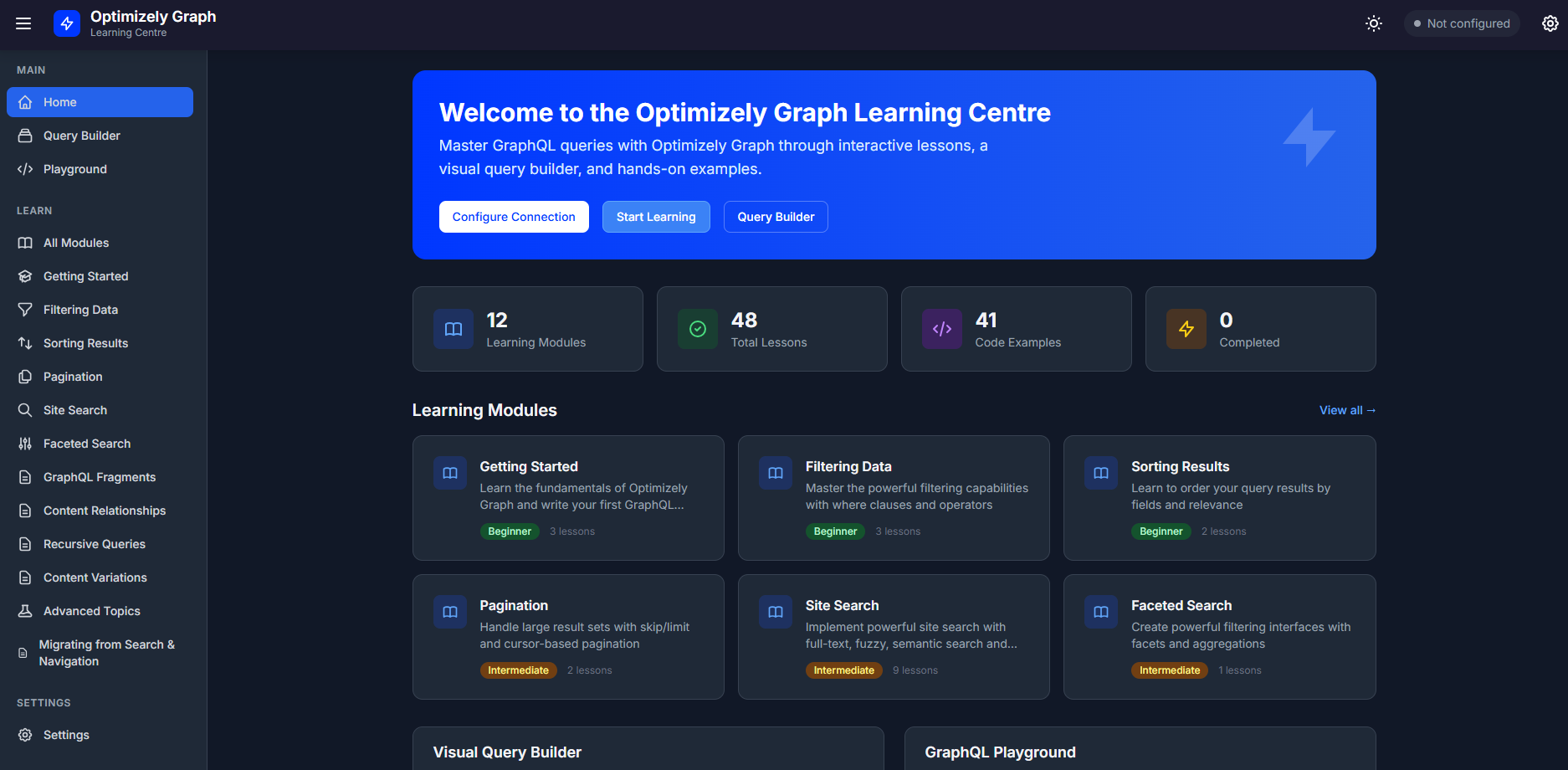
What Is the Optimizely Graph Learning Centre?
It's a browser-based application built with Blazor WebAssembly that provides:
- 12 structured learning modules covering beginner to advanced topics
- 60+ interactive lessons with real GraphQL examples you can execute
- A full GraphQL Playground for freeform experimentation
- A Visual Query Builder that generates GraphQL without writing syntax
- Progress tracking so you can pick up where you left off
No backend server required. No installation needed. Just connect to your Optimizely Graph instance and start learning.
Key Features
Interactive Learning Modules
The learning content is structured into progressive modules:
| Level | Modules |
|---|---|
| Beginner | Getting Started, Filtering Data, Sorting Results, Pagination |
| Intermediate | Site Search, Faceted Search, GraphQL Fragments, Content Relationships, Recursive Queries, Content Variations |
| Advanced | Advanced Topics (Geo-search, JSON Payloads, Text Extraction) |
| Migration | Complete Search & Navigation to Graph Migration Guide |
Each lesson includes:
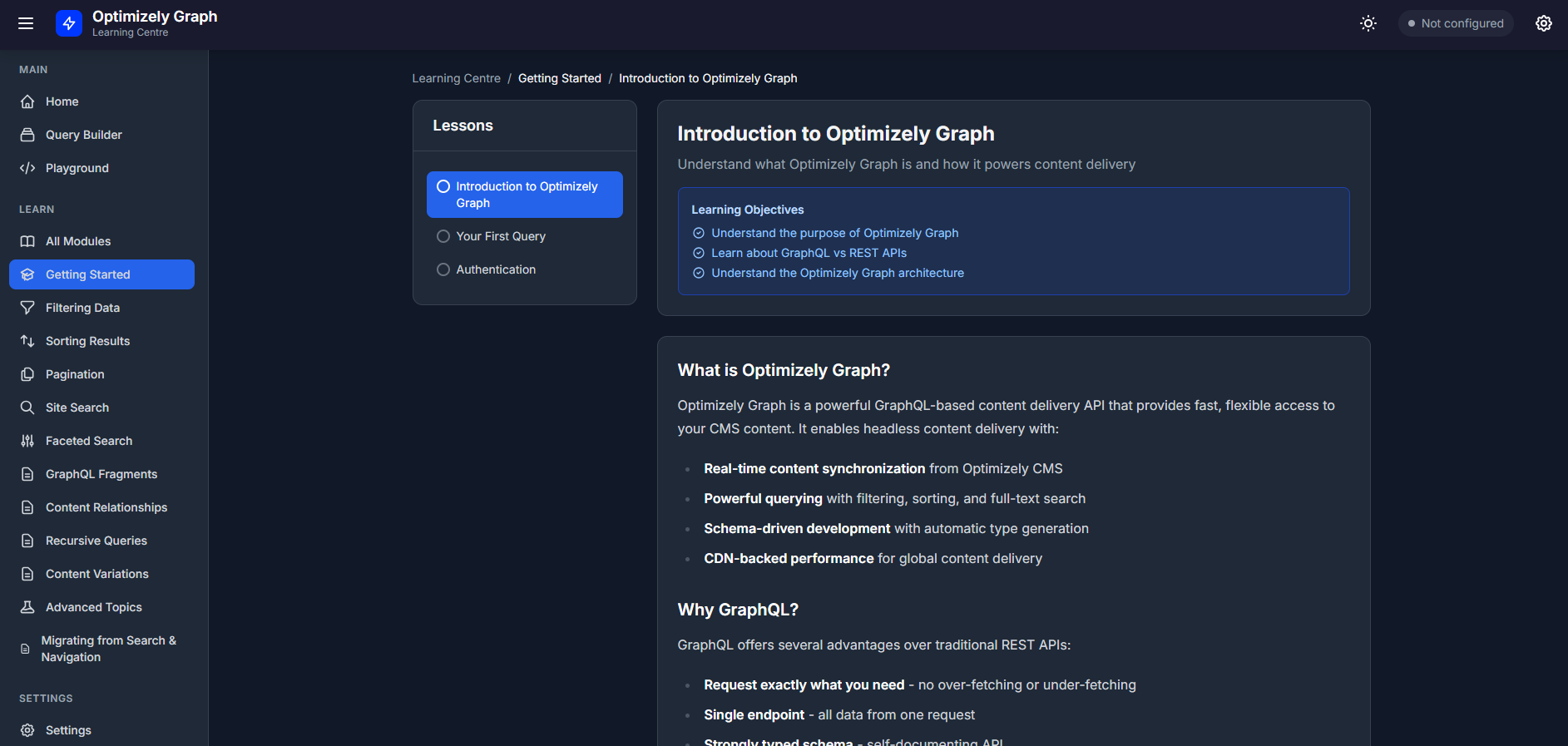
- Clear learning objectives
- Step-by-step explanations
- Live GraphQL examples with a "Try It" panel
- Expected results and helpful hints
The Visual Query Builder
This is where the Learning Centre really shines. Not comfortable writing raw GraphQL? No problem.
The Query Builder lets you:
- Select content types from a searchable dropdown
- Add fields with a clean tag-based interface
- Build complex filters using 12+ operators (equals, contains, greater than, exists, and more)
- Configure sorting and pagination
- See the generated GraphQL in real-time
- Execute queries with one click
It's perfect for content managers who need to build queries without learning GraphQL syntax, and for developers who want to learn by seeing how UI choices translate to code.
GraphQL Playground
For developers who want to write raw queries, the Playground provides:
- A full-featured query editor
- Query execution with timing metrics
- Formatted JSON results
- Query history with success/failure tracking
- Sample queries to get started quickly
Migration Guide: Search & Navigation to Graph
If you're migrating from Optimizely Search & Navigation (Find), there's an entire module dedicated to showing you how your existing patterns translate:
- Filter syntax comparison
- Full-text search patterns
- Facet migration examples
- Introduction to new capabilities like semantic search
- .NET Client SDK usage
What You'll Learn
By working through the Learning Centre, you'll master:
Querying Fundamentals
- Writing your first GraphQL query
- Filtering content by any field
- Sorting and pagination patterns
Search Capabilities
- Full-text search with highlighting
- Fuzzy search for typo tolerance
- Semantic search for AI-powered content discovery
- Autocomplete and search suggestions
- Faceted navigation
Content Relationships
- Navigating parent/child hierarchies
- Following content references
- Building navigation trees and breadcrumbs
- Generating sitemaps
Advanced Patterns
- Handling localized content
- Working with draft vs. published states
- Geo-location queries
- Joining content across relationships
Technology Choices
The Learning Centre is built with:
- Blazor WebAssembly - Runs entirely in the browser, no server needed
- .NET 10.0 / C# 13 - Type-safe, familiar to Optimizely developers
- Tailwind CSS - Clean, responsive UI with dark mode support
- Browser LocalStorage - Settings and progress persist without a database
Why client-side only? Because your Graph credentials stay in your browser. There's no server storing your connection details—just you and your Optimizely Graph instance.
Getting Started
- Configure your connection: Add your Optimizely Graph endpoint and authentication (HMAC, SingleKey, or none for public endpoints)
- Test the connection: Verify you can reach your Graph instance
- Start learning: Begin with Module 1 or jump to any topic that interests you
- Experiment: Use the Playground and Query Builder to try your own queries
Who Is This For?
- Developers new to Optimizely Graph who want structured, hands-on learning
- Teams migrating from Search & Navigation who need a clear path forward
- Content managers who want to build queries without learning GraphQL syntax
- Optimizely partners looking for training material for client onboarding
- Anyone who learns better by doing than by reading documentation
Try It Today
The Optimizely Graph Learning Centre is open source and ready to use and has been deployed as an Azure Static Web App which can be accessed on the following link https://optilearningcentre.adayinthelife.pro - Note. this is a beta version so any feedback is welcome. Whether you're writing your first query or optimizing complex content delivery patterns, it's designed to help you succeed with Optimizely Graph.
Master GraphQL queries through interactive lessons, visual query building, and hands-on examples. Your journey to Optimizely Graph expertise starts here.
If you want to contribute or have a play locally with the learning centre, then you can find the full source code on the following Github link https://github.com/adayinthelifeofapro/OptiGraphLearningCentre
The Optimizely Graph Learning Centre is built with Blazor WebAssembly and requires no backend infrastructure. Connect your own Optimizely Graph instance and start learning immediately.

Great stuff Graham. This is such a great concept for some material and really well executed too! You've just moved the bar for the Education team!
Love it, the one critique personally I'd have is having to complete prior sections. If I'm looking for specifics of pagination I don't want to have to complete all previous courses. Great as a FULL end to end but if I come here for specifics I'd want to be able to chose for myself
Thanks for the feedback, I did actually have all lessons opened up so they could be visited at any time, however feedback I received was that implementing a sequential order for completing lessons would be better. I wonder if I should just add an option in settings to allow the user to select if they want to open up all lessons or not?