

Migrate Optimizely DAM Assets from CMS 12 to CMS 13
Sites that used Optimizely DAM in CMS 12 need their asset references moved to the new Graph-backed content sources after upgrading. CMS 13.3 includes a scheduled job for this. This post covers how to configure it, run it and later on verify the results.
So, in CMS12 we supported DAM in the following properties:
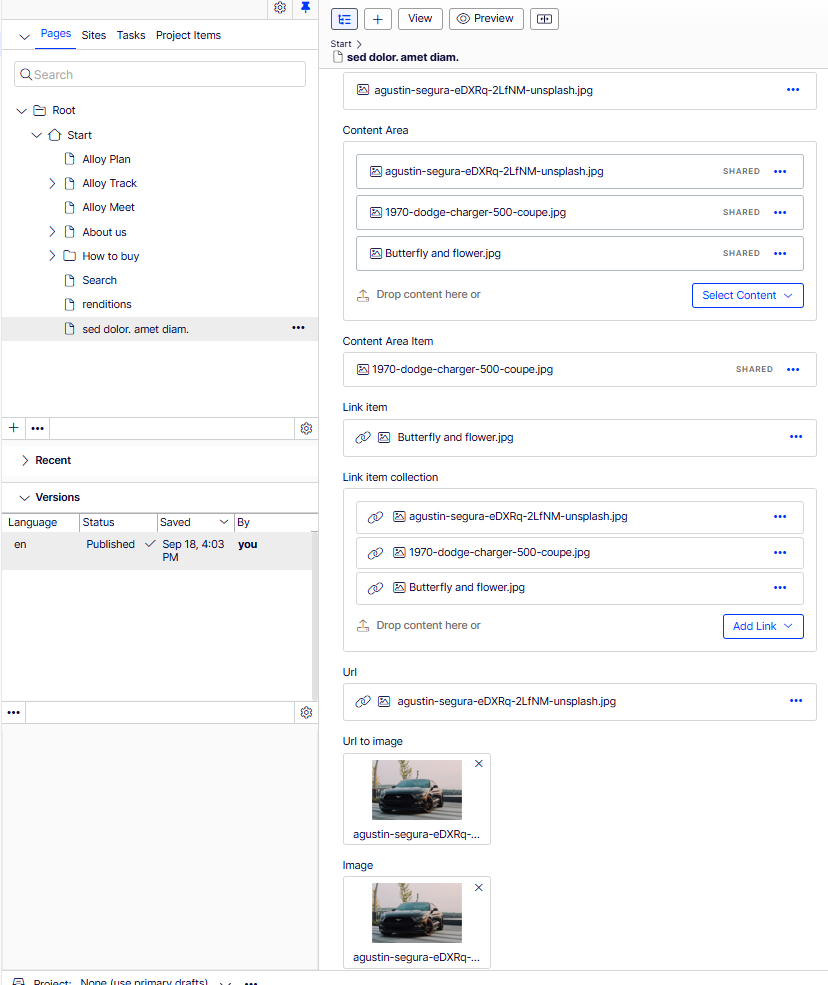
After upgrading your site to CMS you will see all those images, videos and files that came from DAM as broken or empty, both in edit mode and on the live site:
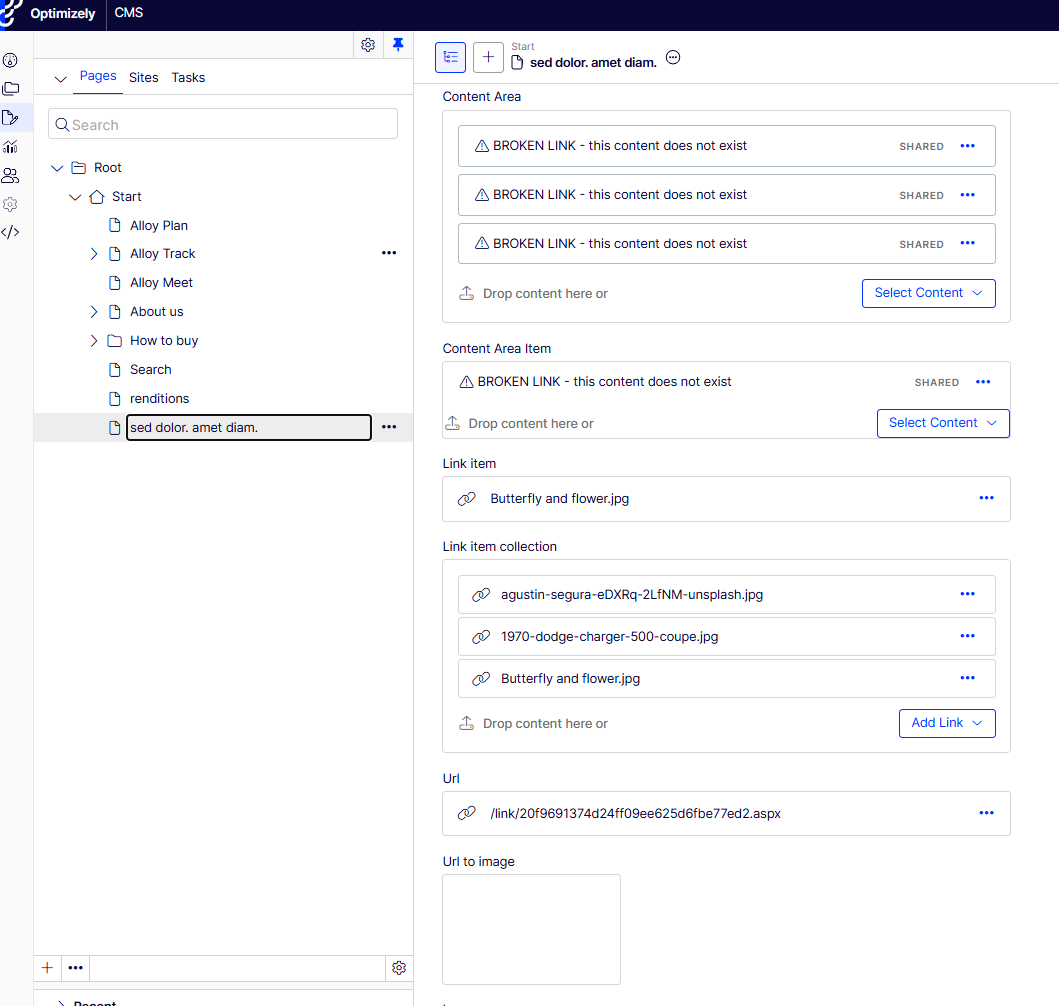
This happens because the content still points to the old dam content provider. In CMS 13, DAM assets come through Optimizely Graph instead. The old references need to be moved over to the new format.
In CMS 13.3.0 we added a scheduled job that does this for you. This post explains how to set it up and what to check along the way.
What the job does
The job is called Optimizely DAM Legacy Asset Migration. It works in three steps:
1. It reads all old DAM references from the database and works out the new ID for each asset.
2. It goes through all content and updates the references. This covers published content, drafts, old versions, all languages and the trash.
3. It removes the old tracking records in CMP and deletes the old mapping rows from the database.
These property types are updated:
- ContentReference
- IList<ContentReference>
- ContentArea, including inline blocks
- Url
- LinkItem and LinkItemCollection
- XhtmlString
- Local blocks and block lists
So all the properties defined in the below page type will be migrated successfully:
[ContentType(
    GUID = "BA5FBE47-E44A-44CD-BFAF-3CC21B0A2F9C",
    DisplayName = "DAM references test page",
    Description = "Contains every property type that can hold a reference to a DAM asset",
    GroupName = Globals.GroupNames.Specialized)]
public class DamReferencesTestPage : PageData, IDamReferences
{
    [Display(Name = "Content Reference", GroupName = SystemTabNames.Content, Order = 10)]
    public virtual ContentReference ContentReference1 { get; set; }

    [Display(Name = "Content Area", GroupName = SystemTabNames.Content, Order = 20)]
    public virtual ContentArea ContentArea1 { get; set; }

    [Display(Name = "Content Area Item", GroupName = SystemTabNames.Content, Order = 30)]
    [BackingType(typeof(PropertyContentAreaItem))]
    public virtual ContentAreaItem ContentAreaItem1 { get; set; }

    [Display(Name = "Link item", GroupName = SystemTabNames.Content, Order = 40)]
    [BackingType(typeof(PropertyLinkItem))]
    public virtual LinkItem LinkItem1 { get; set; }

    [Display(Name = "Link item collection", GroupName = SystemTabNames.Content, Order = 50)]
    public virtual LinkItemCollection LinkItemCollection1 { get; set; }

    [Display(Name = "Url", GroupName = SystemTabNames.Content, Order = 60)]
    public virtual Url Url1 { get; set; }

    [Display(Name = "Url to image", GroupName = SystemTabNames.Content, Order = 70)]
    [BackingType(typeof(PropertyImageUrl))]
    public virtual Url ImageUrl1 { get; set; }

    [Display(Name = "Image", GroupName = SystemTabNames.Content, Order = 80)]
    [UIHint(UIHint.Image)]
    public virtual ContentReference Image1 { get; set; }

    [Display(Name = "Block as property", GroupName = SystemTabNames.Content, Order = 90)]
    public virtual DamReferencesTestBlock BlockAsProperty { get; set; }

    [Display(Name = "Block list as property", GroupName = SystemTabNames.Content, Order = 100)]
    public virtual IList<DamReferencesTestBlock> BlocksAsProperty { get; set; }
}
Images, videos, documents and image and video renditions are all supported.
The job updates versions in place. It does not create new versions, so your version history stays the same.
Before you start
Make sure these things are in place first.
- You are on CMS 13.3.0 or later.
- DAM features are activated
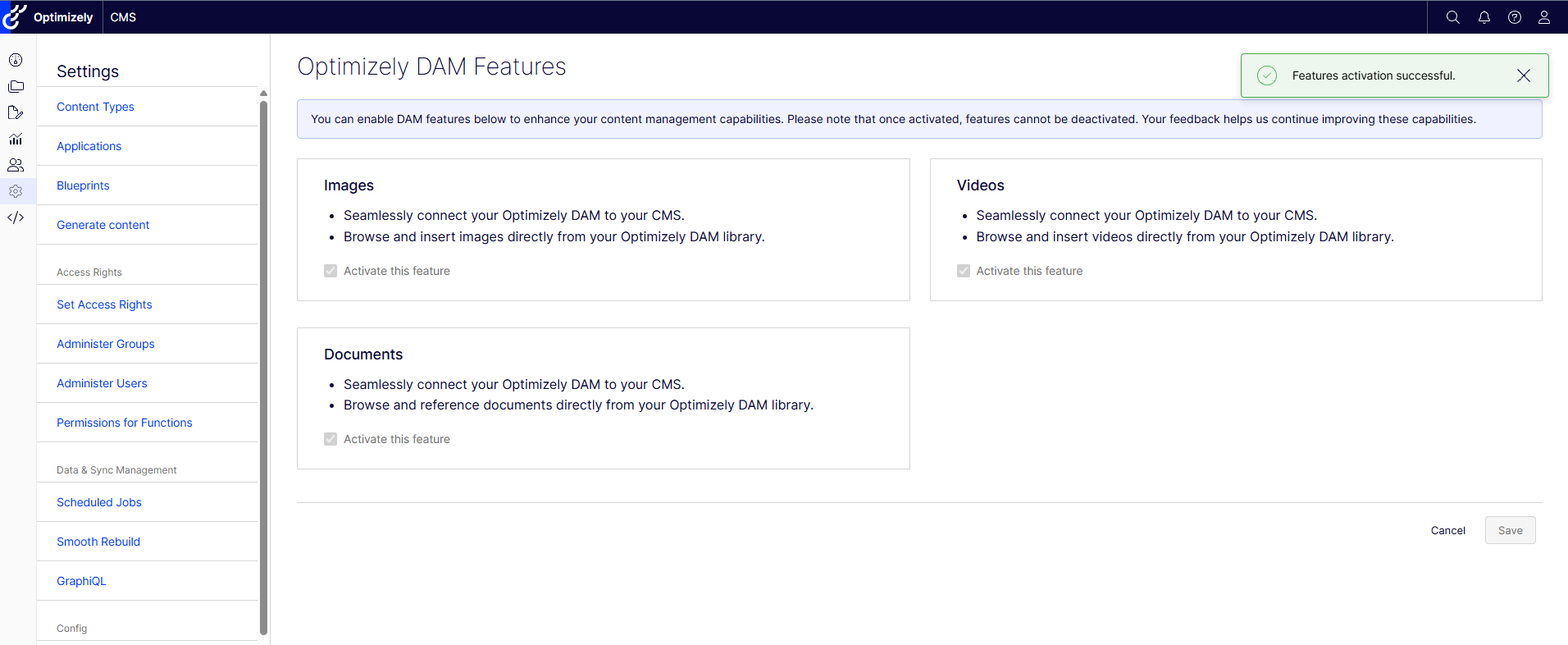
- DAM assets have finished syncing from CMP to Graph. If Graph is not ready, editors cannot see or pick the assets after the migration.
- The Graph content sources for images, videos and files exist.
- CMP credentials are set up. Without them, the job still moves the references but skips the cleanup step.
- The Optimizely DAM Tracking Assets job runs without errors.
- You have a full database backup. The job cannot be undone from the admin UI.
Setup
Add the packages to your project.
<PackageReference Include="EPiServer.Cms.DamMigration" Version="13.3.0" />
Register the services in Program.cs.
builder.Services.AddDamMigration();
Add the settings to appsettings.json. The job is turned off by default, so you need to turn it on.
{
  "Optimizely": {
    "Cmp": {
      "Client": {
        "ClientId": "your-client-id",
        "ClientSecret": "your-client-secret"
      }
    },
    "Cms": {
      "DamUI": {
        "TrackingEnabled": true
      },
      "DamMigration": {
        "Enabled": true
      }
    }
  }
}
There are more settings for batch sizes, concurrency and retries. The defaults should work for most sites.
Running the job
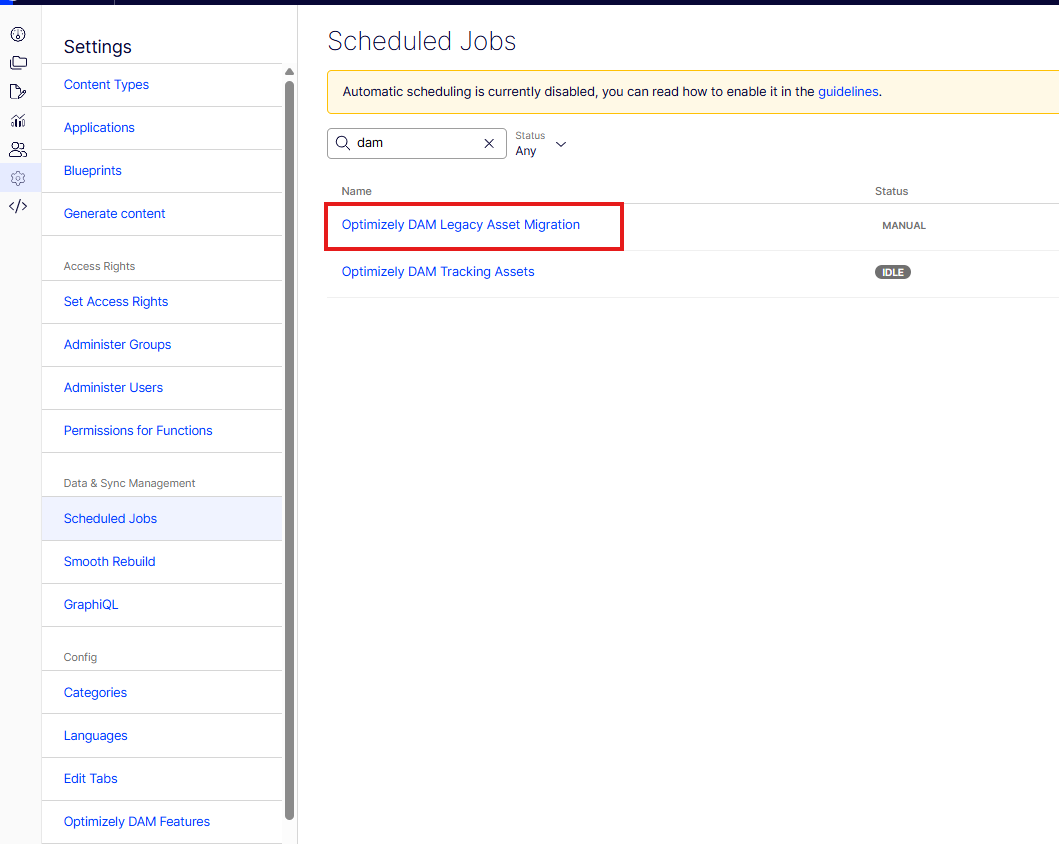
1. Go to CMS Admin > Scheduled Jobs.
2. Run Optimizely DAM Tracking Assets once to check that CMS can talk to CMP.
3. Open Optimizely DAM Legacy Asset Migration and click Start.
4. Wait for it to finish and read the message in the job history.
A good result looks something like this.
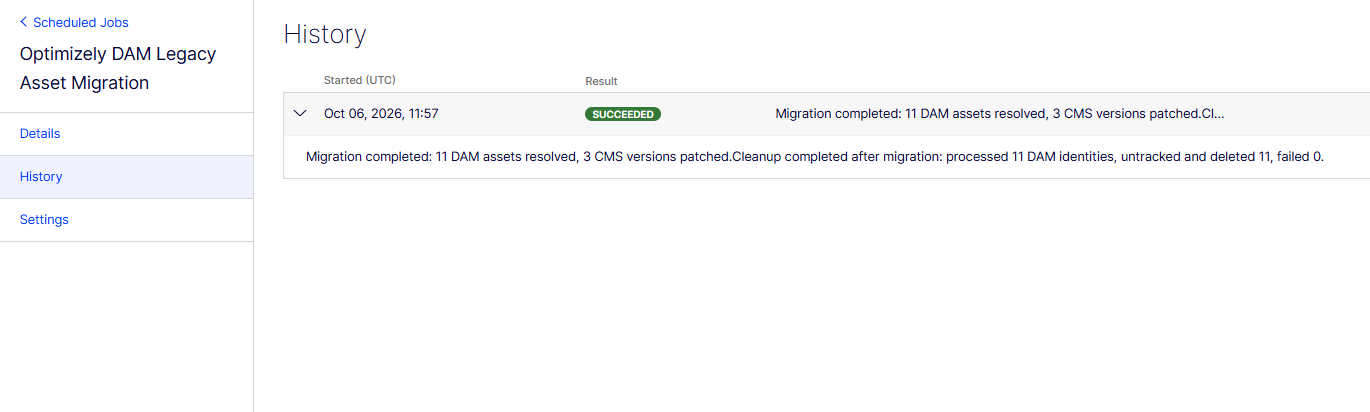
If some assets could not be moved, the message lists how many and why. The most common reasons are missing settings for an asset type or broken data in the old mapping table.
Check your content
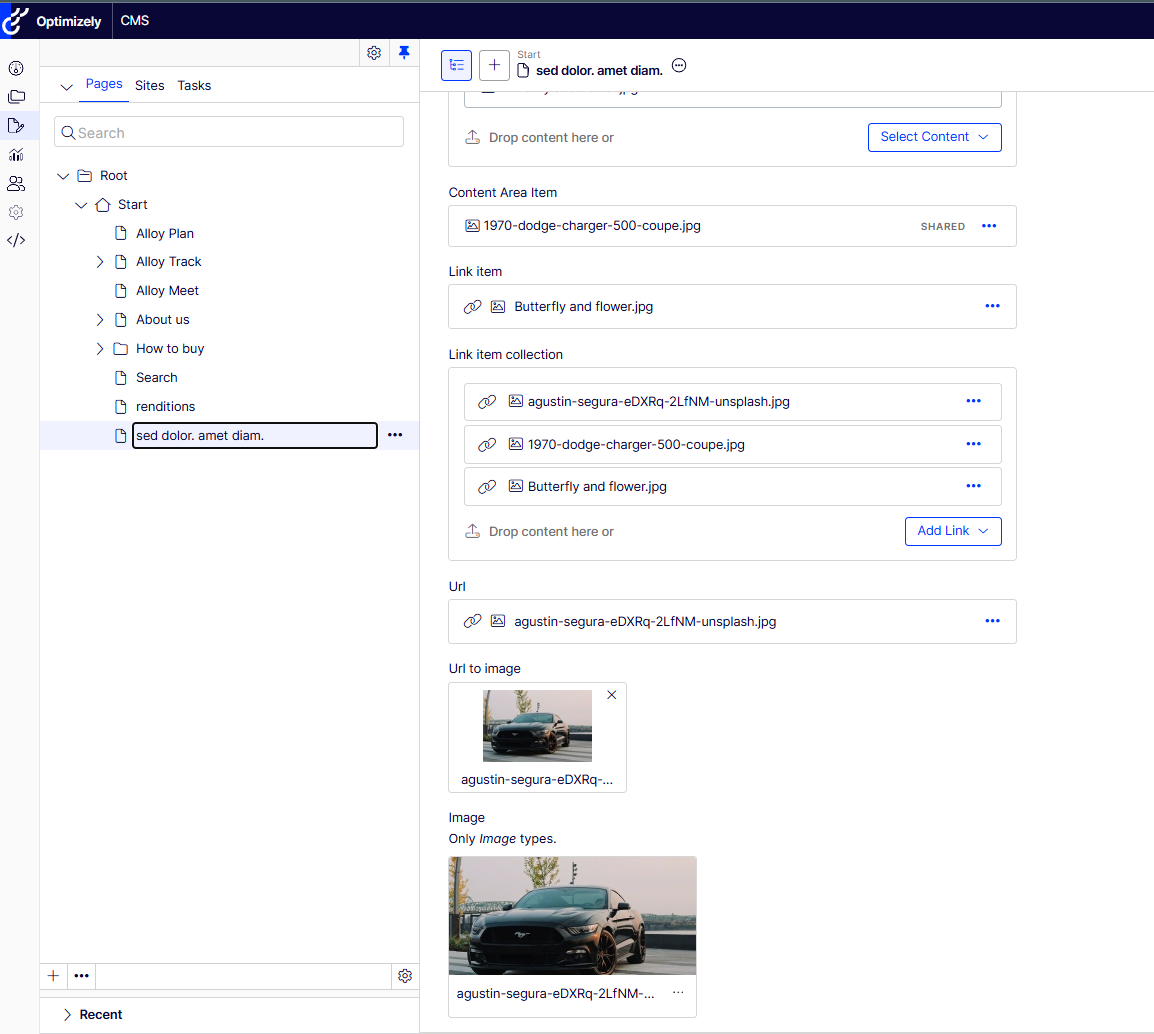
When the job is done, open a few pages and blocks in edit mode. Look at images, videos, content areas and rich text. Check drafts and other languages too.
When the job stops early
The job is safe to run more than once. References that are already moved get skipped. If you stop the job halfway, everything done so far is kept, and the next run picks up the rest.
Cleanup can stop on its own in a few cases.
- No CMP credentials are configured.
- Some content belongs to an external content provider. The job skips that content and leaves the old records alone, because they might still be used.
- CMP returns an auth error or too many rate limit errors.
In all of these cases the content changes stay in place. Only the cleanup is skipped or stopped.
After the migration
Set Optimizely:Cms:DamMigration:Enabled back to false. This hides the job so nobody runs it by mistake.
Keep TrackingEnabled set to true. The Optimizely DAM Tracking Assets job then runs once a week and tells CMP which assets are used on your site.
A note on the trash
There is no setting to skip the trash, and that is on purpose. Editors can restore content from the trash at any time. If the job skipped it, the cleanup step would delete old records that restored content still points to. Those references would then be broken for good.
Please bear in mind that migration might take some time as we need to scan each content item version which holds a reference to a DAM asset.
A question: as part of this, you've mentioned the XHtmlString string is migrated.
However, I've currently got a ticket open with support around the fact that there's currently no inbuilt DAM picker as part of the Tiny MCE toolbar. Which, at the moment, is a real limitation and a problem for me doing upgrades.
So I assume this job is just fixing ones built into the underlying saved fragments. What happens if someone edits an xhtml property with one that's been fixed? Will it support it? What will it look like?