


Full implementation - Fallback languages with Optimizely Graph
Nowadays, many people choose a headless approach when developing Optimizely CMS/Commerce projects using Opti Graph.
One challenge we may face is implementing language fallback, as it is not supported by default. There are a few tips available, and today I want to share my complete implementation. I hope it will help others who need to achieve the same thing.
1. In back-end code, add more fallback language property for Graph model:
public class FallbackLanguageContentsApiModelProperty(
    ILanguageBranchRepository languageBranchRepository,
    ICustomUrlService customUrlService,
    IContentLanguageSettingsHandler contentLanguageSettingsHandler) : IContentApiModelProperty
{
    public object GetValue(ContentApiModel contentApiModel)
    {
        if (contentApiModel.ContentLink != null)
        {
            var enabledLanguages = languageBranchRepository.ListEnabled();
            var pagesThatFallBackContentToCurrentPage = new List<FallbackLanguageContent>();
            var cRef = contentApiModel.ContentLink.ToContentReference();

            foreach (var enabledLanguage in enabledLanguages)
            {
                var fallbackLanguages = contentLanguageSettingsHandler.GetFallbackLanguages(cRef, enabledLanguage.Culture.Name);
                if (fallbackLanguages != null && fallbackLanguages.Any() && fallbackLanguages.Contains(contentApiModel.Language.Name))
                {
                    var lang = enabledLanguage.Culture.Name;

                    pagesThatFallBackContentToCurrentPage.Add(new FallbackLanguageContent()
                    {
                        LanguageName = lang,
                        RelativePath = !ContentReference.IsNullOrEmpty(cRef) ? customUrlService.GetRelativeUrl(cRef, lang) : string.Empty
                    });
                }
            }

            return pagesThatFallBackContentToCurrentPage;
        }
        else
        {
            return new List<FallbackLanguageContent>();
        }
    }

    public string Name => "FallbackLanguageContents";
}

internal class FallbackLanguageContent
{
    public required string LanguageName { get; set; }
    public required string RelativePath { get; set; }
}
2. In the front-end code, we need to query content using a relative path and locale, including the fallback logic. Here is the query:
query getContentByPathWithinFallback($path: [String!]!, $locale: String, $siteId: String) {
  content: Content(
    where: {
      SiteId: { eq: $siteId }
      _or: [
        { _and: [{ Language: { Name: { eq: $locale, boost: 2 } } }, { RelativePath: { in: $path } }] }
        { _and: [{ FallbackLanguageContents: { LanguageName: { eq: $locale, boost: 1 } } }, { FallbackLanguageContents: { RelativePath: { in: $path } } }] }
      ]
    }
    locale: ALL
  ) {
    items: item {
      ...IContentData
      ...PageData
    }
  }
}
fragment PageData on IContent {
  ...IContentData
}
fragment IContentData on IContent {
  contentType: ContentType
  _metadata: ContentLink {
    id: Id
    version: WorkId
    key: GuidValue
  }
  locale: Language {
    name: Name
  }
  path: RelativePath
  _type: __typename
}
By using boost values in the query, we can indicate which conditions should have higher priority. As a result, the fallback content is returned only when no content exists for the exact locale.
If you are using Optimizely SaaS Starter for your headless solution, you can call your custom content query in src/app/[[...path]]/page.tsx by replacing the following section:
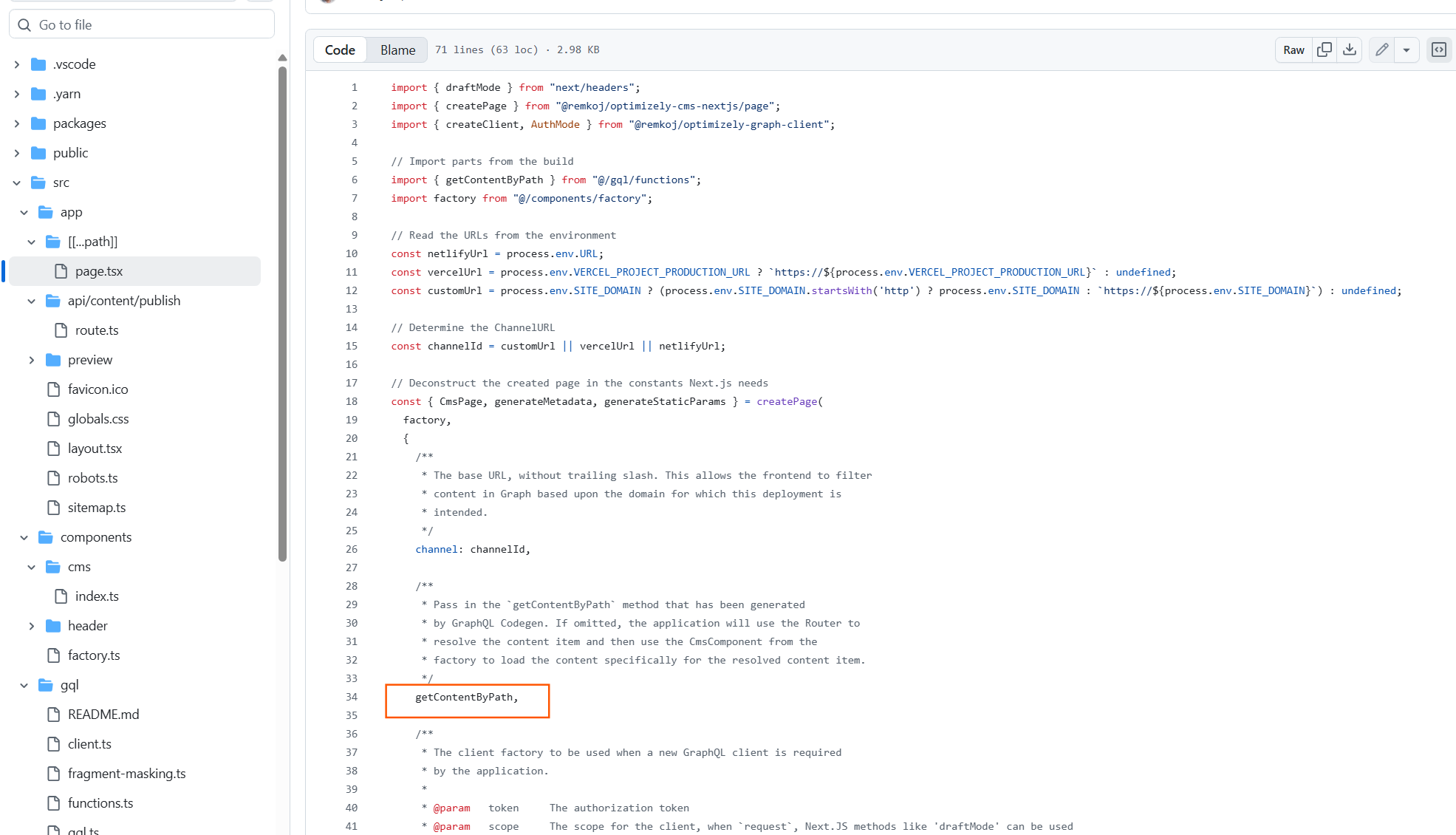
That's all. Hope this makes your multilingual setup a bit easier. Happy coding!
This might be out of context for your implementation, but if a page in a language have multiple fallbacks defined, how would you determine which is the correct one to return?
Hi @Erik,
Thanks for your comment.
That is good question. We can correct this one by indexing more SortIndex in FallbackLanguageContent as following as:
Then adjust the query with sorting by SortIndex ASC as following as: